How to Choose the Right Google Business Profile Management Software?

Choosing the right Google Business Profile management software becomes important when managing business profiles involves more than updating a few basic details. Businesses, agencies, and local SEO teams may need to manage profiles, locations, posts, photos, reviews, services, categories, tasks, and performance data while keeping information accurate across multiple locations. The right software should therefore match the way your team manages GBP today and the scale you expect to reach.
Google Business Profile is closely connected to how businesses appear in Google Search and Maps. Google states that local results are mainly based on three factors: relevance, distance, and prominence. It also recommends keeping business information complete and accurate, responding to reviews, and adding useful photos and other profile information.
The scale of your operation also matters. Google recommends one Google business profile per business, while businesses with multiple locations need to manage the information associated with each eligible location correctly. For agencies and multi-location businesses, this can make manual profile management harder to organize as the number of locations, team members, clients, and recurring tasks increases.
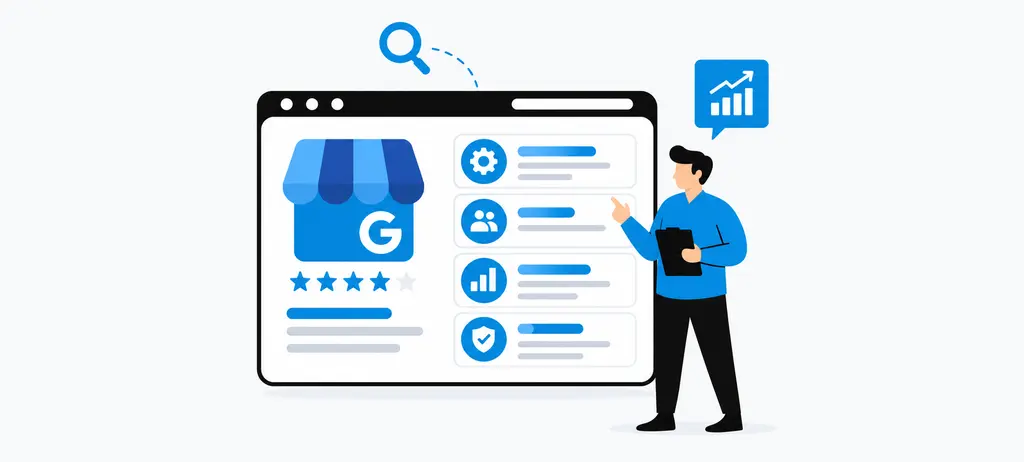
Good GBP management software should do more than provide a place to edit profile information. It should help you evaluate profile health, organize locations, manage Google Business Profile posts, monitor reviews, assign tasks, review performance, and connect GBP activity with wider local SEO work. For example, WRanker's GBP Management workflow brings profile health, business details, services, posts, photos, Q&A, hours, tasks, and local SEO reporting into a connected workflow.
This guide explains how to choose Google Business Profile management tools based on your actual business requirements. You will learn what to evaluate for multi-location GBP management, GBP management for agencies, bulk profile management, audits, reporting, Google Business Profile optimization, review management, and local SEO integration. You will also learn how to use a practical Google Business Profile audit checklist and evaluate whether a platform can support your current workflow without creating unnecessary complexity.
Always remember that any GBP management tool can make GBP management more organized and help teams identify issues, but it cannot guarantee higher Google rankings. Google keeps its ranking systems confidential and says local ranking is primarily influenced by relevance, distance, and prominence.
Key Takeaways
- A clear understanding of Google Business Profile management software, including how it centralizes profile management, optimization, posts, reviews, tasks, monitoring, and reporting for ongoing local SEO work.
- Practical guidance for choosing the right software based on the number of profiles, locations, clients, team members, required features, automation needs, reporting requirements, and future business growth.
- A better understanding of how multi-location GBP management and bulk management can simplify profile updates while still allowing location-specific information, issues, and performance to be reviewed individually.
- Clear criteria for evaluating software for agencies and local SEO teams, including client management, user permissions, task assignment, approval workflows, reporting, GBP automation, and scalable workflows.
- An understanding of how GBP management connects with broader local SEO activities, including profile optimization, reviews, local rank tracking, listings and citations, profile health, reporting, and how Wranker brings these activities into a centralized workflow.
What Should You Consider Before Choosing Google Business Profile Management Software
Before comparing Google Business Profile management software, start by understanding what your business or team actually needs to manage. A single-location business may only need basic profile updates and review monitoring, while an agency or multi-location company may need to manage dozens or hundreds of profiles, assign work to different team members, review location-level performance, and keep local SEO activities organized.
The best choice is therefore not necessarily the platform with the longest feature list. It is the platform that fits your number of profiles, locations, clients, users, existing workflow, and local SEO requirements. Evaluating these areas first gives you a practical basis for comparing different Google Business Profile management tools.
Number of Google Business Profiles to Manage
The first thing to determine is how many Google Business Profiles your team needs to manage today and how that number may change over time.
Managing one profile is relatively simple. Managing several profiles introduces more repetitive work. You may need to check business information, update services, publish posts, review photos, monitor reviews, check profile issues, and record completed work for every location.
Google recommends keeping business profile information complete and accurate, including details such as business hours, categories, address information, and attributes. It also recommends responding to reviews and adding photos and videos where appropriate.
When evaluating Google Business Profile management tools, check whether the platform can help you organize these activities without making your team repeat the same process manually for every profile.
Look for capabilities such as the following:
- Centralized profile management
- Profile health monitoring
- Location-level tasks
- Business information management
- Category and service management
- Post and photo management
- Review monitoring
- Profile-level reporting
The number of profiles should also influence how much automation and organization you need. A platform that works well for five profiles may not provide the workflow controls required for 50 or 500 profiles.
For example, Wranker's GBP Management workflow brings profile health, business information, categories, services, posts, photos, Q&A, hours, tasks, and reporting into a connected management process.
The important question is not simply "How many profiles can the software support?" Instead, ask whether your team can manage those profiles efficiently, identify problems quickly, assign work, and track what has been completed.
Number of Locations and Clients
The number of locations and clients can have a bigger effect on your requirements than the total number of profiles.
A company with 30 locations under one brand has a different workflow from an agency managing 30 profiles for 15 different businesses. In the first case, the team may focus on consistency across locations. In the second, client separation, permissions, approvals, and reporting become much more important.
Google's guidelines state that businesses should have one business profile for each eligible location rather than creating multiple profiles for the same location.
Before selecting GBP management software, map your account structure:
Business → Client or Brand → Location → Profile → Tasks → Reports
Then check whether the platform can represent that structure clearly.
For multi-location GBP management, consider whether you can:
- Group locations logically
- View all locations from one place
- Open an individual location when needed
- Maintain location-specific information
- Assign work by location
- Compare locations
- Generate location-level reports
- Separate different clients or brands
This is especially important for GBP management for agencies. An agency should be able to manage multiple clients without mixing their locations, tasks, data, or reports.
A good platform should make it easy to move between a high-level portfolio view and an individual profile without losing the context of the client or location.
Team Members and User Access
Your team structure should be another major factor when choosing Google Business Profile management software.
Different people may be responsible for different parts of GBP management. An SEO specialist may review profile health and local rankings, while a content specialist manages posts. A reputation team may monitor reviews, and an account manager may handle client communication and reporting.
Google itself supports different business profile access levels and recommends that people use their own Google accounts instead of sharing login credentials.
Your management platform should support a similar principle of clear responsibility.
Before choosing a platform, consider whether you need to:
- Give different users different levels of access
- Assign tasks to specific team members
- Separate client responsibilities
- Track who is responsible for an issue
- Manage approvals
- Review completed work
- Keep an activity history
- Control access as the team changes
For example, if one person manages 40 locations but another person is responsible only for reviews, they should not necessarily have the same responsibilities or workflow.
This is where task management becomes important. A GBP management software platform should help turn profile issues into clear actions rather than leaving your team with a long list of problems and no ownership.
Wranker's GBP Management workflow connects profile findings with tasks and ongoing management, which can help teams move from identifying an issue to assigning and tracking the work required to address it.
Current Manual GBP Workflows
Before buying software, document how your team currently manages Google Business Profiles.
This step is often overlooked. Businesses sometimes compare platforms based on feature lists without first identifying the manual work that is slowing their team down.
For example, your current workflow may look like this:
Check profile → Find issues → Record issues in a spreadsheet → Assign work → Wait for approval → Make changes → Record completion → Prepare report
If you manage several locations, repeating this process can create unnecessary administrative work.
Review the tasks your team performs regularly, including:
- Checking business information
- Reviewing categories and services
- Checking profile completeness
- Managing posts
- Reviewing photos
- Monitoring reviews
- Checking location-specific issues
- Assigning tasks
- Following up on pending work
- Preparing client reports
You can then create a simple Google Business Profile audit checklist based on the activities that matter to your business.
This checklist becomes useful when comparing software. Instead of asking whether a platform has "100+ features," ask whether it can improve the specific workflow your team follows every week.
For example:
| Manual activity | What to evaluate in software |
| Check multiple profiles | Centralized profile view |
| Find profile issues | Profile health and issue monitoring |
| Assign fixes | Task management |
| Manage posts | Google Business Profile post management |
| Monitor reviews | GBP review management |
| Track locations | Location-level management |
| Prepare reports | Reporting and performance data |
| Follow up on work | Tasks, status and activity tracking |
This approach also helps you avoid paying for features that do not solve a real problem.
Wranker's GBP workflow follows the broader process of identifying profile issues, prioritizing work, taking action, and reviewing progress. That makes the software easier to evaluate against an existing operational workflow rather than treating GBP management as a collection of unrelated tasks.
Local SEO Requirements
The final consideration is whether you need GBP management software by itself or whether Google Business Profile management is part of a wider local SEO process.
For many businesses, GBP is only one part of local search work. Teams may also need to track local rankings, manage listings and citations, monitor reviews, analyze local search performance, and identify opportunities for improvement.
Google states that local results are mainly based on relevance, distance, and prominence, while also noting that Google keeps the details of its ranking systems confidential. Complete business information, reviews, and other business signals can contribute to how a business appears in local search.
This means your software evaluation should go beyond profile editing.
Ask whether the platform can fit into workflows such as the following:
- Local rank tracking
- Listings and citation management
- GBP review management
- Local SEO insights
- Local search performance analysis
- Location-level reporting
- Client reporting
- Task-based SEO workflows
For example, Wranker's local SEO rank tracking connects local keyword and Map Pack tracking with location-level visibility and competitor movement. Its listings and citations management workflow addresses business listing accuracy and citation issues, while GBP reviews and reputation management focus on review and reputation workflows.
Wranker's local SEO insights and recommendations can also connect local SEO findings with recommendations and tasks, which is useful when GBP issues need to be considered alongside other local search activities.
Google Business Profile optimization should fit into your wider local SEO process. If your team already manages rankings, citations, reviews, and local SEO tasks, choosing a platform that keeps these activities connected may be more useful than adding another isolated tool.
Before comparing individual platforms, write down your requirements under these five areas:
Profiles → Locations and Clients → Team → Workflow → Local SEO
This gives you a practical selection framework and makes it easier to identify which Google Business Profile management tools actually match the way your business operates.
Which Google Business Profile Management Features Matter Most
The most useful Google Business Profile management software should help your team act on profile data, not just display it. When comparing Google Business Profile management tools, check whether each feature lets you make a change, review its status, assign follow-up work, or confirm what still needs attention.
A good way to assess a feature is to ask three questions that are mentioned below:
- What information does it show?
- What action can I take from it?
- How can I confirm that the action was completed?
Features that answer all three questions are more useful than dashboards filled with scores that do not explain the next step.
Google Business Profile Management
Core profile management should bring important business information into one workspace. This can include business names, addresses, phone numbers, hours, categories, services, website links, photos, and other supported profile data.
The important part is control. Your Google Business Profile management software should make it easy to see which profile you are editing before any change is made. It should also show whether an update is waiting, completed, rejected, or still needs attention.
Google Business Profile owners and managers can already edit information, manage posts, and respond to reviews directly through Google. Software therefore needs to add value through organization, visibility, and workflow control rather than simply copying Google’s basic editing functions.
Wranker’s GBP Management workspace groups profile details, services, hours, posts, photos, tasks, and local SEO reporting within one workflow. When evaluating any platform, verify which of these actions are live management functions and which are diagnostic or reporting views.
Google Business Profile Optimization
Google Business Profile optimization features should help you find specific areas that need improvement. Useful software may flag missing services, old photos, incomplete hours, or fields that have not been reviewed recently.
The recommendation should always explain the issue. For example, “holiday hours need review” is more useful than a health score of 78 with no explanation.
This matters because Google builds profile information from several sources, including business owners, public web content, third-party data, and user contributions. The information stored inside your software may therefore need to be checked against what Google currently shows publicly.
Do not treat a vendor’s optimization score as proof that a profile will rank higher. In this section, the software’s job is to identify work that can be reviewed. The article will examine Google Business Profile ranking factors separately later.
Google Business Profile Post Management
Good Google Business Profile post management should make publishing easier without removing editorial control. Look for support for updates, offers, and events, together with scheduling, destination-profile selection, approval status, and an easy way to edit upcoming content.
Google already allows businesses to schedule posts and publish them across selected business profiles. It also reviews published posts before they appear publicly. A third-party platform should therefore add something useful, such as shared calendars, approval steps, reusable drafts, or better visibility across planned content.
A practical test is to create one post, assign it to the correct profile, schedule it, and then check what happens if the content needs to change. That tells you more about the workflow than a feature page that simply says “post scheduling included”.
GBP Review Management
GBP review management should help your team find reviews that need attention and organize responses without encouraging rushed or generic replies.
Useful controls may include filters for date, rating, location, reply status, and review age. If the platform offers AI-assisted replies, your team should still be able to review and edit the wording before it is published.
Google recommends short, relevant, and personalized replies. It also prohibits offering incentives in exchange for reviews or selectively trying to generate only positive feedback.
This makes workflow design important. A negative review about a delayed service may need to be assigned to an operations manager before anyone replies publicly.
Wranker’s review and reputation management workflow connects review information with response queues, sentiment context, tasks, and reporting. When comparing another platform, check whether its review feature helps your team resolve the issue or only collects reviews into one inbox.
Profile Health and Issue Monitoring
Profile health monitoring should help you answer one question quickly: which profile needs attention, and why?
A useful system should separate different types of issues instead of hiding them behind one overall score. For example, it may show that business hours need review, a service is missing, or a photo has not been updated recently.
This is also where a Google Business Profile audit checklist can become useful. Your checklist can define the areas that matter to your business, while the software shows which locations need review against those checks.
When assessing a health feature, look for evidence behind each warning. The platform should show the affected field, the reason it was flagged, and the recommended next action. If the issue can be turned into a task, that is even more useful.
Wranker’s GBP Management page describes profile-health views that connect findings with follow-up actions. Its public page also labels some displayed figures as illustrative, so those example scores should not be treated as real customer performance data.
Tasks and Team Workflows
Profile management becomes much easier when findings can move directly into assigned work. A good workflow should let your team attach an owner, due date, priority, status, and supporting notes to the task.
For example, a missing holiday-hours update should not remain as a warning on a dashboard. It should become a clear task for the person responsible for that location, with a deadline and a way to confirm completion.
This is different from user permissions. Permissions control what someone is allowed to access; task workflows control what they are expected to do. The article will cover access and agency requirements in later sections.
Wranker’s campaign activity taskboard supports owners, due dates, priorities, statuses, comments, history, and several task views. Its value in a GBP workflow is the connection between an identified profile issue and the person responsible for fixing it.
When you compare Google Business Profile management software, prioritize features that reduce the gap between finding a problem and completing the work. A feature is most useful when your team can see the issue, understand it, assign it, and later verify what happened.
How Important Is Multi-Location GBP Management?
Multi-location GBP management becomes important when a business can no longer treat every Google Business Profile as a separate task. A team managing 20, 50, or 500 locations needs to know which profiles are healthy, which locations need attention, and whether a change should apply everywhere or only to selected branches.
Google already provides bulk-management options for eligible businesses with 10 or more locations, including business groups and spreadsheet-based updates. That means the value of Google Business Profile management software is not simply “manage many profiles”. The stronger value is helping teams organize locations, control changes, monitor exceptions, and connect profile work with local SEO actions.
Managing Multiple Profiles From One Platform
The main benefit of centralized Google Business Profile management software is having one place to review the profiles you manage.
Without a centralized workflow, a team may need to move between individual profiles, spreadsheets, task boards, content calendars, review tools, and reporting documents. As the number of locations increases, this can make it difficult to know which profiles need attention and which work has already been completed.
When evaluating Google Business Profile management tools, check whether the platform provides a central view of:
- All managed profiles
- Profile health
- Location groups
- Open issues
- Assigned tasks
- Posts and content activity
- Photos and freshness
- Reviews and response activity
- Reporting status
Wranker's GBP Management workflow is designed around a location-level profile health view, where teams can identify stale fields, missing services, photo freshness issues, post activity, Q&A status, and other profile actions from a connected workspace.
The advantage is operational rather than simply visual. Your team can start with the overall account, identify locations that need attention, and then move into the individual profile when more detail is required.
Organizing Locations and Profile Groups
Managing multiple locations becomes easier when the software provides a clear structure for organizing them.
For example, an agency may manage:
Client → Brand → Region → Location → Google Business Profile
A national business may instead organize locations by:
Brand → Country → State → City → Branch
Your Google Business Profile management software should allow you to work with the structure that matches your business.
Google itself uses store codes and business groups to help businesses organize locations. Google recommends giving each location a unique store code when using bulk uploads so that changes can be applied to the correct location.
When evaluating a platform, consider whether you can:
- Group locations by client
- Group locations by brand
- Filter by region or market
- Find individual locations quickly
- Assign work to location groups
- Review performance by group
- Separate client data
- Move between portfolio and location-level views
This becomes particularly important for GBP management for agencies. An agency should not have to search through one large list every time it needs to find a particular client's locations.
Good organization also reduces the risk of applying a change to the wrong business or location.
Managing Location-Specific Information
Centralized management does not mean every location should have identical information.
Some business information can be standardized, but many details need to remain specific to the individual location. Opening hours, special hours, services, photos, local offers, phone numbers, addresses, and other profile information may differ between branches.
Google's bulk upload guidance supports location-level information such as business names, addresses, categories, hours, descriptions, attributes, and other fields.
This is why multi-location GBP management needs both consistency and local control.
When evaluating software, check whether your team can identify:
- Information shared across locations
- Information unique to each location
- Missing location-specific information
- Outdated hours
- Location-specific services
- Local photos
- Location-specific posts
- Location-level reviews
- Changes that require individual approval
For example, a restaurant chain may have the same brand name and core services across 50 locations, but opening hours, holiday hours, photos, menus, and local promotions can differ.
The software should make it easier to maintain the shared information while protecting the details that belong to each individual location.
Monitoring Individual Locations
Portfolio-level monitoring is useful for finding problems, but it should not replace location-level analysis.
A profile may look healthy when viewed as part of a larger account while still having a specific issue that needs attention. One branch may have outdated photos, another may have missing services, and another may have unanswered questions.
This is where Google Business Profile optimization and profile health monitoring become useful.
Wranker groups profile health signals such as completeness, freshness, categories, services, photos, posts, hours, and Q&A into a location-level operating view. It also provides recommended actions that can be connected to tasks.
A useful monitoring workflow should let your team move from:
Portfolio → Location group → Individual location → Issue → Action
For each location, consider monitoring:
- Profile completeness
- Business information
- Categories and services
- Hours and special hours
- Post activity
- Photo freshness
- Q&A activity
- Reviews
- Open GBP tasks
- Local search performance
This approach is more useful than relying on one overall score. The goal is to understand what changed, which location is affected, and what action is required.
Applying Bulk Updates Safely
Bulk Google Business Profile management can save significant time when the same type of change affects multiple locations. Google itself supports bulk management through Business Profile Manager and spreadsheet imports for multiple locations.
However, bulk management should be used carefully.
A change that is correct for one location may be incorrect for another. For example, a business may have different:
- Opening hours
- Special hours
- Services
- Phone numbers
- Addresses
- Attributes
- Local content
- Photos
Google's documentation also notes that when using bulk uploads, a changed field can replace the previous value, so teams should review their data carefully before importing updates.
When evaluating GBP management software, ask whether the platform gives your team enough control to:
- Select the correct locations.
- Identify which fields will change.
- Review location-specific differences.
- Assign or approve important changes.
- Track what was changed.
- Validate the result afterward.
A good bulk workflow should reduce repetitive work without removing human review.
For example, changing a common business service across 30 locations may be suitable for a controlled bulk process. Changing holiday hours for 30 locations may require more careful location-by-location verification.
The goal of bulk Google Business Profile management is therefore not maximum automation. It is faster execution with enough control to prevent incorrect updates.
Reviewing Location-Level Performance
Managing profiles is only one part of multi-location SEO. You also need to understand whether your work is improving the local search process for individual locations.
This is where location-level performance reporting becomes important.
Depending on the software, you may want to review:
- Local keyword rankings
- Map Pack visibility
- Review activity
- Profile health
- Listing accuracy
- Open and completed tasks
- Profile changes
- Location-specific trends
Wranker's local SEO rank tracking connects local keyword tracking with Map Pack coverage, grid rankings, competitor movement, and location-level visibility.
Its local SEO dashboard provides a broader local SEO view that can bring together GBP health, listings, reviews, rankings, and local recommendations.
This distinction is important because Google Business Profile management software should not be judged only by how quickly it can update a profile. A stronger platform should help your team understand what was changed, what remains unresolved, and how those activities fit into the wider local SEO workflow.
For agencies, location-level reporting also makes client reporting easier. Instead of showing one general account summary, you can explain which locations improved, which still have open issues, and what work is planned or completed.
Ultimately, the value of multi-location GBP management comes from combining centralized control with location-level detail. The best Google Business Profile management software should help you manage many profiles efficiently without treating every location as identical. This becomes especially important when you move into GBP management for agencies, where client separation, user permissions, bulk workflows, approvals, and reporting become additional selection criteria.
What Should Agencies Look for in GBP Management Software
Agencies have different requirements from businesses managing their own locations. An agency may manage multiple clients, different brands, and many locations at the same time. Each client can also have different approval processes, reporting requirements, users, and local SEO goals.
This makes Google Business Profile management software more than a profile management tool for agencies. It becomes part of the agency's delivery workflow. The software should help the team organize client profiles, assign work, control access, manage approvals, monitor profile health, and produce client-ready reports.
When evaluating GBP management software for agencies, focus on whether it can support your current client workflow without creating more manual work as the agency grows.
Managing Multiple Clients and Locations
The first requirement for an agency is the ability to manage multiple clients and locations without mixing their information.
For example, an agency could manage:
Client A → 12 locations
Client B → 35 locations
Client C → 8 locations
Each client may have different business information, services, team members, approval requirements, and reporting schedules.
A good Google Business Profile management software platform should make it easy to move between clients while maintaining a clear separation between their locations and work.
When evaluating a platform, check whether you can:
- Organize profiles by client
- Group locations under the correct business
- View client-level profile health
- Drill down to individual locations
- Filter tasks by client and location
- Track profile issues by account
- Manage different client workflows
- Report on individual clients or complete portfolios
Wranker's GBP Management workflow is designed for agencies managing one location, multiple branches, or multiple client accounts. It provides profile health, location-level issues, task workflows, and reporting that can be used across agency portfolios.
For a larger agency, the relatedlocal SEO dashboard provides a broader portfolio view across GBP, listings and citations, reviews and reputation, local rank tracking, and local SEO recommendations.
The key question is whether your team can manage clients and locations as separate units while still getting a complete view of the agency's local SEO work.
Separating Client Workflows
Managing multiple clients from one platform is useful only when each client's work remains properly separated.
A local SEO agency may have one client that approves every GBP post before publication, while another may allow the agency to manage posts without approval. One client may require weekly reporting, while another may need monthly reports.
Your GBP management software should therefore support different workflows instead of forcing every client into exactly the same process.
Look for ways to separate:
- Client profiles
- Location groups
- Tasks
- Team members
- Approval requirements
- Reporting
- Notes and evidence
- Local SEO activities
This is particularly important for GBP management for agencies, because a single shared workflow can become difficult to control when the client portfolio grows.
Wranker's Local SEO Dashboard is structured around agency portfolios and supports multi-client and multi-location local SEO delivery, including portfolio views, location rollups, task workflows, and client-ready reporting.
A good workflow should let your team answer three questions quickly:
- Which client is this work for?
- Which location is affected?
- Who is responsible for the next action?
If those answers are difficult to find, the software may create more administrative work rather than reducing it.
Managing User Permissions
Agencies rarely have one person doing every GBP task. SEO specialists, account managers, content teams, reputation specialists, branch contacts, and managers may all need different levels of access.
For this reason, Google Business Profile management software should provide clear user and permission controls.
Consider whether the platform allows you to control:
- Who can view client accounts
- Who can edit or manage GBP work
- Who can create tasks
- Who can approve changes
- Who can manage reports
- Who can access specific clients or projects
- What external collaborators can access
Google also recommends using individual accounts rather than sharing passwords when managing business profiles.
For broader agency operations, Wranker's team and roles management supports client and project scope, workspace permissions, feature-level access, invite controls, access reviews, and audit logs.
This type of permission structure becomes more important as the agency grows.
For example, a content specialist may need access to GBP post management but should not necessarily have access to every client account or agency-level reporting setting.
The goal is simple, which is give each person enough access to complete their work without giving everyone access to everything.
Assigning Tasks and Responsibilities
GBP management becomes difficult when an audit identifies issues, but nobody knows who should fix them.
For example, an agency may discover that:
- Three locations have outdated hours
- Five locations need new photos
- Two locations have unanswered questions
- Four profiles have missing services
- Several locations need new posts
A spreadsheet can record these issues, but it does not necessarily provide a connected workflow for assigning, tracking, and reporting the work.
This is where task management becomes an important part of GBP management software.
Look for features that allow your team to:
- Create tasks from profile issues
- Assign an owner
- Add due dates
- Set priorities
- Add location context
- Track task status
- Add evidence or notes
- Mark work as completed
- Include completed work in reports
Wranker's GBP Management workflow connects profile findings with actions such as Create Task, Assign Owner, Schedule Post, Update Hours, and Add to Report. It also shows task states such as open, in progress, needs approval, and fixed. WRanker
This creates a useful workflow:
Audit → Prioritize → Assign → Complete → Validate → Report
For agencies, this is more useful than simply showing a list of GBP problems because the team can connect each issue with an owner and a next step.
Managing Client Approvals
Client approval is another area agencies should evaluate before choosing Google Business Profile management tools.
Not every GBP change should necessarily be published immediately. A client may want to review a new post, service description, business information change, photo, or other location-specific update before it is applied.
The software should make the approval process clear.
For example:
Agency creates update → Client reviews → Approval or changes requested → Team publishes or revises → Work is recorded
When evaluating a platform, check whether you can:
- Mark work as requiring approval
- Identify pending approvals
- Assign an approver
- Track approval status
- Keep approved and unapproved work separate
- Record decisions
- Include approval status in reporting
Wranker's GBP Management workflow includes task states for work that needs approval, while its broader reporting and agency workflows are designed to separate completed updates, pending approvals, and unresolved risks.
This is especially useful when managing several clients because the account manager should be able to identify pending client decisions without manually checking emails or spreadsheets.
Approval workflows also reduce the risk of treating every location in the same way. A change can be prepared centrally while still allowing the appropriate client or branch contact to review it.
Creating Client-Specific Reports
Reporting is one of the most important requirements for GBP management for agencies.
Clients usually want to know more than the number of profiles being managed. They want to understand:
- What was checked
- What problems were found
- What was fixed
- What is still pending
- Which locations need attention
- What changed during the reporting period
- What work is planned next
A useful Google Business Profile management software platform should make it easier to turn this information into a client-ready report.
Look for:
- Client-specific reporting
- Location-level reporting
- Profile health trends
- Completed work
- Open issues
- Pending approvals
- Review activity
- Post and photo activity
- Local ranking data
- White-label reporting
- Scheduled reports
- Export options
Wranker's Reporting Dashboard supports client-ready reporting with PDF, CSV, and live-link formats, while its reporting workflows can connect data from different Wranker modules.
Wranker's local SEO insights and recommendations also connect findings, actions, affected locations, task owners, and validated outcomes with client-ready reporting blocks.
For agencies, this creates a stronger reporting story:
What was found → What was assigned → What was fixed → What remains → What changed
That is more useful to a client than a report containing only profile scores or screenshots.
Scaling GBP Management for Agencies
The final question is whether the software can support the agency as its client base grows.
A platform may work well for 10 profiles but become difficult to manage at 100 or 500 profiles if the workflow depends heavily on manual checks, spreadsheets, screenshots, and separate reporting systems.
When evaluating Google Business Profile management software, consider whether it can scale across:
- More clients
- More locations
- More team members
- More recurring tasks
- More approval workflows
- More reports
- More local SEO activities
Scalability should not mean simply adding more profiles. The workflow should remain manageable as the agency grows.
For example, an agency could start with GBP management and later need:
GBP Management → Reviews and Reputation → Listings and Citations → Local Rank Tracking → Local SEO Insights → Reporting
Wranker's Local SEO Dashboard is designed to connect these local SEO workstreams within one workspace, including GBP management, listings and citations, reviews and reputation, local rank tracking, local insights, tasks, and reporting.
This broader structure can reduce the need to manage each local SEO activity in a separate system.
For agencies, the right GBP management software should therefore support both current delivery and future operational growth. You should be able to add clients and locations without rebuilding your entire process every time.
Before choosing a platform, evaluate the complete agency workflow:
Clients → Locations → Users → GBP work → Approvals → Tasks → Local SEO → Reporting
If those parts can work together, your team can spend more time improving client accounts and less time coordinating disconnected tools and spreadsheets.
How Should You Evaluate GBP Automation and Bulk Management
Automation can make Google Business Profile management software much more useful when you manage many locations or repeat the same tasks regularly. But automation should not mean making every change automatically.
The right approach is to separate work into two groups: repeatable tasks that can be handled efficiently at scale and changes that need human review before they are applied. This is especially important for agencies and multi-location businesses where one incorrect update can affect many profiles.
Google already supports bulk management through Business Profile Manager, including spreadsheet imports and updates for multiple locations. Google also provides a preview of proposed changes before they are applied, which shows why review and validation remain important even in a bulk workflow.
When comparing GBP management software, therefore, evaluate automation based on three things: what can be managed in bulk, how much control your team has over location-specific changes, and how easily automated work can be reviewed and tracked.
What GBP Tasks Can Be Managed in Bulk
The first step is to identify which GBP activities are repetitive enough to benefit from bulk management.
Common examples include:
- Reviewing multiple profiles
- Checking profile health
- Managing business information
- Reviewing categories and services
- Monitoring profile freshness
- Managing posts
- Reviewing photos
- Creating recurring tasks
- Monitoring reviews
- Preparing reports
- Identifying profiles that need attention
Not every task should be changed across every location. The value of bulk Google Business Profile management comes from reducing repetitive work while keeping enough control over individual profiles.
For example, if 40 locations use the same service category, reviewing those locations together can save time. But if each branch has different opening hours, those values need to be checked at the location level.
Wranker's GBP Management workflow groups profile health, freshness, posts, photos, Q&A, services, hours, and tasks into a connected location management workflow. This allows teams to identify profiles that need attention and create actions from the findings.
The best Google Business Profile management tools should therefore help you identify which tasks are suitable for centralized management and which require individual review.
How Bulk Google Business Profile Management Works
Bulk management generally starts with a defined group of locations and a specific set of fields or tasks that need attention.
Google's own bulk workflow allows businesses to download their profile data, update it in a spreadsheet, and upload the revised information. Google recommends using the same store codes and location information when updating existing locations so that changes are applied to the correct businesses.
A controlled bulk workflow can be viewed as the following:
Select locations → Identify fields → Prepare changes → Review → Apply → Validate
The same principle should be used when evaluating Google Business Profile management software.
Ask whether the platform allows you to:
- Select specific locations
- Filter locations before making changes
- Identify affected fields
- Review changes before applying them
- Keep location-specific information separate
- Track the changes made
- Assign review responsibilities
- Record completed work
This is important because bulk management is not simply about changing many profiles at once. It is about changing the correct profiles with enough control to avoid unnecessary errors.
Google's bulk upload process provides a preview showing the locations affected and proposed changes before the user applies them. It also provides details about updates and errors after processing.
That is a useful standard to keep in mind when comparing third-party GBP management software.
How to Handle Location-Specific Changes
The biggest risk with bulk management is treating every location as identical.
A business may have common brand information across all branches, but individual locations can have different:
- Opening hours
- Special hours
- Phone numbers
- Services
- Photos
- Local offers
- Events
- Address details
- Service areas
- Customer reviews
Google's documentation specifically recommends checking store codes and location data before bulk uploads because incorrect information can result in unintended updates or duplicate businesses.
For this reason, a good multi-location GBP management workflow should allow teams to separate shared information from location-specific information.
For example:
1. Shared information
- Brand name
- Core services
- Brand-level content
- Standard business attributes
2. Location-specific information
- Address
- Phone number
- Local hours
- Special hours
- Location photos
- Local posts
- Location services
This separation becomes especially important for agencies. A team may have a standard process for 50 client locations, but each client and location can still require individual approval.
When evaluating bulk Google Business Profile management, ask:
Can we apply common changes efficiently without losing control over information that is unique to each location?
If the answer is no, the automation may create more risk than value.
What Tasks Should Still Require Manual Review
Automation works best for predictable tasks. Human review is still important when a change depends on context, accuracy, or client approval.
Examples include:
- Business name changes
- Address changes
- Opening and special hours
- Category changes
- Major service changes
- Location-specific posts
- Sensitive customer responses
- Negative review responses
- New location information
- Changes that could affect business representation
This does not mean every task must be completed manually. Instead, the workflow should identify which tasks need a human decision before completion.
Google's own bulk management process provides a preview before changes are applied, and Google's documentation warns that spreadsheet errors can result in unintended updates.
This supports a simple principle for GBP management software:
Automate the repetitive work. Review the important decisions.
Wranker's GBP Management workflow follows this type of operational model by connecting profile findings with actions and task states, including work that requires attention or approval.
The same approach can be applied to Google Business Profile optimization. A software platform can identify that a profile needs attention, but a team member may still need to decide what information should be changed and whether the proposed change is correct.
How Automation Affects Team Workflows
The main benefit of automation should be a better team workflow, not simply fewer clicks.
Without a structured process, automation can actually create new problems. A large number of changes may be completed quickly, but the team may struggle to understand:
- What changed
- Which locations were affected
- Who approved the changes
- Which changes failed
- Which profiles still need attention
- What should be reported to the client
A strong Google Business Profile management software workflow connects automation with ownership and reporting.
For example:
Find profiles → Group similar work → Create tasks → Review changes → Apply updates → Validate → Report
This approach gives team members a clear role in the process.
Wranker's Local SEO Dashboard connects GBP management with listings and citations, reviews and reputation, local rank tracking, local insights, tasks, and reporting. Its workflow is designed to move from local signals to prioritization, assigned work, and client-ready reporting rather than leaving automation as an isolated feature.
The same workflow can connect GBP activity with other Wranker features. For example, a profile issue can lead to a task in local SEO insights and recommendations, a citation issue can move into listings and citations management, and a local ranking change can be investigated through local SEO rank tracking.
Reporting should also remain connected to the work. Wranker's Reporting Dashboard supports reusable report panels, scheduled reports, white-label exports, and live links, which can help agencies turn completed GBP and local SEO work into client-facing reporting.
Ultimately, automation should help your team move faster without removing control from the process. When comparing Google Business Profile management tools, look for a workflow where bulk actions, location-level review, task ownership, approvals, validation, and reporting work together.
That distinction will become important in the next part of the article, where the focus moves from how GBP work is managed to what reporting and performance data the software should provide.
What Reporting and Performance Data Should GBP Software Provide
Once you have evaluated profile management, optimization, multi-location workflows, and automation, the next question is how the software helps you measure the work.
A good Google Business Profile management software platform should not only show profile information. It should help you understand what changed, which locations need attention, what work has been completed, and how GBP activity fits into wider local SEO performance.
Google Business Profile itself provides performance data for verified profiles, including profile views and customer actions such as calls, website clicks, directions, messages, and bookings where applicable. Google also allows performance data to be reviewed for individual or multiple profiles and by date range.
When comparing Google Business Profile management tools, look for reporting that moves beyond a collection of numbers. The most useful reporting connects profile activity → location → local visibility → actions → outcomes.
Profile Activity Reporting
The first reporting layer should show what is happening with the profiles themselves.
For example, your team may need to know whether profiles are being maintained, which locations have outdated information, and what GBP work has recently been completed.
Useful profile activity reporting can include:
- Profile health
- Profile completeness
- Business information changes
- Category and service updates
- Post activity
- Photo freshness
- Q&A activity
- Open profile issues
- Completed GBP tasks
- Pending approvals
Wranker's GBP Management feature organizes profile information, health, freshness, posts, photos, Q&A, services, hours, tasks, and reporting into a location-based workflow. Its reporting workflow is designed to show what changed, what was fixed, and what still needs attention.
This is more useful than simply displaying a profile score. For example, if a location's health changes, the team should be able to understand whether the change came from updated hours, new services, refreshed photos, completed posts, or another profile activity.
When evaluating GBP management software, ask:
Can the reporting explain what changed, or does it only show the current status?
Location-Level Reporting
For businesses with multiple locations, overall reporting can hide important differences between branches.
A company may have 50 locations with a healthy overall profile status, while five individual locations have outdated information, unanswered questions, or other issues. Agency teams can face the same problem when one client portfolio contains locations with very different levels of local SEO activity.
This makes location-level reporting an important feature.
Your software should ideally allow you to review information by:
- Individual location
- Location group
- Client
- Brand
- Region
- Time period
- Profile status
- Open tasks
Wranker's Local SEO Dashboard provides a portfolio-level view while also surfacing location health, GBP status, listing accuracy, review signals, Map Pack coverage, and open local SEO work.
This type of reporting helps teams answer practical questions such as:
- Which location needs attention first?
- Which branches have unresolved GBP issues?
- Which client has the most open local SEO work?
- Which locations improved during the reporting period?
For multi-location GBP management, this is more useful than relying on a single account-wide number because teams can move from a portfolio summary to the specific location responsible for the issue.
Review and Reputation Reporting
GBP reporting should also include review and reputation data when reviews are part of your local SEO workflow.
Useful GBP review management reporting can include:
- Average rating
- Review volume
- New reviews
- Response rate
- Unanswered reviews
- Response time
- Rating movement
- Sentiment themes
- Location-level reputation risks
Google Business Profile provides review functionality, but agencies and multi-location teams may need a more structured process for monitoring and reporting review activity across many locations.
Wranker's GBP reviews and reputation management connect review monitoring with response queues, sentiment themes, response status, reputation risks, tasks, and location-based reporting.
This can make review reporting more actionable.
For example, instead of reporting:
The client received 126 reviews.
You can provide more useful context:
Review volume increased, response coverage changed, and several locations require attention because of unresolved negative reviews.
That distinction matters for agencies because clients generally need to understand what the data means and what action follows, not simply receive a larger spreadsheet of metrics.
Local Search Performance Data
GBP activity should also be considered alongside local search performance.
Profile management alone cannot tell you everything about local visibility. If your goal is to understand local search performance, you may also need data from local rank tracking, Map Pack results, local keywords, citations, reviews, and other local SEO signals.
Wranker's local SEO rank tracking connects map pack presence, local ranking positions, grid scans, keyword groups, competitor movement, GBP context, reviews, and citations.
This creates a more useful relationship between profile work and local search data.
For example:
GBP issue identified → GBP update completed → local ranking monitored → change reported
However, the reporting should not imply that one GBP update automatically caused a ranking change. Local search visibility can be affected by multiple factors, and Google's local ranking systems are not fully disclosed.
A strong Google Business Profile management software platform should therefore show the relationship between these data points without making unsupported causal claims.
For broader analysis, Wranker's local SEO dashboard brings together GBP health, listings and citations, reviews and reputation, local rank tracking, local insights, and tasks in one local SEO workspace.
This is useful when your goal is not simply to report GBP activity but to understand how GBP work fits into the wider local search process.
Client Reporting for Agencies
For agencies, reporting needs to answer a slightly different question:
What work was completed for the client, what changed, what remains unresolved, and what should happen next?
A client report may therefore include:
- GBP health
- Profile issues found
- Issues fixed
- Open issues
- Post activity
- Photo activity
- Review performance
- Local ranking movement
- Citation issues
- Completed tasks
- Pending approvals
- Location-level performance
Wranker's reporting dashboard supports reusable report panels, PDF and CSV exports, live links, scheduling, and white-label reporting workflows.
Its GBP Management workflow also provides report-ready information around profile health, fixed issues, open risks, freshness, post and photo activity, and pending decisions.
For GBP management for agencies, this type of reporting can reduce the need to rebuild client presentations from screenshots, spreadsheets, and separate tools every month.
A good client report should follow a simple structure:
What we found → What we changed → What improved → What remains → What needs approval
This makes the report easier for a client to understand and gives the agency a clear record of the work delivered.
Date-Based Comparisons and Trends
A single data point rarely tells you whether GBP performance is improving.
For example, knowing that a profile has 100 reviews does not tell you whether review activity is increasing or decreasing. Similarly, knowing the current profile health status does not explain whether the team has improved the profile over the last month.
Date-based reporting helps provide that context.
Google Business Profile performance data supports date-range analysis, allowing businesses to examine how customers interact with their profiles over different periods.
When evaluating Google Business Profile management software, look for the ability to compare:
- Current versus previous periods
- Review volume over time
- Rating movement
- Response activity
- Profile health changes
- Completed GBP work
- Local ranking movement
- Location-level trends
- Open versus resolved issues
Wranker's reporting workflow uses trends and period-based comparisons to show profile health movement and completed work, while its local SEO dashboard can connect those changes with broader local visibility signals.
For example, an agency could compare:
Previous period → Current period → Change → Reason or related work → Next action
This creates a much clearer story than presenting the current numbers alone.
The key is to avoid treating every change as proof that a particular GBP action caused a specific outcome. Instead, use date-based comparisons to identify patterns, changes, and areas that deserve further investigation.
Ultimately, the reporting capability of Google Business Profile management software should help turn profile data into decisions. The strongest workflow connects GBP activity, location health, reviews, local rankings, tasks, and client reporting instead of keeping each metric in a separate report.
That leads naturally to the next selection question: how well should GBP management software connect with the broader local SEO workflow?
How Should GBP Management Software Connect With Local SEO
Google Business Profile management is only one part of local search work. A business can have accurate profile information and still need to manage local rankings, citations, reviews, reputation, and other local SEO activities.
This is why Google Business Profile management software should be evaluated as part of the wider local SEO workflow. Instead of keeping GBP management, rank tracking, listings, reviews, and recommendations in separate systems, teams can benefit from a connected workflow where information from one activity helps guide the next action.
For example, a profile issue may require a GBP update, while a local ranking change may require checking the profile, reviews, or citations. The goal is not to assume that one activity directly causes a ranking change. It is to give the team enough related data to investigate issues and make better decisions.
Local Rank Tracking
Local rank tracking should be one of the first integrations to consider when evaluating GBP management software.
GBP management tells you what is happening with the profile. Local rank tracking tells you how the business is appearing for relevant searches in specific locations.
Useful local ranking data can include:
- Local keyword positions
- Google Map Pack presence
- Grid-based rankings
- Ranking changes by location
- Competitor movement
- Near-me searches
- Service-related keywords
- City-specific searches
Wranker's local SEO rank tracking connects Map Pack data, grid scans, local keywords, GBP context, reviews, citations, tasks, and reports. The feature also provides location-specific ranking context such as weak grid areas, average grid rank, top 3 visibility, and competitor movement.
This connection is useful because a team can investigate local visibility from more than one angle.
For example:
Ranking drops → Check GBP information → Review categories and services → Check reviews and citations → Identify required action
This does not mean that an individual GBP change caused a ranking increase or decrease. Local rankings can change for many reasons. The value of connecting the data is that your team can investigate the relevant signals without switching between unrelated tools.
Listings and Citation Management
Business information should also be considered beyond the Google Business Profile itself.
A company may have accurate information in GBP, while another local directory contains an outdated phone number, address, category, or other business detail. For multi-location businesses, these inconsistencies can become difficult to identify manually.
This is where listings and citation management can complement Google Business Profile management software.
Useful citation management capabilities include:
- NAP consistency checks
- Missing citation detection
- Duplicate listing identification
- Source coverage
- Category mismatch detection
- Location-level citation monitoring
- Citation tasks
- Validation and reporting
Wranker's local SEO listings and citations management connect NAP accuracy, missing citations, duplicate listings, source coverage, tasks, and reporting in one workflow.
The connection with GBP is important because the business profile can provide a reference point for important business information, while citation management can help identify differences across other sources.
For example:
GBP information → Compare listing sources → Find mismatch → Create task → Fix listing → Validate → Report
This makes listing management part of the same local SEO process rather than a separate spreadsheet exercise.
For agencies, this is particularly useful because citation issues can be grouped by client, location, source, and severity before work is assigned.
Review and Reputation Management
Reviews are another important part of the local SEO workflow. GBP review management should therefore connect with profile management rather than operate as an unrelated customer feedback process.
A review workflow may need to track:
- New reviews
- Unanswered reviews
- Review ratings
- Response status
- Response time
- Sentiment
- Recurring customer concerns
- Location-level reputation issues
Wranker's GBP reviews and reputation management bring reviews, response queues, sentiment themes, reputation risks, tasks, and reporting into a connected workflow.
This allows teams to move from a review signal to an action.
For example:
New negative review → Triage → Assign response → Review recurring theme → Create task if needed → Report
The benefit is not simply having reviews in the same dashboard as GBP data. It is being able to connect customer feedback with the operational work that follows.
For example, if several customers repeatedly mention long wait times, the agency or business team may need to create an internal task rather than simply respond to each review individually.
This also creates useful reporting context. Instead of showing only the average rating, a team can review review volume, response activity, sentiment themes, unresolved risks, and changes over time.
Local SEO Insights
A connected Google Business Profile management software workflow should also help teams decide what to do with the information they collect.
Finding an incomplete service, outdated profile information, citation mismatch, review problem, or ranking change is only the first step. The team still needs to decide which issue matters, who should handle it, and what should happen next.
This is where local SEO insights and recommendations become useful.
Wranker's local SEO workflow connects findings from GBP, listings, reviews, and local rankings with recommendations, tasks, evidence, and reporting. The Local SEO Dashboard also brings together profile health, listings and citations, reviews, local rankings, and open local SEO work.
A practical workflow can look like this:
Collect data → Identify issue → Prioritize → Assign task → Complete work → Validate → Report
This approach is different from simply giving a business a local SEO score.
For example, instead of reporting:
This location has a profile health issue.
A useful workflow should help answer:
- What is causing the issue?
- Which location is affected?
- How important is it?
- What action should be taken?
- Who owns the task?
- Has the task been completed?
- What should be reported to the client?
That makes Google Business Profile optimization more actionable because profile improvements can become part of an ongoing local SEO process.
Connecting GBP Data With Local Search Performance
The strongest connection between GBP management software and local SEO comes when profile data can be reviewed alongside other local search signals.
A useful local SEO workflow can connect:
GBP → Reviews → Citations → Local Rankings → Tasks → Reporting
For example, a local ranking change may prompt the team to review the affected profile. The profile may have an outdated category or service, while citation data may show inconsistent business information. Review data may also reveal a change in customer sentiment.
None of these signals should automatically be treated as the single cause of a ranking change. Instead, they provide context for investigation.
Wranker's Local SEO Rank Tracking specifically connects ranking data with GBP context, reviews, citations, tasks, and reports. Its model includes GBP signals such as categories, services, hours, posts, photos, Q&A, and profile freshness alongside local ranking information.
The Local SEO Dashboard extends this approach by bringing GBP health, listings and citations, reviews, local ranking information, and local SEO work into a broader management workflow.
This type of integration can be especially useful for GBP management for agencies because the team can manage several parts of the local SEO process without rebuilding the same data in different systems.
When choosing Google Business Profile management software, therefore, do not ask only:
Can this platform manage my Google Business Profiles?
Also ask:
Can this platform help my team connect GBP activity with rankings, citations, reviews, local SEO insights, tasks, and reporting?
That broader question helps distinguish a basic profile management solution from a platform that can support an ongoing local SEO workflow.
It also sets up the next part of the selection process: understanding how Google Business Profile ranking factors should influence your software evaluation, and where software can help you monitor local SEO signals without promising rankings it cannot guarantee.
How Do Google Business Profile Ranking Factors Affect Software Selection?
When comparing Google Business Profile management software, it is important to separate what the software can manage from what Google uses to rank local results. A useful platform can help you keep profile information accurate, identify gaps, organize GBP work, monitor local visibility, and decide where further SEO work is needed. It cannot control Google's ranking system.
Google says local results are mainly based on relevance, distance, and prominence. It also states that there is no way to request or pay for a better local ranking and that the details of its ranking systems are kept confidential.
This should affect how you evaluate GBP management software. Instead of looking for a tool that promises a higher ranking, look for one that helps your team monitor useful signals, identify issues, take action, and compare changes over time.
What Google Business Profile Signals Should Be Monitored
A good Google Business Profile management software platform should help your team monitor the profile information that can be reviewed and maintained.
Google recommends keeping business profile information complete and accurate. It explains that relevance is related to how well a profile matches a search, distance relates to the searcher's location, and prominence reflects how well-known a business is. Google also notes that reviews and links from other websites can contribute to prominence.
From a management perspective, useful signals to monitor include:
- Business information
- Primary and secondary categories
- Services
- Business and special hours
- Profile completeness
- Posts
- Photos
- Q&A
- Reviews
- Profile freshness
- Location-specific changes
- Local ranking movement
- Citation consistency
Wranker's GBP Management feature brings profile completeness, freshness, categories, services, photos, posts, hours, and Q&A into a location-level operating view. It also connects identified issues with actions, tasks, and reporting.
This is a better way to approach Google Business Profile optimization than treating every profile field as a confirmed Google ranking factor.
For example, if a location has outdated hours and missing services, the software can help your team identify the gaps and create work to address them. The team can then verify the correct business information before making an update.
The goal is to monitor actionable signals, not to create a checklist of ranking factors that Google has never confirmed.
Why GBP Management Software Does Not Guarantee Rankings
A platform can improve your GBP management process, but it cannot guarantee a specific position in Google Search or Google Maps.
Google explicitly states that local results are mainly based on relevance, distance, and prominence. It also says that its ranking details are confidential and that businesses cannot request or pay for a better local ranking.
This is why you should be cautious when a Google Business Profile management tool claims that completing a certain number of profile fields will automatically produce a particular ranking.
A more realistic workflow is the following:
Identify an issue → Make an appropriate update → Monitor local visibility → Compare changes → Investigate further
The software supports this process. It does not determine the final ranking.
The same principle applies to profile health scores. A software-generated health score can be useful for prioritizing work, but it should not be presented as Google's own ranking score.
Wranker's GBP Management page uses profile health as an operational view that brings together completeness, freshness, categories, services, photos, posts, hours, and Q&A. It then connects those findings with recommended actions.
That distinction is important when comparing GBP management software. You want a platform that helps your team make better decisions, not one that creates unrealistic expectations about rankings.
Connecting Profile Management With Local Ranking Data
GBP management becomes more useful when it can be reviewed alongside local rank tracking.
Profile data tells you what is happening with the business profile. Local ranking data shows how the business is appearing for relevant searches in specific locations. Reviewing both gives your team more context when investigating changes in local visibility.
For example:
Local ranking change → Review affected location → Check GBP signals → Review citations and reviews → Identify possible issues → Create SEO task
Wranker's local SEO rank tracking provides local ranking and Map Pack visibility data and connects ranking analysis with other local SEO workflows.
This can help a team investigate questions such as:
- Which locations have weaker local visibility?
- Which areas of a location's service area need attention?
- Did local rankings change during the same period as other profile activity?
- Are competitors gaining visibility?
- Does the location need further local SEO analysis?
The important point is that ranking data should be used for investigation, not automatic attribution.
If a business updates its category and its ranking changes afterward, that does not prove the category change caused the ranking movement. Other local and search factors may have changed at the same time.
This is why a connected Google Business Profile management software workflow is useful. It gives your team more evidence to review before deciding what action to take.
Identifying Issues That Need Further SEO Work
Not every local search problem can be solved inside the Google Business Profile.
A profile may be complete and accurately managed while the business still has weak visibility for important searches. The next step may involve local rankings, citations, reviews, website pages, or competitor analysis.
Google explains that information used for business profiles and local search can come from multiple sources, including publicly available web content, third-party data, user contributions, and information associated with the business.
That makes broader local SEO analysis important.
For example, a team might discover:
| Finding | Possible next step |
| Profile information is incomplete | Review and update the GBP |
| Local visibility is weak | Analyze local rankings |
| Business information differs across directories | Review listings and citations |
| Reviews need attention | Review reputation workflow |
| Important service searches have weak visibility | Review relevant website pages and local SEO |
| Competitors have stronger local visibility | Compare local search performance |
Wranker's Local SEO Insights and Recommendations connects local SEO findings with recommendations, evidence, tasks, validation, and reporting.
This creates a more useful workflow:
GBP monitoring → Identify issue → Check related local SEO data → Prioritize → Assign work → Validate → Report
For example, if a profile is complete but performs poorly for an important local service query, repeatedly editing the profile may not be the right response. The team may need to examine local ranking data, competing businesses, citations, reviews, or the website page targeting that service.
That is the main reason Google Business Profile ranking factors should influence software selection without becoming the only selection criterion.
The right Google Business Profile management software should help you manage the information you control, monitor relevant local signals, connect GBP activity with local search data, and identify when an issue needs broader SEO work. It should make the decision-making process clearer rather than promise a ranking outcome that no software can guarantee.
What Questions Should You Ask Before Choosing GBP Management Software?
After reviewing features, multi-location management, automation, reporting, and local SEO integration, you can narrow down your options by asking a set of practical questions.
The goal is not to find the platform with the most features. It is to determine whether the Google Business Profile management software fits the way your team actually works. A useful evaluation should cover profile capacity, location management, agency workflows, bulk management, local SEO connections, reporting, and future growth.
Does the Platform Support the Number of Profiles Required?
Start with your current profile count and expected growth.
A platform may work well for a business managing a few locations but become harder to manage when the number of profiles increases. If you are an agency, also consider whether the platform can handle profiles across multiple clients without making account organization difficult.
Ask:
- How many profiles can we manage?
- Can profiles be grouped by client or location?
- Can we filter profiles by status or location?
- Can we manage individual locations without losing the portfolio view?
- Can the platform support our expected growth?
Google supports bulk management through Business Profile Manager, including spreadsheet imports and updates for multiple locations. Google also recommends using unique store codes, so updates are applied to the correct locations.
Wranker's GBP Management is structured around location-level profile health and supports workflows for businesses, multi-location teams, and agencies. Its current workflow includes profile health, freshness, categories, services, posts, photos, Q&A, hours, tasks, and reporting.
The important question is not only how many profiles the software can technically hold, but also whether your team can manage those profiles without adding more manual work.
Can Teams Manage Multiple Locations Efficiently
If you manage several locations, look beyond the profile limit.
A useful Google Business Profile management software platform should make it easy to move between an overall portfolio and individual locations. Your team should be able to identify which locations need attention and then investigate the specific profile without manually checking every location.
Ask whether the platform supports:
- Location groups
- Location-level profile health
- Location filters
- Location-specific tasks
- Individual profile views
- Location-level reporting
- Profile freshness monitoring
- Local SEO performance by location
Wranker's GBP Management workflow shows profile health, freshness, next actions, and task status by location. The current Wranker workflow can surface issues such as stale photos, missing hours, low post activity, and unanswered Q&A so teams can move directly from an identified issue to an action.
This matters because multi-location GBP management should not mean treating every branch as identical. Your software should provide centralized control while preserving the information and work associated with each location.
Can Agencies Separate Client Workflows?
For agencies, client separation should be treated as a core requirement rather than an optional feature.
An agency may manage different businesses with different locations, users, approval processes, reporting schedules, and local SEO goals. Mixing these workflows can create errors and make client reporting harder.
Ask:
- Can clients be separated?
- Can locations be grouped under the correct client?
- Can team members be assigned to specific clients?
- Can tasks be filtered by client?
- Can reports be created for individual clients?
- Can client approvals be tracked separately?
- Can the agency maintain a portfolio-level view?
This is particularly important for GBP management for agencies because the same workflow may need to support different clients without applying the same assumptions to every account.
Wranker's GBP Management workflow is designed around portfolios, locations, owners, tasks, and reporting. The broader Wranker local SEO workspace also connects GBP work with listings and citations, reviews, local rankings, and recommendations.
When comparing GBP management software, ask whether it helps your agency separate client work while still giving managers a complete view of delivery.
Does It Support Bulk Management?
Bulk management can save considerable time, but it needs to be controlled.
Google supports bulk profile management through Business Profile Manager. Businesses can download profile information, update selected fields in a spreadsheet, preview proposed changes, and then apply or cancel those changes. Google also recommends using the correct store codes to make sure updates are applied to the intended locations.
When evaluating bulk Google Business Profile management, ask:
- Can we select specific locations?
- Can we update only the fields that need changing?
- Can we review changes before applying them?
- Can location-specific information remain separate?
- Can we identify which locations were affected?
- Can changes be tracked after execution?
- Can important changes require approval?
This is especially important when managing business hours, categories, services, or other information that may vary between locations.
The right Google Business Profile management tools should make repetitive work faster without encouraging teams to apply the same information blindly across every profile.
Wranker's current GBP workflow follows a similar operational model of identifying issues, prioritizing them, assigning work, and reporting the outcome rather than treating bulk management as simple mass editing.
Can It Connect GBP With Local SEO Activities?
GBP should rarely be evaluated in isolation if your team manages local SEO.
Ask whether the platform can connect GBP management with:
- Local rank tracking
- Map Pack visibility
- Listings and citations
- Review and reputation management
- Local SEO insights
- Local SEO tasks
- Location-level reporting
This connection is important because a profile issue may require a wider investigation.
For example:
GBP issue → Check local rankings → Review citations → Analyze reviews → Create SEO task → Monitor changes
Wranker's local SEO workspace connects GBP data with listings and citations, reviews and reputation, and local ranking data. Its current GBP workflow also allows profile findings to become tasks and reporting items.
For example, Wranker's local SEO rank tracking can be used alongside GBP work to review map pack coverage, local keyword movement, grid rankings, and competitor movement.
This type of connection makes Google Business Profile management software more useful for teams that want to manage the complete local SEO workflow rather than profile updates alone.
Does the Reporting Match Business Requirements?
Reporting should be evaluated based on who will use it and what decisions they need to make.
A business owner may want a simple summary of profile health and local visibility. An SEO manager may need location-level findings and task status. An agency may need client-specific reports showing completed work, open issues, trends, and local SEO performance.
Ask:
- Can reports be filtered by client?
- Can reports be filtered by location?
- Can you show completed GBP work?
- Can you report open issues?
- Can you show profile health changes?
- Can you include reviews and reputation data?
- Can you include local ranking information?
- Can reports be exported or shared?
- Can reporting be branded for clients?
Wranker's current GBP workflow is designed to move profile health, fixed issues, open risks, freshness, post and photo activity, and task progress into reporting.
The broader Wranker local SEO workspace also connects GBP information with listings, reviews, rankings, and local SEO recommendations.
A useful report should answer:
What did we find? → What did we do? → What remains? → What changed?
If the platform provides large amounts of data but makes these questions difficult to answer, the reporting may not be suitable for your workflow.
Can the Platform Scale With the Business?
Finally, evaluate the software based on where your business or agency is going, not only where it is today.
Your requirements can change as you add:
- More profiles
- More locations
- More clients
- More team members
- More approval workflows
- More recurring GBP tasks
- More local SEO services
- More reporting requirements
A platform should make this growth easier to manage rather than forcing your team to create new spreadsheets and processes as the account grows.
For GBP management for agencies, scalability also means being able to connect GBP work with other services such as local rank tracking, listings and citations, reviews, local SEO recommendations, tasks, and reporting.
Wranker's current GBP workflow is built around this broader model. It connects profile health and freshness with tasks and reporting, while the wider local SEO workspace connects GBP with listings, reviews, local rankings, and recommendations.
Before choosing GBP management software, use this final checklist:
| Area | Question to ask |
| Profiles | Can it support the number of profiles we manage? |
| Locations | Can we manage individual locations efficiently? |
| Agencies | Can we separate clients and workflows? |
| Bulk management | Can we make controlled updates across multiple locations? |
| Local SEO | Can GBP data connect with rankings, citations, reviews, and insights? |
| Reporting | Can we create reports that match our business or client requirements? |
| Scalability | Can the workflow support more clients, locations, and users later? |
The best Google Business Profile management software is not simply the one with the largest feature list. It is the one that fits your current workflow, reduces repetitive work, gives your team enough control, and can support the way your GBP and local SEO operations will grow.
How Wranker Supports Google Business Profile Management
Choosing Google Business Profile management software is ultimately about how well the platform supports the complete workflow, from finding profile issues to assigning work and reporting what changed. Wranker approaches GBP management as an ongoing local SEO process rather than a simple profile editing task.
The Wranker GBP Management workflow brings profile health, business details, services, posts, photos, Q&A, hours, tasks, and local SEO reporting into one connected workflow. The feature is also positioned as a GBP audit tool, Google Business Profile management solution, and task and reporting workflow.
Manage Google Business Profiles From One Workflow
Wranker is designed to reduce the need to check each profile separately.
The GBP Management workflow provides a location-level view of profile health, freshness, Q&A response status, and next actions. Teams can identify locations that need attention and move into the relevant profile or action instead of starting the review process from scratch for every location.
The workflow covers areas such as the following:
- Business details
- Categories
- Services
- Hours
- Posts
- Photos
- Q&A
- Profile freshness
- Profile health
- Tasks
- Reporting
This makes Wranker useful for businesses and teams that need a structured approach to Google Business Profile optimization across multiple locations.
The important distinction is that Wranker does not treat profile management as simply changing fields. The workflow is designed around:
Audit → Prioritize → Assign → Update → Validate → Report
That approach fits the evaluation criteria discussed earlier in this article.
Monitor Profile Health and Freshness
One of the main areas to evaluate in GBP management software is how easily your team can identify profiles that need attention.
Wranker's GBP Management page provides a location-level health view with freshness information and next actions. For example, the current workflow can surface stale photos, hours that need updating, low post activity, and unanswered Q&A, then connect those findings with actions such as refreshing photos, updating hours, scheduling posts, or answering questions.
This makes profile health an operational diagnostic rather than simply a number.
A team can use the information to answer:
- Which locations need attention?
- What is causing the profile issue?
- What action should be taken?
- Who should handle the work?
- Has the issue been addressed?
This is particularly useful for multi-location GBP management, where manually reviewing every profile can become difficult as the number of locations grows.
Manage Posts, Photos, Services, and Q&A
Keeping profiles current requires more than checking business information.
Wranker's GBP workflow includes posts, photos, services, Q&A, hours, categories, and other profile areas as part of its management and freshness checks.
This gives teams a way to identify profile areas that may need attention instead of relying on separate spreadsheets or manual reminders.
For example, a team may identify:
- Check the profile for old or incorrect business information and update it where needed.
- Identify important profile details that are missing and add accurate business information.
- Review recent post activity and schedule a relevant post to keep the profile updated.
- Identify unanswered questions and assign them to the appropriate team member for review and response.
- Check the listed services and add or update services that accurately represent the business.
- Turn identified profile issues into tasks and assign them to the responsible team member for resolution.
The value of this workflow is that an identified issue can become an actionable task.
This is especially relevant for agencies managing several clients because GBP management for agencies often involves recurring profile checks across many locations.
Turn GBP Issues Into Tasks
A profile audit is only useful when the team can act on its findings.
Wranker's GBP Management workflow includes operational actions such as Create Task, Assign Owner, Schedule Post, and Add to Report. The current page also models task states such as open, in progress, needs approval, and fixed.
This creates a clear connection between the audit and the work that follows.
For example:
Profile issue → Task → Owner → Due date → Completion → Report
That workflow can help agencies and internal teams avoid keeping GBP findings in separate spreadsheets or audit documents.
It also supports a more controlled approach to bulk Google Business Profile management. Instead of assuming every location needs the same update, teams can identify affected profiles, assign the appropriate work, and maintain location-level control.
Connect GBP Management With Local SEO
GBP management becomes more useful when it connects with other local SEO activities.
Wranker's local SEO dashboard brings together GBP management, listings and citations, reviews and reputation, local rank tracking, and local SEO insights in one local SEO workspace.
The dashboard is designed around a connected local SEO workflow:
Connect → Monitor → Prioritize → Act → Report
It can bring Google Business Profile signals, listings, reviews, local keywords, and local landing pages into a project view. Teams can then identify location-level issues, prioritize them, create tasks, and report the work.
This is useful when a GBP issue needs investigation beyond the profile itself.
For example:
GBP issue → Check local rankings → Review citations → Check reviews → Create SEO task → Monitor
Wranker's local SEO rank tracking connects local keyword movement, Map Pack coverage, grid rankings, city and ZIP filters, and competitor movement with the wider local SEO workflow.
Similarly, listings and citations management can connect GBP information with NAP accuracy, missing citations, duplicate listings, tasks, and reporting.
This makes Wranker more than a standalone Google Business Profile management tool. It provides a way to connect profile management with the wider local SEO process.
Connect GBP Work With Reviews and Reputation
Reviews are another important part of local profile management.
Wranker's local SEO workflow includes reviews and reputation management alongside GBP management. The Local SEO Dashboard shows review response status and reputation-related signals alongside profile health, listings, and local rankings.
This can help teams move from a review signal to an action.
For example:
Review issue → Assign response → Monitor status → Report progress
The benefit for agencies is that review work can be managed as part of the same local SEO workflow instead of being handled in a separate inbox with no connection to profile or location reporting.
Connect GBP Data With Local SEO Reporting
Reporting is another important part of choosing Google Business Profile management software, particularly for agencies.
Wranker's GBP Management workflow connects profile health, freshness, open actions, completed work, and other GBP information with reporting.
The broader Local SEO Dashboard is designed to connect local visibility, GBP health, listing accuracy, review activity, Map Pack coverage, rankings, tasks, and recommendations. It also provides action paths such as creating a task, adding information to a report, exporting evidence, or opening the relevant module.
This creates a more useful reporting structure:
What was found → What was assigned → What was fixed → What remains → What changed
For agencies, that can make client reporting easier because GBP activity does not have to be presented as an isolated list of profile edits.
Manage GBP as Part of a Broader Local SEO Workflow
The main strength of Wranker's approach is the connection between profile management and execution.
Instead of treating GBP as one isolated activity, Wranker connects it with:
- GBP management
- Profile health
- Google Business Profile optimization
- Posts and photos
- Services and categories
- Q&A
- Tasks
- Listings and citations
- Reviews and reputation
- Local rank tracking
- Local SEO insights
- Reporting
The Wranker Local SEO Dashboard describes these as connected local workstreams and provides a portfolio view for teams managing one location, multiple branches, or multi-client local SEO campaigns.
That fits the selection framework used throughout this article. The purpose of Google Business Profile management software should not be to promise rankings. It should help your team manage the information it controls, identify issues, assign work, monitor local search signals, and report progress.
Wranker's approach can therefore be summarized as the following:
Manage profiles → Monitor health → Find issues → Prioritize work → Assign tasks → Connect local SEO data → Report progress
For businesses, multi-location teams, and agencies, this provides a structured way to manage GBP work while keeping it connected to the wider local SEO workflow.
Conclusion
Choosing the right Google Business Profile management software depends on your profiles, locations, team workflows, automation needs, and reporting requirements. The right platform should simplify daily GBP management while supporting multi-location and agency workflows. Wranker connects profile management with tasks, reporting, and broader local SEO activities to help teams manage and improve their GBP workflows efficiently.
Frequently Asked Questions
What Is Google Business Profile Management Software?
What Features Should Google Business Profile Management Software Include?
How Do I Choose the Right GBP Management Software?
Is GBP Management Software Useful for Multiple Locations?
What Is Bulk Google Business Profile Management?
What Should Agencies Look for in GBP Management Software?
Can GBP Management Software Help With Google Business Profile Optimization?
Can GBP Management Software Manage Posts and Reviews?
Does GBP Management Software Improve Google Business Profile Rankings?
How Can Wranker Help With Google Business Profile Management?
More Related Blogs: