Broken Links in SEO: What They Are & How to Fix Them

You’ve likely experienced it: clicking a link only to be greeted by a “404 – Page Not Found.” It’s a roadblock, not just for users but for search engines, too. These broken links are more than just annoying, they silently undermine your site’s performance. In this post, we’ll unpack broken links, explore their causes, show how they impact your site, and explain how to spot and fix them before they become a problem.
Key Takeaways
- Broken links waste SEO value by cutting off link equity and wasting crawl budget.
- User trust drops fast when visitors hit dead pages, leading to frustration and higher bounce rates.
- Internal, external, and backlink errors are the three most common broken link types to monitor.
- Regular link audits + 301 redirects are the fastest way to fix and prevent broken links.
- Automated broken link checkers make ongoing monitoring simple, saving time and protecting rankings
What Are Broken Links?
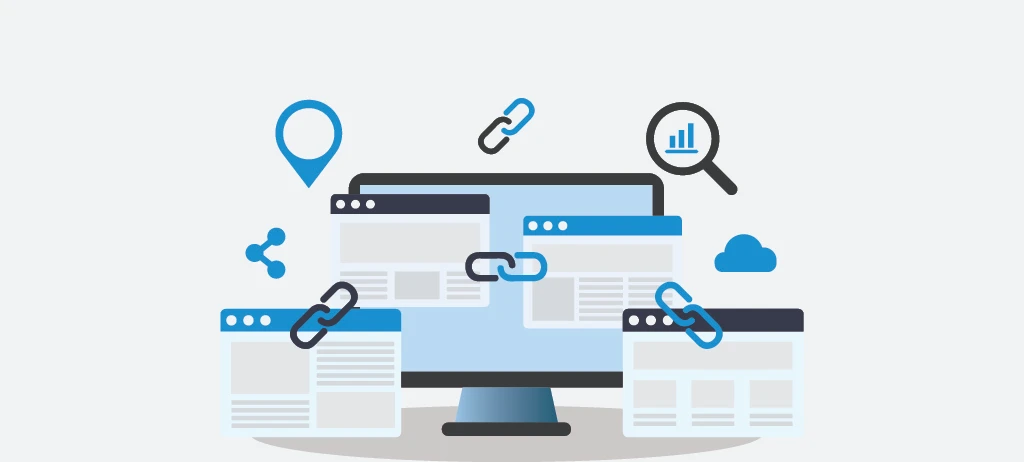
A broken link is any hyperlink that fails to reach its target, whether due to a missing page, misspelled URL, or other error. Instead of delivering content, the user lands on an error page. Broken links can occur across your own site (internal), to other sites (external), or be lingering backlinks from other domains.
Types of Broken Links
- Internal Broken Links: Links on your site pointing to missing or moved pages.
- External Broken Links: Outbound links that lead to non-existent content on other websites.
- Broken Backlinks: External sites linking to your pages that have been deleted or moved without redirects
Common Causes of Broken Links
Broken links often stem from:
- Pages being deleted or relocated without redirects
- URL restructuring (e.g., changing /blog to /articles) without adequately updating links
- Typos or small URL errors in internal or external links
- External content removal—sites you link to may delete or change their content
- Server errors or protocol mismatches, such as HTTP vs HTTPS
- Redirect chains or loops that fail to ultimately deliver users
- Soft 404s—pages return a 200 status but display “not found” messaging
Why Broken Links Matter?
SEO Impact
- Wastes crawl budget on dead ends, preventing indexing of other valuable pages
- Stops link equity flow, reducing SEO power for redirected or linked pages
- Impairs crawlability—search engines struggle to map your site effectively
User Experience & Trust
- Frustrates users, leading to higher bounce rates and lower satisfaction
- Projects an unprofessional image, damaging brand credibility and trustworthiness
How to Check for Broken Links
Automated tools make detection scalable and efficient:
- Wranker’s Broken Links Checker: A fast, easy-to-use online tool designed to identify broken internal and external links in real time. It offers a clean dashboard, instant reporting, and helps you take quick action to fix errors before they affect SEO. Try it here.
- Ahrefs Broken Link Checker: scans internal/external links, tracks referring pages, enables scheduling audits, and helps reclaim link equity.
- Screaming Frog: deep technical auditor that crawls your site and identifies broken links, redirects, duplicate content, and more.
- Dr Link Check: scans links, including images and resources, checks SSL validity and server errors; customizable with automated reports.
- Atomseo Broken Link Checker: free online tool that detects 404 errors and redirect statuses, plus offers browser extensions and regular alerts.
Best Practices: Fixing & Preventing Broken Links
- Regularly audit your site to catch issues early
- Implement 301 redirects for moved or deleted pages
- Update or remove broken links—link to alternative resources or remove completely
- Use pre-publish link testing and automated scans to prevent future breakage
- Maintain consistent URL structure and use redirects when changes occur
Conclusion
Broken links are silent saboteurs that degrade SEO, frustrate visitors, and diminish trust. The solution? Be vigilant. Regular audits, smart redirects, and attention to link integrity keep your site healthy and search-ready.
Ready to stay one step ahead? Try our Broken Links Checker to automate scans, catch issues early, and ensure a smooth, trustworthy experience for your users.
Frequently Asked Questions
What are broken links in SEO?
Do broken links hurt Google rankings?
How do I check for broken links on my site?
What’s the fastest way to fix broken links?
How often should I audit my site for broken links?
More Related Blogs: