10 On-Page SEO Mistakes That Prevent Your Content From Ranking

Creating great content isn't enough to earn top rankings on Google. Even valuable pages can struggle with common on-page SEO mistakes. These include titles that do not optimize well, ineffective heading structures, missing internal links, and outdated content. These issues make it harder for search engines to understand your page and reduce your chances of ranking for relevant keywords.
Google Search Central says that to boost search visibility, you need helpful, people-first content. It should have a clear page structure and provide a great user experience. Backlinko analyzed 11.8 million Google search results. They found that detailed, well-organized content ranks higher in searches.
The good news is that most on-page SEO issues are easy to identify and fix. Finding SEO problems early can boost your rankings and increase organic traffic. You can do this manually or with an on-page SEO checker tool. This helps create a better experience for your visitors.
In this guide, you'll discover the 10 common on-page SEO mistakes. You'll see how they hurt your rankings and learn simple steps to fix them. Act now to protect your website's performance!
Key Takeaways:
- Match content with search intent to improve relevance and rankings.
- Optimize every on-page SEO element, including titles, headings, URLs, images, and internal links.
- Create comprehensive, people-first content that fully answers user questions.
- Strengthen internal linking to build topical authority and improve crawlability.
- Prioritize user experience with fast-loading, mobile-friendly, and easy-to-read pages.
- Monitor and refresh content regularly to maintain rankings and adapt to search trends.
- Perform regular on-page SEO audits to identify and fix issues before they affect performance.
- Use an on-page SEO checker to simplify optimization and improve your website's long-term organic growth.
Why Your Content Is Not Ranking Despite Following Basic SEO Practices?
Publishing optimized content doesn't guarantee higher rankings. Many websites use the basic SEO checklist. They add keywords, write meta titles, and use headings. Still, they struggle to show up on the first page of search results. The reason is simple: Google evaluates content based on overall quality, relevance, and user value, not just individual SEO elements.
Modern search algorithms check many ranking signals to decide if a page should be visible. If your content doesn’t meet search intent or offers a bad user experience, competitors can outrank you. This can happen even if you follow standard SEO practices. However, there can be some issues that are mentioned below.
You're Optimizing for Keywords Instead of Search Intent
One of the biggest reasons content fails to rank is focusing only on keyword placement. Search engines now prioritize why users are searching, not just what they are searching for.
For example, someone searching for "on page SEO checker" may want to:
- Analyze their website for SEO issues.
- Compare different SEO tools.
- Learn how an SEO checker works.
- Find a free tool to audit a webpage.
If your content only repeats the keyword without addressing these expectations, it is unlikely to rank well.
Your Content Doesn't Provide Enough Value
Google's Helpful Content system rewards content that answers users' questions thoroughly and demonstrates expertise. Articles that offer only basic definitions or repeat information found on other websites often struggle to compete.
High-performing content typically includes:
- Practical examples.
- Actionable recommendations.
- Real-world insights.
- Visual explanations.
- Checklists and step-by-step guidance.
- Frequently asked questions.
- Supporting data from trusted sources.
The more useful and comprehensive your content is, the more likely it is to earn trust from both users and search engines.
Your On-Page SEO Has Hidden Issues
Many pages seem optimized at first. However, they often have technical or structural problems. These issues can reduce their visibility. These can include duplicate title tags, missing meta descriptions, poor heading hierarchy, broken internal links, oversized images, or weak keyword placement.
A detailed web page SEO analysis helps uncover these hidden problems before they negatively affect your rankings. Running regular audits with an on-page SEO checker also ensures your pages remain optimized as search engine algorithms evolve.
Your Website Isn't Demonstrating Enough Topical Authority
Google prefers websites that explore topics in depth instead of just posting single articles. If you only have one or two blogs on a topic, it can be difficult to compete with websites that have built comprehensive content clusters.
For example, don’t just publish one article on on-page SEO. Create supporting content on related topics like these:
- Meta title optimization
- Internal linking
- Image SEO
- Heading structure
- Content optimization
- Technical SEO basics
Connecting these articles through strategic internal linking strengthens your website's topical authority and helps search engines better understand your expertise.
Your Content Isn't Updated Regularly
SEO is not a one-time task. Search behavior, Google algorithms, and competitors' content change continuously. Even well-ranked pages can lose visibility over time if they become outdated.
- Regularly updating your content helps you:
- Keep information accurate.
- Add new examples and statistics.
- Improve readability.
- Cover emerging search trends.
- Maintain relevance over time.
Refreshing existing pages works better than creating new content, especially for evergreen topics.
You're Not Measuring What Needs Improvement
Without performance data, it's difficult to know why a page isn't ranking. Monitoring key SEO metrics allows you to identify issues before they become major obstacles.
Pay close attention to:
- Organic traffic trends.
- Keyword rankings.
- Click-through rate (CTR).
- Bounce rate and engagement.
- Indexing status.
- Core Web Vitals.
- Internal linking opportunities.
Using an online on-page SEO checker or on-page SEO analysis tools makes it easier to identify optimization opportunities, prioritize fixes, and track improvements over time.
If your content isn't ranking, the problem is rarely a single missing keyword or meta tag. It's usually a mix of weak search intent, low topical authority, hidden on-page issues, old information, and an inconsistent optimization strategy.
To create better pages, combine high-quality content with regular SEO analysis. Follow a clear on-page checklist and use a trusted SEO checker tool. This will help you find ways to improve. Your pages will be more helpful to users and more competitive in search results.
10 Common On-Page SEO Mistakes That Hurt Your Search Performance
Not all on-page SEO mistakes have the same impact. Some prevent search engines from properly understanding your content, while others reduce user engagement, lower click-through rates, or weaken your website's overall authority. Individually, these issues may seem minor, but together they can significantly limit your content's ability to compete in search results.
The most common mistakes usually fall into four key optimization areas:
- Content Relevance: Choosing the wrong keywords, misunderstanding search intent, or publishing content that doesn't fully answer users' questions.
- Content Structure: Weak title tags, poorly organized headings, confusing URLs, and missing metadata that make it harder for search engines to interpret your pages.
- User Experience: Slow-loading images, poor navigation, and content that prioritizes keywords over readability and usability.
- Content Maintenance: Failing to monitor performance, update existing pages, or perform regular web page SEO analysis to identify new optimization opportunities.
As Google's search systems continue to evolve, successful SEO depends on improving all of these areas together rather than focusing on a single ranking factor. A page with excellent content but poor internal linking may struggle to gain authority, while a technically optimized page with thin content may fail to satisfy user expectations.
The following sections break down the 10 most common on-page SEO mistakes that affect search performance. You’ll learn why each one matters, how to spot it, and ways to fix it. A regular on-page SEO checker can help you find issues before they hurt your rankings.
Mistake #1: Targeting the Wrong Keyword or Search Intent

Choosing the right keyword is only half of the equation. The real challenge is figuring out why users search for that keyword. Then, you need to create content that meets their expectations.
Many pages fail to rank because they target keywords based on search volume alone, without considering the underlying search intent. As a result, the content attracts the wrong audience or fails to satisfy the right one.
Google's ranking systems are designed to reward pages that provide the most helpful answer for a specific query. If your content doesn't align with what users expect to find, even a perfectly optimized page may struggle to achieve strong rankings.
Why Search Intent Matters More Than Keyword Volume?
Every search query reflects a specific goal. A user might be looking to learn a concept, compare solutions, find a tool, or make a purchase. These goals are commonly grouped into four search intent categories:
- Informational: The user wants to learn something (e.g., What is on-page SEO?).
- Navigational: The user is trying to reach a specific website or brand.
- Commercial: The user is researching products or services before making a decision.
- Transactional: The user is ready to take action, such as signing up or purchasing.
Publishing content that targets the wrong intent creates a disconnect between what users expect and what your page delivers. This usually results in less engagement, shorter sessions, and lower search visibility over time.
Example: Someone searching for "on page SEO checker" is typically looking for a tool to analyze their website, not a basic article explaining what on-page SEO is. If your page doesn't provide a tool, practical analysis, or clear next steps, it may struggle to compete against pages that better satisfy that intent.
What are the Common Keyword Targeting Mistakes?
Many website owners unknowingly make one or more of these mistakes:
- Selecting keywords solely because they have high search volume.
- Ignoring whether the keyword matches the purpose of the page.
- Targeting multiple unrelated keywords on a single page.
- Creating informational content for keywords with commercial intent.
- Optimizing different pages for the same primary keyword, leading to keyword cannibalization.
- Failing to update keyword strategies as search behavior evolves.
These issues can weaken your page's relevance. They also make it tough for search engines to decide which page should rank for a query.
How to Choose Keywords That Match User Intent?
Before selecting a primary keyword, ask yourself:
- What problem is the user trying to solve?
- What type of content is currently ranking on Google's first page?
- Does my page provide a better or more complete solution?
- Is this keyword appropriate for the stage of the customer journey (TOFU, MOFU, or BOFU)?
- Can I naturally support the topic with related semantic keywords?
Reviewing the top-ranking results is one of the simplest ways to understand search intent. If the search results are dominated by tutorials, your page should educate users. If they feature comparison pages or tools, your content should offer a similar experience while adding unique value.
Focus on Topic Relevance, Not Just Exact-Match Keywords
Modern SEO is built around topical relevance rather than repeating the same keyword throughout a page. Instead of forcing your primary keyword into every paragraph, strengthen the topic by naturally incorporating related concepts and answering follow-up questions users are likely to have.
For example, a page targeting "web page SEO analysis" can also cover related topics such as:
- Search intent evaluation
- Content relevance
- Page optimization
- Metadata improvements
- Internal linking
- Technical on-page factors
This broader coverage helps search engines understand the depth of your content while improving the overall user experience.
Mistake #2: Missing or Poorly Optimized Title Tags and Meta Descriptions
Your title tag and meta description are often the first things users see when your page appears in search results. They create the first impression of your content. This can decide if someone clicks on your page or picks a competitor instead.
While Google has confirmed that meta descriptions are not a direct ranking factor, a well-optimized title tag and compelling description can significantly improve your click-through rate (CTR), which indirectly contributes to better search performance by increasing user engagement.
Many website owners either ignore these elements or create them automatically. They often forget to think about what users really want. As a result, their pages fail to communicate value, attract clicks, or accurately represent the content, reducing the page's potential to compete in search results.
Why Title Tags and Meta Descriptions Matter
A title tag tells both users and search engines what your page is about. It helps Google understand the primary topic of the page while encouraging users to click through from the search results. A poorly written title can make even valuable content appear irrelevant or untrustworthy.
A meta description serves as a short summary of the page. A clear and engaging description can help your page stand out. Even if Google changes it based on user queries, a good description makes searchers more likely to pick your page.
When these elements are optimized together, they can:
- Improve click-through rates from search results.
- Clearly communicate the page's purpose.
- Reinforce keyword relevance.
- Enhance the overall search experience.
- Increase qualified organic traffic.
What are the Common Title Tag and Meta Description Mistakes?
Many websites unknowingly reduce their visibility by making simple optimization errors, such as:
- Leaving title tags or meta descriptions blank.
- Using duplicate metadata across multiple pages.
- Writing generic titles that don't reflect the page content.
- Stuffing keywords unnaturally into titles or descriptions.
- Exceeding recommended character limits, causing text to be truncated in search results.
- Failing to include a compelling value proposition or call to action.
- Targeting multiple primary keywords in a single title tag.
These mistakes make it harder for users to understand what your page offers and can reduce the likelihood of earning clicks.
What are the Best Practices for Optimizing Metadata?
Effective metadata should be written for both users and search engines. Create titles and descriptions that truly reflect the page. This way, you also encourage users to take action. Don't just focus on keyword placement.
Follow these best practices:
- Place the primary keyword naturally near the beginning of the title.
- Keep title tags concise and descriptive (typically 50–60 characters).
- Write unique metadata for every important page.
- Keep meta descriptions informative and compelling (around 150–160 characters).
- Clearly communicate the benefit users will receive by visiting the page.
- Match the metadata with the actual page content to avoid misleading users.
- Include action-oriented language where appropriate to improve engagement.
A well-written title and description not only improve visibility but also set accurate expectations, leading to higher-quality traffic and better user satisfaction.
Don't Optimize for Search Engines Alone
One of the biggest misconceptions in SEO is that metadata should only target keywords. In reality, successful metadata balances keyword relevance with readability and user intent.
For example, instead of creating a title filled with repetitive keywords, focus on answering the question:
"Why should someone click on my page instead of the others on the search results page?"
This mindset helps create titles that are more engaging, informative, and aligned with what users are looking for. Title tags and meta descriptions might seem small, but they are vital. They help attract visitors from the search engine results page (SERP).
Mistake #3: Creating Weak Heading Structures Without Proper Keyword Context
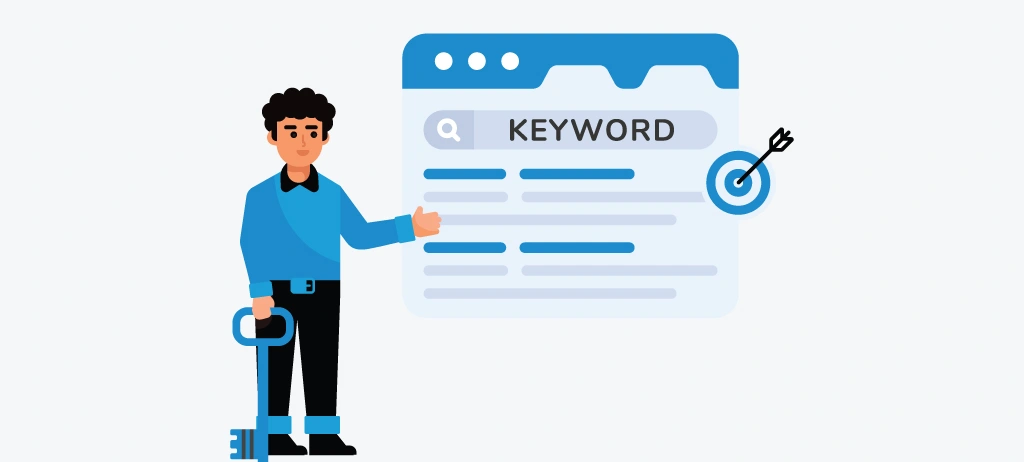
A well-structured page is easier for both users and search engines to understand. While many website owners focus on optimizing titles and keywords, they often overlook the importance of a logical heading hierarchy. Poorly organized headings can make your content difficult to scan, reduce readability, and weaken the topical relevance of your page.
Headings are more than just formatting elements; they define the structure of your content. They help search engines understand how different sections relate to one another while guiding readers through the information in a logical order.
When headings are missing, duplicated, or lack keyword context, your content becomes harder to interpret, which can reduce its ability to rank for relevant search queries.
Why Does Heading Structure Matter for SEO?
Search engines use headings to understand the main topics and supporting subtopics on a page. A clear hierarchy shows how content relates. It boosts semantic relevance and helps Google's algorithms understand each section's purpose.
From a user perspective, headings improve readability by breaking large blocks of text into digestible sections. Most visitors scan a page before reading it in detail. Descriptive headings help them quickly find the information they need, increasing engagement and reducing bounce rates.
A clear heading structure boosts accessibility. It helps screen readers understand the content better. This way, all users have a smoother experience.
What are the Common Heading Structure Mistakes?
Many websites unintentionally weaken their content by making one or more of the following mistakes:
- Using multiple H1 tags on a single page without a clear primary topic.
- Skipping heading levels, such as jumping from an H2 directly to an H4.
- Writing generic headings like "Introduction" or "Conclusion" that provide little context.
- Repeating the same keyword unnaturally across multiple headings.
- Creating headings that don't accurately reflect the content beneath them.
- Using headings only for visual styling instead of content organization.
- Missing opportunities to include relevant semantic keywords naturally.
These issues make it more difficult for search engines to understand the page structure and can reduce the overall clarity of your content.
How to Build a Logical Content Hierarchy?
Think of your headings as a roadmap for your content. Every page should have one clear topic supported by logically organized sections.
A typical structure looks like this:
- H1: Main page topic.
- H2: Primary sections that answer the main topic.
- H3: Supporting points that expand on each H2.
- H4: Additional details, examples, or step-by-step instructions where necessary.
Each heading should naturally lead into the next, helping readers move through the content without confusion.
For example, if your article targets "on page SEO checker", your headings should explore related concepts such as web page SEO analysis, title tags, internal linking, image optimization, and technical SEO rather than repeating the same keyword in every section.
Why Should use Keywords Naturally Within Headings?
Adding keywords to headings can boost topical relevance. However, they must fit naturally in the section's context.
Instead of forcing exact-match keywords into every heading, focus on using descriptive phrases that align with user intent. Search engines have become increasingly effective at understanding semantic relationships, so including related terms often provides more value than excessive keyword repetition.
For example, a section discussing metadata optimization can naturally include phrases like the following:
- Writing SEO-friendly title tags.
- Optimizing meta descriptions for better CTR.
- Improving search result visibility.
This approach helps search engines understand the topic while creating a smoother reading experience.
Write Headings for Humans First
An effective heading should immediately tell readers what they will learn in the following section. If a heading is vague or overly optimized for keywords, users may struggle to navigate the content.
Ask yourself:
- Does this heading clearly explain the next section?
- Would someone understand the topic by scanning only the headings?
- Does the heading answer a common user question?
- Is it specific enough to add value?
Well-written headings improve readability, encourage users to continue reading, and increase the likelihood of your content appearing in AI-generated summaries and featured snippets. Use clear headings, keep a logical order, and add relevant keywords. This makes your content better for readers and helps it rank higher in search results.
Mistake #4: Publishing Thin Content That Does Not Fully Answer User Queries

Creating content is no longer enough to compete in search results. What matters is how completely your content answers the user's question. Google aims to rank pages that provide the most helpful, accurate, and satisfying information for a query. If your content just touches on a topic or misses key questions, users might go back to search results. This can make Google see your page as less valuable.
Thin content isn't defined by word count alone. A 700-word article can beat a 3,000-word post. It does this by meeting user needs with clear, useful, and reliable information. On the other hand, a lengthy article filled with repetitive or generic content may still be considered thin because it lacks depth and originality.
What Is Thin Content?
Thin content refers to pages that provide little value compared to what users expect. These pages often contain basic information without sufficient explanations, examples, or practical guidance. They fail to demonstrate expertise, answer follow-up questions, or offer unique insights that help users accomplish their goals.
Examples of thin content include:
- Articles that only define a topic without explaining how it works.
- Pages with repetitive or AI-generated content that lacks originality.
- Content copied or slightly rewritten from other websites.
- Service pages with only a few paragraphs of generic text.
- Blog posts that ignore common user questions and related subtopics.
- Pages created solely to target keywords instead of helping users.
Publishing this type of content makes it difficult to build trust with both users and search engines.
Why Thin Content Hurts Search Rankings
Google's Helpful Content system is designed to reward pages that demonstrate experience, expertise, and usefulness. When users don't find the answers they're looking for, they often leave the page quickly and continue searching elsewhere. This signals that the content may not be meeting their expectations.
Thin content can also reduce your website's topical authority. If your articles consistently cover topics at a surface level, search engines may struggle to recognize your website as a trusted source within your niche.
Comprehensive content helps search engines see that your page can answer the main query and related questions. This boosts its relevance for more searches.
What are the Common Signs That Your Content Lacks Depth?
Many websites unknowingly publish thin content because they prioritize publishing frequency over quality. Here are some warning signs:
- The article answers only the main question while ignoring related user concerns.
- Important examples, statistics, or case studies are missing.
- There are few actionable recommendations or practical takeaways.
- The content repeats the same ideas instead of adding new insights.
- Frequently asked questions are not addressed.
- Internal links to supporting resources are limited or missing.
- The page doesn't demonstrate real-world experience or expertise.
If your content exhibits several of these characteristics, it's likely missing opportunities to fully satisfy user intent.
How to Create Content That Fully Answers User Queries?
The best-performing pages don't just answer the initial question—they anticipate what users want to know next. Before writing, identify the primary query and the follow-up questions someone is likely to ask after reading your content.
To make your content more comprehensive:
- Research the questions users commonly ask about the topic.
- Cover the topic from beginner to advanced concepts where appropriate.
- Include practical examples, step-by-step instructions, and real-world scenarios.
- Support your claims with data from authoritative sources.
- Add visuals, comparison tables, checklists, or FAQs to improve understanding.
- Update existing content regularly to reflect new information and industry changes.
This approach not only improves user satisfaction but also increases the likelihood of your content appearing in featured snippets and AI-generated search experiences.
Why Focus on Information Gain, Not Just Content Length?
Many SEO experts think that longer articles always rank better. Google cares about information gain. This means they look for unique insights in your content that aren’t already out there.
Ask yourself:
- Does this article answer questions competitors haven't covered?
- Am I sharing practical experience or original examples?
- Have I explained the topic in a way that's easier to understand?
- Does the content help users complete a task or solve a real problem?
Providing original value is what differentiates exceptional content from average content. Publishing content simply to fill your blog is no longer an effective SEO strategy. Each page must give clear, complete, and reliable information. It should answer the user's question more effectively than similar content.
Mistake #5: Ignoring Internal Linking Opportunities
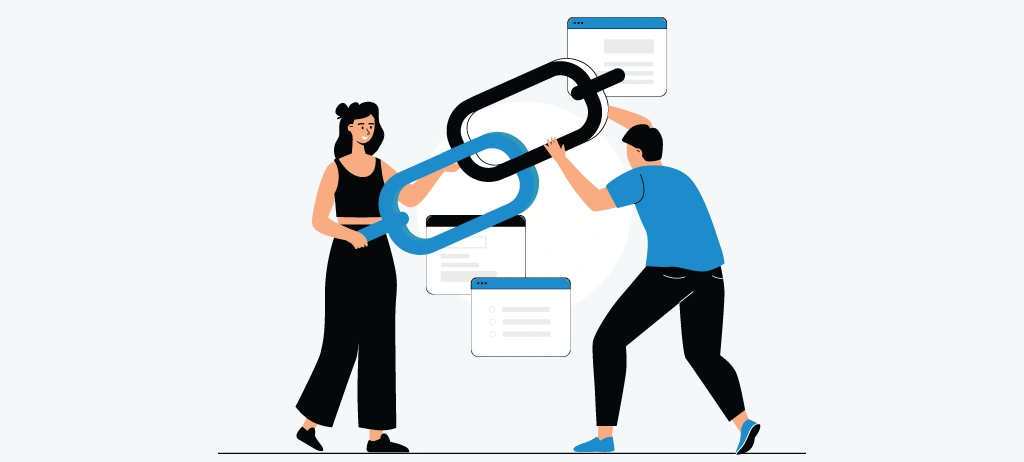
Many website owners invest significant time creating high-quality content but overlook one of the most effective on-page SEO strategies: internal linking.
Every new page or blog post should fit into your website's content ecosystem. This helps users and search engines find related information. Without a strong internal linking strategy, even valuable content can remain isolated, making it harder to rank and limiting its ability to contribute to your site's overall authority.
Internal links are hyperlinks that connect one page of your website to another. They help search engines discover new pages, understand how your content is organized, and identify the relationship between different topics. They also guide users to relevant resources. This keeps them engaged and helps them find the information they need without going back to the search results.
Why Internal Linking Is Important for SEO
Search engines don't evaluate pages in isolation; they evaluate how pages are connected across an entire website. A well-planned internal linking structure creates clear pathways that help search engine crawlers understand your site's hierarchy, topical relevance, and most valuable content.
When related pages are strategically linked together, they reinforce one another and strengthen your website's topical authority. Instead of viewing each article as a standalone resource, Google recognizes them as part of a comprehensive knowledge hub that covers a subject in depth.
For users, internal links improve navigation by introducing relevant content at the right moment. Someone reading about keyword research, for example, may naturally want to learn about search intent, content optimization, or web page SEO analysis. Providing these next steps creates a smoother user journey and encourages visitors to explore more of your website.
What are the Common Internal Linking Mistakes?
Despite its importance, internal linking is often treated as an afterthought. Some of the most common mistakes include:
- Publishing new pages without linking them to existing content.
- Using generic anchor text such as “Click Here” or “Read More”.
- Linking multiple pages with the same anchor text to different destinations.
- Creating orphan pages that have little or no internal links pointing to them.
- Overloading a page with unnecessary links that distract users.
- Failing to update older content with links to newly published articles.
- Prioritizing quantity over relevance when adding internal links.
These problems make it harder for search engines to find and understand your content. They also limit chances to share authority with key pages.
Why Build Topic Clusters Instead of Isolated Articles?
One of the most effective ways to improve internal linking is by organizing your content into topic clusters.
A topic cluster consists of a central pillar page supported by multiple related articles that link to one another. This structure shows search engines your expertise. It also helps users dive deeper into a topic.
For example, if your pillar page focuses on On-Page SEO, supporting articles could include the following:
- Keyword Research Guide
- Search Intent Optimization
- Title Tag Best Practices
- Internal Linking Strategy
- Image SEO Guide
- Technical SEO Checklist
- SEO On-Page Checklist
- Web Page SEO Analysis
Each supporting article should link back to the pillar page and to other relevant resources within the cluster. This interconnected structure strengthens topical authority and improves the discoverability of your content.
Use Descriptive Anchor Text That Adds Context
Anchor text plays an important role in helping both users and search engines understand what the linked page is about. Use clear and specific anchor text. It should accurately describe the page you’re linking to.
For example, rather than writing:
"Click here to learn more."
Use contextual anchor text such as the following:
- On-Page SEO Checker
- Web Page SEO Analysis
- SEO On-Page Checklist
- Keyword Research Guide
- Content Optimization Guide
This approach improves usability, strengthens semantic relevance, and provides clearer signals to search engines about the relationship between your pages.
How to Make Internal Linking Part of Your Content Workflow?
Internal linking should not be treated as a task that's completed after publishing. Instead, it should become a standard part of your content creation process.
Whenever you publish a new article, ask yourself:
- Which existing pages should link to this content?
- Which sections of this article can naturally reference related resources?
- Are there older pages that should be updated with links to this new article?
- Does this page support an existing topic cluster?
Reviewing these questions with each content update builds a strong internal linking strategy. This strategy helps your website grow and improve over time. A smart internal linking strategy helps search engines grasp your content. It spreads authority to key pages and improves user experience by guiding them to relevant information.
Mistake #6: Poor URL Structure and Technical On-Page Optimization
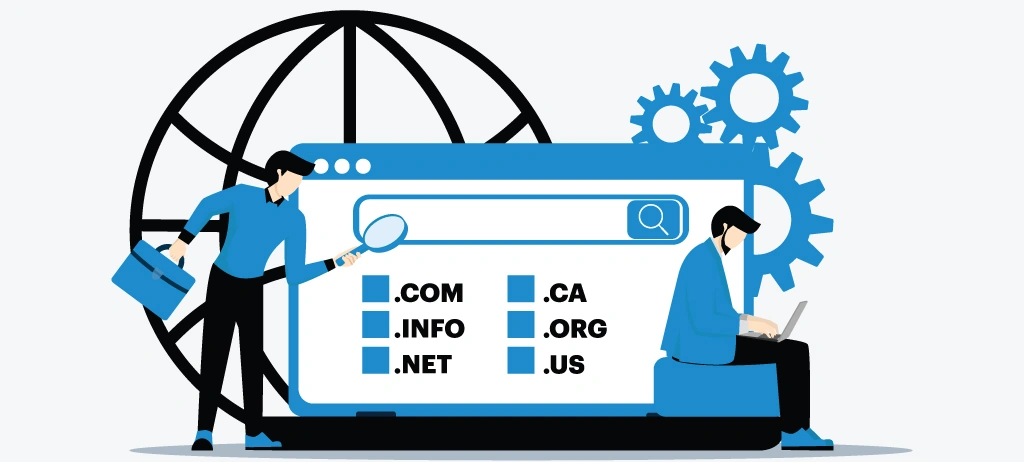
Your content may be well-written and optimized with the right keywords, but if your page has a confusing URL or underlying technical issues, it can still struggle to perform in search results. Users care about content quality, but search engines have their own criteria.
They look at how easily they can crawl, understand, and access your pages. A clean URL structure combined with strong technical on-page optimization helps create a solid foundation for better rankings and a smoother user experience.
Think of your URL as the address of your content. It should immediately tell both users and search engines what the page is about. Technical elements like crawlability, indexability, page speed, mobile usability, and structured metadata help your content get found and displayed well in search engine results.
Why URL Structure Matters for SEO?
A well-structured URL makes your content easier to understand before a visitor even clicks on it. Short, clear, and keyword-rich URLs make your site easier to read. They help users find their way around and give search engines more context.
For example:
Good URL: https://example.com/on-page-seo-checker
Poor URL: https://example.com/page?id=78452&cat=seo&page=1
The first URL clearly communicates the page topic, while the second provides no meaningful information to users or search engines.
Although URLs are a relatively small ranking factor, they contribute to better usability, cleaner site architecture, and improved crawl efficiency when implemented correctly.
What are the Common URL Structure Mistakes?
Many websites unknowingly create URL structures that make their content harder to manage and understand. Some of the most common issues include:
- Using long and complicated URLs with unnecessary parameters.
- Including random numbers or symbols that provide no context.
- Changing URLs frequently without implementing proper redirects.
- Using uppercase letters, special characters, or inconsistent formatting.
- Stuffing multiple keywords into the URL.
- Creating duplicate URLs for similar content.
- Failing to maintain a logical folder structure across the website.
These mistakes can confuse users, create duplicate content issues, and reduce crawl efficiency.
Why Does Technical On-Page SEO Go Beyond URLs?
A search-friendly URL alone isn't enough. Every page must meet technical requirements. This helps search engines crawl and evaluate your content better.
Some of the most important technical on-page elements include the following:
- Fast page loading speed.
- Mobile-friendly design.
- Secure HTTPS connection.
- Proper canonical tags.
- Optimized robots directives.
- Clean HTML structure.
- Crawlable internal links.
- Optimized Core Web Vitals.
- Structured data where applicable.
If these elements are ignored, search engines may struggle to crawl or fully understand your content, limiting its visibility regardless of how informative it is.
What are the Technical Issues That Commonly Affect Rankings?
Even small technical problems can accumulate over time and impact your website's overall SEO performance.
Watch out for issues such as:
- Broken internal links that lead to error pages.
- Redirect chains and redirect loops.
- Duplicate or missing canonical tags.
- Slow-loading pages caused by unoptimized resources.
- Pages blocked unintentionally through robots.txt or meta robots tags.
- Poor mobile usability.
- Missing XML sitemap updates.
- Crawl errors that prevent important pages from being indexed.
Regular technical reviews help identify these problems before they affect your organic traffic.
How to Build URLs That Are Simple and Future-Proof?
A good URL should remain relevant even as your content evolves. Instead of creating URLs based on publication dates or temporary campaign names, focus on permanent, descriptive structures that accurately represent the page topic.
Some practical best practices include:
- Keep URLs short and readable.
- Use lowercase letters consistently.
- Separate words with hyphens instead of underscores.
- Include the primary topic naturally without keyword stuffing.
- Remove unnecessary words such as "page," "post," or long category paths.
- Avoid changing URLs unless necessary.
A consistent URL structure also makes it easier to manage your website as it grows.
Why You Should Not Ignore Technical SEO During Content Publishing
Many websites perform technical audits only when rankings begin to decline. Instead, technical optimization should become part of your publishing workflow.
Before publishing any new page, confirm that:
- The URL follows your website's structure.
- The page is crawlable and indexable.
- Internal links are working correctly.
- Metadata has been optimized.
- Images are compressed.
- Mobile usability has been tested.
- Core Web Vitals meet recommended thresholds.
Following a structured SEO on-page checklist before publishing helps reduce technical issues that could limit your content's performance. Strong technical on-page optimization begins with a clean URL structure but extends far beyond it. Every page must be easy to crawl, load quickly, work on mobile, and have no technical issues. These factors help search engines understand your content.
Mistake #7: Optimizing for Keywords Instead of User Experience

Keywords are an important part of SEO, but they are no longer the primary factor that determines whether a page ranks. Google's search systems now favor content that provides a great user experience. They don't just reward keyword repetition. If your page is hard to read, tricky to navigate, or doesn’t help users reach their goals, just optimizing keywords won’t boost its performance.
Many website owners still believe that adding their target keyword multiple times throughout a page will increase rankings. In reality, this outdated practice often leads to unnatural content, poor readability, and a frustrating user experience. A successful SEO strategy today is all about creating content that is useful, engaging, and easy to read. It also involves using keywords naturally within the topic.
Why User Experience Is a Ranking Advantage
Google's goal is to provide searchers with the most relevant and helpful results. When users find info quickly, navigate easily, and keep exploring, it shows the content is valuable.
A positive user experience makes visitors stay longer. They engage more with your content, explore internal links, and trust your brand. These behaviors help improve long-term SEO performance. Google and other search engines don’t use every engagement metric as a direct ranking factor.
Instead of asking, "How many times should I use my keyword?", ask:
"How can I make this page easier to understand and more helpful than every competing result?"
That mindset shift often leads to better SEO outcomes.
What are the Signs You're Prioritizing Keywords Over Users?
Keyword-focused content often follows outdated SEO practices that make the page less enjoyable to read. Some common mistakes include:
- Repeating the same keyword unnaturally throughout the content.
- Writing headings solely to include exact-match keywords.
- Creating long paragraphs without improving readability.
- Adding keywords where they don't fit naturally.
- Ignoring visual hierarchy and page formatting.
- Publishing content that answers search engines instead of real users.
- Sacrificing clarity in an attempt to increase keyword density.
While these tactics may have worked years ago, they now reduce content quality and can discourage users from engaging with your page.
Create Content That Solves Real Problems
The best-performing pages focus on answering users' questions clearly and completely. Rather than forcing keywords into every section, structure your content around the problems your audience is trying to solve.
For example, if someone searches for "web page SEO analysis," they may want to know:
- How to identify SEO issues.
- Which factors affect rankings.
- How to improve page performance.
- Which tools simplify the optimization process.
Answering these questions makes the experience better. It also lets related keywords show up naturally in the content.
How to Improve Readability Before Adding More Keywords?
Content that is easy to read often performs better because users can quickly understand the information and take action.
To improve readability:
- Write short paragraphs with one idea at a time.
- Use descriptive headings and subheadings.
- Break complex concepts into bullet points or numbered lists.
- Explain technical terms in simple language.
- Include examples, comparisons, and practical recommendations.
- Use visuals where they improve understanding.
These improvements let users scan the page quickly. They also help AI search systems interpret and summarize your content better.
Think Beyond Keywords With Semantic SEO
Search engines have become increasingly effective at understanding the relationship between topics, entities, and user intent. Instead of repeating one keyword excessively, strengthen your content by naturally covering related concepts.
For example, alongside an on-page SEO checker, your content might naturally include topics such as:
- Web page SEO analysis
- Search intent
- Content optimization
- Internal linking
- Meta tags
- Technical SEO
- Page experience
- Content quality
This approach shows knowledge of the topic. It also makes the content feel natural and informative. Keywords help search engines grasp your content. However, user experience decides if your content should rank. Successful pages clearly answer questions, offer practical value, and ensure a fun reading experience. They avoid overusing keywords.
Mistake #8: Missing Image Optimization and Media SEO Elements
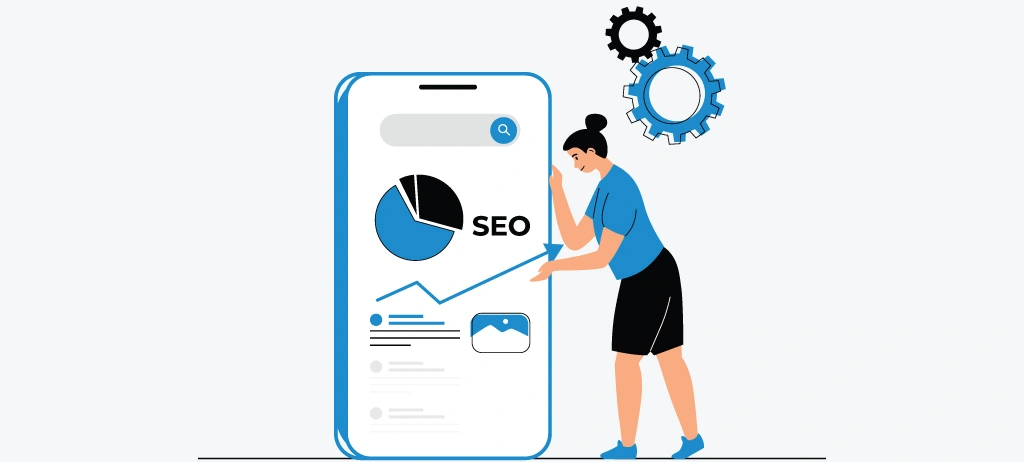
Images, videos, infographics, and other visuals do more than make content pretty. They boost user engagement, simplify tough info, and help search engines understand your pages better. However, many websites upload media without optimizing it for SEO, resulting in slower page speed, poor accessibility, and missed opportunities to increase organic visibility.
Image optimization is no longer limited to adding alt text or compressing file sizes. Modern SEO needs each media element to enhance the user experience. It should also boost your page's relevance, performance, and accessibility. Optimized images can boost traffic from Google Images. They also improve Core Web Vitals and enhance your content's quality.
Why Image Optimization Matters for SEO?
Unlike text, search engines cannot fully understand the content of an image without additional context. They rely on elements such as file names, alt text, surrounding content, structured data, and page context to interpret what an image represents.
At the same time, images are often the largest files on a webpage. If they are not optimized, they can significantly increase loading times, negatively affecting Core Web Vitals and overall user experience.
Well-optimized images help you:
- Improve page loading speed.
- Enhance accessibility for users relying on screen readers.
- Increase visibility in Google Image Search.
- Support better content comprehension.
- Strengthen topical relevance by providing visual context.
- Improve engagement through informative visuals.
What are the Common Image SEO Mistakes?
Many websites hurt their search performance by making simple image optimization mistakes, like:
- Uploading large image files without compression.
- Using generic file names such as IMG_1234.jpg.
- Missing or duplicate alt text.
- Using the same stock images as competing websites.
- Uploading images that are much larger than the required display size.
- Failing to implement lazy loading where appropriate.
- Ignoring responsive image formats for different screen sizes.
- Embedding important text inside images instead of HTML.
- Missing captions or surrounding context that explain the image.
While these mistakes may seem minor individually, they can collectively reduce both usability and search visibility.
Write Alt Text That Describes the Image Naturally
Alternative text (alt text) serves two important purposes. It helps users who can't see images by describing them. It also gives search engines more context about the image's content.
Effective alt text should:
- Clearly describe what appears in the image.
- Be concise and meaningful.
- Include relevant keywords only when they naturally fit.
- Avoid keyword stuffing or repetitive phrases.
- Focus on helping users rather than manipulating rankings.
For example:
Poor Alt Text: "SEO, SEO tool, best SEO, on-page SEO checker, web page SEO analysis."
Good Alt Text: "Dashboard showing an on-page SEO checker highlighting title tag, heading, and internal linking issues."
The second example provides meaningful context while naturally incorporating relevant terminology.
How to Optimize Images for Speed Without Sacrificing Quality?
Large image files are one of the most common causes of slow-loading webpages. Boosting image performance enhances user experience and aligns with Google's page experience recommendations.
Follow these best practices:
- Compress images before uploading them.
- Use modern formats such as WebP or AVIF where supported.
- Resize images to match their display dimensions.
- Enable lazy loading for below-the-fold images.
- Use responsive images to serve appropriate sizes across devices.
- Remove unnecessary metadata from image files.
- Test image performance regularly using page speed tools.
These optimizations reduce loading time without affecting visual quality.
Why You Should Add Images That Increase Information Value?
Images should support the content, not simply fill empty space. Original visuals often do better than stock photos. They explain concepts clearly and give unique value to readers.
Consider including:
- Step-by-step screenshots.
- Workflow diagrams.
- SEO audit examples.
- Comparison tables.
- Process illustrations.
- Infographics summarizing key concepts.
- Performance charts and graphs.
For example, an article about web page SEO analysis becomes much more valuable when readers can see annotated screenshots of an SEO audit instead of reading text alone.
Optimizing Every Media Element, Not Just Images
Modern content often includes videos, embedded tools, downloadable resources, and interactive elements. Each of these should be optimized to maintain performance and improve user engagement.
Review whether your media:
- Loads efficiently.
- Works properly on mobile devices.
- Includes descriptive titles and captions where appropriate.
- Does not block important content from loading.
- Supports rather than distracts from the primary topic.
Optimizing all media elements helps create a smoother experience across every device. Well-optimized visuals improve accessibility, strengthen content quality, enhance page speed, and create additional opportunities to appear in image search results.
Mistake #9: Not Monitoring Content Performance After Publishing
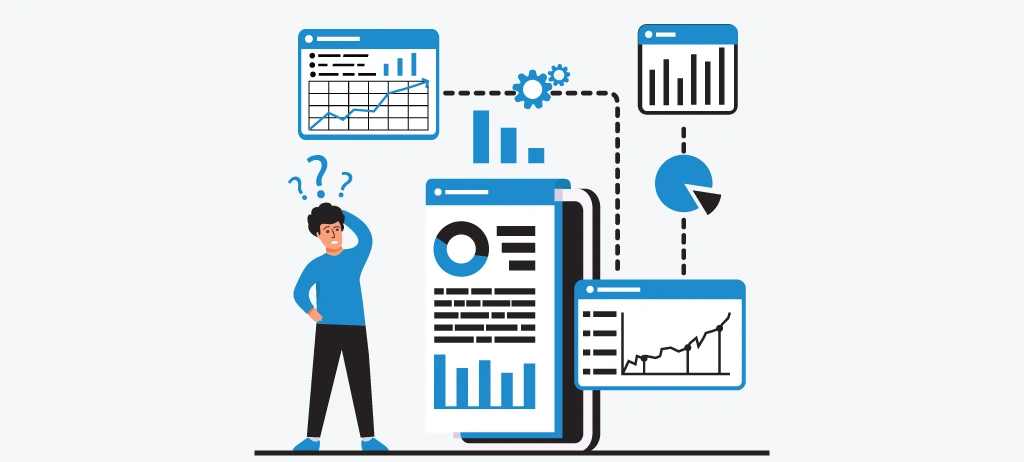
Publishing a page is not the final step in your SEO strategy; it's the beginning. One of the biggest mistakes website owners make is assuming that content will continue to perform without regular monitoring or optimization.
Search trends change. Competitors refresh their content. User behavior shifts, and Google’s ranking systems keep getting better. If you don’t check your content’s performance after it’s published, you might miss chances to boost rankings, attract more traffic, and stay ahead of competitors.
High-performing websites treat content as an ongoing asset rather than a one-time project. They keep analyzing performance. They find weaknesses and improve their pages using real user data. This proactive approach helps ensure that content remains relevant, accurate, and aligned with changing search intent.
Why Content Performance Monitoring Matters?
SEO is a continuous process, not a one-time task. Even if a page ranks well today, there's no guarantee it will maintain its position in the future. Competitors may publish more comprehensive content, search intent may shift, or technical issues may emerge that affect visibility.
Monitoring your content regularly helps you catch changes early. This way, you can make smart improvements before your rankings drop.
Performance monitoring helps you:
- Measure how well your content meets user expectations.
- Identify pages that are gaining or losing visibility.
- Discover opportunities to improve click-through rates.
- Find content that needs updating or expanding.
- Prioritize optimization efforts based on actual performance data.
- Maintain long-term organic growth instead of relying on short-term rankings.
What are the Common Content Monitoring Mistakes?
Many websites lose valuable traffic because they stop optimizing content after publication. Some of the most common mistakes include:
- Never reviewing content performance after it goes live.
- Ignoring changes in keyword rankings.
- Failing to monitor organic traffic trends.
- Overlooking declining click-through rates (CTR).
- Not identifying pages with high impressions but low clicks.
- Leaving outdated statistics, screenshots, or examples unchanged.
- Ignoring user engagement signals such as time on page or navigation patterns.
- Waiting until traffic drops significantly before taking action.
These missed opportunities often allow competitors to overtake content that once ranked well.
Which Metrics Should You Monitor?
Don’t just focus on rankings. Look at a mix of performance indicators. These should show how visible your content is in search and how users engage with it.
Key metrics to monitor include:
- Organic traffic growth.
- Keyword ranking changes.
- Click-through rate (CTR).
- Search impressions.
- Indexed pages.
- Core Web Vitals performance.
- Internal link engagement.
- Conversion rate (where applicable).
- New backlinks earned over time.
Considering these metrics together gives a clearer view of your content's performance and highlights areas for improvement.
Refresh Existing Content Instead of Always Creating New Pages
Publishing new content is important, but updating existing content can often deliver faster SEO gains.
A content refresh may include:
- Adding newly discovered user questions.
- Updating outdated statistics and industry data.
- Improving headings and page structure.
- Expanding sections that lack depth.
- Improving internal linking.
- Replacing outdated screenshots or visuals.
- Optimizing metadata to improve CTR.
- Enhancing readability and formatting.
These updates show search engines that your content is fresh and helpful. They also improve the reader experience.
How to Build a Regular Content Review Process?
Rather than waiting for rankings to decline, establish a consistent review schedule for your most important pages.
For each content review, ask:
- Does this page still satisfy current search intent?
- Is all information accurate and up to date?
- Have competitors published more comprehensive resources?
- Are there opportunities to improve readability or user experience?
- Can new internal links strengthen this page?
- Does the page still align with our content strategy and topical authority goals?
Answering these questions on a regular basis helps maintain the long-term value of your content. Successful SEO doesn't end when you click Publish. The best-performing websites consistently monitor their content, analyze performance data, and make improvements based on real user behavior and evolving search trends.
Mistake #10: Skipping Regular On-Page SEO Audits and Analysis

Even the best-optimized website won't maintain its performance forever. When you publish new content, update pages, install plugins, redesign sections, or expand your website, new SEO issues can pop up unexpectedly. Broken links, missing metadata, duplicate content, slow-loading pages, and crawlability problems often develop gradually, making them difficult to detect without regular reviews.
This is why successful websites don't rely on one-time optimization. Instead, they perform routine on-page SEO audits to identify issues early, measure progress, and continuously improve their content. A structured audit makes sure each page meets current SEO best practices. It also helps create a consistent user experience throughout the website.
Why Regular SEO Audits Are Important
Search engines constantly evolve to deliver better search results, and user expectations continue to change. A page that performed well six months ago may no longer meet today's standards if it hasn't been updated.
Regular SEO audits help you stay on top. They find technical issues, content gaps, and chances to optimize. This way, you can fix problems before they hurt your rankings. Rather than reacting to traffic losses, you can proactively improve your website and maintain long-term search visibility.
Routine audits help you:
- Identify on-page SEO issues before they impact rankings.
- Maintain content quality and topical relevance.
- Improve crawlability and indexability.
- Strengthen website architecture and internal linking.
- Monitor technical health across your website.
- Ensure your pages continue to align with Google's best practices.
What are the Common SEO Audit Mistakes That Can Limit Your Website's Growth?
Many website owners perform audits only after experiencing a significant drop in traffic. Others focus exclusively on technical issues while overlooking content quality and user experience.
Some of the most common audit mistakes include:
- Performing audits only once or twice a year.
- Reviewing only a few important pages instead of the entire website.
- Ignoring content quality while focusing solely on technical SEO.
- Failing to monitor internal linking and orphan pages.
- Overlooking duplicate metadata or heading issues.
- Not prioritizing issues based on their potential impact.
- Fixing problems without measuring the results afterward.
An effective audit should evaluate your website as a whole rather than treating each issue independently.
What Should an On-Page SEO Audit Include?
A comprehensive audit examines every element that contributes to search visibility and user experience.
Some of the most important areas include:
- Title tags and meta descriptions.
- Heading hierarchy.
- Keyword relevance and search intent.
- Content quality and topical coverage.
- Internal linking structure.
- URL optimization.
- Image SEO and media optimization.
- Core Web Vitals and page speed.
- Mobile usability.
- Crawlability and indexing.
- Canonical tags.
- Structured data implementation.
- Broken links and redirect issues.
Reviewing these elements together provides a complete understanding of your website's strengths and areas for improvement.
How to Make SEO Audits a Continuous Process?
An SEO audit shouldn't be treated as a one-time project completed during a website launch or redesign. Instead, it should become part of your ongoing optimization strategy.
Consider performing:
- Monthly audits to identify newly introduced technical issues.
- Quarterly content reviews to improve existing pages and strengthen topical authority.
- Comprehensive website audits after major design changes, migrations, or content expansions.
- Performance reviews whenever rankings or organic traffic change unexpectedly.
This proactive approach helps you fix issues before they affect search performance.
Why Prioritize Issues Based on SEO Impact?
Not every issue requires immediate attention. Some fixes, such as improving Core Web Vitals or resolving crawl errors, may have a greater impact than updating a single meta description.
A structured audit should help you prioritize improvements by considering:
- Potential impact on search visibility.
- Effect on user experience.
- Ease of implementation.
- Number of affected pages.
- Business importance of the affected content.
Focusing on high-impact improvements first helps maximize the return on your SEO efforts. SEO is not a one-time optimization task; it's an ongoing process of analysis, improvement, and refinement. Regular on-page SEO audits help you identify technical issues, strengthen content quality, improve user experience, and adapt to evolving search engine expectations.
How Does WRanker Help You Detect and Fix On-Page SEO Issues Faster?
Finding on-page SEO issues is only half the challenge; the real value comes from identifying them quickly, understanding their impact, and knowing exactly how to fix them. Manually reviewing every page for missing metadata, heading issues, broken internal links, image optimization problems, or technical errors can take hours, especially as your website grows.
WRanker makes this easier by putting all your key on-page SEO insights in one place. This helps you spot issues quickly, focus on fixes, and keep improving your website's search performance.
WRanker helps SEO professionals, digital marketers, agencies, and business owners. It goes beyond basic SEO checks. You get actionable recommendations for better search visibility and user experience.
How Does WRanker Help with On-Page SEO Issues?
WRanker helps you optimize your website by allowing you to:
- Identify missing or duplicate title tags and meta descriptions.
- Analyze heading hierarchy and content structure.
- Detect internal linking opportunities and orphan pages.
- Find image SEO issues, including missing alt text and oversized files.
- Review URL structure, crawlability, and other technical SEO elements.
- Monitor on-page SEO health and track optimization progress over time.
Why Choose WRanker?
WRanker combines on-page SEO analysis, content optimization, technical SEO monitoring, and site audit insights. This means you won’t need multiple tools. Everything is in one platform. This helps you save time, improve website performance, and ensure every page follows SEO best practices.
Conclusion
Strong on-page SEO is the foundation of long-term organic growth. By avoiding these 10 common mistakes and regularly optimizing your content, you can improve search visibility, enhance user experience, and increase your chances of ranking higher on Google.
Remember, SEO isn't a one-time task; it's an ongoing process of analyzing, improving, and refining your website. WRanker's On-Page SEO Checker helps you spot issues easily. It lets you prioritize fixes and keep your content optimized for search engines and users. Start making these improvements today to build a stronger, more competitive website.
Frequently Asked Questions
What is on-page SEO?
What are the most common on-page SEO mistakes?
Why is search intent important for SEO?
How do internal links improve SEO?
How often should I perform an on-page SEO audit?
Does image optimization improve SEO?
What is the ideal URL structure for SEO?
Why should I monitor content after publishing?
How can I identify on-page SEO issues on my website?
Which tool can help improve on-page SEO?
More Related Blogs: