How to Use Multi-Location GBP Management for Multiple Google Business Profiles

Managing one Google Business Profile is relatively straightforward, but the process becomes more difficult when a business has multiple locations, branches, or franchise outlets. Each location needs accurate business information, appropriate categories and services, current hours, relevant content, and ongoing attention. At the same time, teams need a practical way to manage these profiles without treating every location as a completely separate project.
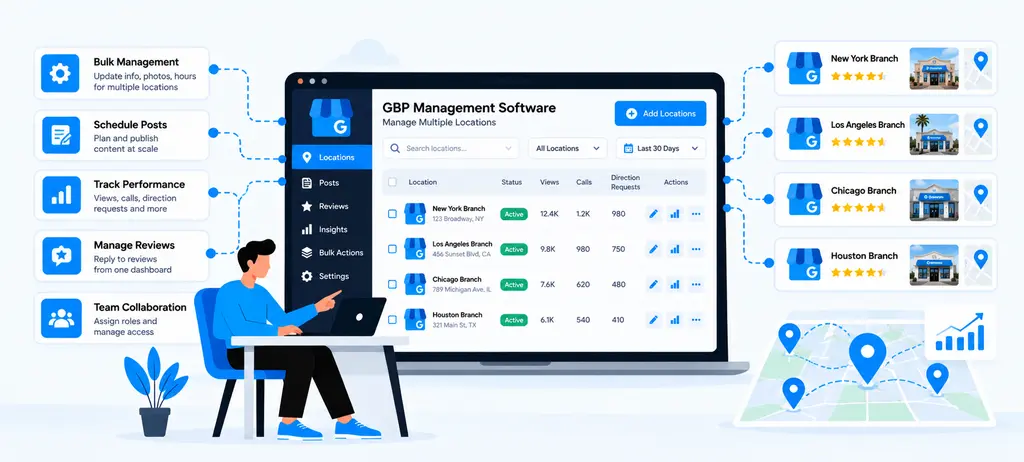
Multi-location GBP management brings these activities into a structured process. Businesses can organize multiple Google Business Profiles, maintain location-specific information, handle supported bulk updates, monitor profile issues, and assign ongoing work to the right team members. Google also provides Business Profile Manager and business groups to help organizations manage multiple profiles and share access across teams.
The challenge is finding the right balance between centralized management and local accuracy. A common process can make profile management more efficient, but each location still needs to represent its actual business details and customer experience. Google requires businesses to use accurate information for real-world locations and generally does not allow multiple profiles for the same location.
This guide explains how to manage multiple Google Business Profiles, organize multiple GBP locations, use bulk GBP management appropriately, maintain location-specific information, manage reviews and content, and monitor profiles at scale. It also covers workflows for franchises and agencies and explains where GBP management software can help teams manage ongoing local SEO work more efficiently.
Key Takeaways
- Multi-location GBP management provides a structured way to manage multiple Google Business Profiles while keeping each location’s business information, services, hours, content, and customer-facing details accurate.
- Centralized management can simplify profile monitoring, bulk updates, task assignment, approvals, reviews, posts, photos, Q&A, and reporting across businesses with many locations.
- Agencies can organize profiles by client, separate location workflows, assign responsibilities, manage approvals, track completed work, and create clear client-ready GBP reports.
- GBP management software helps identify profile health issues, missing information, outdated content, unanswered reviews, and locations that need immediate attention through a repeatable monitoring process.
- Effective multi-location management combines GBP activities with broader local SEO work such as rank tracking, listings and citations, review management, local SEO insights, and performance reporting.
What Is Multi-Location GBP Management?
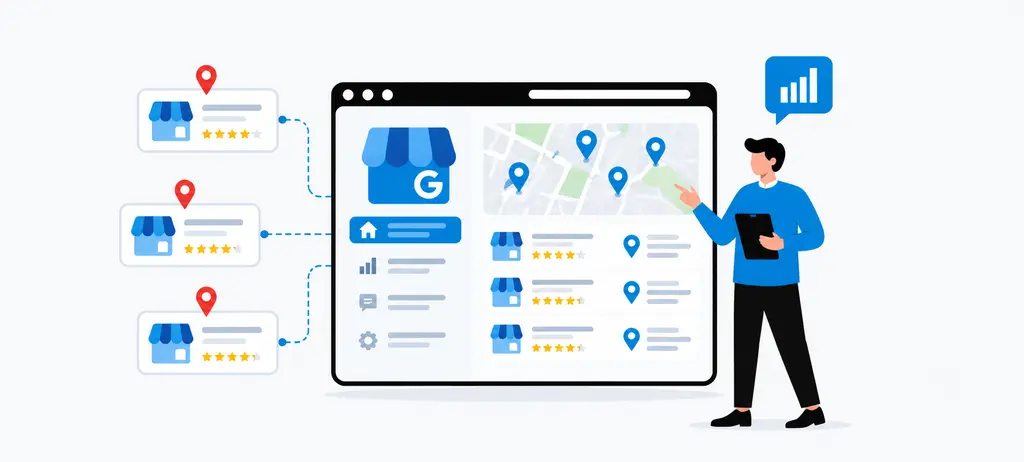
Multi-location GBP management is the process of organizing, maintaining, updating, and monitoring multiple Google Business Profiles for different business locations through a structured workflow. Instead of treating every branch as a separate task, businesses can manage shared processes centrally while keeping important information specific to each location.
Google provides Business Profile Manager and business groups to help organizations manage multiple profiles and share access with relevant users. Business groups can also make it easier to organize locations and apply supported changes across multiple profiles.
Effective multi-location Google Business Profile management is more than keeping names, addresses, and phone numbers consistent. It can include:
- Managing location information and business hours
- Reviewing categories and services
- Maintaining posts and photos
- Monitoring customer questions and reviews
- Checking profile completeness and freshness
- Managing user access and responsibilities
- Reviewing location-level activity and issues
- Organizing recurring GBP work and reporting
The main challenge is finding the right balance between central control and local accuracy. A business may have common brand standards across all locations, but each profile should still represent the actual business at that location. Google requires businesses to use accurate information for their real-world locations and generally does not allow more than one business profile for the same location.
For example, a restaurant chain may use the same brand standards for categories, services, photos, and content guidelines across its locations. However, individual branches may have different opening hours, services, holiday schedules, photos, or customer questions. Those differences need to remain visible in the relevant profile.
| Centralized Management | Location-Level Management |
| Brand standards | Local business information |
| User access | Location-specific hours |
| Content planning | Local photos |
| Bulk updates | Branch-specific services |
| Task assignment | Customer questions |
| Reporting | Location-level issues |
This approach becomes increasingly useful for multi-location businesses, franchises, and agencies that need to manage multiple GBP locations without losing control over individual profile details.
It also creates a foundation for using GBP management software when manual processes become difficult to maintain. Software can help centralize profile information, tasks, monitoring, and GBP reporting, but it should support the management process rather than replace the need for accurate location-level review.
In simple terms, multi-location GBP management means managing multiple Google Business Profiles as one organized operation while still treating every location as an individual business presence.
How Do You Set Up Multiple Google Business Profiles Correctly
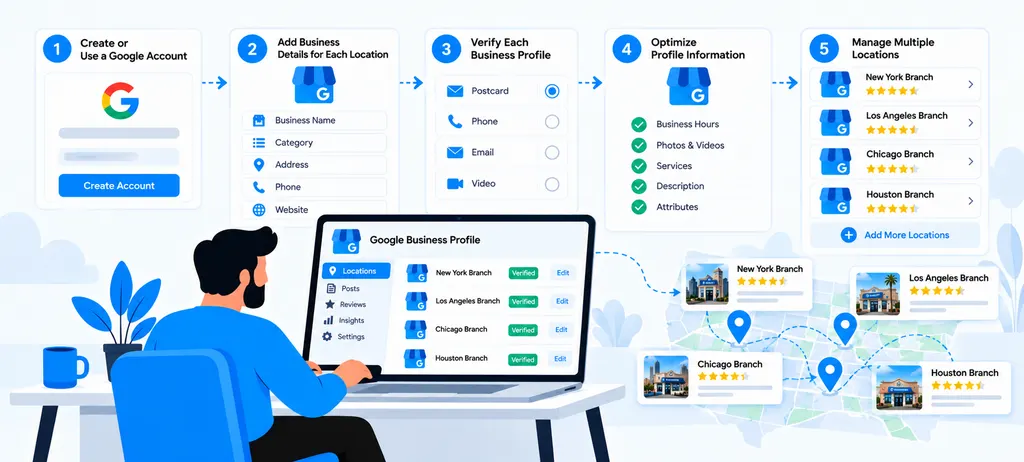
Setting up multiple Google Business Profiles starts with getting the location structure right. A business should first confirm which locations are eligible, organize them under an appropriate management structure, assign the right access, complete verification, and maintain reliable location data.
This foundation matters because errors made during setup can become much harder to fix when dozens of multiple GBP locations are already active. A clean setup also makes later bulk GBP management, profile audits, reporting, and ongoing Google Business Profile optimization easier to control.
Google allows businesses with 10 or more locations to add, verify, and manage eligible locations in bulk. Its current bulk-management workflow includes creating a business group, preparing a spreadsheet, uploading the locations, fixing errors, requesting verification, and keeping the information updated.
Create Profiles for Eligible Business Locations
The first step in Google Business Profile management for multiple locations is deciding which physical locations should have their own profiles. Each profile should represent an eligible business location and contain information that accurately describes that location.
Do not create additional profiles simply because a business has different departments, marketing teams, or service categories. Google has specific rules for representing businesses, and duplicate profiles can create management and visibility problems.
Before creating a profile, check:
- The location represents a real, eligible business.
- The business has authority to represent the location.
- The location does not already have a duplicate profile.
- The business name follows Google's representation guidelines.
- The address, phone number, website, and other core information are accurate.
- The location can be supported with the information required for verification.
For example, a retail company with 25 physical stores may legitimately have 25 Google Business Profiles. Those profiles represent different customer-facing locations. Creating two profiles for the same store simply to target different keywords would be a different situation and should not be treated as normal multi-location management.
This initial validation also provides a useful starting point for a Google Business Profile Audit. Before adding locations at scale, an audit can help identify existing duplicates, inaccurate information, missing details, or profiles that already require attention.
Organize Locations Into Business Groups
Once eligible locations have been identified, they need a logical management structure. Google Business Profile business groups allow organizations to manage and share access to a collection of profiles rather than handling every location as an isolated account.
Google describes a business group as a way to collectively manage profiles and share access with coworkers. Organizations can also use separate groups when different brands or divisions require different sets of users.
For example, a company operating several brands might organize its locations like this:
| Business Structure | Example |
| Brand | ABC Healthcare |
| Region | North India Locations |
| Business Unit | Retail Stores |
| Franchise Network | ABC Franchise Locations |
| Agency Client | Client A Locations |
The right structure depends on who needs access and how the locations are managed. A single group can simplify centralized management, while separate groups can provide stronger separation between brands, divisions, or clients.
This is particularly useful for GBP management for agencies, where one organization may work with several businesses. Google also provides agency-specific business group workflows for managing profiles owned by clients.
Make the location structure reflect the actual management structure. That makes it easier to assign responsibility, review locations, and apply supported updates without giving every user unnecessary access.
Set Up Ownership and User Access
Multiple-location management often involves owners, marketing teams, location managers, agencies, and other stakeholders. Giving everyone the same level of access can create unnecessary risk and make accountability unclear.
Google allows business profiles to have owners and managers, while business groups provide another way to organize profiles and share access across teams. Google specifically recommends business groups as a safer way to share management rather than sharing account usernames and passwords.
A practical access model might look like this:
- Business owner: Maintains overall control.
- Central marketing team: Manages approved marketing and profile activities.
- Location manager: Handles information specific to an individual location.
- Agency team: Receives the access required to perform contracted work.
- Operations team: Updates information such as hours or location details when responsible for those changes.
This structure is especially important when managing GBP management for agencies. An agency may need to manage several client profiles without becoming the unnecessary owner of every business account.
Access should therefore be planned before the profile portfolio becomes large. A clear ownership structure also makes it easier to investigate changes, manage approvals, and maintain accountability when information needs to be corrected.
Verify Multiple Business Profiles
Verification confirms that the business is authorized to manage its profiles. The available verification method can vary by business, and Google may request additional evidence, including video verification in some situations. Google states that only the business owner or an authorized representative should verify a business profile.
For businesses with 10 or more locations of the same business, Google provides a bulk verification process. The process requires the account to meet Google's eligibility requirements, include the locations being managed, and submit a verification request through Business Profile Manager.
An important distinction is that uploading a spreadsheet does not itself complete bulk verification. Google reviews the account and verification request separately.
Before requesting verification, review the location data for:
- Duplicate profiles
- Incorrect addresses
- Incorrect business names
- Missing locations
- Invalid business information
- Ownership conflicts
- Suspended or disabled profiles
- Incorrect spreadsheet data
Google also states that duplicate, suspended, or disabled profiles do not count toward the 10-profile minimum for bulk verification.
This makes verification more than a technical step. It is an opportunity to validate the complete location portfolio before it becomes part of an ongoing multi-location Google Business Profile management workflow.
Create a Consistent Location Data Structure
Once the profiles and access structure are ready, create a reliable data structure for every location. This is one of the most important steps for businesses planning bulk GBP management, because inconsistent or incomplete data can create errors when locations are uploaded or updated together.
Google's bulk upload process requires a unique business code for each business in the spreadsheet. Google uses these codes to ensure that updates are applied to the correct locations.
A central location database can include:
| Location Data | Why It Matters |
| Business code | Identifies the correct location |
| Business name | Maintains the official business representation |
| Address | Identifies the physical location |
| Phone number | Provides the correct local contact |
| Website URL | Connects the profile to the relevant business page |
| Primary category | Describes the main business type |
| Services | Records relevant location offerings |
| Regular hours | Maintains normal operating information |
| Special hours | Handles temporary changes |
| Location owner | Defines responsibility |
| Profile status | Tracks management and verification status |
However, consistency does not mean copying every field across every location.
A national restaurant chain may use the same brand name, primary category, and service standards across its stores, while individual locations may have different opening hours, services, photos, or local information. Those legitimate differences should remain location-specific.
Google's bulk upload guidance also warns that leaving certain spreadsheet columns blank when updating existing businesses can result in existing information for those columns being deleted. This makes spreadsheet preparation and validation an important part of the process.
A structured location database therefore becomes the foundation for future Google Business Profile optimization, GBP reporting, audits, and recurring updates.
For larger teams, Wranker's GBP Management workflow can complement this process by bringing profile health, business details, services, posts, photos, Q&A, hours, tasks, and reporting into a connected location-level workflow.
The broader local SEO dashboard can then connect GBP work with listings and citations, reviews and reputation, local rank tracking, local insights, and reporting across one or many locations.
How Do You Keep Multiple GBP Locations Accurate?
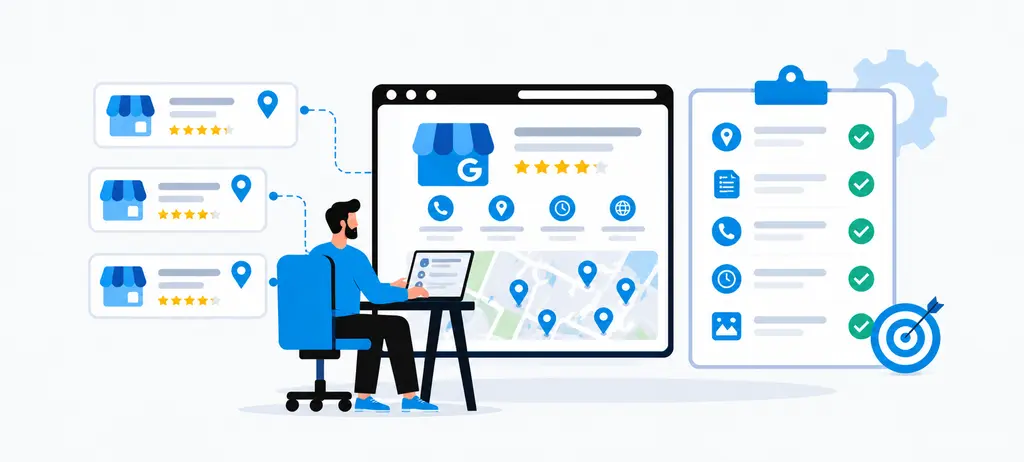
Managing multiple Google Business Profiles is not only about creating profiles and verifying locations. The bigger challenge is keeping every profile accurate after it goes live. Business information can change at the branch level, Google can receive information from other sources, and different locations may have different hours, services, or customer-facing details.
A reliable multi-location Google Business Profile management process should therefore combine central standards with location-level review. The goal is to keep information consistent where it should be consistent while preserving legitimate differences between branches.
Google can also update business profile information based on sources such as user reports and other publicly available information. Businesses can review certain updates, but not every Google update can be managed manually.
Maintain Core Business Information
Start with the information customers use most often to identify and contact a location. For Google Business Profile management for multiple locations, this normally includes the business name, address, phone number, website, hours, and other relevant contact information.
Google requires the business name to reflect the real-world business name, while the address should accurately represent the business location. Categories should describe what the business is rather than being used as keywords.
For multiple locations, create a central source of truth for core information and review it against each live profile.
| Information | What to Check Across Locations |
| Business name | Correct real-world business name |
| Address | Accurate location and address details |
| Phone | Correct local contact number |
| Website | Correct business or location URL |
| Hours | Current regular operating hours |
| Category | Relevant primary and additional categories |
| Service area | Accurate areas served where applicable |
This becomes particularly important when bulk GBP management is used. A change made across many locations can save time when the information is genuinely shared, but an incorrect value can also create a problem across multiple profiles.
A useful process is to separate brand-level information from location-level information. Brand-level data can follow common standards, while details that differ by branch should be reviewed individually.
Keep Location-Specific Information Accurate
Consistency does not mean making every profile identical.
A business with 50 locations may have the same brand name and core services, but individual branches can have different opening hours, local services, photos, appointment options, or service areas. Those differences should be reflected in the relevant profiles instead of being overwritten by a standard template.
For example, consider a healthcare business with locations in three cities. One location may provide a specialist treatment that another branch does not offer. Adding that service to every profile simply because it appears on the central website could create inaccurate information.
A better multi-location GMB management workflow separates information into two categories:
1. Shared information
- Brand standards
- Core business description
- Common services
- Approved categories
- Standard contact information where applicable
2. Location-specific information
- Local hours
- Special hours
- Location-specific services
- Local photos
- Branch-specific contact details
- Local appointment or booking information
- Location-specific customer questions
This distinction also supports better Google Business Profile optimization. Optimization should improve the accuracy and usefulness of each profile rather than simply increasing the amount of information displayed.
For service-area businesses, the service area also needs to reflect the locations actually served. Google allows service areas to be defined using cities, postal codes, or other areas and currently allows up to 20 service areas.
Review Categories and Services
Categories and services deserve a separate review because they help describe what a business does at each location.
Google recommends choosing categories that are specific and representative of the business. Categories should not be selected simply because they contain valuable keywords. Google currently allows a primary category and up to nine additional categories.
For multiple GBP locations, the review should answer two different questions:
- Does the category accurately represent the business?
- Does the service information accurately represent what that particular location offers?
For example, a franchise may have the same primary category across its locations while offering different services at individual branches. The central team can establish category standards, but local teams should confirm whether services and other details actually apply to their location.
A practical review can look like this:
| Check | Question |
| Primary category | Does it accurately describe the main business? |
| Additional categories | Are they relevant and supported? |
| Services | Are listed services actually offered? |
| Missing services | Are important location-specific services absent? |
| Outdated services | Are discontinued services still listed? |
| Service consistency | Does the profile match the current business offering? |
This is also where a Google Business Profile Audit can uncover location-level gaps. An audit should not treat every difference as an error. The purpose is to identify information that is inaccurate, missing, outdated, or inconsistent with the actual location.
For teams following a GBP Audit Checklist, categories and services should therefore be reviewed alongside core business information, hours, profile content, photos, Q&A, and other customer-facing elements.
Update Special and Holiday Hours
Regular business hours are not enough when locations change their schedules for holidays, temporary closures, special events, or other unusual periods.
Google provides special hours for temporary changes, including holidays and certain temporary closures. Businesses can also use more specific hour settings when different services operate at different times.
This is especially important for Google Business Profile management for multiple locations because holiday schedules are rarely identical across every branch.
For example, a retail chain may have:
- 40 locations open on a public holiday
- 8 locations operating with reduced hours
- 2 locations temporarily closed
Applying one standard schedule to all 50 locations would create inaccurate information.
A better workflow is:
Collect location schedules → Identify exceptions → Update special hours → Review affected profiles → Confirm changes
Google also notes that after hours are updated, customers may see a message or update related to the change on the profile.
Special-hour management should therefore be part of the recurring GBP reporting and review process rather than something checked only after a customer reports incorrect opening hours.
Wranker's GBP Management workflow specifically models hours, holiday-hour updates, profile freshness, and location-level actions, making this type of operational issue easier to identify and assign within a broader local SEO workflow.
Monitor Profile Changes
Keeping information accurate requires ongoing monitoring because a profile can change after the initial setup.
Google states that business profile information can be updated using information from different sources, including user reports and other publicly available information. Certain suggested edits require review, while Google may also apply some changes without prior review.
For a business managing dozens or hundreds of locations, manually checking every field on every profile after every change is difficult. A better approach is to monitor changes and prioritize locations that show a meaningful issue.
Look for changes involving:
- Business information
- Categories
- Hours
- Services
- Address or location details
- Profile freshness
- Customer-facing information
- Other profile fields that require review
The monitoring process should lead to an action rather than simply creating another report. For example:
- Incorrect hours should be checked against the location schedule and updated in the profile.
- Missing services should be confirmed with the location team and added to the profile when applicable.
- Unexpected profile changes should be reviewed to confirm whether the information is accurate and needs correction.
- Outdated information should be checked against the current business details and updated in the profile.
This is where GBP management software can reduce repetitive manual checking. Wranker's GBP Management workflow brings profile health, business details, categories, services, hours, posts, photos, Q&A, tasks, and reporting into a location-level workflow. It is designed to move from identifying profile drift to assigning an action and reporting the outcome.
The important principle is that monitoring should remain location-aware. Centralized visibility helps identify which profiles need attention, while the final update should be based on the actual information for that location.
That approach makes multi-location Google Business Profile management more reliable and creates a stronger foundation for ongoing optimization, audits, review management, and location-level reporting.
How Does Bulk GBP Management Work?
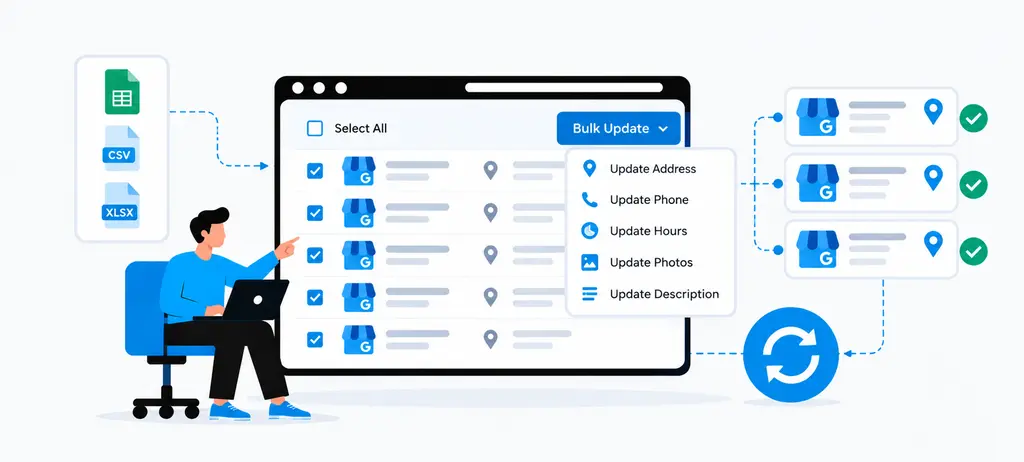
Bulk GBP management allows businesses with multiple locations to update and organize supported Google Business Profile information through a centralized spreadsheet workflow instead of editing every location individually. Google Business Profile Manager supports spreadsheet imports for creating and updating multiple locations, which can make large-scale profile maintenance more efficient.
The main benefit is efficiency, but bulk management also introduces a new responsibility, which is that every change must be mapped to the correct location. A mistake in a spreadsheet can affect multiple profiles, so bulk updates should be treated as a controlled process rather than a shortcut for making changes without review.
What Can Be Updated in Bulk
Google supports a range of business information through its bulk spreadsheet workflow. Depending on the profile and supported fields, this can include information such as business names, addresses, phone numbers, websites, categories, hours, attributes, and other profile data. Google maintains specific requirements for each supported field, so the available options should always be checked before preparing an upload.
For example, a multi-location business may use bulk management when a shared business detail needs to be updated across many locations.
Common use cases include:
- Updating shared business information
- Adding or changing supported location details
- Updating regular business hours
- Managing supported categories and attributes
- Adding new locations to an existing portfolio
- Correcting structured location information
- Maintaining information across multiple GBP locations
However, not every GBP element can be managed through the same spreadsheet workflow. Google currently lists unsupported fields and specific limitations, so a business should verify the available fields before assuming that an update can be applied in bulk.
This distinction is important for multi-location Google Business Profile management. Bulk tools are most useful for structured information that genuinely needs the same type of update across several locations. Location-specific content may still require individual review.
How to Prepare a Bulk Upload
Start with the latest location data rather than building a spreadsheet from an old offline file. Google recommends downloading the current business information from the account before making changes to existing locations. This helps reduce the risk of overwriting current information or creating unintended changes.
The business code is particularly important. Each location needs a unique business code so Google can identify which profile should receive each change. Google states that business codes are unique identifiers and should remain consistent when managing existing locations.
A practical preparation process is the following:
- Download the latest location information.
- Confirm that every location has the correct business code.
- Identify only the fields that actually need changes.
- Keep location-specific information attached to the correct branch.
- Check required fields and supported column formats.
- Remove unnecessary or unsupported columns.
- Review the spreadsheet for missing, shifted, or duplicated data.
- Save the file in a supported format before importing it.
Google currently accepts spreadsheet formats, including .xls, .xlsx, .ods, and .csv, for bulk imports.
One important spreadsheet issue can cause serious problems. If columns are included but their cells are left empty, existing information for those fields may be deleted during the upload. Google therefore recommends including only the fields that need to be changed when updating existing businesses.
For large multi-location GMB management workflows, maintaining a controlled source of location data can also support ongoing Google Business Profile optimization, audits, and GBP reporting.
How to Review Bulk Updates Before Publishing
Do not treat the upload button as the final quality check. Google provides a Preview changes step before updates are applied, allowing teams to review the proposed changes and identify unexpected results.
The preview can show whether locations are classified as the following:
| Status | Meaning |
| New | Google considers the location a new business |
| Updates | Existing profile information will be changed |
| No updates | No change is required |
| Errors | Google found an issue that needs attention |
Google also provides a change-details spreadsheet that can show the locations affected, updated fields, and error messages.
Before applying the changes, check for unexpected results such as:
- A location appearing as New when it already exists
- An unexpected number of locations being affected
- A business code that does not match the intended location
- A blank field that could remove existing information
- An address or phone number appearing against the wrong branch
- Changes being applied to locations that were not part of the intended update
If the preview does not match the planned change, stop and correct the spreadsheet before applying it.
This review step is especially valuable when bulk GBP management is being used across a large franchise, retail network, or agency portfolio. A few minutes spent checking the proposed changes can prevent a much larger cleanup later.
How to Handle Bulk Update Errors
Bulk upload errors can result from incorrect formatting, missing required information, inconsistent data, unsupported fields, or policy-related issues. Google provides specific error messages and recommends correcting the underlying spreadsheet or profile information before importing it again.
Common problems include:
- Missing business codes
- Duplicate business codes
- Incorrect phone number formats
- Missing required fields
- Incorrect postal codes
- Invalid location information
- Unsupported spreadsheet columns
- Data placed in the wrong column
- Information that does not comply with Google's Business Profile policies
For example, if a spreadsheet accidentally shifts the address and phone columns by one position, the resulting upload may associate information with the wrong locations. Google specifically warns that improperly shifted spreadsheet values can create unintended updates across businesses.
A useful recovery process is the following:
Identify the error → Find the affected locations → Correct the source data → Recheck the spreadsheet → Upload again → Review the new results
Do not simply remove the error message and repeat the same upload. The underlying data problem should be corrected first.
For businesses following a GBP audit checklist, bulk upload errors can also become audit findings. A recurring audit can help identify locations with incomplete information, inconsistent data, or unresolved profile issues before they affect a larger set of locations.
When Bulk Management Should Not Replace Location Review
Bulk management is designed to improve efficiency, but it should not become a reason to stop checking individual locations.
A business may have 100 locations with the same brand standards, but those locations can still have different hours, services, photos, local events, and customer questions, or operational changes. Applying the same information everywhere without checking those differences can create inaccurate profiles.
For example, a franchise may change its holiday schedule centrally, but some branches may close earlier or remain open. A bulk update can help apply the common schedule, but the exceptions still need location-level review.
The best approach is to divide work into two levels:
| Centralized Work | Location-Level Review |
| Shared business information | Branch-specific information |
| Approved brand standards | Local hours |
| Common profile updates | Special or holiday hours |
| Bulk data maintenance | Location-specific services |
| Central reporting | Local profile issues |
| Recurring management tasks | Local customer information |
This balance is particularly important for GBP management for franchises and GBP management for agencies, where many locations may follow common standards but still require individual oversight.
A strong Google Business Profile management for multiple locations workflow therefore follows a simple principle: centralize what is genuinely common and review what is genuinely local.
For larger teams, GBP management software can help organize this process by connecting location data, profile issues, tasks, monitoring, and reporting. Wranker's GBP Management workflow can be used alongside Google's own management tools to organize location-level profile health, tasks, updates, and reporting. This keeps bulk operations focused on efficiency while allowing individual locations to receive additional attention when an issue requires it.
The result is a more controlled approach to multi-location Google Business Profile management, where bulk updates save time without removing the human review needed to keep each profile accurate.
How Do You Manage GBP Content Across Multiple Locations
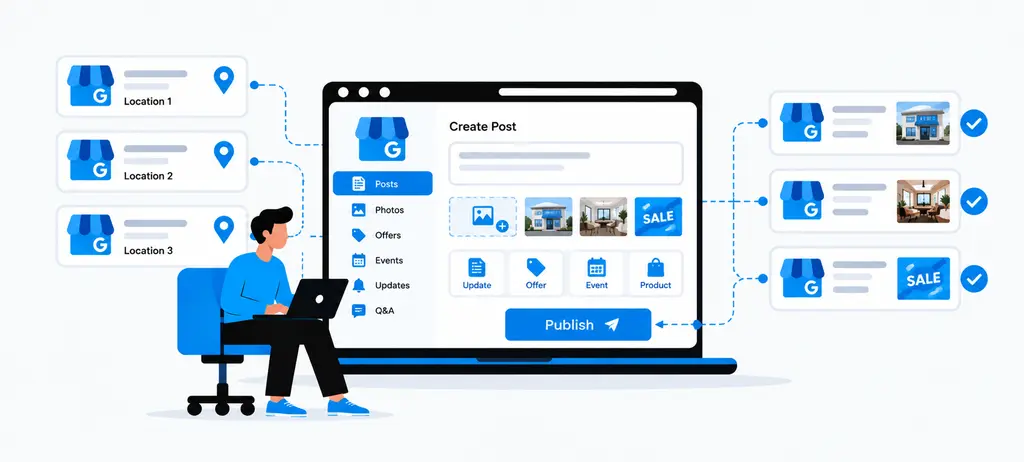
Managing content across multiple Google Business Profiles requires a balance between brand consistency and local relevance. A central team can create content standards, publishing schedules, and approval processes, but each location should still reflect its actual products, services, events, customers, and operating information.
Google allows businesses to create updates, offers, and events on business profiles and provides options to schedule recurring posts. Google also allows a post to be shared across multiple profiles that a business manages, making centralized content distribution possible.
For effective multi-location Google Business Profile management, the goal is not to publish identical content everywhere. The better approach is to standardize the process while deciding which content should be shared and which content should be customized for individual multiple GBP locations.
Manage Google Business Profile Posts
Google Business Profile posts can be used to communicate updates, offers, events, and other timely information directly on Search and Maps. Posts can include text, photos or videos, and an action button with a relevant link. Google also supports scheduling and recurring publishing for eligible posts.
For a business with multiple locations, create a central content calendar that separates brand-wide campaigns from local updates.
For example:
| Content Type | Management Approach |
| Company announcement | Share across relevant locations |
| Seasonal campaign | Adapt for each market when needed |
| Local event | Publish only for participating locations |
| Location offer | Customize by branch |
| New service | Publish only where available |
| Local business update | Create specifically for the location |
Google currently allows businesses to select multiple profiles when publishing a post, which can reduce repetitive work when the same update genuinely applies to those locations.
However, copying the same post across every profile should not become the default strategy. A nationwide promotion may be suitable for multiple locations, while a local event, branch-specific offer, or location-specific service needs a more targeted approach.
This distinction is important for Google Business Profile optimization because useful profile content should accurately represent the location rather than simply increase publishing volume.
Adapt Content for Individual Locations
A centralized content plan becomes more effective when local teams can add information that applies only to their location.
For example, a retail brand may have a company-wide seasonal campaign, but individual stores may have different opening hours, local events, product availability, or offers. The central team can provide the campaign framework while each location confirms the details before publishing.
A useful workflow is:
Central content plan → Location review → Local customization → Approval → Publishing
This approach reduces two common problems. The first is completely different messaging from one location to another. The second is publishing centrally created content that contains information that does not apply to every branch.
Local customization can include:
- Location name
- Local offer details
- Branch-specific event information
- Relevant services
- Local opening information
- Location-specific landing pages
- Local photos
- Area-specific customer information
For GBP management for franchises, this balance is especially important. Franchise teams need consistent brand messaging, but each franchise location may have different services, schedules, promotions, or local events.
The same principle applies to GBP management for agencies. An agency can maintain client-level content standards while allowing individual locations to provide the details needed for accurate local publishing.
Keep Photos Relevant to Each Location
Photos should represent the actual business and location rather than relying only on generic brand images.
Google recommends business-specific photos such as exterior, interior, product, service, food and drink, common area, room, and team photos depending on the business type. Google also states that images should be in focus, well lit, and represent reality without significant alterations or excessive filters.
For multiple GBP locations, a useful photo structure can separate shared brand assets from local assets:
| Photo Category | Example |
| Brand assets | Approved logo or campaign creative |
| Exterior | Actual storefront or entrance |
| Interior | Actual branch interior |
| Products | Products available at the location |
| Services | Team providing the actual service |
| Team | Local employees or staff |
| Local events | Events held at that location |
This helps prevent a common multi-location problem where every profile uses the same generic photos even though the physical locations look different.
Google also allows businesses with 10 or more locations to bulk upload photos through a spreadsheet, which can help with large-scale photo management.
Bulk upload can improve efficiency, but the source images should still be checked before distribution. An image showing one branch should not accidentally appear on another location's profile.
This makes photo management relevant to a broader Google Business Profile Audit. A location-level audit can check whether images represent the actual branch, whether important business areas are represented, and whether outdated or incorrect images require attention.
Maintain Services and Business Information
Content management should not be limited to posts and photos. Services and business information also need regular review because customers use these details to understand what a location actually provides.
Google's Business Profile guidance requires information to accurately represent the business. Categories should describe what the business is rather than being selected simply as keywords, while service areas and other business details should reflect the actual operation.
For Google Business Profile management for multiple locations, create a distinction between information that can follow a common brand standard and information that needs location-level confirmation.
1. Common information may include:
- Brand-approved services
- Core business description
- Standard categories where appropriate
- Common business policies
2. Location-specific information may include:
- Services available at the branch
- Local appointment options
- Branch-specific hours
- Local contact information
- Location-specific offerings
- Service areas where applicable
For example, a healthcare company may offer the same core service across 20 locations but provide a specialist treatment at only five branches. That specialist service should not automatically be added to all 20 profiles.
This is where Google Business Profile optimization should focus on accuracy and usefulness rather than adding as many services or categories as possible.
A regular GBP audit checklist can include service accuracy, category relevance, business information, hours, photos, posts, reviews, and customer-facing information. This makes the audit more useful than checking only whether a profile is technically complete.
Review Q&A and Customer-Facing Information
Customer-facing information should be reviewed regularly because it can influence what potential customers understand about a location before they visit or contact the business.
This includes Q&A, profile information, posts, services, hours, and other details that answer common customer questions.
A useful review process should identify information such as the following:
- Questions that have not been answered
- Answers that are no longer accurate
- Services that customers frequently ask about
- Location-specific information that is missing
- Outdated information in published content
- Questions that require input from the local team
The response should come from someone who can confirm the correct information rather than relying on assumptions from a central content team.
For example, if customers repeatedly ask whether a particular branch provides same-day appointments, the central marketing team can flag the question, but the location or operations team should confirm the actual availability before an answer is published.
This creates a useful connection between GBP review management, profile content, and ongoing GBP reporting. Review and content data can reveal recurring questions or information gaps that need attention across one or more locations.
A centralized workflow can also turn these findings into tasks:
- Unanswered Q&A should be reviewed, verified, and answered with accurate information.
- Outdated service information should be checked and updated for the relevant location.
- Incorrect photos should be verified and replaced with relevant location photos.
- Expired offers should be reviewed and updated or removed from the profile.
The broader principle is simple which is centralize the content process but keep location-level responsibility. This allows businesses to manage multiple profiles efficiently while ensuring that posts, photos, services, and customer-facing information remain relevant to each location.
For larger teams, GBP management software can support this workflow by bringing profile updates, tasks, content activity, review monitoring, and reporting into a centralized workspace. Wranker's GBP Management workflow connects profile health, posts, photos, services, Q&A, tasks, and reporting so teams can identify location-level issues and organize the work required to resolve them.
This can also connect with broader Local SEO Dashboard workflows when GBP activity needs to be reviewed alongside local rankings, listings and citations, reviews, reputation, and other local search data.
The result is a more controlled approach to multi-location Google Business Profile management where content can be distributed efficiently without losing the local accuracy that each individual profile requires.
How Do You Manage Reviews Across Multiple GBP Locations
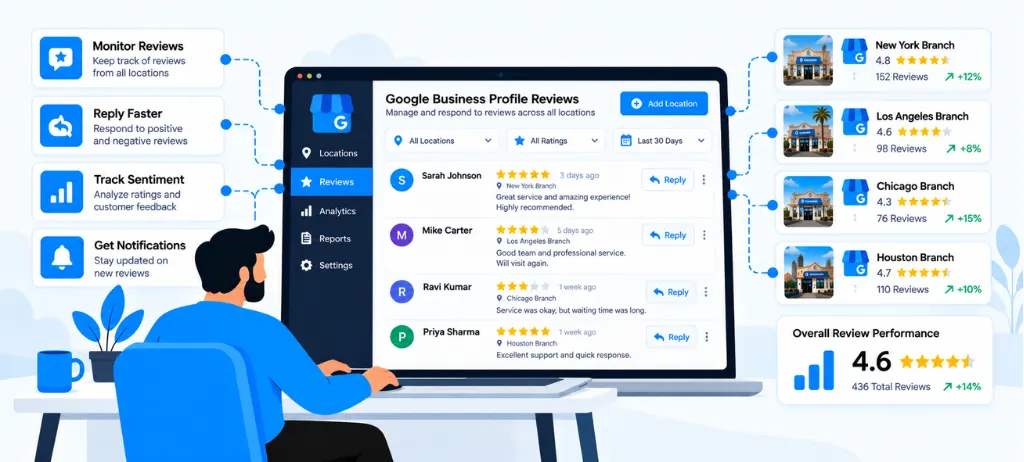
Reviews can vary significantly from one location to another, even when every branch follows the same brand standards. A strong multi-location GBP management process should therefore treat reviews as both customer feedback and location-level reputation data.
For businesses managing multiple GBP locations, the main challenge is not simply seeing new reviews. Teams also need to know which location received the review, whether a response is required, who should handle it, and whether several reviews are pointing to the same customer experience problem.
Google allows businesses to respond to reviews through their business profiles, while customers can see the business response publicly. This makes timely and appropriate responses an important part of ongoing profile management.
Monitor Reviews by Location
Reviews should be organized by location so teams can understand how each branch is performing. Looking only at an overall rating can hide problems affecting one particular location.
For example, a business with 40 branches may have a strong overall rating while three locations receive repeated complaints about waiting times. A location-level review process makes those patterns easier to identify.
Useful review data can include:
| Review Signal | What It Helps Identify |
| Average rating | Overall customer sentiment |
| Review volume | Level of customer feedback |
| New reviews | Recent customer experience |
| Unanswered reviews | Response workload |
| Low-rated reviews | Locations needing attention |
| Response status | Pending and completed replies |
| Review themes | Recurring customer concerns |
This approach also creates a natural connection between GBP Review Management and broader local SEO reporting. Wranker's GBP Reviews and Reputation Management workflow, for example, organizes reviews by location, rating, sentiment, response status, and other reputation signals.
Prioritize Unanswered Reviews
Not every review requires the same level of attention. A practical review workflow should prioritize reviews that are unanswered, recent, negative, or related to an issue that needs a business response.
A simple priority system can help teams decide where to start:
- High priority: Unanswered negative reviews or reviews involving serious customer concerns.
- Medium priority: Unanswered reviews that require a normal business response.
- Routine: Reviews that have already been answered or require standard monitoring.
The purpose is not to respond with the same message to every customer. The response should acknowledge the customer's experience and provide relevant information without revealing private customer details.
For agencies managing several clients, prioritization becomes even more important. A shared review queue can prevent important reviews from being missed while allowing teams to focus first on locations with the highest reputation risk.
Assign Review Responses to Team Members
Review management becomes difficult when everyone assumes someone else will respond. Assigning responsibility creates a clear workflow for each location.
For example, a central SEO team may monitor reviews, while a branch manager confirms operational details before a response is published. Sensitive reviews may also require approval from a senior team member.
A simple responsibility structure can be:
| Responsibility | Example Owner |
| Review monitoring | SEO or local marketing team |
| Business information check | Location manager |
| Response drafting | Assigned team member |
| Sensitive review approval | Manager or business owner |
| Final response | Authorized profile user |
| Reporting | SEO or account team |
This workflow is especially useful for GBP management for agencies, where multiple clients and locations may be handled by different team members.
Wranker's review workflow supports review owners, response status, approval states, escalation, and task creation, helping teams move a review from monitoring to action.
Maintain Consistent Response Standards
Consistent responses do not mean using the exact same reply for every location. The goal is to maintain a common brand standard while making each response relevant to the individual customer and location.
A response framework can define:
- Appropriate tone
- Response time expectations
- How positive reviews should be acknowledged
- How negative reviews should be handled
- When a review requires escalation
- When private customer support should be offered
- Which information should never be disclosed publicly
For example, a restaurant brand may have a standard approach for complaints about service delays. The response can follow the brand's approved tone while referring to the actual location and issue mentioned by the customer.
This approach helps Google Business Profile optimization from a customer experience perspective because profiles remain active and professionally managed without turning review responses into repetitive marketing messages.
It is also useful to include review response activity in GBP reporting. Reporting can show response coverage, unresolved reviews, rating movement, and recurring themes instead of simply presenting the average rating.
Identify Locations With Review Problems
The most valuable part of multi-location review management is identifying patterns that require action.
A single negative review may represent an isolated experience. Several reviews mentioning the same problem at the same location may indicate an operational issue that needs attention.
For example:
- Several customers mention long waiting times.
- Multiple reviews report difficulty contacting a branch.
- Customers repeatedly mention an unavailable service.
- A location receives a sudden increase in low ratings.
- Several reviews remain unanswered for an extended period.
These patterns can be reviewed by location, time period, rating, and topic. Wranker's reputation workflow uses sentiment themes and recurring topics to help teams identify issues such as wait times, staff, pricing, service quality, and other customer concerns.
The important step is to turn the finding into an operational action rather than simply adding another note to a report.
For example, repeated complaints about waiting times should be reviewed with the relevant location team. If the issue is confirmed, it can become a task for the responsible team rather than remaining only as a review-management observation.
This creates a useful workflow:
Monitor reviews → Identify patterns → Assign responsibility → Resolve the issue → Track the outcome
The same process can feed into a GBP Audit Checklist, where review response status, rating trends, unresolved concerns, and location-level reputation risks are reviewed alongside profile information, categories, services, hours, posts, and other GBP elements.
For larger businesses, GBP management software can make this workflow easier to maintain across many locations. Wranker's local SEO dashboard connects review monitoring with GBP health, local rankings, citations, reputation, recommendations, and reporting, allowing review findings to become part of a broader local SEO workflow.
This makes review management more useful than simply responding to customers. It helps teams understand which locations need attention, why they need attention, and what action should happen next.
How Do Agencies Manage Multiple Google Business Profiles
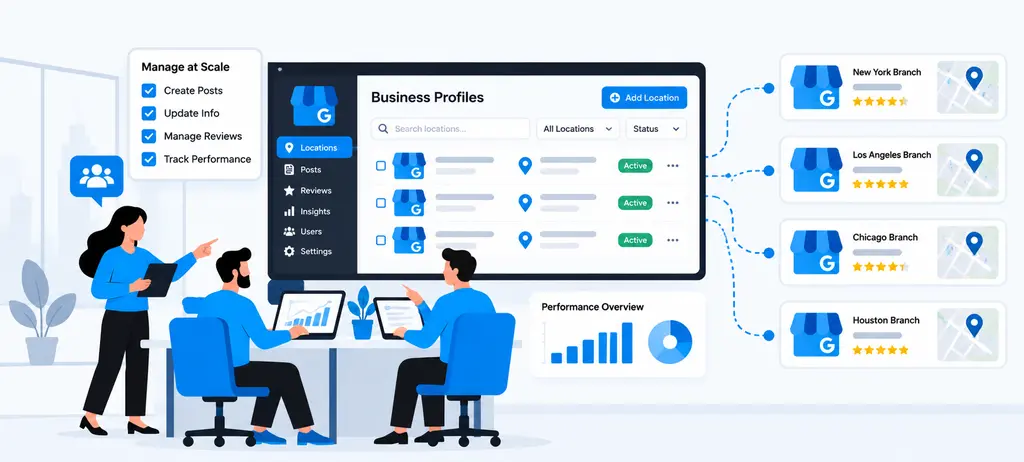
Managing multiple Google Business Profiles for different clients requires more than adding profiles to one account. Agencies need a clear structure for clients, locations, users, tasks, approvals, and reporting.
Google supports agency organizations, business groups, and user groups to help agencies control access to different sets of profiles. Business groups can also be used to organize locations and share access without sharing account passwords.
For effective GBP management for agencies, the goal is to centralize repeatable work while keeping each client's business information, locations, approvals, and reporting separate.
Organize Profiles by Client
The first step in multi-location GBP management for an agency is to organize profiles by client. A client may have one location, several branches, or hundreds of locations, so the agency needs a structure that makes ownership and responsibility clear.
Google Business Profile business groups can help agencies organize locations into manageable groups. Agencies can also use user groups to give specific teams access to selected locations.
A practical structure can look like this:
| Client | Location Group | Profiles | Primary Responsibility |
| Client A | North Region | 15 | Local SEO Team |
| Client B | All Locations | 8 | Account Manager |
| Client C | Franchise Locations | 42 | GBP Operations Team |
This structure makes it easier to manage multiple Google Business Profiles without mixing information between clients.
For larger accounts, agencies should also maintain a separate location data structure containing the business name, location, profile access, assigned team member, current status, and important GBP tasks.
Google also allows agencies to request access to individual profiles or business groups owned by clients.
Separate Client and Location Workflows
Client separation becomes more important as an agency manages more accounts. A healthcare client may have different approval requirements from a restaurant chain, while a franchise client may need location-level approvals before changes are published.
A useful Google Business Profile management for multiple locations workflow separates three levels:
| Level | What Is Managed |
| Client | Strategy, approvals, reporting, account priorities |
| Location Group | Shared tasks, campaigns, regional work |
| Individual Location | Hours, services, photos, posts, reviews, local information |
This prevents a common problem in multi-location GMB management where a task intended for one location is accidentally applied to another.
For example:
- A client-wide post can follow the approved brand content plan.
- A location-specific offer should be reviewed for that branch.
- Holiday hours should be confirmed for each affected location.
- A service update should only be applied where that service is actually available.
This approach is especially useful for GBP management for agencies because the agency can maintain common processes without treating every client and location as identical.
Assign Work to Team Members
A multi-location account becomes difficult to manage when every GBP task is owned by the same person. Agencies should assign work based on client, location, task type, or team responsibility.
Google Business Profile supports owners and managers, while agency user groups can help organize people who need access to specific location groups.
Within an agency workflow, tasks can be divided like this:
| Task | Suggested Owner |
| GBP audit | SEO Specialist |
| Profile information | GBP Specialist |
| Google Business Profile optimization | Local SEO Specialist |
| Posts | Content Specialist |
| Photos | Client or Local SEO Team |
| Reviews | Reputation Specialist |
| Location verification | Account Manager |
| Final approval | Client or Account Manager |
| GBP reporting | SEO Account Manager |
This creates clear ownership instead of leaving GBP work in a shared spreadsheet or inbox.
Wranker's GBP management workflow supports this type of process by turning profile findings into tasks with owners, priorities, due dates, evidence, and status tracking.
Manage Client Approvals
Client approval is important when an agency manages changes that represent the client's business.
Not every GBP update needs the same level of approval. Agencies can define approval rules based on the type of change.
| Update Type | Suggested Approval |
| Holiday hours | Client or location confirmation |
| Business information | Client approval |
| New service | Client confirmation |
| Google Business Profile post | Pre-approved content workflow |
| New photos | Client or location review |
| Review response | Agency guidelines or client approval |
| Category change | SEO specialist + client approval |
The purpose is not to slow down bulk GBP management. It is to prevent incorrect information from being applied across several locations.
For example, if a franchise changes its holiday schedule, the agency should confirm which locations are affected before making the update. A bulk process can then be used where appropriate, while location-specific exceptions remain under individual review.
Wranker's GBP workflow also includes approval-related states and reporting controls, allowing agencies to distinguish completed work from items that still require review.
Track Open and Completed GBP Tasks
Agencies need to know what has been completed, what is still open, who owns each task, and which issues are waiting for the client.
A simple task workflow can use statuses such as:
Open → In Progress → Needs Approval → Fixed → Reported
For example:
| Status | Example |
| Open | 4 locations have missing holiday hours |
| In Progress | Specialist is updating location information |
| Needs Approval | Client needs to approve new service information |
| Fixed | Updates have been completed |
| Reported | Completed work has been added to the client report |
This is particularly useful when using Google Business Profile management software because the agency can connect profile issues with actual work instead of simply documenting problems.
Wranker's GBP Management page follows a similar workflow by connecting profile audits with task creation, assignment, status tracking, and reporting. Its interface is designed to show open actions, owners, approval states, fixed tasks, and report-ready work.
This also makes it easier to identify recurring problems. For example, if the same locations repeatedly have outdated photos, unanswered Q&A, or missing hours, the agency can create a recurring process rather than treating each issue as a one-time task.
Create Client-Ready Reports
The final step in GBP management for agencies is turning completed work into a report that the client can understand.
A good GBP report should focus on what changed, what was fixed, what remains open, and what requires the client's attention.
Useful reporting areas include:
- Number of profiles managed
- Profile health by location
- Missing or outdated profile information
- Google Business Profile optimization activities
- Posts and photo activity
- Review activity
- Open and completed GBP tasks
- Pending client approvals
- Location-level issues
- GBP audit findings
- Local SEO actions connected to GBP work
Instead of reporting only activity, agencies should connect the work with the reason for the change.
For example:
Issue: Five locations had outdated holiday hours.
Action: Hours were reviewed and updated.
Status: Completed.
Next step: Recheck the locations before the next holiday period.
This makes GBP reporting easier for clients to understand and gives the agency a clear record of completed work.
Wranker supports this approach by allowing GBP health, fixed issues, open risks, freshness data, task progress, and other GBP activity to be included in local SEO reporting workflows.
Agencies can also connect GBP reporting with broader local SEO activities such as rankings, listings and citations, reviews, and local SEO insights. This creates a more complete view of how profile management fits into the client's overall local search strategy.
How Do You Monitor Multiple GBP Locations?
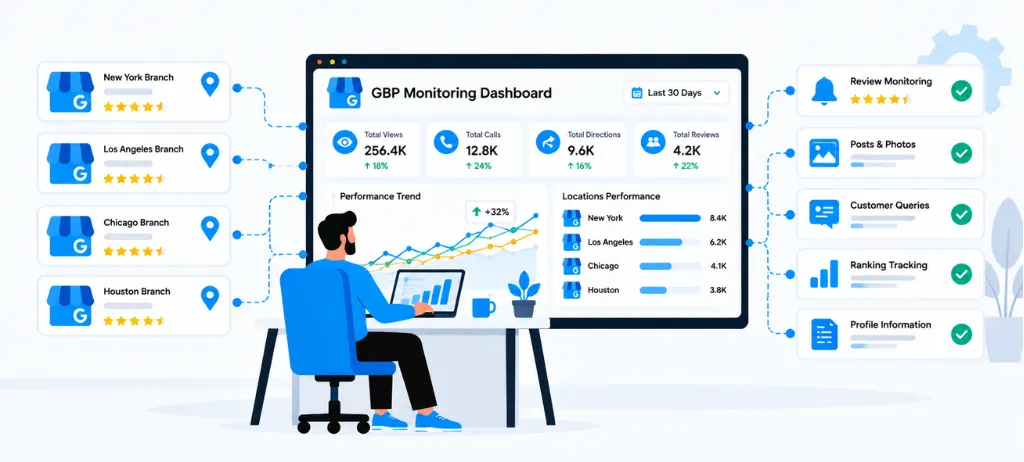
Monitoring multiple Google Business Profile locations requires more than checking whether each profile exists. Agencies and multi-location businesses need to know which locations are healthy, which profiles have missing information, which locations have become outdated, and which issues need attention first.
Google recommends keeping business profile information accurate and up-to-date. Google can also receive information from users and other sources and may update profile information when it believes existing details are incorrect or outdated.
A practical multi-location Google Business Profile management process should therefore combine location-level profile checks with freshness monitoring, issue prioritization, activity comparison, and recurring reviews.
Track Profile Health by Location
Profile health should be reviewed at the location level rather than only looking at an overall account.
A business with 50 locations may have a strong overall profile portfolio, while several individual locations have missing services, outdated photos, incomplete hours, unanswered Q&A, or other issues.
For each location, review important areas such as:
| Profile Area | What to Monitor |
| Business information | Name, address, phone, website, hours |
| Categories | Primary and additional categories |
| Services | Available services and location-specific offerings |
| Posts | Recent and scheduled content |
| Photos | Recent and relevant location photos |
| Q&A | Unanswered or outdated questions |
| Hours | Regular and special hours |
| Profile freshness | Recently reviewed and updated information |
This creates a location-level view of Google Business Profile optimization instead of treating all locations as one profile.
Wranker's GBP Management workflow uses location-level profile health, freshness, categories, services, posts, photos, Q&A, and hours to help teams identify which profiles need attention.
Identify Locations With Missing Information
Missing information is easier to overlook when an organization manages dozens or hundreds of locations.
A monitoring process should identify incomplete fields and compare them against the information required for that particular location.
For example:
- A location has no special holiday hours.
- A branch is missing an important service.
- A location has outdated business information.
- A profile has incomplete category coverage.
- A branch has no recent location-specific photos.
- A customer-facing question remains unanswered.
The goal is not to make every profile identical. Location information should reflect the actual services, hours, facilities, and customer experience of each branch.
Google's guidelines require businesses to represent their real-world business accurately and prohibit creating more than one profile for the same location.
A GBP audit checklist can help teams review these fields consistently. The findings can then be connected to a broader Google Business Profile Audit rather than being treated as isolated profile errors.
For agencies, this is particularly useful because missing information can be filtered by client, location, owner, or issue type before work is assigned.
Monitor Profile Freshness
A profile can be technically complete and still become outdated over time.
Hours change. Services change. Photos become old. Posts stop being published. Customer questions remain unanswered. Seasonal information also needs regular review.
This makes profile freshness an important part of multi-location GBP management.
A simple freshness framework can include:
| Area | Freshness Check |
| Business details | Confirm current information |
| Hours | Check regular and special hours |
| Posts | Review recent publishing activity |
| Photos | Check whether location images are current |
| Q&A | Review unanswered questions |
| Services | Confirm current offerings |
| Categories | Check whether categories still represent the business |
Wranker uses freshness states across profile information, posts, photos, Q&A, and hours to help teams identify locations that need updates.
Freshness should not mean making unnecessary changes simply to show activity. The purpose is to identify information that is outdated, incomplete, or no longer accurate.
Find Locations That Need Immediate Attention
Not every GBP issue has the same priority.
When managing multiple GBP locations, teams should separate routine maintenance from issues that could affect customers or business operations.
A useful priority model is the following:
| Priority | Example Issue | Action |
| High | Incorrect holiday hours | Verify and update quickly |
| High | Incorrect business information | Confirm with the location |
| High | Major profile issue | Investigate immediately |
| Medium | Missing services | Review and update |
| Medium | Stale photos | Assign a refresh |
| Routine | Older posts | Review content schedule |
| Routine | General profile review | Include in recurring audit |
This approach prevents teams from spending the same amount of time on every location.
Wranker's GBP workflow supports this type of prioritization by surfacing profile risks and recommended actions by location, severity, freshness, and affected profiles.
The same principle can be extended to GBP management software: the platform should help teams identify where action is needed rather than simply display a large list of profiles.
For larger businesses and franchises, this can significantly simplify bulk GBP management because teams can decide which changes should be handled centrally and which require individual location review.
Compare Location-Level Activity
Location-level comparison helps identify differences that are hidden by account-wide reporting.
For example, two branches may have similar business information but very different levels of GBP activity. One may have current photos, regular posts, answered questions, and active review responses, while another has several outdated areas.
Useful comparison points include:
- Profile health
- Profile completeness
- Information freshness
- Post activity
- Photo freshness
- Q&A response status
- Review response activity
- Open GBP tasks
- Completed GBP tasks
- Local search performance
The comparison should be used to find locations that need investigation, not to assume that every location should have identical activity.
Wranker's local SEO dashboard brings location-level GBP health together with listing accuracy, reviews, local rankings, and other local SEO signals so teams can identify which locations need attention first.
This also makes GBP reporting more useful. Instead of saying that 50 profiles were reviewed, an agency can show which locations improved, which issues were fixed, and which locations still require action.
Create a Recurring Review Process
Monitoring multiple GBP locations should be a recurring process rather than a one-time Google Business Profile Audit.
A practical review cycle can combine frequent checks for important changes with scheduled deeper reviews.
For example:
| Review Frequency | Main Focus |
| Weekly | Reviews, Q&A, urgent profile issues |
| Monthly | Profile health, posts, photos, services |
| Quarterly | Categories, business information, location data |
| Before holidays | Special hours and seasonal information |
| After major changes | Services, hours, contact details, profile content |
The exact frequency should depend on the number of locations, business type, rate of change, and agency workflow.
For GBP management for agencies, the process can be standardized across clients while allowing each client to have different review rules. A franchise with 200 locations may need a different workflow from a business with five branches.
A recurring process can follow this structure:
Monitor → Identify → Prioritize → Assign → Review → Report
Wranker uses a similar operational loop for GBP work, connecting profile audits with prioritization, tasks, updates, and reporting.
This makes Google Business Profile management for multiple locations more manageable because teams do not have to remember which profiles were checked or which issues were previously identified.
The objective is simple: know which locations are healthy, find profile issues early, assign the right work, and keep a clear record of what changed. This creates a repeatable monitoring process for businesses, franchises, and agencies managing multiple Google Business Profiles.
How Can GBP Management Software Support Multiple Locations
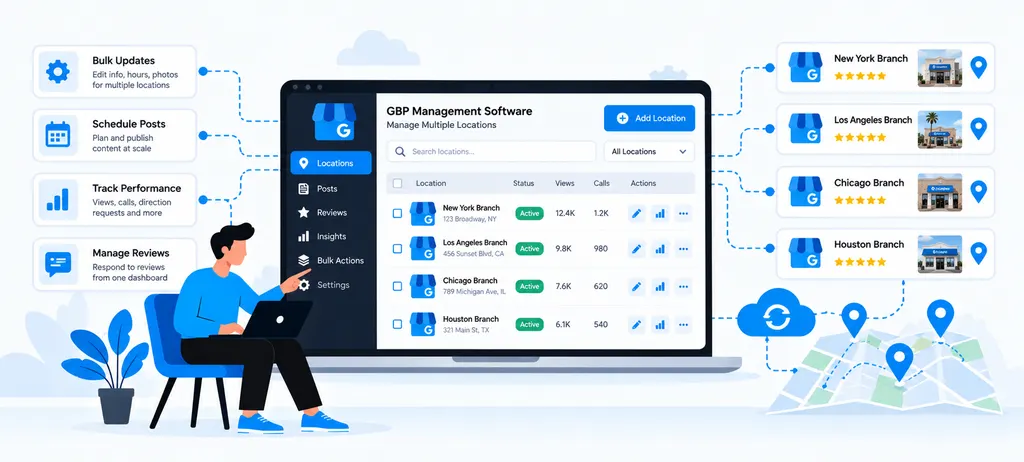
Managing multiple Google Business Profiles becomes difficult when teams have to open each location separately, track changes in spreadsheets, assign work through separate tools, and prepare reports manually.
GBP management software can bring these activities into one workflow. For multi-location businesses, franchises, and agencies, the main value is not simply storing multiple profiles. It is creating a repeatable process for checking profile health, identifying issues, assigning work, managing updates, monitoring reviews, and connecting GBP activity with broader local SEO.
Google also supports bulk management for businesses with 10 or more eligible locations, including adding, verifying, and managing locations in bulk.
Centralize Multiple GBP Locations
The first benefit of multi-location Google Business Profile management software is having one place to view multiple locations.
Instead of checking profiles one by one, teams can organize locations by business, brand, region, client, or location group. This is especially useful for GBP management for franchises and agencies managing several clients.
A centralized view can show:
| Location | Profile Health | Freshness | Open Issues | Next Action |
| Location A | Healthy | Current | 0 | Monitor |
| Location B | Needs Review | Photos outdated | 2 | Refresh photos |
| Location C | Action Needed | Hours missing | 3 | Update hours |
| Location D | Healthy | Current | 1 | Review Q&A |
This allows teams to quickly identify which multiple GBP locations need attention.
Wranker's GBP Management workflow is built around connecting profiles, auditing locations, prioritizing issues, assigning work, and reporting outcomes from a centralized local SEO workspace.
Monitor Location-Level Profile Health
A multi-location account can look healthy overall while individual locations have important problems.
For this reason, Google Business Profile management software should provide location-level profile health rather than only an account-wide view.
Important areas to monitor include:
- Profile completeness
- Business details
- Primary and additional categories
- Services
- Hours and special hours
- Posts
- Photos
- Q&A
- Profile freshness
- Pending profile issues
Wranker groups these signals into a location-level profile health view and allows teams to filter profiles by location, risk, owner, and update status.
This makes Google Business Profile optimization more practical because teams can move from a general audit to specific locations and specific issues.
For example, instead of reporting that "some profiles need optimization," an agency can identify that three locations have outdated photos, two have missing services, and one has incomplete holiday hours.
Organize GBP Tasks
Finding a GBP issue is only the first step. Someone still needs to fix it.
This is where GBP management software can connect profile monitoring with task management.
A task can include:
- The affected location
- The issue
- Recommended action
- Assigned team member
- Priority
- Due date
- Approval status
- Completion status
- Supporting evidence
For example:
Issue: Missing holiday hours
Location: West End
Owner: Local SEO Specialist
Priority: High
Status: Needs approval
This creates accountability and prevents GBP findings from remaining inside audit spreadsheets.
Wranker's GBP workflow allows profile findings to move into tasks with owners, priorities, due dates, evidence, and reporting status.
This is particularly useful for GBP management for agencies, where different specialists may manage posts, reviews, profile information, photos, and local SEO activities for the same client.
Manage Profile Updates
Multiple locations often share some business information, but they should not all be treated as identical.
Bulk GBP management can be useful for information that is genuinely shared across locations. However, location-specific information should still be reviewed before changes are applied.
Google's bulk management system allows eligible businesses with 10 or more locations to manage locations through bulk workflows and spreadsheets. Google also requires businesses to review errors and keep business information up to date.
A good software workflow should therefore support both centralized and location-level management.
| Update | Centralized Workflow | Location Review |
| Brand information | Yes | Recommended |
| Standard services | Yes | Yes |
| Holiday hours | Possible | Required |
| Location address | No blanket change | Required |
| Local photos | No | Required |
| Location-specific services | No blanket change | Required |
| Posts | Planned centrally | Review where needed |
Wranker supports this operational model by surfacing profile gaps, recommended updates, affected locations, owners, and validation status before work is completed.
Track Posts, Photos, and Q&A
Posts, photos, and Q&A can become difficult to monitor when a business manages dozens of profiles.
A centralized workflow can help teams see:
- Which locations have recent posts
- Which profiles are behind the publishing schedule
- Which locations have outdated photos
- Which photo categories need attention
- Which profiles have unanswered Q&A
- Which questions require a local response
This supports ongoing Google Business Profile optimization without requiring a team member to manually inspect every profile.
For example:
| Area | Location Issue | Suggested Action |
| Posts | No recent update | Review content schedule |
| Photos | Gallery outdated | Request current location photos |
| Q&A | Question unanswered | Assign response |
| Services | Service information outdated | Confirm with location |
| Hours | Holiday schedule missing | Request confirmation |
Wranker specifically connects posts, photo freshness, Q&A, and hours with profile health and task workflows. Its GBP Management page shows location-level freshness states and actions such as scheduling posts, assigning photo refreshes, and creating Q&A tasks.
This is useful for both in-house teams and GBP management for agencies, where multiple locations may need different actions at the same time.
Continuously Monitor Reviews
Reviews require a separate workflow because new reviews can arrive at any time and their importance can vary by location.
GBP Review Management software can help teams monitor reviews across multiple locations, identify unanswered reviews, prioritize negative feedback, assign responses, and track response activity.
A useful review workflow can include:
New Review → Check Rating and Topic → Prioritize → Assign Response → Approve if Required → Respond → Report
Location-level monitoring also helps identify patterns that may be hidden in an overall review score.
For example, one branch may receive repeated complaints about:
- Waiting times
- Staff service
- Pricing
- Product availability
- Parking
- Appointment delays
Wranker's GBP Reviews & Reputation Management connects reviews with location context, response queues, sentiment themes, tasks, and reporting. This allows agencies and local teams to move from simply monitoring reviews to identifying recurring issues and assigning follow-up work.
This also complements GBP reporting, because agencies can report review volume, rating movement, response activity, unresolved risks, and location-level reputation trends.
Connect GBP Work With Local SEO
GBP management works best when it is connected with the rest of the local SEO process.
A profile issue may be related to other local search signals. For example, a location with incomplete business information may also have citation inconsistencies, review problems, or changes in local ranking performance.
A broader local SEO workflow can connect:
- GBP profile health
- Local rank tracking
- Listings and citations
- Reviews and reputation
- Local SEO recommendations
- Local visibility
- Tasks and approvals
- Client reporting
Wranker's local SEO dashboard connects GBP health with local visibility, listing accuracy, reviews, Map Pack coverage, and other local SEO signals.
Its local SEO insights and recommendations can also turn GBP, citation, review, and ranking findings into prioritized recommendations with locations, evidence, owners, and next actions.
The connection can work like this:
GBP Audit → Identify Location Issue → Prioritize → Assign Task → Fix Profile → Review Local SEO Signals → Report Result
This is especially useful for multi-location GBP management because teams do not have to treat Google Business Profile work as an isolated activity.
For example, if a location has outdated business information, the agency can review the GBP profile, check related citation accuracy, assign the required fixes, monitor the location's local search performance, and include the completed work in the client's report.
For larger businesses and agencies, this creates a more scalable approach to Google Business Profile management for multiple locations. The software handles the repetitive organization and monitoring, while the team remains responsible for reviewing location-specific information and deciding what action is appropriate.
Conclusion
Choosing the right Google Business Profile management software becomes important as the number of locations, clients, and ongoing GBP tasks increases. The right platform should simplify multi-location management while supporting profile health, updates, reviews, tasks, reporting, and local SEO workflows. For agencies and growing businesses, a centralized process helps manage multiple GBP locations consistently without losing location-level accuracy.
Frequently Asked Questions
What Is Multi-Location GBP Management?
How Does Bulk GBP Management Work?
How Do You Organize Multiple GBP Locations?
What Should You Monitor When Managing Multiple Google Business Profiles?
How Can GBP Management Software Help With Multiple Locations?
How Do Agencies Manage Multiple Google Business Profiles for Clients?
Can You Manage Multiple Google Business Profiles in Bulk?
Does Multi Location GBP Management Improve Google Rankings?
What Is the Best Way to Manage Multiple GBP Locations?
How Do You Manage Multiple Google Business Profiles?
More Related Blogs: