White Label Backlink Monitoring Tools for SEO Agency Reporting

A backlink profile can change every day. New links can appear, valuable links can disappear, and existing links can change their destination, status, or attributes. For SEO agencies managing multiple clients, checking these changes manually can quickly turn into hours of repetitive work. This is where backlink monitoring tools can help.
Google's ranking systems include link analysis systems that use how pages link to each other as one part of understanding which pages may be useful for search queries. That makes backlink data worth monitoring instead of reviewing only when a monthly client report is due.
The reporting workload can also add up. Agency professionals commonly report spending 1–3 hours or more per client each month on reporting tasks, depending on how much data is collected and how manually the report is prepared. For an agency with 20 clients, even 1 hour per client means 20 hours every month spent on reporting alone. These figures are practical examples, not an industry-wide benchmark.
Instead of repeatedly checking backlink data from different sources, agencies can monitor new and lost links, review important changes, organize client data, and turn backlink findings into clear SEO reports.
In this guide, you'll learn how backlink monitoring works, what agencies should track, how to choose the right tool, and how to use backlink data in client reporting. You'll also learn how to reduce manual reporting work and build a repeatable backlink monitoring process across multiple SEO projects.
Key Takeaways
- Learn how backlink changes can affect your SEO work and client results.
- See which backlink data matters and which changes need attention.
- Find a practical way to choose and use monitoring tools for agency work.
- Turn backlink findings into clear SEO actions and client report insights.
- Build a backlink workflow that supports content, rankings, and overall SEO growth.
What Is a Backlink Monitoring Tool?

A backlink monitoring tool tracks changes in a website’s backlink profile over time. Instead of checking backlinks manually, it helps you identify new, lost, or changed links, referring domains, anchor text, and other link-level changes from one place.
This is different from using a free backlink checker for a quick snapshot. A checker is useful when you want to inspect a website's backlinks at a particular time, while a monitoring tool focuses on what changed and when.
What Does a Backlink Monitoring Tool Track?
A useful backlink monitoring workflow can track:
| Backlink Data | What It Helps You Understand |
| New backlinks | Which websites have recently linked to your site |
| Lost backlinks | Which links are no longer available |
| Referring domains | Which unique websites are sending links |
| Anchor text | How other websites describe your pages |
| Link status | Whether a backlink is live, redirected, or unavailable |
| Target URL | Which page on your website receives the link |
| Link attributes | Whether links use attributes such as nofollow |
| Historical changes | How the backlink profile has changed over time |
For example, suppose an SEO agency is monitoring an eCommerce client's website. The agency notices that five new referring domains appeared this month, but two links from industry websites were lost. Instead of reporting only the total number of backlinks, the agency can investigate which links changed and whether those changes require action.
Backlink Checker vs. Backlink Monitoring Tool: What's the Difference?
The two tools serve different purposes.
A free backlink checker tool can be useful for quickly researching a website's backlink profile, checking competitor links, or finding initial link opportunities. A monitoring tool is more useful when you need to track changes continuously and include those changes in an ongoing SEO workflow.
| Backlink Checker | Backlink Monitoring Tool |
| Provides a backlink snapshot | Tracks backlink changes over time |
| Useful for quick research | Useful for ongoing monitoring |
| Can help review competitors | Can monitor selected websites or projects |
| Often focused on individual checks | Better suited to recurring SEO workflows |
| Useful for initial analysis | Useful for agency reporting and follow-up |
A backlink profile is not static. A link that exists today may be removed, redirected, or changed later. If an agency checks backlinks only when preparing a monthly report, some important changes may go unnoticed.
A backlink monitoring tool gives agencies a way to turn these changes into a regular workflow. Teams can review what changed, decide whether the change matters, and include the relevant findings in client reports.
Why Do SEO Agencies Need Backlink Monitoring?
SEO agencies manage backlink profiles as part of an ongoing SEO process. A website can gain new links, lose existing ones, or have important links change without the agency making any changes. Backlink monitoring helps agencies spot these changes early and decide whether they need action.
For an agency managing multiple clients, this is more useful than checking backlinks only when a monthly report is prepared. It creates a repeatable process for reviewing link changes and explaining the findings to clients.
1. Track New Backlinks
New backlinks can show that a client's content, digital PR campaign, or link-building activity is gaining attention.
Instead of reporting only that a website gained 20 backlinks, an agency can review where those links came from, which pages received them, and whether the referring websites are relevant.
This gives the agency more useful information to include in its SEO report.
2. Find Lost Backlinks
A backlink that disappears can be worth investigating, especially when it comes from a relevant or important website.
A monitoring workflow can help an agency identify lost links and check what happened. For example, the linking page may have been removed, the URL may have changed, or the link may have been replaced.
The agency can then decide whether recovering the link is worth pursuing.
3. Measure Link-Building Campaigns
Backlink monitoring can connect link-building activity with measurable changes in a client's backlink profile.
For example:
Outreach campaign → New referring domains → New backlinks → Review link quality → Add findings to client report
This gives agencies a clearer way to evaluate campaign progress instead of relying only on the number of outreach emails or published placements.
4. Protect Valuable Backlinks
Not every backlink deserves the same level of attention.
An agency may want to prioritize links from relevant industry websites, important publications, or pages that support key client content. If one of these links disappears, the agency can investigate it sooner.
This is one reason to use a backlinks monitoring tool as part of ongoing SEO maintenance.
5. Identify Changes Before Client Reporting
Waiting until the end of the reporting period can make backlink analysis more difficult.
If an agency monitors changes throughout the month, it can keep track of important events as they happen. When the client report is prepared, the team already has the information needed to explain significant backlink gains or losses.
This can reduce last-minute data collection and make reporting more consistent.
6. Connect Backlinks With Other SEO Work
Backlink data is more useful when it is reviewed alongside other SEO activities.
For example, an agency may discover that a page received several new backlinks but is not receiving enough internal links from related content. An Internal Link Audit can then help the team review how that page is connected to the rest of the website.
Similarly, backlink changes can be reviewed alongside keyword performance using a workflow for Track Keyword Rankings in Google. This helps agencies compare link activity with changes in organic search performance without assuming that a backlink automatically caused a ranking change.
7. Manage Multiple Client Profiles
Manually checking backlinks for every client can become difficult as an agency grows.
A backlink management tool can help organize backlink information by project and make recurring monitoring easier. Agencies can then focus their time on reviewing important changes instead of repeatedly collecting the same data.
What Agencies Gain From Regular Backlink Monitoring
The main benefit is not simply having more backlink data. It is having a process for turning backlink changes into decisions.
Monitor → Identify changes → Review significance → Take action → Report the result
For agencies, this approach makes backlink analysis more consistent and gives clients clearer information about what happened, why it matters, and what should happen next.
Turn Backlink Monitoring Into a Regular SEO Process
Free Sign Up & Start Backlink MonitoringWhat Should Agencies Monitor in a Backlink Profile?
A backlink profile contains more than the total number of links pointing to a website. For SEO agencies, the useful question is what changed, where it changed, and whether the change needs action.
Monitoring the right backlink data helps agencies find lost links, review new referring domains, spot unusual changes, and prepare clearer client reports. It also prevents teams from judging link-building performance using backlink quantity alone.
1. New Backlinks
Start by monitoring newly discovered backlinks.
Check:
- Which website added the link
- Which client page receives it
- Which page contains the link
- The anchor text used
- Whether the link is still live
- Whether the referring website is relevant to the client's industry
For example, if a client's guide receives a backlink from a relevant industry publication, the agency can record the link as a new acquisition and review it as part of the link-building campaign.
What to do: Separate useful new links from links that need further review rather than treating every new backlink as a positive result.
2. Lost Backlinks
Lost backlinks deserve attention because a previously acquired link may no longer be available.
A link can disappear because of the following:
- The linking page was deleted
- The website removed the link
- The page URL changed
- The target page was removed
- The linking website changed its content
- A technical change affected the URL
A backlink monitoring tool can help identify these changes so the agency can investigate important losses.
What to do: Prioritize lost links from relevant and valuable referring domains before spending time trying to recover every lost backlink.
3. Referring Domains
Backlink count alone can hide what is happening behind the profile. One website can create many backlinks, so agencies should also monitor the number and quality of referring domains.
For example:
Website A gains 100 backlinks from 2 domains.
Website B gains 30 backlinks from 20 domains.
The second profile may provide a more useful signal for understanding the website's link acquisition pattern.
What to do: Monitor changes in unique referring domains alongside total backlinks.
4. Link Status
A backlink can exist in a database but still require investigation.
Agencies should review whether links are:
- Live
- Redirected
- Broken
- Pointing to an unavailable URL
- Changed since the previous check
This is particularly important when a client's website has recently gone through a migration or URL restructuring.
What to do: Investigate links that no longer reach the intended destination and determine whether a redirect, URL update, or recovery request is appropriate.
5. Anchor Text
Anchor text shows how other websites link to a client's pages.
Agencies should monitor whether anchor text is:
- Branded
- Related to the page topic
- Generic
- URL-based
- Commercial or keyword-focused
The purpose is not to achieve a specific anchor-text percentage. Instead, agencies should look for patterns that appear unusual or do not make sense in context.
What to do: Review anchor text alongside the linking page, target page, and reason for the link rather than judging an anchor in isolation.
6. Target URLs
Monitor which pages receive backlinks, not just how many links the website has.
A backlink profile may reveal that most external links point to the homepage while important service pages, product pages, or useful resources receive little external attention.
This information can help agencies identify pages that may need additional promotion or stronger internal connections.
What to do: Compare backlink distribution across important pages and identify valuable pages that receive little external link support.
7. Link Attributes
Agencies should also review the attributes associated with backlinks, such as "nofollow," "sponsored," and "ugc," when available.
These attributes provide context about how a link is marked by the linking website. They should not be treated as a simple good-or-bad classification.
What to do: Record the attribute when evaluating a backlink, but consider the complete context of the link before deciding whether it needs action.
8. Link Relevance
A backlink should be reviewed in the context of the website and page where it appears.
For example, a backlink to a cybersecurity article from a relevant technology publication may make more contextual sense than a link from an unrelated website.
Relevance can help agencies prioritize which backlinks deserve closer review.
What to do: Check the topic of the referring page, the linking website, and the client's target page together.
9. Link Placement and Context
Where a backlink appears can provide useful information.
Review whether the link is:
- Part of the main content
- Included in a navigation element
- Located in a footer
- Included in a resource section
- Surrounded by relevant text
The surrounding content can help an agency understand why the link exists and whether it provides useful context.
10. Historical Backlink Changes
A current backlink report only shows the present state. Historical data helps agencies understand how the profile has changed.
For example:
| Period | New Links | Lost Links | Referring Domains |
| Month 1 | 32 | 8 | 21 |
| Month 2 | 45 | 11 | 29 |
| Month 3 | 51 | 7 | 38 |
This makes it easier to identify trends and investigate significant changes.
What to do: Compare periods instead of reporting a single month's backlink total without context.
Which Backlink Metrics Should Agencies Prioritize?
Not every backlink change requires immediate action. A practical priority system can help teams avoid spending time reviewing low-value changes.
| Priority | What to Monitor | Recommended Action |
| High | Lost valuable backlinks | Investigate and consider recovery |
| High | Important pages losing links | Review the cause and page status |
| Medium | Major referring-domain changes | Investigate the reason for the change |
| Medium | New relevant backlinks | Review and record campaign impact |
| Medium | Significant anchor-text changes | Check the overall pattern |
| Low | Minor changes with no SEO relevance | Record without immediate action |
This approach turns backlink monitoring into a decision-making process rather than another SEO data collection task.
A Simple Backlink Monitoring Workflow
Agencies can use this process for each client:
Find the change → Verify the backlink → Understand the context → Assess its importance → Decide the action → Record the result
The goal is not to respond to every backlink change. The goal is to identify the changes that can provide useful SEO insights or require attention.
This is also where a link analysis tool becomes useful. Monitoring tells an agency what changed, while deeper analysis helps explain what the change means and whether it should influence the next SEO action.
What Makes a Good Backlink Monitoring Tool for Agencies?

A good backlink monitoring tool should do more than collect a list of links. Agencies need a system that makes backlink data easier to monitor, review, organize, and use in their SEO workflow.
The right choice also depends on how the agency works. A freelancer managing a few websites may need basic monitoring, while an agency managing dozens of clients may need project management, alerts, historical data, exports, and reporting features.
1. Reliable Backlink Data
The tool should provide enough backlink data to help you understand changes in a client's profile.
Look for information such as:
- Linking domain and page
- Target URL
- Anchor text
- Link status
- Link attributes
- First and last detected dates
- New and lost backlinks
- Referring domains
Data coverage matters because an incomplete backlink database can make it difficult to identify important changes.
What to check: Compare the tool's backlink data with another trusted source before using it as the main source for client reporting.
2. New and Lost Backlink Tracking
A useful tool should make it easy to identify both newly discovered and lost backlinks.
This allows an agency to answer practical questions such as the following:
Which links did the client gain this month?
Which important links disappeared?
Did a recent outreach campaign generate new referring domains?
Instead of manually comparing two backlink exports, agencies can use the monitoring history to identify changes more efficiently.
3. Historical Backlink Data
Current backlink data tells you what exists now. Historical data shows how the profile changed.
A good tool should allow agencies to review backlink changes over a selected period. This is useful when comparing SEO campaigns, investigating a sudden change, or preparing a monthly or quarterly client report.
For example:
January: 120 referring domains
February: 134 referring domains
March: 129 referring domains
The decrease in March gives the agency a reason to investigate which domains or links were lost rather than reporting only the current number.
4. Useful Filters and Segmentation
Large backlink profiles can contain thousands of records. Without filters, finding important links can take unnecessary time.
Useful filtering options may include:
- New backlinks
- Lost backlinks
- Referring domains
- Target URL
- Anchor text
- Link status
- Link attributes
- Date discovered
- Domain or project
This becomes especially important when an agency manages multiple client websites.
5. Alerts for Important Changes
Agencies should not have to open the tool every day just to find out whether an important backlink disappeared.
Change alerts can help teams notice events that require review, such as:
- Valuable backlinks being lost
- New referring domains appearing
- Significant backlink changes
- Changes to important target URLs
Alerts should support the workflow rather than create unnecessary notifications. The best setup lets teams focus on changes that are likely to require action.
6. Competitor Backlink Monitoring
Competitor monitoring can help agencies discover websites that already link to competing businesses.
For example, if three competitors have recently earned links from the same industry publication, the agency can investigate the publication and determine whether it is relevant to its client.
This turns backlink monitoring into a source of link-building research, rather than limiting it to checking the client's own website.
7. Project and Client Organization
Agency workflows become harder to manage when backlink data for several clients is mixed together.
A suitable backlink management tool should make it possible to organize websites by project or client and keep their backlink information separate.
This helps teams:
- Review the correct client profile
- Maintain consistent monitoring
- Assign work internally
- Prepare client-specific reports
- Reduce manual data sorting
For larger agencies, client organization can be just as important as backlink analysis features.
8. Export and Reporting Options
Backlink data needs to be useful outside the monitoring platform as well.
Look for options that allow agencies to export or include relevant backlink information in reports. The exact format will depend on the agency's reporting process.
A good reporting workflow should make it easy to show the following:
What changed → Which links were affected → Why it matters → What action is recommended
This is more useful to clients than presenting a large spreadsheet of backlinks without context.
9. White-Label Reporting
For agencies, white-label functionality can be an important requirement.
A white-label system allows agencies to present SEO data using their own branding instead of making the client report look like it came directly from a third-party platform.
Depending on the tool, useful options may include the following:
- Agency logo
- Custom branding
- Client-facing reports
- Custom report sections
- Scheduled reports
- Export options
However, white-label reporting should be evaluated together with the quality of the underlying backlink data. A well-designed report cannot compensate for incomplete or unreliable data.
10. Integration With the Wider SEO Workflow
Backlink monitoring rarely works in isolation.
Agencies may need to compare backlink changes with:
- Organic rankings
- Technical SEO issues
- Internal links
- Content updates
- Competitor activity
- Organic traffic
For example, after finding that an important page has gained several external backlinks, an agency could perform an internal link audit to check whether related pages are also supporting that URL.
Likewise, backlink changes can be reviewed alongside a workflow to track keyword rankings in Google. This helps teams look at several SEO signals together instead of assuming that one backlink directly caused a ranking change.
The best backlink monitoring tools are not necessarily the ones with the longest feature list. The better question is:
Can the tool help your team find important backlink changes, understand what they mean, and turn them into a clear action or client insight?
If the answer is yes, the tool is much more likely to fit an agency workflow. This evaluation also gives agencies a practical starting point for the next step: choosing the right backlink monitoring tool based on client volume, reporting needs, and SEO workflow.
White-Label Backlink Monitoring: What Does It Mean for Agencies?
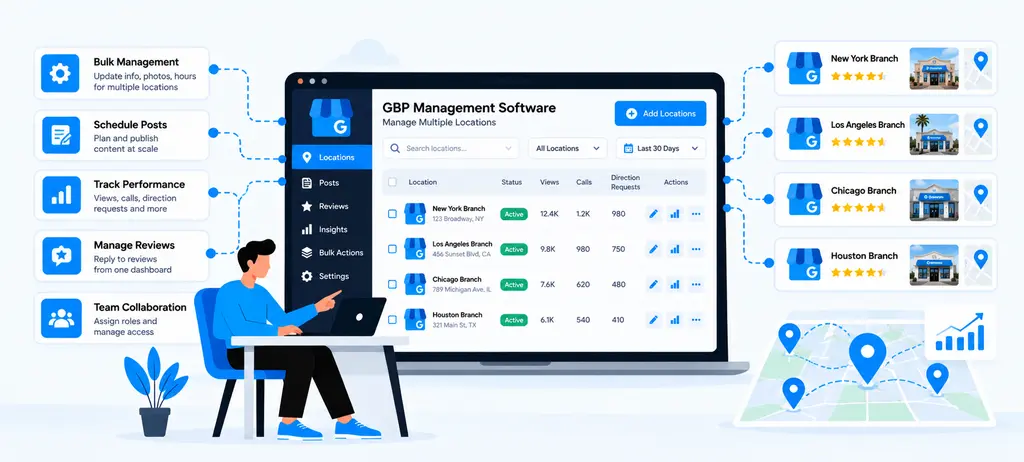
White-label backlink monitoring means an SEO agency can monitor backlink data and present the findings to clients under the agency's own brand. Instead of sending clients to a third-party platform or sharing reports that carry another company's branding, the agency can use its own identity across the reporting experience.
This is especially useful for agencies that manage several SEO accounts and need to turn backlink data into reports that clients can understand.
What Does White-Label Backlink Monitoring Include?
The exact features vary by platform, but a useful white-label setup may include:
- Agency logo and branding
- Custom report names
- Client-specific projects
- Backlink monitoring data
- New and lost backlink information
- Referring-domain data
- Custom report sections
- Exportable reports
- Scheduled reporting
- Client-facing dashboards
The important point is that white-label reporting is not the same as backlink monitoring. Monitoring collects and tracks the data. White-label reporting controls how that data is presented to the client.
Why Is White-Label Monitoring Useful for SEO Agencies?
Consider an agency managing 15 clients.
The team may collect backlink data from several projects, review new and lost links, investigate important changes, and then prepare separate reports for each client. If every report needs to be manually formatted, the process can take significant time.
A white-label workflow can standardize the presentation:
Backlink data → Analysis → Agency insights → Branded report → Client
This gives the SEO team more time to investigate the data instead of repeatedly formatting the same type of report.
What Should a White-Label Backlink Report Show?
A client does not usually need every backlink record. The report should focus on the changes and findings that matter to the client's SEO work.
A practical report can include:
| Report Element | Purpose |
| New backlinks | Shows recently discovered links |
| Lost backlinks | Highlights links that need investigation |
| Referring domains | Shows changes in unique linking websites |
| Important link changes | Draws attention to significant events |
| Target pages | Shows which client pages are receiving links |
| Key findings | Explains what the agency noticed |
| Recommended actions | Tells the client what should happen next |
For example, instead of reporting:
The website lost 12 backlinks.
An agency can provide more useful context:
"The website lost 12 backlinks this month. Two came from relevant industry websites and point to an important service page. We recommend checking whether these links can be recovered."
The second version gives the client data, context, and an action.
White-Label Reporting Should Not Hide the Analysis
Adding an agency logo to a report does not automatically make it useful.
Clients need to understand what changed and why it matters. Agencies should therefore avoid filling reports with backlink counts without explaining their relevance.
A good reporting process separates three things:
Data: What changed?
Analysis: Why does the change matter?
Action: What should we do next?
This makes backlink reporting easier for non-SEO clients to understand and gives the agency a clear way to demonstrate ongoing work.
When Should Agencies Use White-Label Backlink Monitoring?
White-label monitoring becomes particularly useful when an agency:
- Manages multiple SEO clients
- Sends recurring SEO reports
- Runs link-building campaigns
- Needs consistent reporting across accounts
- Wants to present data under its own brand
- Has multiple team members working on client accounts
- Needs to combine backlink data with other SEO metrics
For smaller projects, a free backlink checker may be enough for occasional backlink research. Agencies with recurring monitoring and client reporting requirements generally need a more structured workflow.
How White-Label Backlink Monitoring Fits Into Agency Reporting
Backlink data is only one part of an SEO report. Agencies can combine it with other performance information to give clients a broader view of their SEO progress.
For example:
Backlinks: New and lost links
Keywords: Ranking changes
Technical SEO: Crawl and indexing issues
Internal links: Site structure and linking opportunities
Organic visibility: Overall search performance
This is where backlink monitoring becomes part of a larger SEO reporting process rather than a separate task.
For example, after identifying that an important page has gained external backlinks, an agency can review its internal connections through an internal link audit. If the page is also a key target for organic search, the team can compare its backlink changes with a workflow to track keyword rankings in Google.
The goal is to give clients a connected explanation of SEO activity rather than presenting isolated metrics.
What Should Agencies Check Before Choosing a White-Label Solution?
Before selecting a platform, agencies should check whether the white-label features actually support their reporting process.
Consider:
- Branding: Can you add your agency identity?
- Client management: Can separate client projects be managed easily?
- Backlink data: Does the platform provide the monitoring information you need?
- Customization: Can reports be adjusted for different clients?
- Automation: Can reports be scheduled?
- Export: Can reports be downloaded or shared in a useful format?
- Scalability: Can the workflow handle more clients as the agency grows?
A strong solution should reduce repetitive reporting work while keeping the underlying backlink analysis useful.
The value of white-label backlink monitoring is not simply putting an agency logo on a report. It is creating a repeatable process where backlink changes can be monitored, reviewed, explained, and presented consistently to clients.
When the monitoring data and reporting workflow work together, agencies can spend less time preparing raw backlink data and more time deciding which changes matter and what action should follow.
How Often Should SEO Agencies Monitor Backlinks?
There is no single monitoring schedule that works for every website. The right frequency depends on the client's backlink activity, industry competition, link-building campaigns, website size, and reporting cycle.
For most agencies, the goal should be to monitor often enough to catch important changes without spending time reviewing minor backlink movements every day.
How Often Should You Check Backlinks?
A practical schedule can look like this:
| Website or Campaign | Suggested Monitoring | Why |
| Small or low-activity website | Weekly | Enough to identify meaningful changes |
| Growing website | Several times per week | Backlink activity may change more often |
| Active link-building campaign | Daily or several times per week | Helps measure new link acquisition |
| Highly competitive website | Frequent monitoring | Competitor and backlink activity can change quickly |
| Website migration | Daily during the transition | Helps identify important link and URL changes |
| Major content or URL changes | More frequent checks | Helps catch backlink changes to affected pages |
| Regular client reporting | Weekly review + monthly reporting | Provides enough history for client updates |
These are workflow recommendations, not Google requirements. Agencies should adjust the schedule based on the client's needs and the amount of backlink activity.
Weekly Monitoring Works for Many SEO Projects
For a website with relatively stable backlink activity, a weekly review can provide a good balance.
During the review, check:
- New backlinks
- Lost backlinks
- Important referring domains
- Changes affecting key pages
- Unusual backlink activity
The agency does not need to investigate every new link. The purpose is to identify changes that may require further analysis.
Monitor More Frequently During Link-Building Campaigns
A more active schedule makes sense when an agency is running an outreach or link-building campaign.
For example:
Outreach → Placement → New backlink → Verification → Record result → Client report
If the agency waits until the end of the month to check backlinks, it may be harder to determine which placements went live and when.
Frequent monitoring can help the team verify campaign results while the campaign is still active.
Increase Monitoring During Website Migrations
Website migrations can change URLs, redirects, page structures, and content.
This can affect existing backlinks. A backlink that previously pointed to one URL may end up pointing to a redirected or unavailable page after the migration.
During this period, agencies should monitor important backlink changes more closely and coordinate findings with the technical SEO team.
This is also a good time to review the site's broader internal structure through an internal link audit rather than treating external backlinks as an isolated issue.
What Should You Do During Each Monitoring Cycle?
A monitoring schedule is only useful when there is a clear process behind it.
Use a simple workflow:
1. Check new backlinks: Identify recently discovered links.
2. Review lost backlinks: Look for important links that disappeared.
3. Check significant changes: Investigate changes affecting valuable pages or referring domains.
4. Record findings: Keep important observations for the next client report.
5. Assign actions: Decide whether a link needs recovery, further investigation, or no action.
This keeps the process focused on decisions rather than data collection.
Don't Treat Every Backlink Change as an Emergency
A common mistake is reacting to every lost backlink.
A website can naturally gain and lose links over time. One lost backlink does not automatically mean there is an SEO problem.
Instead, consider:
- Was the referring website relevant?
- Was the link pointing to an important page?
- Was the referring domain valuable to the campaign?
- Did several links disappear at the same time?
- Was there a recent website change?
- Does the change require action?
This prioritization prevents agencies from spending time on low-impact changes.
Match Monitoring With Client Reporting
Agencies can use frequent monitoring internally while keeping client reporting simple.
For example:
Weekly: Monitor and investigate important changes.
Monthly: Summarize meaningful backlink gains, losses, and findings.
Quarterly: Review broader backlink trends and link-building performance.
This approach gives the SEO team regular visibility without overwhelming clients with every small backlink change.
The purpose of backlink monitoring tools is not to make agencies check backlinks constantly. It is to create a reliable process that helps the team notice important changes early, prioritize them, and turn the findings into useful SEO actions.
How to Choose the Best Backlink Monitoring Tool for Your SEO Agency
Choosing the best backlink monitoring tool is not about finding the platform with the most features. The right choice depends on how many clients you manage, how often you need backlink data, what your team needs to investigate, and how you report SEO results.
A freelancer monitoring two websites may need a simple setup. An agency managing 30 or 50 client websites may need project management, historical data, alerts, competitor monitoring, and white-label reporting.
Use the following criteria to compare tools before making a decision.
1. Start With Your Agency's Monitoring Needs
First, define what you actually need to monitor.
Ask:
- How many websites will you track?
- How often do you need new and lost backlink data?
- Do you run link-building campaigns?
- Do clients need regular backlink reports?
- Do you need competitor backlink monitoring?
- Does your team need historical data?
- Do you need white-label reporting?
This prevents you from paying for features that your team will rarely use.
2. Check Backlink Data Coverage
The tool should provide enough information to investigate a backlink rather than showing only the number of links.
Check whether you can access information such as the following:
- Referring domain
- Linking page
- Target URL
- Anchor text
- Link status
- Link attributes
- First and last detected dates
- New and lost links
Data coverage can differ between platforms, so agencies should test the same website across shortlisted tools before choosing one.
3. Evaluate New and Lost Link Monitoring
This should be one of your first checks.
A useful tool should make it easy to answer:
What links were gained?
What links were lost?
When did the change happen?
Which pages were affected?
If these answers require downloading multiple files and comparing them manually, the tool may create more work rather than reducing it.
4. Check Historical Data
Historical data helps you understand trends instead of looking at one backlink snapshot.
For example, an agency may notice the following:
| Period | Referring Domains | Lost Domains |
| January | 84 | 3 |
| February | 91 | 2 |
| March | 88 | 7 |
The March change gives the team a reason to investigate what happened.
When comparing tools, check how far back their data goes and whether historical information is available for the specific projects you manage.
5. Look for Useful Filtering Options
Large websites can have thousands of backlinks. Good filters can save considerable review time.
Useful filters may include:
- New backlinks
- Lost backlinks
- Referring domains
- Target URLs
- Anchor text
- Link status
- Link attributes
- Date ranges
The goal is to move quickly from all backlink data to the small group of links that may require action.
6. Consider Competitor Monitoring
If your agency provides link-building services, competitor backlink analysis can add value to your workflow.
For example, if several competitors receive links from the same industry publication, your team can investigate the website and determine whether it could be a relevant outreach opportunity.
This makes backlink monitoring useful not only for reporting but also for finding new SEO opportunities.
7. Test Client and Project Management
An agency tool should make it easy to keep client data separated.
Before subscribing, check:
- How many projects can you manage?
- Can team members access projects?
- Can clients have separate views?
- Can data be organized by account?
- Can projects be added or removed easily?
This becomes increasingly important as your agency grows.
8. Review Reporting and White-Label Features
If backlink data is part of your client reporting, check whether the platform supports your reporting process.
Look for:
- Agency branding
- Custom report options
- Client-specific reports
- Export formats
- Scheduled reports
- Custom date ranges
- Report sharing
Do not choose a tool only because it offers white-label reports. First make sure the underlying backlink data and monitoring features meet your requirements.
9. Check Whether It Fits Your Existing SEO Workflow
Backlink monitoring should connect with the rest of your SEO process.
For example, a client may gain several backlinks to an important service page. Your team could then review that page's internal connections through an internal link audit and compare its organic performance through a workflow to track keyword rankings in Google.
Similarly, when creating or improving content, your team may need a process for how to choose best keywords before deciding which pages should receive link-building attention.
The more naturally the backlink data fits into your existing workflow, the more useful the platform becomes.
10. Test the Tool Before Moving Client Data
Whenever possible, test the platform with a real website before making a long-term commitment.
Check whether your team can:
- Add a project.
- Find new backlinks.
- Identify lost backlinks.
- Filter backlink data.
- Review historical changes.
- Analyze important links.
- Create a client report.
- Complete the process without unnecessary manual work.
The test should focus on how quickly your team can complete a real task, not just how many features the platform lists.
The best backlink monitoring tool is therefore not necessarily the one with the largest database or longest feature list. It is the one that helps your team monitor backlink changes, investigate the right issues, manage client data, and turn findings into clear SEO actions without adding unnecessary manual work.
How to Use Backlink Monitoring Data in Client SEO Reports
Backlink data becomes useful to clients when it explains what changed, why it matters, and what the agency will do next. A report that only shows backlink counts can make it difficult for a client to understand the actual SEO progress.
Instead of reporting every link, agencies should focus on the changes that provide useful context or require action.
1. Start With the Most Important Changes
Begin the report with a short summary of the backlink activity for the reporting period.
For example:
Backlink summary: The website gained 18 new backlinks from 11 referring domains and lost 5 backlinks from 4 domains. Two lost links point to important service pages and require further review.
This gives the client the main finding before showing detailed data.
2. Show New Backlinks With Context
New backlinks can demonstrate the outcome of content promotion, digital PR, outreach, or other link-building activities.
Instead of showing only the number of new links, include useful details:
| Backlink Data | Client-Facing Insight |
| New referring domain | New website has started linking to the client |
| Linking page | Shows where the link appears |
| Target URL | Shows which client page received the link |
| Anchor text | Shows how the page is referenced |
| Link date | Shows when the link was discovered |
| Relevance | Explains why the link may matter |
For example:
A relevant industry publication linked to the client's research guide after the content promotion campaign.
This is more meaningful than simply saying "10 new backlinks acquired."
3. Explain Lost Backlinks
Lost backlinks should not automatically be presented as a negative SEO event.
First, determine what was lost and why.
A client report can categorize lost links as the following:
- High priority: Relevant link to an important page
- Needs review: Potentially useful link with an unclear reason for removal
- Low priority: Low-value or unrelated link
For example:
One relevant publication removed a link to the client's service page. The agency is reviewing the referring page to determine whether link recovery is appropriate.
This provides context without creating unnecessary concern.
4. Highlight Referring Domain Changes
Backlink quantity does not tell the whole story.
Suppose a website gains 50 backlinks, but most come from only two domains. Another website gains 20 backlinks from 15 different relevant domains.
The report should help the client understand this difference.
A simple summary could show:
| Metric | Previous Period | Current Period | Change |
| Backlinks | 420 | 455 | +35 |
| Referring domains | 96 | 108 | +12 |
| New backlinks | — | 35 | — |
| Lost backlinks | — | 10 | — |
The numbers should then be followed by a short explanation rather than being left without context.
5. Connect Backlink Changes to SEO Activities
Clients usually want to know how the agency's work connects with the reported results.
For example:
Content promotion → New referring domains → Backlinks to target article → Increased exposure
Or:
Link-building campaign → New placements → Backlinks acquired → Campaign review
This does not mean claiming that a backlink directly caused a ranking increase. SEO performance has multiple contributing factors, so the report should distinguish between observed activity and assumed causation.
6. Prioritize Important Links
A client does not need to review hundreds or thousands of backlink records.
Use your backlink monitoring tool to identify changes that deserve attention and include only the most useful findings in the main report.
Prioritize:
- Relevant referring domains
- Important target pages
- Significant lost backlinks
- New links from notable publications
- Changes affecting active campaigns
- Unusual backlink patterns
The remaining data can be available as a detailed export when required.
7. Turn Data Into Actions
Every important finding should lead to a clear next step where appropriate.
Use this simple format:
Finding → Meaning → Action
Example:
Finding: Three backlinks to a key service page were lost.
Meaning: Two came from relevant industry websites.
Action: Review the linking pages and contact the publishers where link recovery makes sense.
This makes the report more useful than a list of metrics.
8. Combine Backlink Data With Other SEO Signals
Backlinks should be viewed as part of the wider SEO picture.
For example, if a page gains several relevant backlinks, the agency can also review its organic visibility and keyword performance. A broader workflow can include tracking keyword rankings in Google to compare ranking changes over the same reporting period.
Similarly, if an important page receives new external links but has weak connections from related pages, an internal link audit can identify opportunities to improve its internal linking structure.
This gives the client a more complete explanation of the work rather than presenting backlinks as an isolated metric.
9. Use Simple Language in Client Reports
Not every client understands terms such as referring domains, anchor text, or link attributes.
Instead of writing:
The domain acquired 14 new referring domains with a mixed distribution of follow and nofollow links.
You could write:
The website earned links from 14 new websites this month. These links point to several important pages and will be monitored for future changes.
Keep technical details available for clients who want them, but make the main report easy to understand.
A Simple Client Reporting Structure
A practical backlink section can follow this format:
| Report Section | What to Include |
| Summary | Main backlink changes |
| New Links | Important recently discovered backlinks |
| Lost Links | Important lost backlinks and possible reasons |
| Referring Domains | Changes in unique linking websites |
| Campaign Results | Backlinks related to active campaigns |
| Key Findings | What the agency noticed |
| Next Actions | What the agency plans to do next |
This structure keeps the report focused on information that clients can use.
The purpose of a client backlink report is not to show the largest possible amount of data. It is to make important changes easy to understand.
A strong reporting process turns the following:
Raw backlink data → Relevant findings → Clear explanation → Recommended action
When agencies follow this approach, backlink monitoring tools become part of the reporting workflow rather than just another source of SEO metrics.
Can a Backlink Monitoring Tool Help Find Lost or Broken Links?
Yes. A backlink monitoring tool can help agencies identify backlinks that were previously available but are no longer working as expected. This is useful because a lost backlink and a broken backlink are not always the same problem, and each may require a different response.
The first step is to identify the change. The next step is to understand why it happened and whether recovering the link is worth the effort.
Lost Backlinks vs. Broken Backlinks: What's the difference?
These two issues should be separated during analysis.
| Issue | What It Means | What to Check |
| Lost backlink | A previously detected link is no longer found | Check whether the link was removed or the page changed |
| Broken backlink | The linking or destination URL no longer works correctly | Check the HTTP status and destination |
| Redirected backlink | The original URL now sends users to another URL | Check whether the redirect reaches the intended page |
| Changed backlink | The link still exists, but its destination, anchor, or attributes changed | Compare the current and previous versions |
This distinction helps agencies avoid treating every backlink change as the same type of issue.
How a Monitoring Tool Helps Identify Lost Links
A monitoring system can compare backlink data over time.
For example:
Previous check:
A relevant website links to /seo-guide/
Current check:
The backlink is no longer detected.
The agency can then investigate the referring page and determine whether:
- The publisher removed the link
- The page was deleted
- The article was updated
- The URL changed
- The client page changed
- The link was replaced with another URL
This is more useful than simply seeing that the total backlink count decreased.
How to Investigate a Lost Backlink
Once an important lost backlink is identified, follow a simple process:
1. Verify the loss: Check the referring page manually or through your SEO tools.
2. Check the referring page: Confirm whether the page still exists.
3. Check the destination URL: Make sure the client's target page is still live.
4. Identify the reason: Determine whether the link was removed, replaced, or affected by a URL change.
5. Assess its value: Consider the relevance of the website, linking page, and target page.
6. Decide whether to recover it: Contact the website owner when recovery is reasonable.
Not every lost backlink needs to be recovered. Prioritize links that are relevant and useful to the client's SEO goals.
Can It Find Broken Backlinks?
A backlink can become problematic when either the linking page or the destination page stops working correctly.
For example:
A publication links to example.com/service-a/, but the client later removes that page and does not provide a suitable replacement.
The external website may still contain the link, but visitors may reach an unavailable page.
This is where backlink monitoring can work alongside technical SEO checks. The monitoring data identifies the external link, while a site audit can help determine whether the target URL is accessible and correctly configured.
What Should You Do With a Broken Backlink?
The right action depends on what caused the problem.
1: If the client page was accidentally removed: Restore the page if it is still needed.
2: If the page has a valid replacement: Redirect the old URL to the most relevant new URL and check that the backlink reaches the intended destination.
3: If the publisher's page is broken: Investigate whether the publisher has moved or replaced the content.
4: If the backlink is irrelevant or low value: It may not be worth spending time recovering it.
The objective is not to recover every backlink. It is to protect valuable links that support useful pages.
Backlink Recovery Should Be Prioritized
Agencies can use a simple priority system:
| Priority | Example | Suggested Action |
| High | Relevant website links to an important service page | Investigate quickly |
| Medium | Relevant article links to useful informational content | Review and consider recovery |
| Low | Unrelated or low-value website | Usually no immediate action |
This prevents the team from spending hours chasing backlinks that have little practical value.
What If the Client's URL Changed?
URL changes are a common reason for backlink problems during website redesigns and migrations.
Suppose a website previously had:
/old-seo-guide/
and the content was moved to:
/seo-guide/
If external websites still link to the old URL, the agency should check whether the old URL redirects correctly to the new destination.
This is also why backlink monitoring should be coordinated with technical SEO work during migrations.
Combine Backlink Monitoring With Other SEO Checks
A lost or broken backlink can sometimes reveal a broader website issue.
For example:
Lost backlink detected → Target URL checked → URL returns an error → Redirect reviewed → Internal links updated
An Internal Link Audit can then help identify internal pages that still point to the old URL.
This creates a broader solution instead of fixing only the external backlink.
The main value of backlink monitoring tools here is not simply finding a broken or lost link. It is helping agencies identify important changes early, understand their cause, and decide which links are worth recovering.
How Backlink Monitoring Fits Into a Complete SEO Workflow

Backlink monitoring works best when it is connected with the rest of the SEO process. A backlink should not be reviewed as an isolated number. Agencies can use backlink changes alongside technical SEO, content, internal linking, keyword tracking, and reporting to decide what needs attention.
A complete workflow can follow this path:
Audit → Plan → Optimize → Build → Monitor → Analyze → Report → Improve
1. Start With the Website Audit
Before monitoring backlinks, understand the website's current SEO condition.
Review areas such as the following:
- Technical issues
- Indexing and crawlability
- Existing backlinks
- Internal links
- Important landing pages
- Organic keyword performance
- Content gaps
This gives the agency a baseline against which future changes can be measured.
For example, if a service page already has strong backlinks but poor internal connections, the agency may need to improve its site structure before investing in additional link-building.
2. Identify the Pages That Matter
Not every page needs the same level of SEO attention.
Identify pages that contribute to the client's goals, such as:
- Service pages
- Product pages
- Category pages
- High-value blog posts
- Lead-generation pages
- Key resource pages
These pages can then become priorities for content, internal linking, backlink acquisition, and performance monitoring.
3. Review the Internal Linking Structure
External backlinks are only one part of how authority moves through a website.
After identifying important pages, review how they are connected internally. An Internal Link Audit can help identify pages with weak internal connections, excessive click depth, or missed linking opportunities.
For example:
External backlinks → Important service page → Related blog posts → Supporting pages
This creates a stronger connection between externally promoted pages and the rest of the website.
4. Build and Promote Relevant Content
Content gives agencies opportunities to earn backlinks naturally and through outreach.
Before creating content, teams can use a process for how to choose the best keywords based on search intent, business relevance, competition, and existing content.
Once the content is published, the agency can promote it through suitable outreach, partnerships, digital PR, or other link-building activities.
The goal is to acquire links that are relevant to the content and useful to the audience.
5. Monitor Backlink Acquisition
Once link-building activity begins, backlink monitoring tools can help track what happens after outreach and content promotion.
The agency can monitor:
- New backlinks
- New referring domains
- Lost backlinks
- Target URLs
- Anchor text
- Link status
- Changes to important links
This provides a record of what changed after the SEO activity.
6. Compare Backlink Changes With Keyword Performance
Backlinks should not be evaluated without considering other SEO signals.
For example:
Content published → Backlinks acquired → Page monitored → Keyword rankings tracked → Organic performance reviewed
A workflow to track keyword rankings in Google can help agencies compare backlink activity with changes in search visibility.
However, agencies should avoid claiming that a ranking improvement was caused by one backlink. Search performance can change because of multiple factors, including content quality, technical changes, competition, search intent, and broader algorithmic changes.
7. Investigate Lost or Broken Links
Monitoring should continue after a backlink is acquired.
If a valuable backlink disappears, the agency can investigate:
- Was the referring page removed?
- Was the backlink removed?
- Did the target URL change?
- Does the target page return an error?
- Is a redirect involved?
- Is recovery worthwhile?
This turns backlink monitoring into an ongoing maintenance activity rather than a one-time campaign measurement.
8. Connect Backlink Data With Technical SEO
Technical changes can affect backlinks.
For example, a website migration may change the following:
URL structure → Redirects → Target URLs → External backlinks → Internal links
If old URLs are removed without appropriate redirects, external backlinks may no longer reach the intended pages.
Therefore, backlink monitoring should be part of the technical SEO process whenever major URL or website changes occur.
9. Use Backlink Data for Content Decisions
Backlink data can also reveal which types of content attract external links.
Suppose an agency discovers that:
- Original research receives many links.
- Basic blog posts receive very few.
- Industry guides attract links from relevant publications.
The agency can use this information when planning future content.
This makes backlink monitoring useful for content strategy, not just link reporting.
10. Turn Findings Into Client Actions
The final step is to convert backlink data into decisions.
Instead of reporting:
The website gained 35 backlinks.
The agency can report:
The website gained backlinks from 18 new referring domains. Several links point to the industry guide published during the current content campaign. The team will continue monitoring these domains and identify similar link opportunities.
This gives the client a clearer understanding of what happened and what comes next.
A Complete SEO Workflow Should Be Followed by the Agency
A practical agency workflow can be summarized as the following:
| SEO Stage | Backlink Monitoring Role |
| Website audit | Establish the backlink baseline |
| Page prioritization | Identify pages that need link support |
| Internal linking | Connect important pages within the site |
| Keyword research | Select topics and pages worth promoting |
| Content creation | Build assets that can earn relevant links |
| Link building | Track acquired backlinks and referring domains |
| Monitoring | Detect new, lost, and changed backlinks |
| SEO analysis | Compare backlink activity with other SEO signals |
| Reporting | Explain important changes to clients |
| Optimization | Use findings to improve the next campaign |
This makes backlink monitoring part of a continuous SEO process rather than a separate reporting task. It also helps agencies use backlink monitoring tools to move from simply tracking links to making better, evidence-based SEO decisions.
How Does the WRanker Backlink Monitoring Tool Turn Backlink Data Into SEO Decisions?
Backlink data is useful only when it helps an SEO team decide what to review, what to prioritize, and what to do next. A backlink monitoring workflow should therefore move beyond counting links and connect backlink changes with pages, campaigns, and wider SEO performance.
The WRanker Backlink Monitoring Tool can be used as part of this process by helping agencies review backlink changes and organize the findings into actionable SEO tasks.
From Backlink Data to SEO Action
A simple workflow looks like this:
Collect → Compare → Investigate → Prioritize → Act → Monitor
Each stage answers a different question.
| Stage | Question to Answer |
| Collect | What backlinks and referring domains are present? |
| Compare | What changed since the previous period? |
| Investigate | Why did the change happen? |
| Prioritize | Which changes are important? |
| Act | What should the SEO team do? |
| Monitor | Did the action produce a useful result? |
Backlink data is more useful when it leads to a clear SEO action. WRanker's backlink monitoring workflow can help agencies review new and lost backlinks, referring domains, and changes over time, then identify which findings need further investigation.
Find Backlink Issues Before They Become Bigger Problems
Start Free Backlinks Monitoring TodayConclusion
Backlink Monitoring Tools help SEO agencies track important link changes, identify issues, and turn backlink data into clear SEO actions. The key is to focus on meaningful changes rather than simply counting backlinks.
With a consistent monitoring and reporting process, agencies can protect valuable links, improve link-building decisions, and provide clients with clearer SEO insights.
Frequently Asked Questions
What is a backlink monitoring tool?
Why should SEO agencies monitor backlinks?
How often should an SEO agency monitor backlinks?
What backlink metrics should agencies track?
What should agencies look for when choosing a backlink monitoring tool?
Are white-label backlink monitoring tools useful for SEO agencies?
Can backlink monitoring tools find lost backlinks?
How can agencies use backlink data in client reports?
Can backlink monitoring improve link-building decisions?
What is the best backlink monitoring tool for an SEO agency?
More Related Blogs: