How to Do Bulk Google Business Profile Management for Multiple Locations

Managing one Google Business Profile is relatively simple. Managing dozens or hundreds of profiles across different cities, branches, or client accounts is a different challenge. Business information changes, opening hours need updating, reviews require responses, and each location needs accurate details. Without a clear process, teams can miss important updates, overlook profile issues, and spend too much time checking locations one by one.
Bulk Google Business Profile management helps businesses, franchises, and SEO agencies organize this work across multiple locations. Google provides Business Profile Manager to help users manage multiple profiles, organize locations into business groups, and share access with other team members. However, bulk management is not just about updating several profiles at once. It also requires accurate location data, appropriate account permissions, regular profile audits, and a reliable process for checking changes. Google Business Profile Manager supports these multi-location management workflows.
The challenge is keeping every profile accurate without treating all locations as identical. Each branch must represent its real-world business information, including its name, address or service area, phone number, business hours, and relevant services. Google’s guidelines emphasize accurate business representation and caution against creating multiple profiles for the same business at a single location. Google’s Business Profile guidelines should therefore guide any multi-location workflow.
In this guide, you’ll learn how to manage multiple Google Business Profiles step by step, prepare a reliable location database, audit existing listings, maintain consistent business information, manage posts and reviews, and measure local SEO performance by location. You’ll also learn how to identify the right bulk Google Business Profile management tool for your team and build a repeatable process that can scale as your business or client portfolio grows.
Key Takeaways
- Managing multiple Google Business Profiles through a structured workflow helps businesses keep location information accurate, organize updates, and maintain consistency across branches.
- A central location database with correct business names, addresses, phone numbers, website URLs, opening hours, and account permissions makes multi-location management easier and reduces errors.
- Regular profile audits, prioritizing necessary updates, applying supported bulk changes, checking for errors, and documenting completed tasks help keep business listings up to date.
- Accurate business categories, relevant photos, location-specific website pages, regular posts, and timely review responses help businesses provide useful information and build customer trust across locations.
- Monitoring local rankings, profile interactions, website traffic, reviews, and location-level reports helps identify underperforming branches, measure progress, and make informed decisions as the business grows.
What Is Bulk Google Business Profile Management?
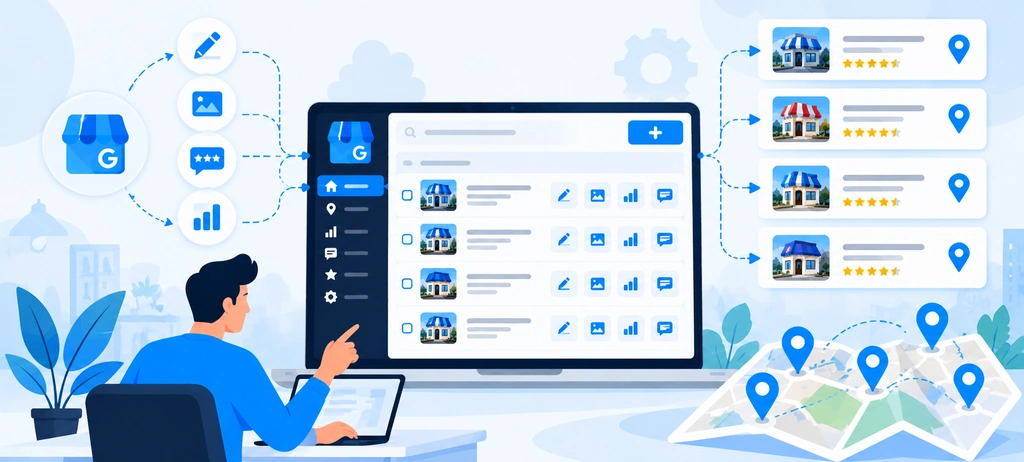
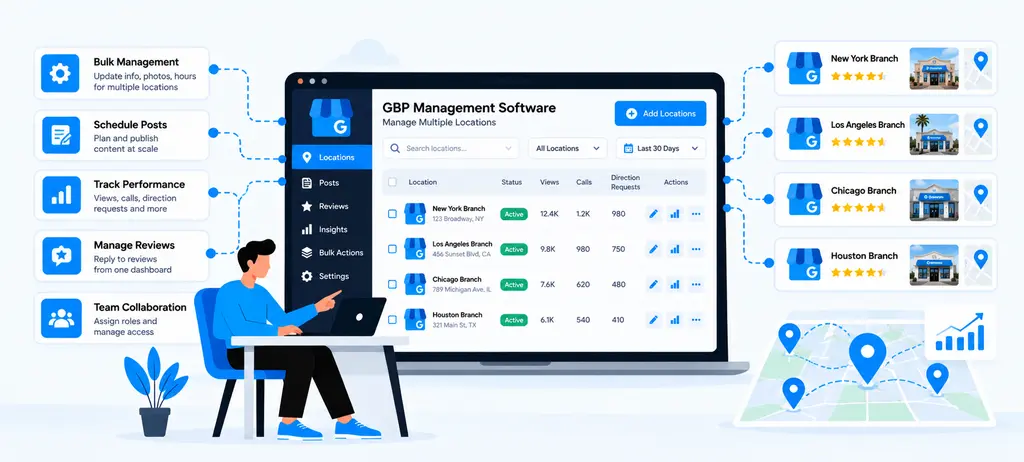
Bulk Google Business Profile management is the process of organizing, maintaining, and monitoring Google Business Profiles for multiple locations through a structured workflow. It helps businesses and agencies manage location information, user access, profile updates, and ongoing maintenance without relying entirely on separate, disconnected processes for every branch.
For a business with several branches, the goal is to keep information accurate and consistent wherever the same details should apply, while preserving the differences that make each location unique. For example, a restaurant chain may use the same brand name and core categories across its branches, but each location can have different opening hours, phone numbers, photos, and customer reviews.
Google provides Business Profile Manager to help organizations manage multiple profiles. Its business groups can organize locations and make it easier to share management access. Google also supports bulk management and verification for eligible businesses with 10 or more locations of the same business, subject to its requirements.
However, bulk Google Business Profile management is broader than making several changes at once. It involves maintaining a reliable source of location data, assigning the right permissions, checking profile accuracy, resolving errors, and reviewing how each location performs. The exact tasks that can be completed in bulk depend on the available Google tools, the type of update, and the account's eligibility.
The following sections explain how this process works, how it differs from individual profile updates, and which businesses benefit most from a multi-location workflow.
How Multi-Location Profile Management Works
Multi-location Google Business Profile management starts with bringing all eligible business locations into an organized system. Instead of treating every branch as a separate task with no shared process, the team uses a consistent workflow to manage information, access, updates, and quality checks.
Google's Business Profile Manager provides a way to organize profiles into business groups. These groups work like shared folders, helping owners and authorized team members manage a set of locations. Organizations can also assign access based on the responsibilities of their teams.
A practical multi-location management workflow usually includes the following activities:
1. Organize all business locations: Create a master location list containing each branch's business name, address or service area, phone number, website URL, opening hours, profile link, and verification status. This list gives the team a central reference for checking details before making changes.
2. Set up profile access and location groups: Organize profiles according to the business structure and decide who needs access. For example, a franchise headquarters may oversee all locations, while regional managers handle a smaller group of branches. Agencies should use appropriate client access rather than sharing account passwords.
3. Identify information that can be standardized: Some details should generally follow a common brand standard, such as the business name and primary category when locations offer the same services. Other details, including addresses, local phone numbers, opening hours, and photos, may need to remain specific to each branch. Google's business representation guidelines should guide these decisions.
4. Apply supported updates and review the results: Use available bulk-management options for eligible tasks and update individual profiles when a change cannot be applied in bulk or requires location-specific handling. Check for errors, rejected edits, missing information, and details that do not match the actual business.
5. Maintain profiles through regular checks: Review changes to opening hours, services, contact details, photos, and other relevant information. Track issues by location so that an update affecting one branch does not get overlooked or incorrectly applied to every branch.
Consider a fictional retail brand with 25 stores across three cities. Its marketing team could use a master spreadsheet to track the locations, a business group to organize profile access, and a shared review checklist to verify important changes. The team might standardize brand information across eligible locations while checking each store's address, contact number, and hours individually.
This approach makes the workflow more repeatable. It does not mean every field can be changed through one bulk action or that every location will require the same update.
GBP Bulk Management vs. Individual Profile Updates
Bulk management and individual profile updates serve different purposes. GPB bulk management helps teams coordinate work across several locations, while individual updates allow them to handle details or problems that apply to a specific branch.
The right approach depends on the number of locations, the type of information being changed, and the tools available for that task.
| Factor | Bulk Google Business Profile management | Individual profile updates |
| Best suited for | Repeated tasks across multiple eligible locations | Changes affecting one location |
| Typical examples | Organizing locations, managing shared access, and applying supported bulk changes | Correcting one address, updating a branch's hours, or resolving a profile-specific issue |
| Time and coordination | Can reduce repetitive work when the same change applies to several locations | Requires separate handling for each affected profile |
| Quality control | Requires checks to ensure the change is appropriate for every selected location | Makes it easier to focus on the details of one profile |
| Main risk | Applying an unsuitable change to locations that have different requirements | Missing updates when many profiles must be maintained separately |
| Best practice | Standardize shared information and validate the results | Confirm location-specific details before saving changes |
Google's Business Profile Manager supports certain actions across multiple profiles, but not every profile field or task can be managed in bulk. The available options also depend on account permissions and eligibility.
When should you use bulk management?
Bulk management is useful when the same approved change applies to several locations. For example, a business may need to review a common brand category across its branches or coordinate profile maintenance after updating its internal business information.
Before applying a change, the team should confirm that the selected locations genuinely share the same requirements. A shared brand does not automatically mean every branch has identical operating hours, services, or contact details.
When should you update profiles individually?
Individual updates are more appropriate when a change applies to a particular location or needs a separate review. Examples include:
- Correcting an inaccurate address for one branch.
- Updating temporary or holiday opening hours for selected locations.
- Replacing outdated photos of a specific store.
- Resolving a verification issue or rejected edit on one profile.
- Reviewing a location's unique customer feedback or business details.
The most effective approach combines both methods. Use bulk GBP management software for supported, repeatable tasks and individual updates for exceptions, local differences, and profile-specific problems. This reduces repetitive work without sacrificing accuracy.
Who Needs a Multi-Location Management Workflow?
A multi-location Google Business Profile management workflow is useful for organizations that operate several eligible locations or manage profiles on behalf of multiple businesses. The level of complexity varies, but the underlying need is similar: keep each profile accurate, assign clear responsibility, and ensure important changes are completed on time.
The following types of organizations can benefit most:
1. Multi-location businesses and retail chains
Retailers, restaurants, healthcare groups, automobile dealerships, and other businesses with multiple branches need a reliable way to maintain their online business information.
A central team may manage brand standards, while individual branches provide updates about local opening hours, services, and other location-specific details. A shared workflow helps both teams coordinate their responsibilities.
2. Franchise businesses
Franchise networks often divide responsibilities between headquarters and franchise owners. Headquarters may establish guidelines for profile naming, categories, descriptions, and brand presentation, while local operators confirm that their branch information remains accurate.
A structured workflow helps maintain consistency without assuming that every franchise location has identical business details. Google's rules for representing chains and brands provide the relevant policy framework.
3. SEO agencies managing client locations
Agencies providing GBP management for agencies and local SEO services may oversee profiles for several clients, each with different business details, access requirements, and reporting needs.
A repeatable process helps account managers organize location data, check profile completeness, coordinate approved updates, and report issues to clients. Agencies should keep client ownership and permissions clear. Google also specifies that agencies managing multiple businesses cannot use the same bulk-verification eligibility rule as a single business with 10 or more locations.
4. Businesses with regional or distributed teams
Organizations with branches across cities, states, or countries may assign profile responsibilities to regional marketing teams or local managers. A central workflow establishes common standards, while regional teams handle differences that apply to their locations.
For example, a national service brand might maintain a shared location database while each regional manager confirms local phone numbers, operating hours, and service availability.
5. Local SEO consultants and in-house marketing teams
Consultants and in-house teams need a repeatable process to review profiles, identify missing information, coordinate corrections, and monitor local search performance. As the number of locations increases, a documented workflow becomes more useful than relying on manual checks or individual team members' memory.
When does a dedicated management tool become useful?
Google's native tools may be sufficient for some businesses. A dedicated bulk Google Business Profile management tool may become useful when the team needs a more organized process for audits, location-level reporting, review monitoring, or coordinating recurring tasks across many profiles.
Before choosing software, identify the work that consumes the most time and confirm which features the tool actually supports. A larger location count alone does not prove that a paid platform is necessary.
The key is to establish a workflow that fits the organization's size, responsibilities, and operational needs. Once that foundation is in place, the next step is to understand why managing multiple profiles becomes difficult as the number of locations grows.
Why Managing Multiple Google Business Profiles Becomes Difficult at Scale
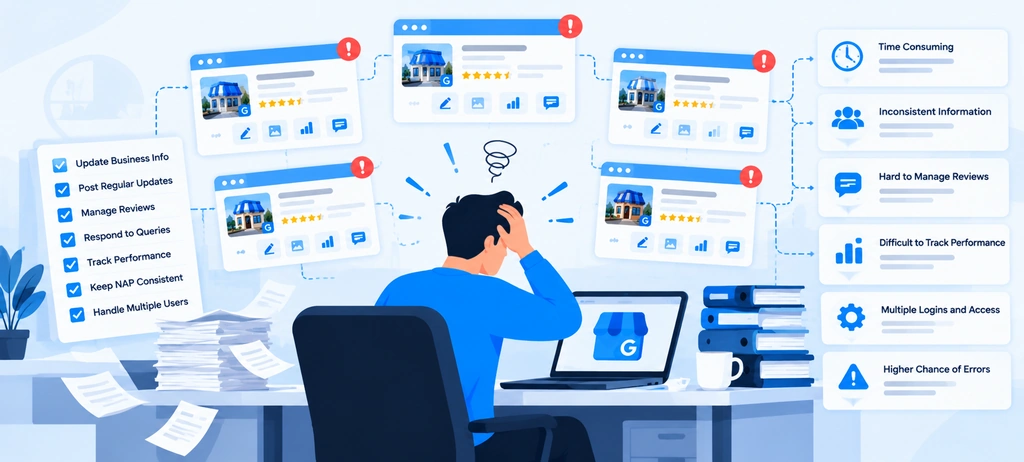
Managing a few Google Business Profiles may seem straightforward, but the workload changes as a business expands into more cities, adds branches, or serves more customers. Every location introduces its own business information, profile updates, customer reviews, operating hours, and performance data. When several people manage these tasks, small differences can turn into recurring operational problems.
The main challenge in bulk Google Business Profile management is maintaining accuracy across all locations without losing sight of individual branch requirements. A central team may need to maintain brand standards, while local managers handle location-specific information. SEO agencies face a similar challenge when they manage profiles for multiple clients with different approval processes and reporting requirements.
Wranker provides tools such as a GBP management tool to help organize profiles and manage access. However, having profiles in one place does not automatically guarantee that every listing is accurate, every update is completed, or every location receives the right level of attention. Teams still need clear processes for checking information, resolving listing issues, reviewing performance, and coordinating responsibilities. Google's guidance on business groups explains how businesses can organize profiles and share access with team members.
Four challenges commonly make Google Business Profile management for multiple locations more difficult as a business grows: inconsistent business information, duplicate or outdated listings, limited location-level performance visibility, and coordination problems between teams.
Inconsistent Business Information Across Locations
Keeping business information accurate is one of the most persistent challenges in multi-location Google Business Profile management. Each branch must represent the real business operating at that location, but maintaining accurate information becomes harder when details are stored in separate spreadsheets, shared documents, emails, or individual team members' records.
For example, a retail chain may have 30 branches. Its headquarters maintains the brand guidelines, but local managers provide updates about store hours, contact numbers, services, and temporary closures. If these changes are not recorded and reviewed through a consistent process, the information published for one location may differ from the details maintained internally.
Common inconsistencies include:
- Business names: Some profiles may use an approved business name, while others include unnecessary keywords, outdated brand names, or inconsistent formatting.
- Addresses and service areas: A branch may move, change its service area, or retain an old address in its profile or supporting business records.
- Phone numbers: A location may display a disconnected number or a number that directs customers to the wrong branch.
- Opening hours: Regular hours, holiday hours, and temporary changes may not be updated consistently across affected locations.
- Business categories and services: Similar branches may have different categories or incomplete service information even when they offer the same core services.
- Website URLs: Some profiles may link to the homepage instead of the relevant location page, while others may contain outdated URLs or broken links.
These problems can affect customer experience and create extra work for marketing teams. A customer who visits a branch based on incorrect opening hours may find it closed. A customer who calls an outdated phone number may fail to reach the business. Inconsistent location information can also make it harder for teams to maintain reliable local SEO operations.
The solution is not to make every profile identical. Instead, businesses should distinguish between standardized brand information and location-specific information. Brand standards can guide how shared details are maintained, while addresses, local contact details, opening hours, and available services should reflect each branch's actual circumstances. Google's Business Profile guidelines provide the policy foundation for representing businesses accurately.
A master location database can help teams keep the correct information for every branch in one reference point. Regular checks can then identify differences between the approved records and the information published on each profile.
Duplicate, Unverified, or Outdated Listings
Another challenge in bulk Google Business Profile management is determining which profiles are valid, verified, current, and associated with the correct business location. A company may have expanded, relocated, changed its name, acquired another business, or transferred profile management between teams. If these changes are not documented properly, outdated or duplicate listings can remain unnoticed.
Not every listing issue has the same cause, so teams should distinguish between several situations.
- Duplicate listings: Occur when more than one profile represents the same eligible business at the same location. Duplicates can confuse customers and create uncertainty about which profile contains the correct information. However, businesses should not assume that two profiles are duplicates simply because they share a brand name. Separate, eligible locations may each need their own profile.
- Unverified profiles: Listings for which the business has not completed Google's required verification process. Verification helps establish that an authorized representative can manage the profile. A business with several locations should track verification status so that missing or incomplete verification does not go unnoticed.
- Outdated listings: Contain information that no longer reflects the real business. Examples include a former address, an old telephone number, incorrect opening hours, or a profile that remains active after a business has closed or moved.
These issues can become difficult to identify when there are many locations. A team may focus on profiles that receive the most customer activity while overlooking branches with missing information or unresolved access and verification problems.
A structured Google Business Profile audit helps identify these issues before they become recurring maintenance tasks. The audit should check:
- Whether each profile corresponds to a legitimate, eligible business location.
- Whether the business name, address, phone number, and website details are accurate.
- Whether the profile's verification and ownership status is known.
- Whether another profile appears to represent the same business at the same location.
- Whether a business has moved, closed, or changed its operating details.
- Whether the appropriate team member can access and manage the profile.
When a possible duplicate is found, the team should investigate the business's actual circumstances before requesting a correction or removal. Similarly, an unverified profile should be handled through Google's applicable verification process rather than treated as a routine information update. Google's Business Profile guidelines should be consulted before taking action that affects a listing.
Keeping a location inventory with profile links, verification status, ownership information, and unresolved issues makes these checks easier to repeat. It also helps teams separate urgent problems from routine maintenance.
Limited Visibility Into Location-Level Performance
Managing multiple profiles is not only about keeping business details accurate. Teams also need to understand how individual locations perform and where further work may be required. Without location-level reporting, a business may know how its overall local SEO activity is progressing but still struggle to identify which branches need attention.
For example, a company may have 20 locations across several cities. Overall website traffic could increase while some branches experience a decline in local search visibility. If the team reviews only combined figures, improvements in stronger locations may hide problems in weaker ones.
Local SEO for multiple locations requires teams to assess performance at both the individual-location and portfolio levels. Depending on the available data, useful indicators may include:
- Local keyword rankings: How a location appears for relevant searches in its service area.
- Google Maps and local search visibility: Whether the business appears in relevant local results across the locations and search areas being monitored.
- Business Profile interactions: Available performance data, such as calls, website clicks, direction requests, and other reported interactions.
- Website traffic by location: Visits to relevant location pages and the actions users take after arriving on those pages.
- Review performance: Review volume, ratings, response coverage, and recurring customer feedback by branch.
- Profile maintenance status: Missing details, outdated information, incomplete fields, or other issues that require action.
These indicators should not be treated as interchangeable. For example, a rise in website visits does not automatically mean local rankings improved, and a ranking change does not necessarily prove that a profile update caused it. Teams should review relevant metrics over time and consider other factors that may influence the results.
Location-level reporting also helps teams allocate work more effectively. If several branches have missing information, one location has declining visibility for important local keywords, and another has unanswered reviews, the team can assign different actions based on the evidence rather than applying the same task to every branch.
A consistent reporting structure should make it possible to answer three questions:
- Which locations are performing well?
- Which locations have unresolved problems?
- Which actions should the team prioritize next?
Coordinating Teams, Permissions, and Approvals
The final challenge is coordinating the people responsible for maintaining profiles. As a business expands, profile management may involve headquarters, regional managers, branch employees, marketing specialists, external SEO agencies, and franchise owners. Each group may have different responsibilities, access requirements, and approval procedures.
Without clear ownership, routine tasks can be delayed or completed inconsistently. A local manager may report a change in opening hours, but the marketing team may not know who is responsible for updating the profile. An agency may identify an outdated phone number but needs client approval before making the correction. A head office may publish brand guidelines without confirming whether local teams have applied them.
Common coordination problems include:
- Unclear task ownership: No one is clearly responsible for updating or checking a particular location.
- Excessive or insufficient access: Team members may have more access than their roles require, or the right people may lack the permissions needed to complete their work.
- Delayed approvals: Updates remain pending because the person who must review them is unavailable or has not received the necessary information.
- Inconsistent working procedures: Different teams follow different methods for updating information, responding to reviews, or documenting changes.
- Staff turnover: Former employees or agency contacts may retain access when they no longer need it.
- Poor change records: Teams cannot easily determine what was changed, why it was changed, or whether the result was checked.
Google Business Profile supports owner and manager roles, while business groups help organizations manage access to sets of profiles. Google advises businesses to give access only to people who need it and to avoid sharing account passwords. Access should be reviewed when responsibilities change.
A practical coordination process should define who reports an issue, who approves the change, who applies it, and who verifies the result. For example, a branch manager may report revised holiday hours, a regional manager may confirm the details, and an authorized marketing team member may update the profile and record the completion.
A shared task register can support this process by recording the affected location, issue, priority, assigned owner, approval status, due date, and completion notes. Not every change requires the same approval chain, so the workflow should reflect the risk and the organization's responsibilities.
For agencies, the same principle applies across client accounts. Each client should have a clear process for granting access, approving changes, reporting issues, and transferring responsibilities when the account team changes.
The objective is to make Google Business Profile management for multiple locations a defined operational responsibility rather than a collection of disconnected tasks. When ownership, permissions, and approvals are clear, teams can resolve issues more consistently and reduce the likelihood that important profile updates will be overlooked.
How to Prepare Business Locations for Bulk Management
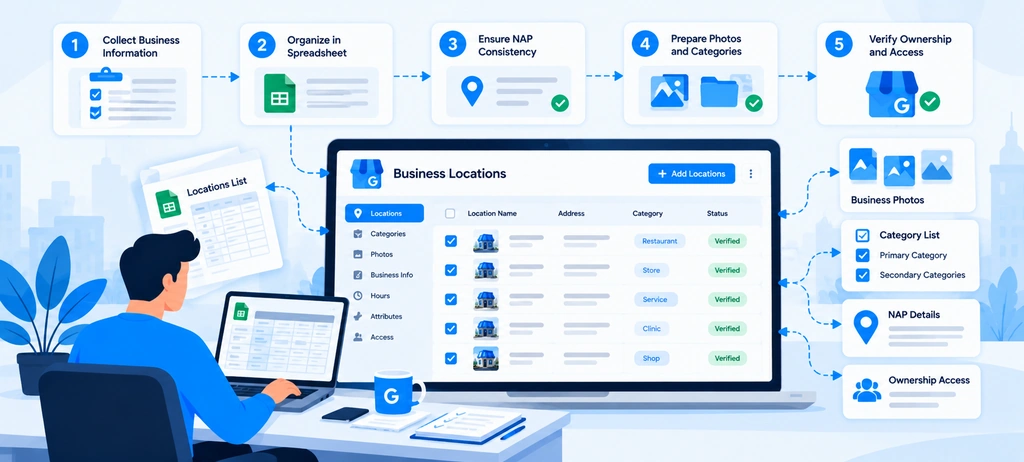
Before starting bulk Google Business Profile management, prepare your location data, confirm profile access, and check which locations are ready for updates. Skipping this step can lead to incorrect information, failed uploads, access problems, and repeated work across branches.
A reliable preparation process gives your team one source of truth for every business location. It also helps you distinguish between shared brand information and details that must remain specific to each branch.
Google's Business Profile Manager supports spreadsheet-based location management, including downloading profile data, reviewing errors, and uploading updated information. However, spreadsheet uploads do not replace every individual profile action, and bulk verification has separate eligibility requirements. Review Google's official bulk location management guidance before preparing a large update.
For Google Business Profile management for multiple locations, prepare the following four areas before making changes:
- Build a master database that identifies every location.
- Standardize business information without removing legitimate local differences.
- Organize business groups, account access, and team responsibilities.
- Confirm profile eligibility, verification status, and ownership.
Completing these steps first makes later profile updates easier to organize, validate, and maintain.
Build a Master Location Database
A master location database is a central record of all business locations and their important profile details. It helps marketing teams, operations managers, franchise owners, and SEO agencies work from the same information instead of relying on separate spreadsheets or email conversations.
For a business with many branches, the database should serve as the reference point for identifying locations, checking profile details, recording issues, and assigning follow-up work. It should not simply copy the information currently displayed on Google. Existing profile details may be incorrect or outdated, so compare them with reliable business records before treating them as accurate.
Start by creating one row for each eligible business location. Include the fields your team needs to identify the location, review its current profile, and maintain its information.
| Database field | What to record | Why it matters |
| Location ID | A unique internal identifier | Helps distinguish branches with similar names |
| Store code | A unique code for each location, where applicable | Supports accurate spreadsheet-based bulk uploads |
| Business name | The approved name used by the real-world business | Helps maintain consistent business representation |
| Street address or service area | The correct location details for the business model | Helps identify location-specific information |
| Primary phone number | The authoritative contact number for the location | Reduces the risk of outdated or incorrect contact details |
| Website URL | The relevant business or location page | Helps customers reach the right destination |
| Google Business Profile URL | A link to the existing profile | Makes individual profile checks easier |
| Verification status | Verified, unverified, or requiring investigation | Helps identify profiles that need attention |
| Ownership and access | The known owner, managers, or access issue | Clarifies who can manage the profile |
| Business hours | Current regular hours and the source used to confirm them | Helps identify outdated operating information |
| Business categories and services | Relevant categories and services for the location | Supports accurate profile maintenance |
| Last checked | The date the information was reviewed | Helps teams identify records that may need refreshing |
| Open issues | Missing data, possible duplicates, access problems, or other exceptions | Makes follow-up work visible |
Google supports unique store codes for locations used in bulk spreadsheet uploads. Each location in the account needs its own store code so that updates can be applied to the correct business.
Keep the database manageable. Not every team needs dozens of columns. Start with the fields required for accurate identification, contact information, profile access, and update tracking. Add other fields when they support a real operational need.
For example, a fictional company with 35 branches might use an internal location ID such as STORE-001, STORE-002, and STORE-003. These IDs can help the team distinguish branches in internal reports. If the company uses Google spreadsheet uploads, it should also maintain the appropriate unique store code in the format required by Google.
Do not use a branch's name as its only identifier. Two locations may have similar names, and a branch may change its name while retaining the same internal location record.
Use a Reliable Source for Each Data Field
The master database is only useful when the team knows where its information came from. Record or document the approved source for important details, such as the business's official contact records, location manager confirmation, or the business owner's approved website.
For example, a spreadsheet may list a branch's phone number as 555-0100, while its published profile shows 555-0190. The team should not automatically overwrite either value. First, confirm the correct number with an authorized business representative or an authoritative company record.
This distinction matters because bulk Google Business Profile management can spread an incorrect value across several locations if teams assume the existing data is always correct.
Keep the Database Updated as Locations Change
A master database should be maintained as an ongoing business record, not created once and forgotten. Add a process for recording new branches, relocations, closures, changes in services, and changes to the people responsible for profile management.
When a location changes, record the date, the confirmed details, and the person who approved the update. This creates a useful history for future audits and helps teams explain why a profile was changed.
For Google spreadsheet workflows, review the downloaded data and any error information before uploading revised records. Google's spreadsheet download guide explains how profile data can be downloaded and reviewed.
Standardize Names, Addresses, Phone Numbers, and Website URLs
Once the location database is ready, establish standards for the information that appears across your business profiles. The objective of Google Business Profile optimization for multiple locations is not to make every listing identical. It is to ensure that each profile accurately represents the real business while maintaining consistency where the same information should apply.
For example, a retail chain may use the same approved brand name across its branches, but each branch has a different street address and phone number. Standardization should preserve those differences rather than replace them with shared information.
Google's guidelines for representing a business are the foundation for this process. Use them alongside confirmed business records when deciding which information should be standardized.
1. Business Names: Follow the Real-World Business Name
Create a clear naming standard based on how the business is represented in the real world. Avoid adding city names, service keywords, promotional phrases, or other details to a profile name solely to influence local rankings.
For example, if a company operates under the brand name "Northside Dental," the name should not automatically become "Northside Dental Best Dentist in Dallas" just because the location serves Dallas customers.
However, do not remove legitimate differences that are part of the actual business name. Some branches may operate under approved variations or distinct names. Check the business's real-world branding and Google's guidelines before applying a common naming rule across locations.
A practical naming standard should define:
- The approved business name or naming convention.
- Which legitimate location-specific variations are allowed.
- Who approves a business name change.
- How the team records exceptions.
2. Addresses and Service Areas: Confirm Each Location Separately
NAP consistency refers to the consistency of a business's name, address, and phone number across relevant online listings. It is an important part of local business data management, but consistency does not mean every branch should share the same address or telephone number.
For each location, confirm the address against reliable business records. Check street numbers, street names, suite or unit numbers, postal codes, and other relevant details. For service-area businesses, make sure the profile reflects the actual business model and follows Google's address and service-area requirements.
If a business relocates, do not simply copy the new address into every profile. Identify the affected location and confirm the correct change before updating its records.
This is also where local SEO listings and citation management become relevant. Business information may appear across Google and other directories, and discrepancies can be difficult to manage when each source is checked separately. Wranker's Listings & Citations Management page is a relevant internal resource for discussing NAP accuracy, missing citations, and listing inconsistencies.
3. Phone Numbers: Use the Correct Number for Each Branch
Use the authoritative phone number for the relevant business location. If customers contact each branch directly, preserve its local number rather than replacing it with a shared number that does not serve the same purpose.
Before approving a phone number, confirm that it is active, belongs to the business, and directs customers to the correct location or service team. If the company uses a central call center, document the approved arrangement and make sure it reflects the actual way the business serves customers.
Record exceptions in the master database so that local teams do not mistakenly overwrite valid location-specific contact information.
4. Website URLs: Connect Each Profile to the Relevant Page
Where appropriate, use a relevant website URL that helps customers find information about the specific branch. A multi-location business may have a dedicated page for each store, clinic, office, or service area.
For example, a company with branches in Austin, Dallas, and Houston may have separate location pages that include local contact details, services, and opening hours. Linking a profile to the relevant location page can make it easier for customers to find the information they need.
Before adding a URL, check that it loads correctly, represents the business, and contains accurate information. Avoid using broken URLs, unrelated pages, or redirect chains that create unnecessary friction for visitors.
Location pages should also offer useful information rather than simply replacing the city name in an otherwise identical template. Accurate local content supports the broader goal of local SEO for multiple locations.
Organize Location Groups and Account Permissions
A master database helps organize business information, but it does not automatically organize who can access and manage the profiles. Before making bulk changes, decide how locations should be grouped and who needs permission to work on them.
Google's Business Profile Manager supports business groups, which help organizations manage sets of profiles and share access with appropriate users. Google describes a business group as similar to a shared folder for profiles. It also notes that separate groups may be useful when different brands or divisions require different sets of users. See Google's business group management guide.
Choose a Grouping Structure That Matches the Business
The best group structure depends on the way the organization operates. A business with one brand and a central marketing team may need a different setup from an agency managing dozens of independent clients.
Common grouping approaches include:
- By brand: Useful when an organization operates several brands with different profile requirements.
- By region: Useful when regional teams are responsible for specific branches.
- By business division: Useful when different divisions need separate access and workflows.
- By client: Useful for agencies that manage profiles for several businesses and need to keep client access separate.
Consider a fictional company with 40 branches across four regions. It might organize access so that the central team can oversee the broader operation, while regional managers work only with the locations relevant to their responsibilities.
Before creating groups, consider the trade-off between centralized visibility and restricted access. Google notes that users with access to one group may be able to view and edit profiles within that group, so the structure should match the organization's access requirements.
Do not create unnecessary groups without a clear reason. Google also documents limitations around importing spreadsheets across multiple business groups, so teams should review the current rules before deciding on a structure.
Assign Permissions According to Responsibility
Google supports owner and manager roles for Google business profiles. Owners have broader administrative control, including the ability to add or remove users, while managers can handle many routine profile tasks but cannot perform every ownership action. Each person should use their own Google Account rather than sharing login credentials.
Use the principle of least privilege and give each person only the access required for their role.
For example:
| Team member | Typical responsibility | Access consideration |
| Business owner | Retains control of the business profile | Keep ownership with the business owner or authorized business representative |
| Central marketing team | Maintains approved brand information and coordinates updates | Provide access appropriate to its operational responsibilities |
| Regional manager | Confirms local details and coordinates branch updates | Limit access to the locations or tasks they need to manage |
| Local branch manager | Confirms opening hours, contact details, and local changes | Provide suitable profile access or use an agreed process for submitting updates |
| SEO agency | Supports profile maintenance and local SEO work | Obtain authorized access and keep the client informed |
This is an example of a responsibility model, not a requirement to assign a particular Google role to every job title. The actual access setup should reflect Google's role capabilities and the organization's security needs.
Review Permissions When Responsibilities Change
Access management should be reviewed when an employee leaves, a regional manager changes roles, an agency contract ends, or a business changes ownership. Remove access that is no longer required, and make sure the business retains appropriate control over its profiles.
Agencies should pay particular attention to client ownership. Google expects authorized representatives to work directly with business owners, keep them informed, and transfer ownership when requested.
Clear permissions reduce the risk of unauthorized changes and make it easier to identify who is responsible when an issue needs attention.
Verify Eligibility and Ownership of Each Profile
Before starting bulk operations, confirm that every profile represents an eligible business and that the people managing it have the required authorization. This step is important because bulk Google Business Profile management does not make every business eligible for every bulk action.
A business may have many locations but still need to resolve individual profile issues before proceeding. Some profiles may be unverified, controlled by another owner, associated with an ineligible business model, or missing information needed for the intended update.
Check Whether Each Business Location Is Eligible
Google's eligibility requirements determine which businesses can have a business profile. A profile should represent an eligible business that meets Google's rules for how and where it interacts with customers. Online-only businesses and certain other business types are not eligible for a standard Business Profile.
For a multi-location company, confirm that each listing represents a real, eligible business location and that the profile information reflects how the business operates. Do not create separate profiles simply to represent different keywords, services, or variations of the same business at the same location.
Review Google's business eligibility and ownership guidelines before adding new locations or resolving questionable listings.
Confirm Verification Status and Bulk-Verification Eligibility
A profile's verification status determines whether the authorized business representative can fully manage its information through the available Google tools. Record which locations are verified, which need verification, and which require further investigation.
Google supports bulk verification for eligible businesses with 10 or more locations of the same business. This is not a blanket rule that allows any agency or account containing 10 unrelated businesses to verify all profiles together. Google states that agencies managing multiple businesses in one account cannot use this bulk-verification eligibility rule in the same way as a single business with 10 or more locations.
The process also has requirements for the account, the spreadsheet, and the relationship between the locations. Uploading a spreadsheet alone does not complete verification; the eligible business must submit the verification request through the required process.
Read Google's official bulk verification guide before relying on this option. If a location does not qualify, follow Google's applicable individual verification process instead.
Check Profile Ownership Before Requesting Changes
A business may already have a verified profile managed by another person or organization. Do not automatically create a new listing when an existing profile is found.
First, confirm whether the profile represents the correct business and whether the business owner or authorized representative can access it. If another party controls the profile, use Google's official process to request access or ownership rather than trying to bypass the existing owner.
Google explains this process in its guide to requesting google business profile ownership. Keep records of access requests and their status so that unresolved ownership issues do not get lost during bulk preparation.
Create a Readiness Status for Every Location
Once eligibility, verification, and ownership have been reviewed, assign each location a simple internal status. This helps the team distinguish profiles that are ready for routine updates from those that need additional work.
| Readiness status | Meaning | Recommended next action |
| Ready | Eligibility and access are confirmed, and the key location data has been checked | Include the location in the relevant maintenance workflow |
| Data review needed | Some business information is missing or inconsistent | Confirm the correct details before changing the profile |
| Verification needed | Verification is incomplete, or the status requires investigation | Follow Google's applicable verification process |
| Ownership or access issue | The authorized team cannot manage the existing profile | Resolve access through Google's official process |
| Eligibility review needed | The business or listing may not meet the applicable requirements | Review Google's guidelines before creating or changing the profile |
These statuses are internal workflow labels, not official Google profile states. They help teams plan the next action without confusing an internal readiness decision with Google's verification or eligibility decisions.
Once the location database, information standards, permissions, and eligibility checks are complete, the team has a stronger foundation for managing profiles at scale. The next step is to audit existing profiles, identify the updates that are actually needed, and apply the appropriate changes without treating every location as identical.
How to Manage Multiple Google Business Profiles Step by Step
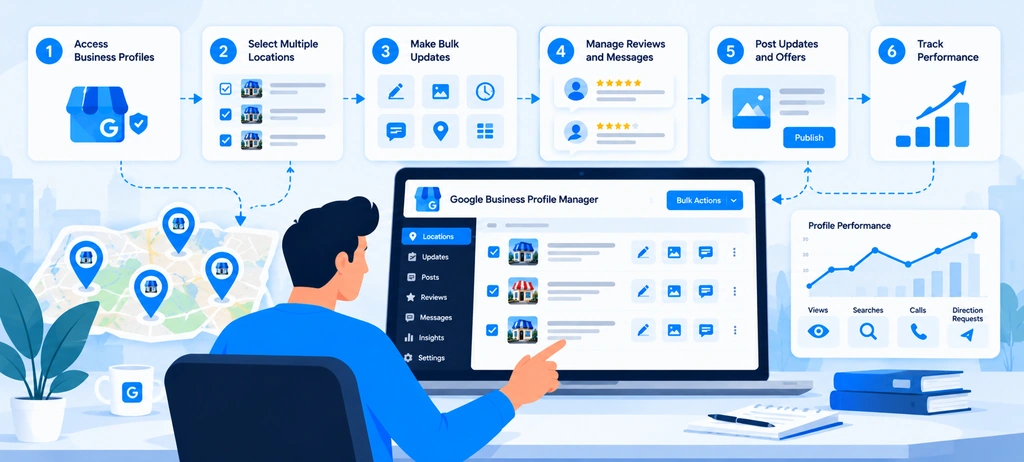
Managing multiple Google Business Profiles requires a consistent process for identifying profile issues, prioritizing updates, maintaining accurate business information, and checking whether the required work has been completed. As the number of branches grows, relying on manual checks and scattered spreadsheets makes it harder to maintain profile accuracy and track outstanding tasks.
A structured bulk Google Business Profile management workflow helps businesses, franchises, and SEO agencies manage these responsibilities across multiple locations. The goal is not simply to update profiles more quickly. It is to maintain profile health, keep location information fresh, identify problems early, and give every task a clear next step.
This is where a dedicated Google Business Profile management tool such as Wranker can support the workflow. Wranker's GBP Management feature brings profile health, business details, categories, services, hours, posts, photos, Q&A, tasks, and reporting into a connected local SEO workflow. Teams can use these signals to identify which locations need attention and organize the work that follows.
The following five steps explain how to manage multiple profiles systematically, from the first audit to task completion and ongoing monitoring.
Step 1: Audit Existing Business Profiles
Before making changes, assess the current condition of every location. A Google Business Profile audit helps identify missing information, outdated profile elements, incomplete details, unanswered questions, and other issues that require attention.
For businesses managing dozens or hundreds of locations, auditing each profile without a shared workflow can consume significant time. Teams may overlook branches with outdated information or repeatedly check profiles that have already been reviewed.
Wranker's GBP audit tool is designed to help teams review profile health and freshness, identify areas that need attention, and organize the next actions. Instead of treating an audit as a one-time report, teams can use the findings to support recurring profile maintenance.
What should you check during a multi-location profile audit?
Review the main areas that influence profile completeness, accuracy, customer information, and ongoing maintenance.
- Business information: Check the business name, address, phone number, website URL, and operating hours.
- Profile completeness: Identify missing or incomplete information that needs to be reviewed.
- Business categories and services: Check whether the listed categories and services accurately represent the location.
- Profile freshness: Identify information, photos, or other profile elements that may need an update.
- Google Business Profile posts: Review post activity and identify locations that need new or updated content.
- Photos: Identify branches with outdated photos or a need for current, location-specific images.
- Q&A: Find unanswered public questions and identify which locations need a response.
- Reviews and reputation: Flag unanswered reviews and recurring customer concerns for follow-up.
- Profile access and verification: Record unresolved access or verification issues that may prevent the team from completing its work.
Not every issue requires the same action. An incorrect phone number needs to be verified against an authoritative business record, while an outdated photo may require the local team to provide a current image. An unanswered question may need a response from someone familiar with the branch.
The audit should therefore identify both the problem and the appropriate next step.
Turn profile findings into actionable tasks
A useful audit should answer three questions: What is wrong? Which location is affected? What should happen next?
For example, consider a fictional business managing 25 branches. Its audit identifies the following issues:
| Location | Finding | Recommended action |
| Downtown | Business hours need confirmation | Confirm the current schedule and update the profile |
| Northside | Photos have not been refreshed recently | Review the existing images and request suitable new photos |
| West End | Several public questions remain unanswered | Assign the questions to an appropriate team member |
| Lakeside | Business information appears inconsistent | Confirm the correct details before making changes |
| Central | No immediate issues identified | Continue routine profile monitoring |
These examples are illustrative, not actual Wranker customer results.
Wranker's GBP Management workflow connects profile health with tasks and reporting, helping teams move from identifying a problem to organizing the work required to address it.
Step 2: Identify Which Locations Need Updates
After completing the audit, determine which locations need attention and which actions should be prioritized. This is an important part of Google Business Profile management for multiple locations because applying the same update everywhere is not always appropriate.
One branch may need corrected opening hours, another may need updated photos, and a third may require a review response. A fourth location may have accurate information but still needs routine monitoring.
A location-based workflow helps teams avoid treating every branch as identical.
Group locations by the type of work required
Start by grouping audit findings into clear categories. This makes it easier to identify recurring problems and assign the right tasks.
Common categories include:
- Profile accuracy: Incorrect or outdated business details.
- Profile freshness: Information, photos, or content that needs review.
- Posts and content: Locations requiring new posts, updates, or content checks.
- Services and categories: Profiles that need a review of their listed offerings.
- Q&A and customer communication: Unanswered questions requiring an appropriate response.
- Reviews and reputation: Unanswered reviews or recurring feedback that needs investigation.
- Local SEO visibility: Locations that require further analysis because of changes in local rankings or other performance indicators.
Grouping these findings makes it easier to spot patterns. If several branches have outdated business hours, the team can review the issue across those locations. If only one branch has an incorrect phone number, the action should remain specific to that location.
Wranker's Local SEO Insights & Recommendations feature is relevant when teams need to organize local SEO findings, review supporting evidence, prioritize work, and move recommendations into tasks or reports.
Prioritize work by impact and urgency
Not every issue requires immediate attention. A practical prioritization process considers the potential impact on customers, the urgency of the problem, the effort needed to resolve it, and the number of affected locations.
| Priority | Example | Suggested action |
| High | Incorrect phone number or business hours affecting customers | Confirm the correct information and address the issue promptly |
| Medium | Missing services or outdated photos | Assign the work according to business importance |
| Routine | Regular profile checks and planned content updates | Include the work in the maintenance schedule |
These categories are an example of an internal workflow, not official Google classifications.
For example, a restaurant chain preparing for a holiday may need to prioritize opening-hour updates across several branches. A routine photo refresh can usually be scheduled separately unless there is a specific business reason to address it sooner.
The team should also distinguish between profile-management issues and local SEO performance problems. A location with declining local rankings may need further investigation into its profile, reviews, citations, website pages, or competitive environment. A ranking decline alone does not prove that the profile is the cause.
Wranker'sLocal SEO Insights & Recommendations page is a relevant internal resource for discussing how evidence-backed findings can be prioritized and converted into assigned work. For location-level ranking analysis, link local keyword rankings by location toWranker Local SEO Rank Tracking.
Step 3: Apply Supported Bulk Changes or Update Profiles Individually
Once the team knows which locations need attention, choose the appropriate way to complete each task. Some changes may be suitable for a supported bulk workflow, while others require an individual profile update, a separate review, or input from the local business team.
The goal of bulk Google Business Profile management is to reduce repetitive work while preserving location-specific accuracy.
Wranker's role in this process is to help teams assess profile health, identify maintenance needs, and organize the associated work. The available actions depend on the task and the capabilities of the relevant tools; teams should not assume that every profile field can be changed in bulk through one interface.
Use a consistent workflow for shared updates
When several locations need the same type of update, use a repeatable process to review and coordinate the work.
A practical workflow is the following:
- Confirm the affected locations: Identify exactly which branches require the update.
- Verify the information: Use an authoritative business record or confirmation from an authorized representative.
- Determine the update method: Establish whether the task can be handled through a supported bulk operation or requires individual profile work.
- Assign responsibility: Identify who will complete the update and who needs to approve it.
- Record the task: Keep the location, issue, requested change, and task status together.
- Review the result: Confirm that the intended information is correct and record any remaining issues.
For example, a retail chain may need to review a shared business description across several branches. The team can identify the affected profiles, confirm the approved wording, and coordinate the updates. However, local phone numbers, addresses, and opening hours must remain accurate for each location.
This process is useful even when the actual changes must be made individually. It creates a common method for planning, assigning, and checking the work.
Handle location-specific updates separately
Some profile updates should remain specific to one branch or a smaller group of locations.
Examples include:
- Correcting one branch's address after a relocation.
- Updating different opening hours for selected locations.
- Reviewing services that are available only at certain branches.
- Refreshing photos for a particular business location.
- Responding to location-specific public questions.
- Resolving a profile access issue or a problem that requires additional verification.
A shared brand does not mean every branch offers the same services or operates under the same conditions. Google Business Profile optimization for multiple locations should preserve those real differences rather than force every profile into an identical format.
Use Wranker to organize profile maintenance
Wranker's GBP Management tool brings profile health, freshness, services, hours, posts, photos, Q&A, tasks, and reporting into a connected workflow. This helps teams identify what needs attention and coordinate recurring profile-management work across locations.
For example, if an audit identifies branches with stale photos and unanswered questions, the team can use those findings to organize the required work. The responsible people can then complete the relevant actions through the appropriate supported process and track the outstanding tasks.
Wranker also connects GBP maintenance with broader local SEO workflows. Its Local SEO Dashboard brings together local visibility, profile health, listings, reviews, ranking data, recommendations, and reporting. This is useful when profile maintenance needs to be considered alongside other local search activities.
Step 4: Validate Changes and Resolve Errors
Completing an update does not necessarily mean the issue has been resolved. The team must check that the intended change was made, that the information is accurate, and that any remaining problems have been recorded.
This validation step is essential for multi-location Google Business Profile management because errors can affect individual locations or, when a shared process is used incorrectly, several branches at once.
Check the result of each update
After completing a task, review the affected profile and confirm that the information reflects the approved business details.
Use a checklist that covers:
- Correct location: The update was applied to the intended branch.
- Accurate information: The changed details match the approved business records.
- Unchanged information: Unrelated fields were not unintentionally altered.
- Profile status: Any remaining verification or access issue is recorded.
- Content quality: Updated photos, posts, services, or descriptions are relevant to the location.
- Customer communication: Required Q&A responses or review-related actions have been addressed.
- Outstanding work: Any incomplete task has a clear owner and next action.
For example, if a business updates the opening hours for 12 branches, the team should check the affected locations rather than assume that completing the task means every profile is correct.
Some changes may require additional review before appearing publicly. If the published profile does not yet show the expected information, check its status and investigate before submitting the same change repeatedly.
Resolve errors based on their cause
Different problems require different responses. A profile with an incorrect phone number needs a confirmed replacement number. A missing photo requires suitable content. An unanswered question requires an appropriate response. A possible duplicate or ownership issue needs investigation before action is taken.
Avoid treating all issues as routine data-entry errors. If the cause is unclear, record the problem and assign it to someone who can investigate.
Wranker's GBP Management workflow supports profile-health checks and the organization of maintenance tasks. For broader local SEO issues, Wranker'sLocal SEO Insights & Recommendations feature connects findings with evidence, prioritization, task assignment, validation, and reporting.
Connect profile validation with wider local SEO checks
A profile issue may also affect other parts of the local search presence. For example, a branch that has moved may need its address reviewed on external directories and its website location page updated.
In that situation, checking only the Google Business Profile is not enough. The team should also review relevant business listings and citations to identify conflicting information.
Wranker's Listings & Citations Management page is a relevant internal resource for discussing citation accuracy, missing listings, and duplicate directory records.
Likewise, if a location experiences a decline in local visibility, the team may need to review ranking data and other signals before deciding what to change. Wranker's Local SEO Rank Tracking page is relevant when discussing local keyword movement, map pack coverage, and location-level ranking trends.
Step 5: Document Changes and Assign Follow-Up Tasks
The final step is to record what was done, who completed the work, and whether the result was checked. Without a clear record, teams may repeat completed tasks, overlook unresolved issues, or struggle to report progress to clients and managers.
A documented process makes Google Business Profile management for multiple locations easier to maintain as the business grows. It also helps agencies and in-house teams coordinate responsibilities across locations.
Maintain a location-level task record
For every issue, record enough information to understand its status without repeating the original audit.
Useful fields include:
| Field | What to record |
| Location | The affected branch or business |
| Issue | The profile problem or maintenance requirement |
| Recommended action | The task required to address the issue |
| Assigned owner | The person responsible for completing the task |
| Priority | The urgency of the work |
| Due date | When the task should be completed |
| Status | Open, in progress, awaiting approval, ready for validation, or completed |
| Validation result | Whether the result has been checked |
| Follow-up notes | Any remaining issue or next action |
For example, a regional manager may report outdated opening hours for three branches. The task record should show which locations are affected, who confirmed the correct hours, who completed the updates, and whether the final information was checked.
This creates a distinction between work that has been requested, work that has been completed, and work whose results have been validated.
Assign owners and track outstanding work
Every task should have a clear owner. Depending on the organization, this may be a central marketing specialist, a local branch manager, a regional manager, or an authorized agency team member.
Set deadlines according to the potential customer impact and business priority. Incorrect contact information may need urgent attention, while a routine content refresh can follow the normal maintenance schedule.
For tasks requiring approval, record the approval status separately. This helps prevent a completed review from being mistaken for authorization to make the change.
Wranker's GBP Management page describes a workflow that connects profile findings with tasks and reports. For broader local SEO execution, the Local SEO Insights & Recommendations feature can connect evidence-backed findings with task ownership, validation, and reporting.
Review profile health on a recurring basis
Profile management is an ongoing activity. Business information changes, photos become outdated, new questions appear, and branches may need different updates throughout the year.
Create a maintenance schedule appropriate to the number of locations and the business's operating needs. Review urgent issues as they arise, check profile freshness regularly, and plan broader audits at suitable intervals.
Recurring checks can include:
- Business information that needs confirmation.
- Locations with stale profile elements.
- Posts and photos requiring review.
- Unanswered public questions.
- Outstanding tasks and unresolved errors.
- Changes to access or team responsibilities.
- Locations that need further local SEO investigation.
Wranker's GBP Management tool supports a workflow around profile health, freshness, posts, photos, Q&A, services, hours, tasks, and reporting. The purpose is to help teams maintain visibility into profile-management needs and organize the work that follows.
Measure workflow progress and local SEO performance separately
Operational measures can show whether profile-management work is becoming more reliable. Examples include the number of locations audited, the number of outstanding profile issues, task completion rates, and the number of changes that needed correction.
Local SEO performance requires a separate assessment. Useful indicators may include local keyword rankings, Map Pack coverage, review trends, website traffic, and available profile interaction data.
These measures should not be confused. Completing more profile tasks does not automatically prove that rankings have improved, and a ranking change does not establish that a particular update caused it.
Wranker's Local SEO Dashboard connects profile health with other local SEO workstreams, while Local SEO Insights & Recommendations focuses on interpreting findings, prioritizing actions, validating fixes, and reporting progress.
How to Keep Business Information Accurate Across Every Location
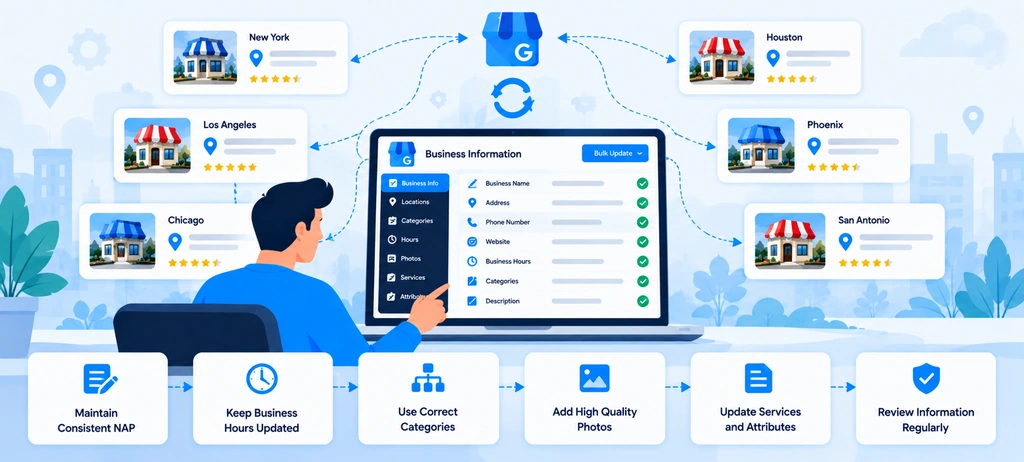
Keeping business information accurate is a core part of bulk Google Business Profile management. When a business operates across several cities or manages multiple client locations, even small differences in business categories, services, opening hours, contact details, and website URLs can create ongoing maintenance problems.
The challenge is not simply to make every profile look the same. Each location must accurately represent the services it offers, the hours it operates, and the way customers can contact it. At the same time, shared brand information should follow consistent standards wherever those standards apply.
For agencies and in-house local SEO teams, this requires a repeatable process for reviewing profile fields, identifying outdated information, assigning corrections, and checking the results. Managing these tasks through disconnected spreadsheets and manual checks can make it difficult to see which locations need attention.
Wranker's GBP Management tool supports this process by bringing profile health, business details, categories, services, hours, posts, photos, Q&A, tasks, and reporting into a connected workflow. Teams can identify missing or outdated information, prioritize profile improvements, and organize the work required to maintain profile freshness across locations.
The following practices explain how to maintain accurate business information across locations while using Wranker's GBP Management workflow to organize ongoing local SEO work.
Maintain Accurate Business Categories and Services
Business categories and services help describe what each location does and what customers can expect to find there. In Google Business Profile optimization for multiple locations, these details should accurately represent the real services offered at each branch rather than being copied across every profile without review.
For example, a healthcare group may operate several clinics under one brand, but not every clinic necessarily offers the same treatments. A repair business may have multiple branches, while only some locations provide specialist services. Applying identical categories and services without checking these differences can create inaccurate profiles.
Review categories across all business locations
The primary category should describe the main business activity of the location. Additional categories should be used only when they accurately describe the business.
For multi-location teams, the challenge is maintaining consistency without ignoring legitimate differences between branches.
Use a shared review process to check:
- Primary business category: Confirm that it represents the location's main business activity.
- Additional categories: Check that they describe relevant business activities rather than every possible keyword.
- Location-specific differences: Identify branches that offer a different set of services or operate under a different business model.
- Category changes: Record why a change is needed and confirm it with an authorized business representative.
- Profile completeness: Identify missing or outdated category information that requires attention.
Google's published guidelines recommend choosing the fewest categories needed to describe the business's core activity. Categories should not be selected simply to target additional search terms.
A consistent review standard helps teams identify genuine differences between branches and avoid unnecessary category changes.
Keep service information aligned with actual business offerings
Services should reflect what customers can actually obtain at a location. If a company offers a common set of services across most branches, its team can use a shared reference list to review those profiles. However, local exceptions should be recorded rather than overwritten.
For example, consider a fictional home services company with 18 locations. All branches provide general plumbing services, but only six offer water heater installation. The team should not automatically add that specialist service to every profile simply because it appears in the company's overall service catalog.
A useful service-maintenance process should identify:
- The approved service list for the business.
- The services available at each location.
- Missing or outdated profile service information.
- The person responsible for confirming local exceptions.
- The status of each required correction.
This creates a more reliable approach to Google Business Profile management for multiple locations than copying the same list across every branch.
Use Wranker to identify profile gaps and organize updates
Wranker's GBP Management tool includes profile-health checks for categories, services, descriptions, attributes, and other important profile fields. It helps teams identify missing information, compare profile coverage against preferred standards, and turn the findings into assigned tasks.
For example, if a team discovers that several branches are missing relevant services, it can record the affected locations, confirm which services each branch offers, and prioritize the required work. The team can then track the task and validate the result through its established workflow.
The objective is to move from an occasional profile check to ongoing GBP profile optimization supported by clear ownership and follow-up.
Update Opening Hours, Special Hours, and Contact Details
Incorrect opening hours and contact details can create immediate problems for customers. A person may travel to a branch that is closed, call a disconnected number, or visit a location that no longer operates at the listed address.
These problems become harder to manage as the number of locations grows. A business may have standard operating hours across most branches but different schedules for selected locations, seasonal changes, holidays, or temporary closures.
A reliable multi-location Google Business Profile management process should therefore combine shared standards with location-specific confirmation.
Keep regular opening hours accurate
Regular opening hours should reflect the hours during which customers can visit or receive the relevant service. Teams should verify the schedule with an authoritative source rather than assuming that every location follows the same timetable.
For each branch, check:
- The opening and closing times for each relevant day.
- Whether the location operates on weekends.
- Whether different departments have separate operating hours.
- Whether the profile needs to reflect a seasonal schedule.
- Whether the listed hours still match the actual business operation.
For example, a retail chain may operate from 9 AM to 6 PM at most branches, while stores in shopping centers may follow different hours. The shared schedule can provide a starting point, but the team should confirm exceptions before making changes.
Plan special hours and temporary changes
Holiday hours, special-event schedules, and temporary closures require additional attention because they may differ from regular operating hours.
A practical process should identify upcoming dates, confirm each affected location's schedule, assign the required updates, and check that the correct information appears on the relevant profiles.
Useful practices include:
- Maintaining a calendar of upcoming holidays and special operating dates.
- Requesting confirmation from branch or regional managers.
- Identifying locations with different schedules.
- Recording which profiles require special-hour updates.
- Checking that completed changes match the approved information.
Google supports special hours for applicable holidays and other specific dates. The available options depend on the business type and profile requirements.
For businesses managing many locations, a shared calendar and task workflow can reduce the chance of overlooking a branch with a different schedule.
Keep contact details accurate by location
Business phone numbers, addresses, and website URLs should accurately represent the relevant location. Avoid replacing branch-specific details with shared information unless the arrangement genuinely reflects how that business operates.
For example, a company may use a central customer support team while still maintaining separate locations. The team should confirm which phone number and website URL are appropriate for each profile rather than applying one value indiscriminately.
A contact-detail review should cover:
- Phone numbers: Confirm that the number is active and reaches the correct business or authorized contact point.
- Addresses: Check the actual location details and investigate any relocation or address discrepancy.
- Website URLs: Confirm that the URL works and represents the relevant business location.
- Temporary changes: Record closures, relocations, or other changes that require a profile update.
- Source accuracy: Confirm conflicting information before changing a profile.
This process also supports NAP consistency, which refers to consistency in business name, address, and phone number across relevant online listings.
Use Wranker to monitor freshness and assign maintenance tasks
Wranker's GBP Management workflow includes business details, hours, profile freshness, and task management. Its profile-health views help teams identify locations that need attention, such as branches with missing special hours or outdated profile information. Teams can then organize updates, assign responsibility, and track the resulting work.
For example, if two branches have not had their holiday hours confirmed, the team can flag those locations and assign the relevant follow-up. The branch managers can confirm the schedules, and the responsible team can complete and validate the changes through the appropriate supported process.
This makes Google Business Profile management for multiple locations easier to coordinate without assuming that every location needs the same update.
Manage Location-Specific Landing Pages
Accurate Google Business Profiles are only one part of a business's local online presence. A customer who clicks a profile's website link should be able to find relevant information about the correct branch, service area, or business location.
This makes location-specific landing pages an important part of local SEO for multiple locations. These pages can help customers confirm addresses, opening hours, services, contact details, and other information before contacting or visiting a business.
For companies with several branches, the challenge is keeping profile information and website information aligned as the business changes.
Connect each profile to the relevant location page
When a business maintains individual pages for its locations, use the appropriate page for the relevant profile where applicable. A location page should help customers understand what that branch offers and how to contact it.
For example, a fictional dental group may have locations in Dallas, Austin, and Houston. Each branch page could include:
- The branch's address and contact details.
- Relevant opening hours.
- Services available at that location.
- Directions and useful visitor information.
- A clear way to contact or book with the branch.
- Information that distinguishes the location from other branches.
This structure gives customers a useful destination instead of forcing them to search a general homepage for branch-specific details.
However, separate pages are not valuable simply because they contain different city names. Each page should provide accurate, useful information for the relevant location.
Keep website and profile information consistent
A location page and its associated profile should not contradict each other. If a branch changes its phone number or opening hours, the team should identify all relevant places where the information needs to be reviewed.
Common issues include:
- A profile linking to a discontinued location page.
- A website displaying an old phone number.
- A branch page listing services that are no longer available.
- An address mismatch between the website and profile.
- Several location pages containing the same generic content with no useful local information.
These inconsistencies can confuse customers and create additional work for marketing teams.
Create a shared record connecting each location to its profile URL and landing page URL. When one changes, the team can identify the related assets that require review.
Avoid duplicate or thin location-page content
Multi-location websites often use a common page template. That is useful for maintaining structure, but each page should contain accurate details that distinguish the location.
For example, a useful location page may explain which services are available at that branch, where it is located, how customers can reach it, and what they need to know before visiting.
Avoid publishing dozens of pages that differ only in the city name while providing little useful information. Do not invent local services, staff details, customer testimonials, or branch-specific claims to make pages appear unique.
A reliable local SEO landing page strategy combines a shared structure with verified location-level information.
Connect landing-page checks with Wranker's local SEO workflow
Wranker's Local SEO Dashboard connects GBP management with related local SEO areas, including listings and citations, reviews, rank tracking, insights, and reporting. Its Local SEO Insights & Recommendations feature also identifies local visibility gaps using available signals from local pages, search performance, and other local SEO data sources.
This provides a relevant workflow for teams reviewing a branch's profile alongside its website presence. For example, if a location's website page has changed, the team can review the associated profile URL, record the required corrections, and track the work through its existing maintenance process.
Wranker's GBP Management page should remain the primary link when the discussion concerns profile fields and profile freshness. Use the broader dashboard and insights pages when explaining how profile work relates to website content and other local SEO signals.
Prevent Duplicate Listings and Conflicting Information
Duplicate listings and conflicting business information can make multi-location profile management harder to maintain. A business may discover two profiles that appear to represent the same branch, an old listing that remains after a relocation, or different phone numbers and addresses across online directories.
These problems require investigation before changes are made. Two profiles with similar names are not necessarily duplicates if they represent separate, eligible business locations. Likewise, a discrepancy between a Google Business Profile and another directory does not automatically identify which record is correct.
A reliable Google Business Profile audit should distinguish between genuine duplicate profiles, legitimate separate locations, outdated listings, and incorrect business information.
Identify possible duplicate profiles
Begin by checking profiles that appear to represent the same business at the same location. Compare their business names, addresses, phone numbers, website URLs, and other relevant information.
Possible warning signs include:
- Two profiles appearing to represent the same branch.
- An old profile remaining after a business relocation.
- Multiple records using different versions of the same address.
- A profile that appears to represent a location that has closed.
- Conflicting ownership or management information.
Do not automatically remove a profile based on a name match. Confirm that the records represent the same real-world business before deciding what action is appropriate.
Google's business representation guidelines explain that businesses should generally have one profile per business at a given location, subject to applicable eligibility rules.
Maintain a consistent source for business information
Use a verified master location database to determine the correct business details. Record the source of each correction and confirm uncertain information with an authorized business representative.
For example, if a branch's profile lists one phone number and an external directory lists another, confirm the correct number before changing either record. Updating the wrong value across several platforms can make the problem harder to resolve.
A reliable record should include the location's approved business name, address or service-area information, phone number, website URL, profile URL, and the date the information was last checked.
This approach supports NAP consistency and helps the team investigate discrepancies rather than simply copying the information from one source to another.
Review listings and citations outside Google
Business information can also appear on local directories, industry websites, map platforms, and other online sources. Updating a Google Business Profile does not automatically correct those separate records.
For this reason, multi-location businesses should review their external listings when a branch moves, changes contact details, or undergoes another significant update.
Wranker's Local SEO Listings & Citations Management feature focuses on NAP accuracy, missing citations, duplicate-listing queues, suppression workflows, task ownership, and local SEO reporting. It connects listing accuracy with GBP health, reviews, local rankings, and other local SEO activities.
For example, if an audit identifies conflicting addresses for a branch, the team can investigate the records, confirm the correct address, and organize the required corrections across the relevant sources.
This is distinct from GBP Management: the GBP workflow focuses on profile fields and freshness, while the Listings & Citations workflow addresses information across external listing sources.
Use Wranker to connect profile accuracy with citation management
Wranker helps teams connect GBP profile health with wider local SEO maintenance. The GBP Management page covers profile details, categories, services, hours, posts, photos, Q&A, and freshness. The Listings & Citations Management page supports work related to NAP accuracy, duplicate listings, missing citations, and directory coverage.
A practical workflow is to:
- Identify the location with conflicting information.
- Confirm the correct details using an authoritative source.
- Determine whether the issue concerns the Google profile, external listings, or both.
- Assign the necessary corrections to the responsible team member.
- Validate the result and document any unresolved discrepancies.
This creates a more consistent process for bulk Google Business Profile management without suggesting that one update will automatically fix every online listing.
How to Optimize Google Business Profiles for Multiple Locations
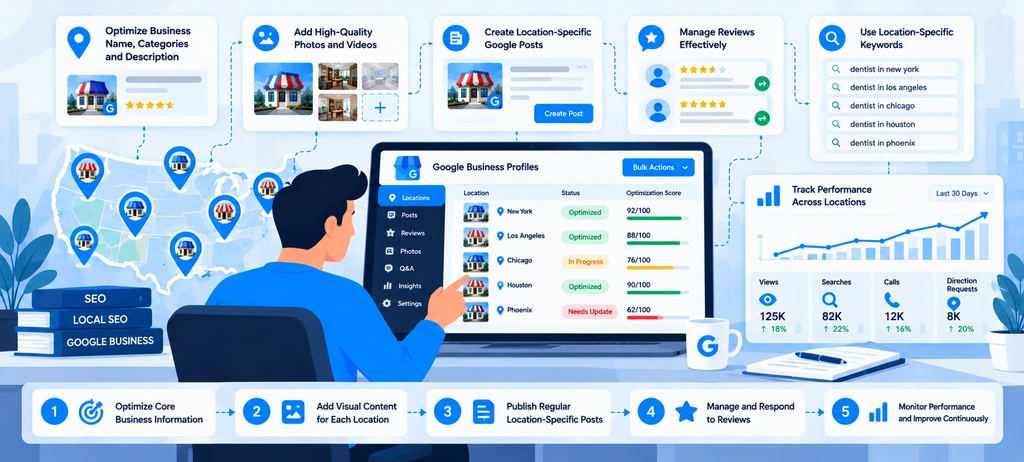
Optimizing one Google Business Profile is different from optimizing a network of locations. A business with several branches must maintain consistent brand information while making sure each profile reflects the services, facilities, and customer experience available at that specific location.
For example, a restaurant chain may use the same brand name across 20 branches, but its opening hours, menu availability, photos, and local promotions may vary. Copying the same information across every profile without checking these differences can confuse customers and create unnecessary profile maintenance work.
A practical Google Business Profile optimization strategy combines three things: accurate location data, useful profile content, and a repeatable process for reviewing changes across all branches. Teams also need a way to identify profile gaps, prioritize fixes, and track which locations still need attention.
Wranker's GBP Management tool is designed to support this work through profile health and freshness checks, business details, services, posts, photos, Q&A, hours, tasks, and local SEO reporting. Instead of relying on separate spreadsheets and manual checks, teams can organize location-level work in a connected workflow.
The following process explains how to optimize multiple Google Business Profiles without treating every branch as an identical copy of the head office.
Match Each Profile to Its Real-World Business Location
The first step in multi-location Google Business Profile management is to make sure every profile represents the correct business at the correct location. Before adding content or making optimization changes, confirm that customers can identify the branch and find accurate information about it.
This is especially important for franchises, retail chains, healthcare providers, restaurants, and service businesses operating across multiple cities.
Review these details for each location:
- Business name: Use the real-world business name rather than adding city names, service keywords, or promotional phrases for SEO purposes.
- Address: Confirm that the listed address matches the actual eligible business location.
- Phone number: Use a number that connects customers to the correct branch whenever possible.
- Business categories: Select categories that accurately describe the business's main activities.
- Services: Confirm that the location actually provides the listed services.
- Website URL: Direct customers to the relevant location page when one is available.
- Photos: Use genuine images that represent the branch, its facilities, or its products and services.
Google's guidelines for representing a business require accurate real-world information. They also prohibit creating multiple profiles for the same business location, subject to Google's stated exceptions.
Keep brand standards consistent, but check each location separately
A multi-location business should establish shared rules for information that needs to remain consistent. However, the central team should not assume that every branch has identical services, facilities, or operating arrangements.
Consider a dental clinic with 15 branches. The clinics may share the same brand name and core business category, but one branch may offer orthodontic treatment while another does not. The profile for each location should reflect what patients can actually book there.
A location review checklist can help teams identify these differences before changes are made.
| Profile element | What the team should verify |
| Business name | Matches the name used by the business in the real world |
| Address and phone | Correct for the individual branch |
| Categories | Represent the location's actual business activities |
| Services | Reflect what customers can receive at that branch |
| Website link | Takes customers to the correct location or relevant service page |
| Photos | Show the actual premises, products, or services where appropriate |
This process helps prevent inaccurate bulk changes. It also gives local managers a clear way to report exceptions to the central marketing team.
For businesses managing dozens or hundreds of locations, Wranker's GBP Management workflow can support the review of profile health, business details, and freshness. Teams can use the findings to organize follow-up work instead of relying on memory or scattered notes.
The aim is not to make every profile identical. It is to make every profile accurate, consistent with the brand, and useful to customers searching for that specific location.
Improve Categories, Services, Descriptions, and Photos
Once each profile represents the correct location, review whether its content gives customers enough information to understand the business.
A profile may contain the correct name and address but still provide a poor customer experience if its services are unclear, photos are outdated, or the description no longer reflects the business.
For effective Google Business Profile optimization for multiple locations, review categories, services, descriptions, and photos using a shared quality standard.
Choose accurate business categories
Categories help Google understand what a business does and help customers discover businesses relevant to their searches. Google recommends choosing specific, representative categories and using as few as necessary to describe the business's core activity. Categories should not be used simply as additional keywords.
For a multi-location brand, create a category standard that explains which categories normally apply to the business and when a location may need a different selection.
For example, a company operating general repair shops and specialist service centers may need to review the categories at each location instead of applying the same configuration across the entire network.
Before changing a category, ask:
- Does it accurately describe the main activity at this location?
- Does the branch genuinely provide the relevant service?
- Is the category more specific than a broad alternative?
- Is the change supported by the business's real operations?
Avoid adding unrelated categories in an attempt to rank for more searches. Category choices should describe the business, not serve as a list of target keywords.
Keep services and descriptions useful
Services should reflect what customers can actually purchase, book, or receive at each location. If a branch does not provide a service available elsewhere in the network, do not copy that service into its profile simply to maintain uniformity.
Descriptions should help potential customers understand the business. Explain the main offering, the type of customers served, and useful details about the business without turning the description into an advertisement filled with search terms.
For example, a local auto repair shop might explain that it handles routine servicing, brake repairs, and vehicle diagnostics. It should not claim to offer specialist repairs unless those services are genuinely available.
When reviewing descriptions across locations:
- Keep the core brand message consistent where appropriate.
- Include location-specific details only when they are accurate and useful.
- Remove outdated claims or services.
- Avoid repeating the same keyword several times.
- Do not add offers, awards, or qualifications that cannot be verified.
The priority is to make profile information clear and accurate rather than to force exact-match phrases such as bulk Google Business Profile management into customer-facing business descriptions.
Use genuine photos for each branch
Photos help customers understand what a business looks like before they visit. For a multi-location company, genuine images can also distinguish one branch from another.
A central team can establish a photo standard covering image quality, approval, file organization, and review frequency. Local teams can then supply photographs that reflect their actual premises and services.
Depending on the business, useful images may include:
- The exterior and entrance, so customers can recognize the location.
- Interior spaces, reception areas, or customer facilities.
- Products, equipment, or examples of work.
- Staff or service environments, where appropriate.
- Updated images after a renovation or significant change.
Avoid using one generic photo gallery across every location when the images do not accurately represent each branch.
For eligible businesses with 10 or more locations, Google also documents a spreadsheet-based process for bulk uploading photos. Check the current eligibility and instructions before using it.
Turn profile reviews into assigned work
The challenge for a large network is not simply knowing what good profile content looks like. It is making sure each branch meets the standard and that outdated information is corrected.
A useful review process records the location, the issue, the person responsible, and the current status. For example, a profile with outdated photos can be assigned to a local manager, while category inconsistencies can be reviewed by the central SEO team.
Wranker's GBP Management tool supports a workflow around profile health, categories, services, photos, posts, Q&A, and freshness. This makes it a relevant option for teams that need to organize profile maintenance across multiple locations.
Build Location-Relevant Website Content
Google Business Profile optimization should not stop at the profile itself. The linked website also needs to help customers find accurate information about the location they want to visit or contact.
For businesses with several branches, linking every profile to the homepage may force users to search again for an address, phone number, service, or booking option. A relevant local landing page can provide a more direct path.
For example, a company with 12 plumbing service locations can create useful pages that explain the services available in each area, how customers can contact the appropriate team, and which service areas the business genuinely covers.
Include the information customers need
A useful location page should provide real value beyond the branch name and city. Depending on the business, it may include:
- The location's name, address, and contact details.
- Opening hours and directions.
- Services or products available at that branch.
- Booking, appointment, or enquiry options.
- Genuine details about local facilities, staff, or service arrangements.
- Answers to common customer questions.
- Relevant local information that helps customers decide whether the location meets their needs.
The exact content will vary by industry. A medical practice may need details about appointments and available treatments, while a retail store may need directions, product information, and store-specific services.
Link each profile to the most relevant page
Review the website URL associated with each profile. When a dedicated branch page exists and accurately represents the location, it may provide a better destination than a general homepage.
Use this checklist when reviewing profile links:
- Confirm the destination. Make sure the URL works and leads to the intended page.
- Check the location details. The page should clearly identify the correct branch.
- Verify the services. Do not describe services that the location does not provide.
- Test the customer journey. Check that phone links, booking forms, directions, and calls to action work properly.
- Review mobile usability. Customers searching locally may need to call, navigate, or book from a phone.
A correct link is only the starting point. The page should help visitors take the next step without unnecessary searching.
Avoid creating thin or duplicate location pages
A common mistake is creating a large number of pages by changing only the city name in an otherwise identical template. This may increase the number of URLs without providing meaningful value to customers.
Google's spam policies address doorway abuse and scaled content abuse, including pages created primarily to capture similar searches without offering sufficient unique value.
A shared page template is not inherently a problem. The issue is whether the pages genuinely help people.
For each location page, look for relevant information that distinguishes the branch, such as actual services, facilities, staff, directions, or customer processes. Do not invent local details just to make pages look different.
Wranker's Local SEO Dashboard connects the broader local SEO workflow with Google Business Profile health, listings and citations, reviews, local rank tracking, and local landing-page signals. It can help teams consider profile work alongside other local visibility activities.
Strengthen Local Relevance Without Duplicating Content
Multi-location businesses need a consistent brand identity, but every branch does not need identical profile content or website copy. The stronger approach is to standardize what should remain consistent and personalize information that reflects genuine differences between locations.
This is an important part of multi-location local SEO. Each branch needs to represent the same brand accurately while helping customers understand what is available at that specific location.
Separate shared brand information from local details
Create a content standard that defines which information should normally be shared across locations and which details need individual review.
| Standardize across the business | Review or personalize by location |
| Brand identity and approved naming | Actual location details |
| Core category guidelines | Genuine differences in business activities |
| Tone of voice and writing standards | Services available at the branch |
| Photo quality and approval rules | Images of the actual premises and facilities |
| Location-page design and layout | Local information that helps customers |
| Profile audit process | Branch-specific gaps and follow-up tasks |
This structure helps central teams maintain consistency without removing useful differences between branches.
For example, a fitness chain can use the same brand standards across all its gyms while explaining which classes, facilities, or trainers are available at each location. A restaurant chain can maintain a consistent brand voice while reflecting branch-specific opening hours, menus, or events where applicable.
Make local content genuinely useful
Local relevance should come from accurate business information and useful details, not from inserting a city name into every sentence.
Before publishing or updating location content, ask:
- Does this information help customers understand the branch?
- Is it accurate and current?
- Does the location actually provide the service being described?
- Does the content add value beyond what is already available on another page?
- Would a customer find it useful even without the city name in the heading?
If the only difference between two pages is the city name, review whether both pages need to exist in their current form.
The same principle applies to profile descriptions, posts, and photos. Shared templates can save time, but local details should be checked before publication.
Use a repeatable workflow to maintain quality
As the number of locations grows, manual reviews become harder to coordinate. A central team may need to manage dozens of profile updates, while local managers provide information and confirm that changes reflect branch operations.
A practical workflow is:
- Audit profile quality: Identify outdated information, incomplete fields, and content that does not represent the location.
- Prioritize the issues: Start with errors that may mislead customers, such as incorrect contact details or unavailable services.
- Assign ownership: Give each issue to the central team, a local manager, or another responsible person.
- Review the change: Confirm that the updated information is accurate and that any required platform approval has been completed.
- Record the outcome: Keep a record of completed work and any remaining issues.
Wranker's Local SEO Insights & Recommendations supports this operational approach by organizing local visibility findings into prioritized recommendations, tasks, validation, and reporting.
For broader oversight, the Local SEO Dashboard brings related workstreams into one local SEO workspace. This is useful when teams need to consider profile health alongside citation accuracy, reviews, and local ranking movement.
Remember that profile optimization is not a guarantee of higher rankings. Google's local results depend on factors such as relevance, distance, and prominence. The purpose of a structured workflow is to maintain accurate information, improve the customer experience, and help teams identify and address local SEO issues consistently.
How to Manage Google Business Profile Posts Across Locations
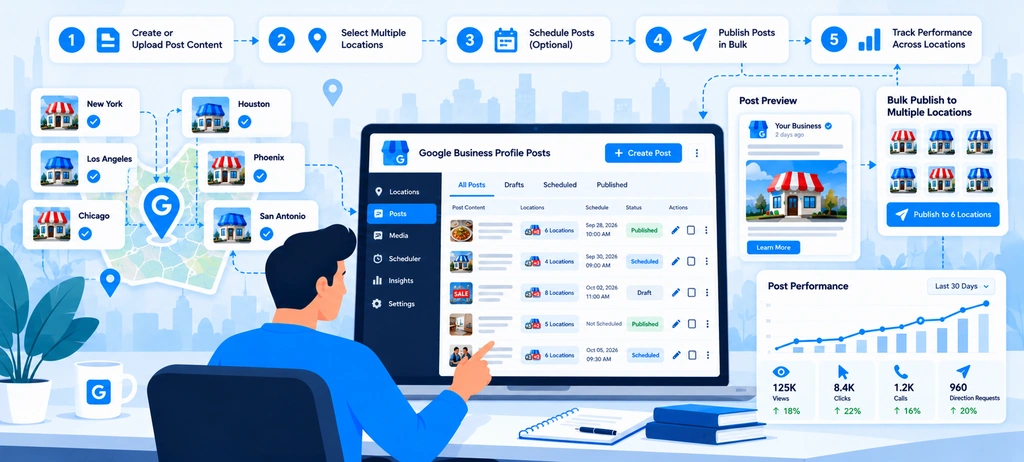
Google Business Profile posts give businesses a way to share timely information with people who find them on Google Search and Maps. For a company with several branches, these updates can highlight seasonal offers, new services, events, important announcements, and other information that helps customers decide what to do next.
The challenge is keeping posts relevant across the entire location network. A central marketing team may create the campaign, but each branch may have different offers, event dates, service availability, or booking links. Publishing one generic message everywhere without checking these differences can create confusion and unnecessary customer enquiries.
A better approach is to manage Google Business Profile posts for multiple locations through a shared content calendar, local approval process, and consistent quality checks.
Wranker's GBP Management workflow brings post cadence, scheduled content, profile freshness, and assigned tasks into the broader profile management process. This gives teams a structured way to identify locations that need content, coordinate responsibilities, and include completed work in local SEO reporting.
Create a Shared Content Calendar With Local Variations
A shared content calendar helps marketing teams plan what to publish, when to publish it, and which locations should receive each update. Without one, some branches may publish regularly while others go weeks without a relevant update. Teams may also repeat the same promotion because they cannot see what has already been planned or published.
The solution is not to create a separate strategy for every branch. Instead, build a central campaign plan and identify where local changes are necessary.
Start with campaign themes, not individual posts.
For example, a multi-location dental group might plan the following content for one month:
- A service information update explaining a treatment offered by eligible branches.
- An announcement about a new facility at selected locations.
- An event post for branches hosting a local awareness session.
- A seasonal reminder relevant to the locations participating in the campaign.
The central team can prepare the campaign brief, approved messaging, creative assets, and publication window. Local teams can then confirm whether the campaign applies to their branches and provide any information needed to complete the post.
What should a multi-location post calendar include?
| Calendar field | Why it matters |
| Campaign or topic | Identifies the purpose of the content |
| Post type | Separates general updates, offers, and events |
| Target locations | Prevents posts from being assigned to ineligible branches |
| Local variations | Records differences in availability, dates, or messaging |
| Destination URL | Connects the post to the appropriate next step |
| Content owner | Makes responsibility clear |
| Approval status | Prevents unapproved content from being published |
| Planned publication date | Helps teams coordinate timing |
| Final status | Records whether the post was published, rejected, or needs revision |
The calendar should also record why a location is excluded from a campaign. For example, a promotion may apply only to branches with a particular service or inventory.
Wranker's GBP Management tool can support this process through post scheduling workflows, location-level cadence monitoring, and assignable content tasks. Teams can use these signals to find branches that need attention rather than checking every profile manually.
Treat the calendar as a planning and accountability system, not just a list of publication dates. A post should have a clear audience, purpose, location scope, and next step before it enters the publishing queue.
Publish Location-Relevant Offers, Updates, and Events
Not every post needs to be unique, but every location receiving it should be able to stand behind the information.
Google Business Profile supports three main post types: Updates, Offers, and Events. Updates can communicate business news, while Offers and Events include additional fields suited to promotions and scheduled activities.
Choose the post type according to the information you need to communicate:
| Post type | Suitable use | What to verify across locations |
| Update | A new service, business announcement, or useful customer information | Whether the announcement applies to the branch |
| Offer | A time-limited promotion or deal | Eligibility, discount, start and end dates, and terms |
| Event | An open day, workshop, launch, or scheduled activity | Venue, date, start and end times, and registration details |
Use shared messaging without losing local relevance
Suppose a retail chain is running a seasonal promotion across 25 stores. The central team can prepare the campaign copy, approved images, and general terms. Before publication, each participating location should confirm that it is included in the promotion and that the destination page explains the offer correctly.
If an event is happening at only four branches, the post should not imply that customers can attend at all 25 locations.
Similarly, a healthcare provider should not promote a service at a branch that does not offer it. An outdated offer can lead to disappointed customers, additional calls, and avoidable work for local staff.
For every campaign, establish three levels of content:
- Shared message: The main announcement, brand language, and approved claims.
- Location-specific details: The branch, event time, eligible services, or other information that genuinely differs.
- Customer action: The next step, such as booking, ordering, registering, or reading more.
This structure makes it easier to scale publishing without producing misleading or repetitive content.
Avoid publishing just to maintain a schedule
A content calendar should help teams publish useful information, not force them to produce posts that have little value. If there is no meaningful update for a location during a particular period, do not invent an offer or repeat an old announcement simply to meet a posting target.
Instead, review upcoming events, actual business updates, customer questions, seasonal needs, and service changes. These are more useful sources of content ideas than keyword repetition.
Google's Business Profile posts guidance explains the supported post formats and the information each format can include. Review the post content policy before publishing, particularly when campaigns involve regulated products or services.
Review Links, Dates, Images, and Calls to Action Before Publishing
A well-written post can still create problems if it points to the wrong branch, displays an expired offer, or sends customers to a page that does not let them complete the intended action.
This is why a Google Business Profile publishing checklist should be part of the approval process, especially when a campaign covers many locations.
A central team may approve the main creative copy, but branch-level details still need to be checked before publication.
Check the destination URL
The link should support the action described in the post. A booking announcement should lead to a working booking page, while an event post should direct users to accurate event information or registration.
For multi-location businesses, check that the destination matches the branch receiving the post. Sending every user to the homepage can make it harder to find the relevant service, location, or offer.
Before approving the URL, confirm that:
- The page loads successfully on desktop and mobile.
- The page represents the correct branch or campaign.
- The advertised service, offer, or event is clearly explained.
- Any booking or enquiry form works.
- The page does not redirect to an unrelated or outdated destination.
For website destinations that need an SEO quality check, Wranker's Website SEO Analyzer can review a page's metadata, headings, links, images, indexability signals, and structured data. Use it to investigate the destination page itself; it does not validate whether a Google Business Profile post has been published successfully.
Verify dates, terms, and availability
Offers and events need particular care because their details may change by location.
Before publishing, confirm:
- The promotion's start and end dates.
- Any required conditions or eligibility rules.
- Event dates, times, and venue.
- Whether the relevant service or product is available at the branch.
- Whether the destination page reflects the same terms.
A post that remains visible after an offer ends can confuse customers, even if the original campaign was correct. Assign someone to check the post at the end of the promotion and remove or update it where appropriate.
Google notes that older posts may be archived after six months unless a date range applies. This is another reason to review post status and campaign dates rather than assuming that published content remains current indefinitely.
Review images, copy, and calls to action
Use images that fit the campaign and accurately represent the business. Check for the correct location, readable text, suitable cropping, and any outdated promotional details.
Also review the post text for spelling mistakes, unclear claims, unnecessary repetition, and unsupported promises. Google warns against low-value or distracting post content and applies content policies to posts, photos, and videos.
A final review should cover the following:
| Check | Question to ask |
| Location | Is this post intended for the selected branch? |
| Copy | Are the claims accurate and easy to understand? |
| Dates | Are the promotion or event dates correct? |
| Image | Does the image fit the message and represent the business appropriately? |
| Destination | Does the link open the correct page? |
| Call to action | Can the customer complete the advertised action? |
| Policy | Does the content comply with Google's current post rules? |
| Status | Is the post live, pending, or not approved? |
Google reviews posts for policy compliance. A post that is pending or not approved may not appear on Search or Maps, so teams should check the resulting status instead of treating the publishing attempt as proof that the update is visible.
For a large network, Wranker's GBP Management workflow can help organize post-related tasks, ownership, and follow-up. The publishing checklist should still be used to verify the actual content and its destination.
Measure Engagement With Appropriate Tracking
Publishing more posts does not automatically mean a business is getting more customers. To understand whether a campaign is useful, teams need to review the actions customers take and connect those results with the relevant location and campaign.
Start by deciding what success means before the post goes live. A booking announcement, seasonal offer, and community event may have different goals, so they should not all be judged by the same metric.
Match the measurement to the post's purpose
| Campaign objective | Useful measures | What the team should investigate |
| Generate bookings | Completed bookings and qualified enquiries | Whether the booking page works and the offer is relevant |
| Promote an event | Registrations, enquiries, or attendance where measurable | Whether the details and registration process are clear |
| Increase product or service interest | Relevant website visits and enquiries | Whether visitors find the information they expected |
| Communicate an important update | Customer questions, support requests, and completion of the intended action | Whether the message reached the right audience and reduced confusion |
| Compare location campaigns | Results by branch, campaign, and time period | Whether differences reflect local demand, availability, or execution |
Do not use post volume as the main performance measure. A location that publishes fewer but more useful updates may produce better business outcomes than a branch that publishes frequently without a clear purpose.
Use consistent campaign tracking
When posts link to website pages, use suitable tracking parameters, such as UTM parameters, to distinguish traffic from different campaigns or locations in your analytics platform. Keep the naming structure consistent so the results can be grouped and compared.
For example, a business could use a campaign name such as summer_service_offer and a content value that identifies the participating branch. Establish the naming convention before publishing so that different teams do not create conflicting versions.
Tracking should also preserve a clear distinction between:
- Profile activity: Interactions recorded within the Business Profile reporting available to the business.
- Website activity: Visits and actions measured on the linked website.
- Business outcomes: Completed bookings, enquiries, registrations, orders, or other results relevant to the campaign.
These measures answer different questions. Website traffic from a post does not, by itself, prove that the post generated a sale. Likewise, a change in local rankings should not automatically be attributed to a posting campaign.
Review performance by location, not only by campaign total
A campaign-wide report may look successful while hiding branches that received little engagement or sent customers to a poorly performing page.
Compare results at three levels:
- Campaign level: Did the overall promotion or announcement meet its goal?
- Location level: Which branches generated meaningful actions, and which need investigation?
- Destination level: Did visitors take the next step after clicking through?
Interpret differences carefully. Location size, opening hours, service availability, local demand, and campaign eligibility can all affect results. A fair comparison should account for these differences rather than assuming every branch should produce the same outcome.
Wranker's GBP Management page supports profile freshness, post cadence, assigned tasks, and local SEO reporting. Its Local SEO Dashboard provides the broader context for reviewing profile activity alongside other local SEO work. These workflows help teams document what was published, identify gaps, and report completed work without confusing operational activity with proven business impact.
Check the linked page when results are weak
If a post receives clicks but few enquiries, review the destination before assuming the content itself failed.
A page may have an unclear headline, missing service details, a broken form, or a weak mobile experience. Wranker's Website SEO Analyzer can help inspect the page's on-page and technical signals. The SERP Snippet Preview Tool can help review how a page's title and meta description may appear in search results, although that preview is not a measurement of Google Business Profile post performance.
If the campaign uses newly created landing pages or pages that are missing from Google Search, Wranker's Google Index Checker can provide directional index signals for submitted URLs. Results are not definitive proof of indexing, so verify important pages you own through Google Search Console.
The lesson is simple that measure the post against its purpose, investigate the customer journey, and record what the evidence shows. This creates a more useful publishing process than chasing a fixed number of posts or assuming that every update improves rankings.
How to Manage Google Reviews Across Multiple Business Locations
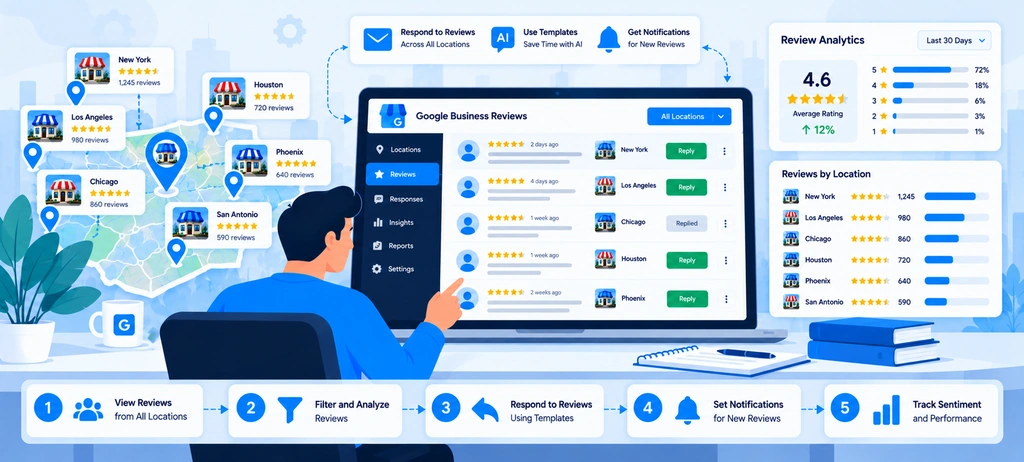
Customer reviews can reveal issues that a profile audit will not catch. Customers may praise a helpful employee, complain about long waiting times, question a price, or explain why they chose one branch over another. When a business operates across several locations, this feedback can help teams understand both customer satisfaction and differences in service quality.
The challenge is making sure reviews do not remain scattered across individual profiles, email notifications, and spreadsheets. A central marketing team may see the overall rating but miss a recurring complaint at one branch. Meanwhile, a local manager may resolve an issue without informing the wider team that the same problem is affecting other locations.
A structured Google review management process connects four activities: monitoring new feedback, responding to customers, identifying recurring issues, and reporting progress by location.
Wranker's GBP Reviews & Reputation Management feature supports this workflow through a review inbox, response queues, sentiment themes, task handoffs, and reputation reporting. This helps teams move beyond counting stars and organize the work needed to respond to feedback and improve the customer experience.
Monitor Reviews by Business Location
When a business has multiple branches, monitoring reviews only at the brand level can hide important differences. One location may receive frequent positive feedback, while another may have a growing number of unanswered complaints. Combining these reviews into a single average makes the problem harder to identify.
Start by organizing Google Business Profile reviews by location. Each review should remain connected to the correct branch so that the person responsible can understand the situation and take appropriate action.
For example, a restaurant group with 30 branches may receive several complaints about slow service in one city while other locations receive positive comments about their staff. The central team needs to identify whether the complaints are isolated incidents or a pattern that requires attention at the affected branches.
Create a location-level review monitoring process
A useful monitoring workflow should capture the following information:
| Review detail | Why the team needs it |
| Business location | Identifies the branch responsible for the customer experience |
| Review date | Helps prioritize recent feedback and track changes over time |
| Star rating | Provides a quick indication of the customer's overall assessment |
| Review text | Explains the customer's experience in their own words |
| Response status | Shows whether a reply is still needed |
| Assigned owner | Makes responsibility clear |
| Priority or escalation status | Helps identify complaints that need faster attention |
| Follow-up action | Records whether the issue requires investigation beyond a public reply |
The goal is not to collect as much review data as possible. It is to make sure that important feedback reaches the right person.
Set monitoring priorities based on risk
Not every review requires the same response time or level of investigation. A positive review that mentions a helpful employee may need a simple acknowledgment. A complaint involving a failed appointment, repeated billing confusion, or a safety concern may require a more urgent internal review.
A practical system can prioritize reviews using a combination of rating, complaint severity, response status, and the age of the review, as mentioned below:
- Urgent: Serious allegations, potential safety concerns, sensitive personal matters, or issues requiring immediate management attention.
- High priority: Negative reviews describing a specific service failure or a problem that may be recurring.
- Standard: General feedback, questions, and positive reviews that still deserve appropriate attention.
These categories are internal workflow rules, not Google's official review classifications. Businesses should define their own escalation criteria according to their industry and customer service obligations.
Wranker's GBP Reviews & Reputation Management feature provides a relevant workflow for filtering reviews, identifying unanswered or negative feedback, and routing items to the appropriate owner. Teams managing multiple clients or branches can use this approach to reduce the risk of important reviews being overlooked.
Create a Consistent but Personalized Response Process
Responding to reviews is not simply a task to complete at the end of the month. A thoughtful response shows customers that the business has read their feedback and is willing to address legitimate concerns.
For multi-location companies, the challenge is balancing consistency with personalization. Every branch should follow the same standards for professionalism and accuracy, but replies should not sound like identical messages copied onto every review.
Google recommends keeping responses professional, polite, relevant, and concise. It also notes that public replies represent the business and that reviewers may receive a notification when the business responds. See Google's guidance on managing customer reviews.
Establish response guidelines for every branch
Create a shared response policy that explains how to handle common review situations. This gives local managers clear guidance without forcing them to use the same wording every time.
| Review situation | Recommended response approach |
| Positive feedback | Thank the customer and acknowledge a specific detail when appropriate |
| Mixed feedback | Appreciate the positive point and address the concern without becoming defensive |
| Negative service experience | Acknowledge the concern, express appropriate regret, and explain the next step where possible |
| Pricing or billing complaint | Respond professionally and offer a suitable private channel to review the details |
| Unclear or incomplete review | Keep the reply polite and ask for relevant information through an appropriate channel |
| Potentially sensitive complaint | Escalate internally before responding if the situation requires careful handling |
Templates can help maintain tone and reduce drafting time. However, a template should be a starting point rather than a substitute for reading the review.
For example, if a customer says that a technician arrived late and nobody communicated the delay, a useful reply should acknowledge the communication problem. A generic response thanking the customer for their feedback would not address the main concern.
Use a clear approval and escalation process
Not every review should be handled by the same person. Routine positive feedback may be managed by a trained local employee, while complaints involving refunds, legal concerns, personal information, or serious allegations may require approval from a manager or another responsible team.
A simple workflow can be the following:
- Read the review: Understand what the customer actually reported.
- Check the facts: Ask the branch team to investigate where necessary.
- Draft the response: Use the approved brand tone while addressing the specific issue.
- Escalate if required: Route sensitive or complex cases to the appropriate decision-maker.
- Publish and record: Post the approved response and track any outstanding internal action.
Avoid sharing order details, appointment information, medical information, or other private customer data in public replies. Where more information is needed, invite the customer to contact the business through an appropriate private channel.
Wranker's GBP Reviews & Reputation Management feature supports response queues, draft and approval workflows, ownership, and escalation states. This is useful when several people manage customer feedback but need to follow one shared process.
Make sure that you do not use automated replies without appropriate review when a response requires factual investigation, judgment, or sensitive handling. Speed matters, but an inaccurate public reply can make a customer complaint worse.
Identify Recurring Customer Feedback and Service Issues
A single negative review may describe an isolated experience. Similar complaints appearing repeatedly across several reviews can point to a wider problem.
This is where customer review sentiment analysis becomes useful. Instead of reading reviews only to determine whether they are positive or negative, teams can organize the feedback into themes and investigate what customers are repeatedly mentioning.
Common themes include:
- Long waiting times or delays.
- Staff communication and customer service.
- Pricing, billing, or unexpected charges.
- Product availability or service quality.
- Appointment scheduling and follow-up.
- Cleanliness, facilities, or the condition of a location.
- Difficulty contacting the branch or receiving support.
These categories will vary by industry. A hotel may need to track room cleanliness and check-in delays, while a healthcare provider may focus on appointment availability and communication. The categories should reflect actual customer feedback rather than a fixed list applied without review.
Compare feedback across locations
Consider a business with 20 branches. During a monthly review, the central team notices that several branches have received complaints about delayed appointments.
Looking at each review separately may not reveal the wider pattern. Grouping the feedback by topic and location can show whether the problem is concentrated in one branch or appears across the network.
| Review theme | Location A | Location B | Location C | Possible follow-up |
| Waiting time | 8 mentions | 2 mentions | 1 mention | Review scheduling and queue management at Location A |
| Staff communication | 3 mentions | 6 mentions | 2 mentions | Check communication procedures at Location B |
| Pricing confusion | 1 mention | 2 mentions | 7 mentions | Review how pricing is explained at Location C |
Note: Illustrative example only. These numbers are not Wranker performance data or industry benchmarks.
This comparison does not prove that a branch is performing poorly or explain why customers are dissatisfied. It identifies where further investigation may be useful.
The local manager should review the original feedback, check relevant operational records, and determine whether an actual process change is needed. Sentiment labels should support human judgment, not replace it.
Turn recurring themes into assigned actions
Once a pattern has been identified, record what needs to happen next. Otherwise, the team may continue reporting the same complaint every month without addressing its cause.
For example:
- Repeated waiting-time complaints may require a review of appointment scheduling.
- Recurring billing questions may indicate that prices or service terms need clearer explanations.
- Frequent complaints about unanswered calls may require a review of branch contact procedures.
- Repeated comments about unavailable services may indicate that profile information or website content needs updating.
Assign each action to a responsible person, include the affected location, set a due date, and record the outcome. After the change has been implemented, continue monitoring feedback to see whether the same concern appears again.
Wranker's review management workflow connects sentiment themes and recurring feedback with task creation, recommendations, and reporting. This gives teams a practical way to move from review monitoring to service improvement rather than treating every complaint as a separate response-writing task.
For wider local SEO investigations, Wranker's Local SEO Insights & Recommendations feature can support the process of organizing findings, prioritizing actions, and tracking follow-up work.
Measure Review Volume, Ratings, and Response Coverage
A multi-location reputation report should explain more than the average star rating. It should show whether new reviews are coming in, how the rating is changing, how much feedback remains unanswered, and whether the team is completing its response work.
This makes Google review performance tracking useful for both local managers and central marketing teams. Branch managers can see which issues need attention, while leadership can compare locations and understand where additional support may be needed.
Track the metrics that explain reputation performance
| Metric | What it tells you | How to use it |
| Total review count | The number of reviews associated with a location | Compare review history and overall feedback volume |
| New reviews | How many reviews were received during a defined period | Monitor changes in customer feedback activity |
| Average rating | The average star rating shown for the location | Track rating movement alongside review volume |
| Unanswered reviews | Reviews that still need a response | Identify outstanding workload |
| Response coverage | The proportion of eligible reviews that received a response | Check whether the team is keeping up with replies |
| Response time | How long the team takes to respond | Find delays and assess whether service standards are being met |
| Recurring feedback themes | Topics that appear repeatedly in review text | Identify operational issues for investigation |
Define each metric consistently before comparing branches. For example, response coverage should use the same review period and eligibility rules across all locations. Otherwise, two branches may appear different simply because the reporting methods are inconsistent.
A basic response coverage calculation is:
Suppose a branch received 80 eligible reviews during the reporting period and replied to 68 of them. Its response coverage would be 85%.
That figure tells the team how much of its review workload has received a response. It does not measure the quality of those replies, whether the underlying customer issues were resolved, or whether the business earned more revenue.
Compare branches fairly
Review volume and ratings should be interpreted in context. A busy branch may naturally receive more reviews than a smaller location, while a newly opened branch may have limited historical data.
Use consistent reporting periods and compare locations with similar operating conditions where possible. Look at changes over time, not just a single month's results.
For example, if one location's rating declines while the number of complaints about service delays increases, investigate the operational issue rather than assuming that a response campaign alone will solve it.
Likewise, a higher review count does not automatically mean better customer satisfaction. More reviews may reflect higher transaction volume, a longer operating history, or a more established process for asking customers for feedback.
Request reviews without manipulating ratings
Businesses can encourage genuine customers to share honest feedback. Google allows businesses to request reviews through a review link or QR code, but it prohibits incentives in exchange for reviews and does not allow businesses to selectively solicit only positive feedback.
A consistent review request process should therefore:
- Be offered to eligible customers without pressuring them to leave a particular rating.
- Avoid discounts, gifts, or other benefits in exchange for a review.
- Avoid asking only customers who are likely to leave positive feedback.
- Never require customers to include specific words or mention particular employees.
- Follow the same fair process across participating branches.
Wranker's GBP Reviews & Reputation Management feature supports review-request workflows alongside review monitoring, response management, and reputation reporting. Teams can use these workflows to keep activity organized while ensuring that requests remain genuine and policy-compliant.
Connect reputation reporting with wider local SEO performance
Reviews are one part of local SEO, not a complete explanation of local search performance. A location can receive more reviews without seeing a corresponding ranking increase, and a ranking change may have several possible causes.
For a wider assessment, connect reputation reporting with other relevant signals:
- Use Wranker's Local SEO Dashboard to review reputation alongside other local SEO activities.
- Use Local SEO Rank Tracking to investigate local keyword and map visibility changes.
- Use the Website SEO Analyzer to investigate technical and on-page issues on relevant location landing pages when website performance may be part of the problem.
These tools answer different questions. Review reporting explains what customers are saying and how the team is responding. Rank tracking shows how local search visibility changes. A website analyzer helps investigate the quality of a landing page. None of these tools alone can establish that review activity caused a ranking change.
The most useful monthly report combines the numbers with the work completed:
- Which branches need attention?
- What customers are repeatedly reporting?
- What actions were assigned?
- Whether the identified issues have been addressed?
How to Measure Local SEO Performance for Multiple Locations
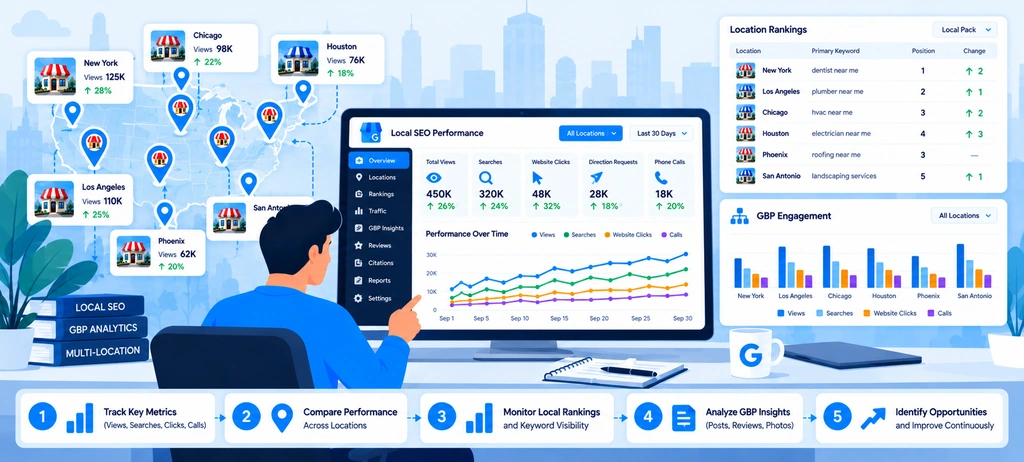
Local SEO reporting becomes more complicated as a business adds locations. A company may rank well in one city but struggle to appear in another. One branch may attract plenty of Google Business Profile views but generate few website visits, while another may receive fewer views but more calls and bookings.
Looking at the overall website traffic or average star rating will not explain these differences. Businesses need a way to evaluate local SEO performance by location, connect search visibility with customer actions, and identify where the next improvement should happen.
A useful measurement process combines local keyword rankings, Google Business Profile performance, website analytics, and location-level reporting. These data sources answer different questions, so they should be reviewed together rather than treated as interchangeable metrics.
Wranker's Local SEO Dashboard brings local visibility, profile health, listings, reviews, rank tracking, and reporting workflows into one workspace. Its Local SEO Rank Tracking feature helps teams review local keyword movement, Map Pack coverage, geographic ranking patterns, and competitor changes across locations.
The following process explains how to measure performance across branches, interpret the results, and turn reporting into practical SEO actions.
Track Local Keyword Rankings by Location
A keyword ranking does not tell the whole story when a business operates in several cities or neighborhoods. A plumbing company might appear prominently for a service search near one branch but have limited visibility in another service area. A single ranking report may miss this difference.
That is why local keyword rank tracking should account for both the search term and the location where the search is performed.
Build a keyword list for each location
Start with the searches that matter to the business, then organize them by branch, service, and geographic area.
For example, a dental group might track:
- Dentist near Downtown Austin
- Emergency dentist in North Austin
- Dental implants in Round Rock
- Family dentist near South Austin
These are illustrative examples, not recommended keywords for every dental practice. The actual list should reflect the services each branch provides, how customers search, and the areas the business genuinely serves.
Avoid tracking every possible combination of a service and a city. An oversized keyword list can produce a large report without helping the team make better decisions. Prioritize terms based on service relevance, customer intent, business value, and whether the location can realistically serve the searcher.
A practical tracking plan can include:
| Tracking field | Purpose |
| Location or branch | Identifies the business being measured |
| Target keyword | Defines the search being monitored |
| Service or category | Groups related search terms |
| Geographic target | Records the city, ZIP code, or local area being assessed |
| Search result type | Separates Map Pack visibility from organic website rankings |
| Current position or visibility | Establishes the baseline |
| Previous-period result | Shows movement over time |
| Follow-up action | Records what needs investigation |
This structure prevents teams from mixing rankings for different branches or assuming that a keyword performs equally well throughout a city.
Measure Map Pack visibility, not just one ranking
Local search results can change depending on where the search is performed. A business may appear in the local results near its premises but become less visible farther away.
For this reason, one manually checked ranking is not enough to assess a location's broader visibility. Track performance across a consistent set of geographic points or areas where that approach is supported.
Useful measures include:
- Map Pack coverage: How often the business appears within a defined set of local searches or tracked geographic points.
- Top-three coverage: The share of tracked points or queries where the business appears in the top three results, according to the tool's measurement method.
- Average tracked rank: A summary of ranking positions across the defined tracking set.
- Keyword movement: Whether a target term has improved, declined, or remained stable.
- Competitor movement: Whether competing businesses are gaining visibility in areas important to the location.
Keep the tracking setup consistent between reporting periods. Changing the keyword set, geographic grid, or measurement method can make comparisons misleading.
Wranker's Local SEO Rank Tracking supports Map Pack coverage, geographic grid rankings, local keyword movement, and competitor changes. Teams can use these signals to identify weak areas and prioritize locations for further investigation.
Turn ranking changes into an investigation
A ranking decline should trigger a review, not an automatic conclusion about the cause.
For example, if a branch loses visibility for three important service queries, check whether the decline affects one keyword, a wider group of searches, or a particular geographic area. Then review relevant factors, such as profile accuracy, competing businesses, local landing-page quality, and changes in the services offered.
If the issue appears to involve the website page, Wranker's Website SEO Analyzer can check a specific URL for metadata, headings, internal links, images, indexability signals, and structured data. It is a page-level diagnostic tool, not a local rank tracker or a guarantee that fixing an identified issue will improve rankings.
The important outcome is a clear next step: identify which location and search terms have changed, investigate the likely causes, and record the work needed.
Monitor Profile Interactions and Website Traffic
Rankings show whether a business is visible in search results, but they do not show the full customer journey. A profile may receive attention without generating many enquiries. Another location may attract fewer interactions but turn a larger share of interested customers into bookings.
To understand this difference, combine Google Business Profile performance data with website analytics and relevant business outcomes.
Review Google Business Profile performance
Google's Business Profile performance reporting provides metrics that can include profile views, searches, calls, website clicks, direction requests, and bookings, depending on the business and available features. The exact metrics shown can vary.
Review these measures separately for each location:
| Metric | What it helps you understand |
| Profile views | How often customers view the profile under Google's reporting definitions |
| Searches | Search terms associated with the profile's appearance |
| Website clicks | How often people click the profile's website link |
| Call clicks | How often people click the call button |
| Direction requests | How often people request directions |
| Bookings or other available actions | Relevant customer actions supported by the profile's reporting setup |
These numbers should not be interpreted as completed sales. A click on a phone button does not confirm that a call was answered, and a direct request does not prove that the customer visited the location.
Also check the reporting definitions and time periods before comparing results. Google may update how metrics are calculated, and not all metrics are available for every business.
Connect profile activity with website behavior
The next step is to understand what happens after a customer visits the website.
Use Google Analytics or another suitable analytics platform to assess traffic to each location page, the actions users take, and whether the page supports the business goal. Where possible, use consistent tracking parameters on links so traffic from campaigns and profile links can be analyzed more clearly.
For each branch, review:
- Organic search sessions to the location page.
- Visits from tracked business profile links, where attribution is available.
- Calls, appointment requests, bookings, or enquiry submissions recorded on the website.
- Engagement with key page elements, such as booking links or contact details.
- Errors or drop-offs in the customer journey.
Keep traffic sources separate. A visit from an organic website search is not the same as a click from a business profile, and a tracked click is not the same as a completed conversion.
For organic website performance, Google Search Console can show clicks, impressions, click-through rate (CTR), average position, and the queries associated with website pages. Its performance report can be filtered by page and other dimensions to help investigate search visibility.
Investigate gaps between visibility and customer actions
Combining profile and website data can reveal problems that one metric alone would miss.
Consider these examples:
- Many profile views but few website clicks: Check whether the profile provides enough useful information and whether the website link is relevant to the location.
- Website clicks but few enquiries: Review the landing page, contact options, booking process, and mobile usability.
- Call clicks without enough completed calls: Check call handling and, where appropriate, call tracking or operational records.
- Organic impressions but few clicks: Review the page's search intent match and search-result presentation before changing its content.
- Strong rankings but weak business results: Check whether the tracked keywords attract the right audience and whether the location can meet that audience's needs.
These are diagnostic starting points, not proof of a specific cause. The team should verify the relevant data before deciding what to change.
Wranker's Local SEO Dashboard connects profile signals with local landing-page clicks, organic traffic, query performance, and other local SEO workflows. This helps teams review visibility alongside website activity instead of relying on rankings alone.
Compare Performance Across Locations and Time Periods
A multi-location business needs to understand not only whether its local SEO performance is changing, but also where and why the change is happening.
Comparing branches can reveal differences in visibility, profile health, website activity, and unresolved SEO work. However, comparisons are useful only when the locations are assessed using consistent definitions and suitable reporting periods.
Compare locations using a consistent scorecard
Create a shared scorecard for all locations, with metrics that relate to the business's goals. A restaurant chain may prioritize direction requests and calls, while a professional services company may focus more on qualified enquiries and consultation bookings.
A common reporting structure could include:
| Performance area | Example measures | Decision it supports |
| Local visibility | Map Pack coverage, local keyword movement | Which locations need a ranking investigation? |
| Profile activity | Views, calls, website clicks, direction requests | Are customers interacting with the profiles? |
| Website performance | Location-page clicks, organic sessions, enquiries | Are visitors finding useful information and taking action? |
| Reputation | Review trends, average rating, response coverage | Are customer feedback and response workloads changing? |
| SEO health | Page-level issues, profile gaps, unresolved tasks | What needs to be fixed first? |
Use the same reporting period, metric definitions, and tracking setup for each branch. If one location is measured across a larger geographic area or with a different keyword set, make that difference clear in the report.
Compare current performance with a meaningful baseline
A single month's result can be affected by seasonality, promotions, opening hours, local events, or changes in customer demand. Compare results with an appropriate previous period and, where possible, the same period in the previous year.
For example, a landscaping business may naturally receive more enquiries during certain seasons. A month-over-month decline might not indicate an SEO problem if the same pattern occurs every year.
When evaluating performance, ask:
- Has the metric changed meaningfully from the baseline?
- Is the change limited to one location or visible across the network?
- Does the change affect all tracked keywords or only certain services and areas?
- Did any website, profile, operational, or campaign changes occur during the period?
- Is the change reflected in customer actions, or only in rankings?
This helps prevent teams from reacting to normal fluctuations or assigning a cause without sufficient evidence.
Find the locations that need attention first
The branch with the lowest ranking is not always the highest priority. A location may rank lower for a low-value query but perform well for the services that generate most of its business. Another location may have a smaller ranking decline but also have broken contact links or outdated business information.
Prioritize locations using a combination of business impact, issue severity, and the evidence available.
For instance, a branch with declining visibility for an important service and a broken booking page may need immediate attention. A branch with a small ranking fluctuation but healthy customer enquiries may require monitoring rather than urgent intervention.
Wranker's Local SEO Dashboard is designed to help teams compare locations through local health signals, visibility coverage, profile status, citation accuracy, review activity, and outstanding tasks. Its prioritization workflow can help teams identify locations with higher-impact issues and assign follow-up work.
Avoid ranking every branch against a single universal target. Differences in competition, location, services, and demand mean that a useful benchmark should account for each branch's actual business context.
Build Location-Level Reports for Stakeholders
A report should help someone decide what to do next. Simply exporting rankings, traffic graphs, and profile metrics may provide plenty of data, but it does not explain which locations need attention or what the team has done about the issues.
Effective local SEO reporting for multiple locations connects performance changes with explanations, priorities, and action owners.
Build the report around stakeholder questions
Different readers need different levels of detail. Senior management may want a concise summary of business outcomes and risks, while an SEO specialist may need keyword-level movement, affected URLs, and technical findings.
A practical location-level report can include:
1. Executive summary: Summarize the main improvements, declines, and unresolved risks. Keep the focus on what changed and why it matters to the business.
2. Location performance overview: Compare branches using the same metrics and reporting period. Highlight meaningful changes rather than listing every small fluctuation.
3. Search visibility: Show important keyword movement, map pack coverage, and the areas where visibility has improved or declined.
4. Profile and website activity: Report relevant profile interactions, location-page traffic, and tracked enquiries. Explain the source of each metric and avoid combining figures that measure different actions.
5. Issues and recommended actions: Identify the highest-priority problems, the affected locations, the person responsible, and the current status.
6. Progress since the previous report: Record completed fixes, work still in progress, and whether the expected result has been observed. Do not label a task as a ranking success simply because the implementation is complete.
Make every recommendation actionable
Avoid recommendations such as “improve local SEO” or “increase rankings.” These statements do not tell a team what needs to happen.
A useful report connects the evidence with a specific next step that are the following:
| Finding | Recommended action | How to check progress |
| A location loses visibility for important service terms | Review geographic rank data, profile accuracy, competitors, and the relevant landing page | Compare the same tracked queries and geographic points in the next reporting period |
| A branch receives website clicks but few enquiries | Test the contact form, mobile page experience, and call-to-action placement | Review form completions and other relevant conversion data |
| A location page has missing metadata or indexability signals | Inspect the URL and verify the relevant technical settings | Recheck the page and validate indexing through appropriate Google tools |
| Review response coverage falls below the internal target | Assign unanswered reviews and investigate workload or approval delays | Recalculate coverage for the same review period |
| Several branches have inconsistent listing details | Prioritize corrections and assign owners for affected locations | Verify the corrected information and update the task status |
These examples illustrate how to turn data into a work plan. The team should confirm each issue before implementing a change.
Use Wranker to connect analysis, tasks, and reporting
For teams managing many branches, reporting becomes more efficient when the same workspace supports monitoring, prioritization, task assignment, and stakeholder communication.
Wranker's Local SEO Dashboard supports location-level visibility reviews, task creation, issue prioritization, and client-ready or white-label reporting workflows. This helps agencies and in-house teams connect the metrics in their reports with the work required to address the findings.
For specific investigations, the Local SEO Rank Tracking feature helps teams review geographic ranking movement, while the Website SEO Analyzer can inspect an individual location page for on-page and technical signals. Use each tool for the question it is designed to answer rather than expecting one metric or report to explain every performance change.
A strong report ends with clear ownership: which location needs attention, what the team will investigate, who will do the work, and when the results will be reviewed. That turns local SEO reporting from a monthly summary into a practical management process.
How to Choose a Bulk Google Business Profile Management Tool like Wranker
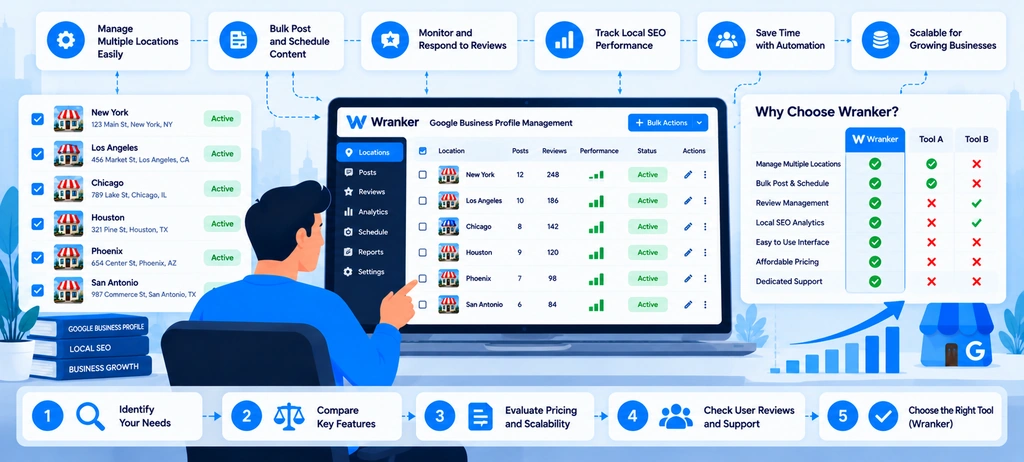
Choosing software for managing multiple Google Business Profiles is not just about finding a way to update several listings at once. The right platform should help a team understand which locations need attention, coordinate work across branches, monitor local visibility, and report what has changed.
A business managing five locations may be able to handle most profile checks manually. A franchise with 80 branches or an agency managing hundreds of client locations faces a different problem: keeping information accurate, assigning responsibility, following up on outstanding work, and identifying issues before they affect the customer experience.
That is where a bulk Google Business Profile management tool can help. The value comes from reducing repetitive work and making location-level information easier to act on not simply from having more features.
When evaluating a platform, look at four areas: profile management, local SEO monitoring, team workflows, and reporting. Wranker's GBP Management feature focuses on profile health, freshness, business details, services, posts, photos, Q&A, hours, tasks, and reporting. Its Local SEO Dashboard connects this work with listings and citations, reviews, local rank tracking, and location-level recommendations.
The following criteria can help businesses and agencies determine whether Wranker or another multi-location GBP management platform fits their operational needs.
Essential Capabilities for Multi-Location Teams
A useful platform should help teams answer three questions without checking every location separately:
- Which profiles need attention?
- What work needs to be completed, and who owns it?
- How can we tell whether the work has been completed and what changed afterward?
These questions are more useful than comparing software based only on the number of features it advertises.
1. Location-level profile monitoring
Start by checking whether the platform provides a clear view of profile health across locations. It should help teams identify incomplete information, stale profile content, outdated hours, missing photos, unanswered questions, and other items that need review.
Without a shared view, teams may rely on spreadsheets and manual checks to remember which profiles need updates. This becomes harder to maintain as branches and client accounts increase.
Wranker's GBP Management tool organizes profile completeness, freshness, categories, services, hours, posts, photos, and Q&A into a location-level workflow. Teams can use this information to identify gaps and prioritize profile maintenance.
Before choosing any platform, confirm which profile fields it actually monitors, how frequently its data is refreshed, and whether it can distinguish a confirmed issue from a recommendation that still needs manual verification.
2. Support for different location groups
Not every location should be managed in exactly the same way. A franchise network may have different regional teams, while an agency may manage several businesses with separate reporting requirements.
Look for a platform that lets your team organize work around the way the business operates. Useful criteria include:
- Grouping locations by brand, region, branch, or client.
- Identifying the person responsible for each location.
- Reviewing individual profiles without losing the portfolio-wide view.
- Filtering outstanding issues by location or status.
- Comparing profile health across branches.
For example, a retail company could organize locations by region and assign regional managers to review branch-specific information. The central marketing team could retain oversight of profile quality and recurring issues.
Wranker's Local SEO Dashboard is designed for agencies, in-house teams, and local marketers managing one or many locations. Its portfolio view connects location health with profile management, listings, reviews, rank tracking, and tasks.
3. Local SEO insights beyond profile fields
A profile management platform is more useful when teams can investigate issues beyond the profile itself.
For example, a branch may have complete business information but weak visibility for important local search terms. Another may have strong rankings but inconsistent business information across external directories.
These problems require different responses. The first may need a ranking or landing-page investigation; the second may need a listings and citations review.
Look for capabilities that help connect profile health with:
- Local keyword and Map Pack tracking.
- Business information consistency across directories.
- Customer reviews and response status.
- Location-specific website pages.
- Recommendations and follow-up tasks.
Wranker brings these workstreams together through its local SEO dashboard, with dedicated features for Local SEO Rank Tracking and Listings & Citations Management.
The advantage is a more connected investigation process. Teams can examine different local SEO signals before deciding what to fix instead of assuming every visibility issue originates in the Google Business Profile.
Bulk Editing, Audit, Review, and Reporting Requirements
The phrase bulk management can mean different things depending on the platform. One tool may let users organize profile audits across many locations, while another may support direct changes to specific profile fields. A third may focus on reviews, reporting, or local rank tracking.
Before purchasing a tool, separate the capabilities you need into clear categories.
Audit and bulk review capabilities
A multi-location audit should make it easier to identify which profiles have incomplete fields, outdated information, or unresolved issues.
Check whether the platform can:
- Review several locations through one workflow.
- Identify profile health and freshness issues.
- Filter findings by location, severity, or status.
- Record the evidence behind an issue.
- Assign corrective work and track its status.
- Export findings for internal or client reporting.
Wranker's GBP Management feature is built around profile audits, location-level health, freshness signals, and task-based follow-up. This is useful when the primary problem is knowing what needs attention across a group of profiles.
Verify exactly what bulk editing means
Do not assume that a platform can automatically change every Google Business Profile field simply because it advertises bulk management.
Before committing, ask the provider which actions are supported directly, which require a separate Google workflow, and which only generate recommendations or tasks.
| Capability | What to verify before choosing |
| Profile auditing | Can it review multiple locations and identify missing or stale information? |
| Direct bulk editing | Which specific fields can be changed in one operation? |
| Individual profile updates | Can users review and manage exceptions at branch level? |
| Posts and photos | Does it support planning, publishing, monitoring, or only task coordination? |
| Review management | Can it monitor reviews, organize replies, and track response status? |
| Error handling | Does it show failed actions, pending approvals, or items requiring manual work? |
| Change verification | Can users confirm the final state after a change? |
| Data export | Can findings and progress be shared with stakeholders? |
Google provides its own tools and documented workflows for managing profiles, including eligible bulk verification and spreadsheet-based processes. Those capabilities have specific requirements and should not be confused with third-party platform functionality. Review the current Google Business Profile Help documentation when confirming the supported process for a particular task.
For Wranker, the current feature page describes a workflow for auditing profile health, monitoring freshness, managing profile-related work, and organizing tasks and reports. Confirm the exact direct-editing and publishing capabilities required by your team before treating the platform as a replacement for Google's own profile controls.
Review and reputation management
If customer feedback is an important part of your local SEO work, review management should be evaluated separately from profile editing.
Useful capabilities may include a shared review inbox, filters for unanswered reviews, response workflows, sentiment themes, escalation, and location-level reputation reports.
Wranker's GBP Reviews & Reputation Management feature connects review monitoring with response queues, sentiment themes, task handoffs, and reputation reporting.
This matters for teams that need to coordinate responses across locations and identify repeated complaints. It also helps keep review work separate from unrelated profile maintenance tasks.
Reporting that shows actions and outcomes
A useful report should explain more than how many profiles were checked. It should identify the issues found, work completed, remaining tasks, and relevant changes in local SEO performance.
Look for reports that can show:
- Profile health and freshness over time.
- Outstanding issues by location.
- Listing accuracy and unresolved citation problems.
- Review response status and reputation trends.
- Local ranking movement.
- Assigned tasks and completion status.
Wranker's Local SEO Dashboard connects location health, local visibility, open tasks, and reporting workflows. This helps teams prepare a more complete account of local SEO work without manually stitching together every report.
Keep the distinction between completed work and business outcomes clear. Fixing an outdated field is an operational result; improved visibility or more enquiries are separate outcomes that need to be measured.
Access Controls, Integrations, and Workflow Fit
A platform can have useful features and still be difficult to adopt if it does not match the way the organization works. For multi-location businesses, the buying decision should also consider access, accountability, data handling, and the time required to maintain the workflow.
Match access to team responsibilities
The central marketing team, branch managers, agency staff, and clients may not need the same permissions.
Before selecting a platform, establish who needs to view data, edit information, approve changes, respond to reviews, and manage reporting. Then confirm how the software supports those responsibilities.
Ask vendors about:
- Role-based access and permission levels.
- Location or client separation.
- Approval workflows for sensitive changes.
- Activity history and accountability.
- Secure account connection and access revocation.
- Processes for removing former employees or agency users.
These are evaluation requirements, not assumptions about every tool's capabilities. Verify them in a product demonstration and the vendor's documentation.
Google Business Profile itself has owner and manager roles, and businesses should assign the appropriate access instead of sharing account passwords. Review Google's guidance on managing business profile owners and managers.
Check integrations and data compatibility
Integrations can reduce duplicate work, but the exact data connections matter more than the number of logos shown on a vendor's website.
For example, an SEO team may need to connect local search performance with Google Search Console data, website analytics, review reporting, or its project management process.
Before choosing a platform, ask:
- Which data sources are supported natively?
- Does the integration require an additional setup or subscription?
- How often is data refreshed?
- Are all locations supported in the same way?
- Can the data be exported if the business changes tools?
- What happens when a connection fails or permissions expire?
For website-level investigation, Wranker's SEO Tools directory provides access to tools for tasks such as website analysis, indexing checks, and other SEO diagnostics. These can complement a local SEO workflow, but they should not be treated as proof that a GBP management platform has a native integration with every tool.
Wranker's Local SEO Dashboard is the most relevant starting point for evaluating its connected local SEO workflow, including profile management, listings and citations, reviews, rank tracking, and reporting.
Evaluate how the tool fits daily work
A platform should reduce the effort required to manage local SEO, not create another place that the team must update manually.
Run a small pilot using a representative group of locations. Include branches with different needs: one with complete profile information, one with outdated details, and one with review or ranking issues.
During the pilot, measure:
- How long it takes to identify issues.
- Whether findings can be assigned to the right people.
- How easy it is to confirm completed work.
- Whether reporting requires manual exports and reconciliation.
- Which steps still need to be completed outside the platform.
- Whether staff can understand the workflow without extensive training.
This pilot helps expose operational gaps before the platform is rolled out across the entire business
When a Dedicated GBP Management Platform Makes Sense
Not every business needs a dedicated tool for managing Google Business Profiles. The right choice depends on the number of locations, the frequency of updates, the complexity of the workflow, and the cost of managing the process manually.
A small business with one or two locations and infrequent changes may be able to use Google's native tools and a simple checklist. A company managing many branches, several brands, or multiple client accounts may benefit more from a dedicated local SEO workflow.
Signs that manual management is becoming difficult
A dedicated platform becomes worth evaluating when the team regularly encounters problems such as:
- Staff checking profiles individually without a shared view of outstanding work.
- Unclear ownership of updates, reviews, and profile maintenance.
- Repeated manual exports for client or management reports.
- Difficulty identifying which branches need immediate attention.
- Local ranking data, review feedback, and profile issues stored in separate places.
- Inconsistent processes across regions or clients.
These issues do not automatically mean the business needs more software. First, identify where the time is being spent and which tasks create the most risk. Then assess whether a platform can reduce that workload.
Match the solution to the size of the operation
| Business situation | Practical approach |
| One or two locations with occasional changes | Start with Google's native tools and a basic maintenance checklist |
| Several branches with recurring profile issues | Evaluate a shared audit and task workflow |
| Multiple branches with reviews, citations, and rank tracking needs | Consider a broader local SEO management platform |
| An agency managing multiple clients and location groups | Prioritize location separation, repeatable processes, ownership, and client-ready reporting |
| A large network requiring extensive direct bulk editing | Verify supported field-level editing, approval controls, error handling, and Google workflow compatibility before purchasing |
The goal is not to buy the platform with the largest feature list. It is to choose one that solves the most expensive or recurring problems in the existing process.
Where Wranker fits
Wranker is most relevant when the challenge extends beyond editing profile fields and includes profile audits, local SEO monitoring, review management, citations, task coordination, and reporting across locations.
Its GBP Management feature focuses on profile health, freshness, business details, categories, services, hours, posts, photos, Q&A, and assigned work. The Local SEO Dashboard connects that workflow with local rankings, listings and citations, reviews, and broader location-level reporting.
For teams that need to investigate website issues as part of local SEO work, the Website SEO Analyzer and the wider SEO Tools directory provide additional diagnostic resources. These tools complement profile management rather than replacing it.
Before choosing Wranker, or any alternative, confirm the exact features your team needs, including direct bulk-editing support, account permissions, integrations, reporting requirements, and any limits on supported locations.
A good platform should help the team answer three questions at any time:
- What needs attention?
- Who is responsible?
- What changed after the work was completed?
If it makes those answers easier to find and act on, it can be a useful part of a scalable local SEO process.
Conclusion
Managing multiple Google Business Profiles effectively requires more than bulk updates, it demands accurate location data, consistent review management, and regular performance tracking. A structured workflow helps teams identify issues, prioritize fixes, and measure local SEO progress across every branch. Wranker’s GBP Management and Local SEO Dashboard help organize these activities, making multi-location SEO easier to monitor and manage as the business grows.
Frequently Asked Questions
What is bulk Google Business Profile management?
How can I update multiple Google Business Profiles at once?
How do I avoid duplicate Google Business Profiles for different locations?
Can I publish Google Business Profile posts across multiple locations?
How can I measure local SEO performance across multiple Google Business Profiles?
Does bulk Google Business Profile management improve local rankings?
How many locations do you need to manage Google Business Profiles in bulk?
What information should be standardized across multiple business locations?
How should businesses manage Google reviews across multiple locations?
What should I look for in a bulk Google Business Profile management tool?
More Related Blogs: