Complete On-Page SEO Checklist: 15 Essential Checks Before You Publish Any Web Page

Publishing a web page without reviewing its SEO elements is one of the most common reasons content struggles to rank, even when it's well written. A strong on-page SEO checklist helps you catch issues before they affect your rankings, user experience, and organic traffic.
Search engines evaluate much more than just keywords. They look at your page title, headings, content quality, internal links, images, page speed, structured data, and how well your content matches search intent. Missing even one of these elements can reduce your chances of appearing in Google's search results.
The importance of getting on-page SEO right is backed by industry research. According to Google's Search Quality Evaluator Guidelines, content that demonstrates experience, expertise, authoritativeness, and trust (EEAT) is more likely to satisfy users. Google's Helpful Content guidance also emphasizes creating people-first content that provides genuine value instead of content written only to rank.
Whether you're publishing a blog post, service page, landing page, or product page, following a structured SEO on-page checklist helps ensure nothing important is overlooked. In this guide, you'll learn 15 essential on-page SEO checks to complete before publishing any web page, along with practical tips and tools to help you optimize faster and improve your chances of ranking.
Key Takeaways
- Learn how to publish SEO-friendly pages using a proven workflow that helps improve rankings, user experience, and organic visibility.
- Understand which on-page SEO factors have the greatest impact on search performance and how to optimize them correctly.
- Discover practical techniques to avoid common optimization mistakes that can prevent even high-quality content from ranking.
- See how to combine content optimization, technical SEO, and page experience into one complete pre-publishing process.
- Build a repeatable SEO workflow that helps you create, review, and publish web pages with greater confidence and consistency.
What Is an On-Page SEO Checklist?
An on-page SEO checklist is a list of SEO tasks you complete before publishing a web page to make sure it is ready to rank in search engines. It helps you verify that every important element—such as your title tag, meta description, headings, URL, internal links, images, and content—is properly optimized.
Without a checklist, it's easy to miss small SEO issues that can reduce your page's visibility. For example, you might forget to add internal links, write a weak meta description, publish duplicate headings, or leave images without alt text. Individually, these issues seem minor, but together they can affect how search engines understand and rank your page.
A complete SEO on-page checklist also includes checking search intent, page speed, mobile usability, schema markup, and crawlability. These factors help search engines evaluate your content while improving the overall experience for visitors.
Whether you're publishing content for a business website, a new website, or multiple client projects, following an on-page SEO optimization checklist ensures every page meets the same SEO standards before it goes live. Instead of fixing problems after publishing, you prevent them from happening in the first place.
Before publishing, many SEO professionals also run an on-page SEO checker or perform a web page SEO analysis to identify missing optimization opportunities. A good on-page SEO checker tool can quickly detect issues that are difficult to spot during a manual review.
Why Following an On-Page SEO Checklist Improves Rankings
Ranking well in Google isn't about optimizing one SEO element—it's about getting dozens of small details right before a page is published. An on-page SEO checklist helps you verify that every important ranking signal has been reviewed, reducing the chances of publishing pages with avoidable SEO issues.
One of the biggest advantages of following a structured SEO on-page checklist is consistency. Every page is optimized using the same process, whether you're publishing a blog post, service page, product page, or landing page. This prevents common publishing mistakes that often go unnoticed until rankings or traffic start to decline.
A checklist also improves efficiency. Instead of revisiting published pages to fix missing metadata, broken internal links, or indexing issues, you identify and resolve them before search engines crawl your content. This saves time for businesses, agencies, and SEO teams while creating a smoother publishing workflow.
Search engines also reward pages that provide a better overall user experience. When your content is easy to understand, loads quickly, follows a logical structure, and fully answers the user's query, it becomes easier for search engines to evaluate its quality. That's why many SEO professionals complete a web page SEO analysis or use an on-page SEO checker before publishing to catch issues that manual reviews often miss.
Most importantly, an on-page SEO optimization checklist creates a repeatable SEO process. Instead of relying on memory or experience alone, every page follows the same quality standards. Over time, this leads to stronger topical authority, better crawlability, improved user engagement, and more consistent organic rankings.
Rankings improve when every page is published with fewer SEO errors, stronger content quality, and a better user experience. A well-defined on-page SEO audit checklist helps you achieve that consistently, regardless of the size of your website.
Top 15 Best On-Page SEO Checklist Before Publishing
Before publishing any web page, make sure every critical SEO element is in place. This on-page SEO checklist covers the 15 essential checks that help improve crawlability, user experience, and search visibility. Whether you're optimizing a blog, landing page, or business website, following this SEO on-page checklist will help you publish pages that are better prepared to rank and perform consistently in search results.
1. Verify Your Primary Keyword Placement

Before optimizing any page, confirm that you've selected one primary keyword that accurately reflects the topic and matches what your audience is searching for. Trying to optimize a single page for multiple primary keywords often confuses search engines and weakens the page's overall relevance.
Your primary keyword should align with the page's purpose and search intent. For example, if you're writing a guide about improving page optimization, targeting "on-page SEO checklist" is far more effective than trying to rank for unrelated SEO terms on the same page. Once the primary keyword is defined, support it with closely related phrases that naturally expand the topic instead of repeating the same keyword throughout the content.
Before publishing, verify that your chosen keyword is realistic to target. Consider its search intent, competition, search volume, and how well it fits your existing content strategy. This also helps prevent keyword cannibalization, where multiple pages compete for the same search query and reduce each other's ranking potential.
A good practice is to validate your target keyword before you start optimizing the page. WRanker's Keyword Research Tool helps you discover relevant keyword opportunities, while the Keyword Difficulty Checker allows you to evaluate competition and choose terms your website has a realistic chance of ranking for. Once your keyword strategy is finalized, you can move on to optimizing the rest of the page with confidence.
Every page should target one clear primary keyword, supported by semantically related keywords that match the same search intent. This creates stronger topical relevance and makes it easier for search engines to understand exactly what your page should rank for.
2. Write an SEO-Friendly Title Tag That Earns Clicks

Your title tag is the first impression users get of your page in search results. Even if your page ranks well, a weak or unclear title can reduce click-through rates (CTR) and send potential visitors to competing pages.
A strong title tag should clearly describe the page while giving users a reason to click. Instead of writing titles only to include keywords, focus on matching the search intent and highlighting the value your content provides.
For example:
Wrong Meta Title: SEO Tips for Websites
Write Meta Title: 15 On-Page SEO Mistakes That Hurt Rankings (And How to Fix Them)
The second title is more specific, creates curiosity, and clearly communicates what the reader will learn.
When writing your title tag:
- Keep it between 50–60 characters for optimal readability.
- Aim for 580–600 pixels to reduce the chance of truncation in Google Search.
- Place your primary keyword naturally near the beginning.
- Include a benefit, number, or actionable outcome where it improves clarity.
- Write a unique title for every page to avoid duplicate title tags across your website.
Before publishing, review your title with WRanker's Meta Tag Analyzer to check its character length, pixel width, keyword placement, and SERP appearance. A small improvement to your title can significantly increase your organic CTR without changing your rankings.
Don't write your title to impress search engines; write it to convince users to click. The best-performing title tags balance relevance, clarity, and user intent while staying within Google's recommended display limits.
3. Optimize Your Meta Description
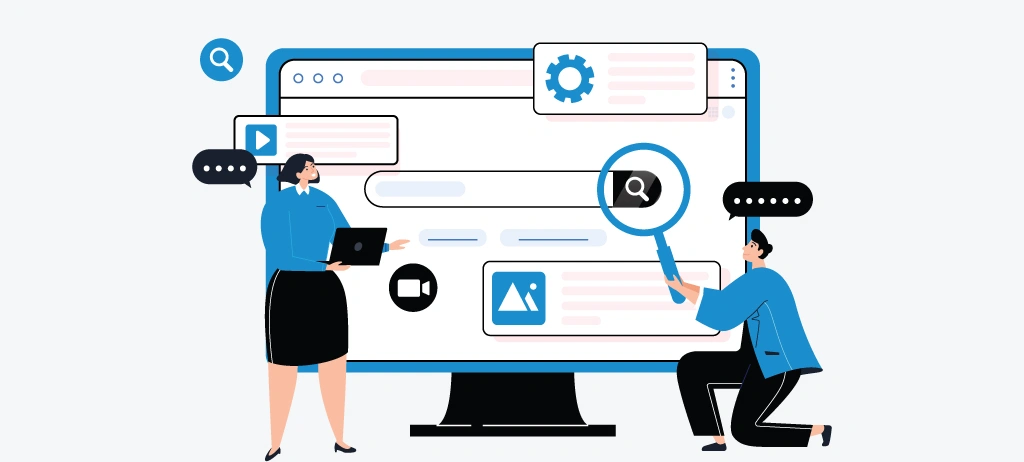
Your meta description is the short summary displayed below your page title in search results. While it isn't a direct ranking factor, it plays an important role in improving your click-through rate (CTR) by helping users decide whether your page is worth visiting.
A good meta description should explain what the page is about and what the reader will gain after clicking. Instead of simply repeating your title, use it to answer the user's search intent in a concise and compelling way.
For example:
Wrong Description: This article explains on-page SEO and how to optimize your website.
Right Description: Learn the 15 essential on-page SEO checks to optimize every web page before publishing and improve rankings, user experience, and organic traffic.
The second example immediately communicates the value of the page and gives users a clear reason to click.
When writing your meta description:
- Keep it between 150–160 characters for better readability.
- Aim for approximately 920–980 pixels to reduce the chance of truncation in Google Search.
- Include your primary keyword naturally if it fits the sentence.
- Focus on the user's benefit instead of listing keywords.
- Write a unique meta description for every page to avoid duplication in search results.
Before publishing, preview how your title and meta description appear together in search results. A description that is clear, relevant, and aligned with the page content is more likely to earn clicks than one written only for search engines.
Think of your meta description as your page's sales pitch. In just one or two sentences, explain why your content is the best answer to the user's search query.
4. Create One Clear H1 and Logical Heading Structure
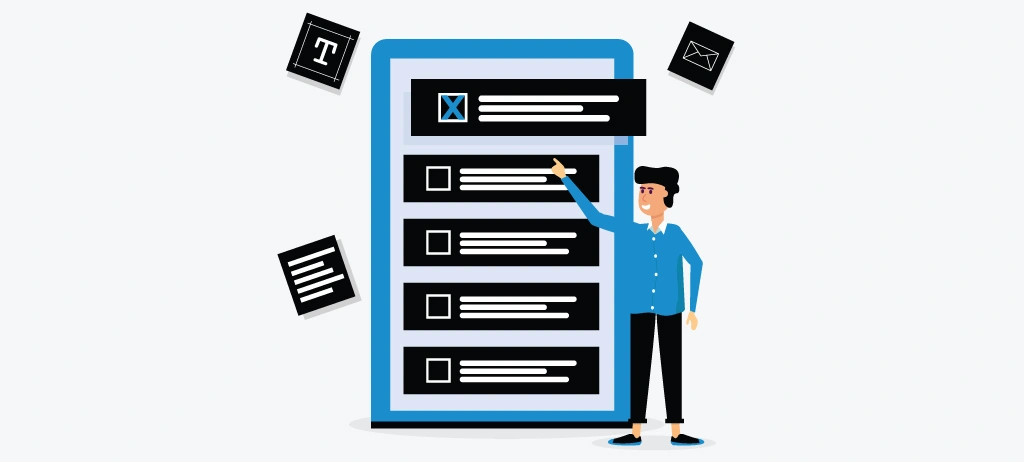
Your headings help both readers and search engines understand how your content is organized. A clear heading structure makes your page easier to scan, improves readability, and helps search engines identify the relationship between different sections of your content.
Every page should contain one unique H1 that clearly describes the main topic. Using multiple H1 tags or missing an H1 altogether can create confusion about the page's primary focus. The H1 should introduce the topic, while H2 headings divide the page into major sections, and H3 headings break those sections into smaller, easy-to-follow topics.
For example, if your page is about an on-page SEO checklist, the structure could look like this:
- H1: Complete On-Page SEO Checklist Before You Publish Any Web Page
- H2: Write an SEO-Friendly Title Tag That Earns Clicks
- H3: Keep Your Title Within Google's Display Limit
This hierarchy creates a logical flow that helps readers find information quickly instead of scrolling through large blocks of text.
When reviewing your page, check for common heading issues such as the following:
- More than one H1 tag
- Missing heading levels (for example, jumping from H2 to H4)
- Generic headings that don't explain the section
- Headings used only for styling instead of content structure
Before publishing, it's good practice to review your heading hierarchy with a Heading Checker or perform a Website SEO Analysis to ensure your page follows a clean, consistent structure. Fixing heading issues early makes your content easier to navigate and improves the overall quality of your page.
Write headings that answer the next question your reader is likely to ask. When each heading clearly introduces the content below it, users stay engaged longer, and search engines can better understand your page structure.
5. Publish Helpful Content That Matches Search Intent

Even the best-optimized page won't perform well if it doesn't answer the user's question. Before publishing, ask yourself one simple question:
Does this page completely solve the problem someone searched for?
Every search query has an intent behind it. Some users want to learn something, others want to compare solutions, and some are ready to make a decision. Your content should match that intent from the first paragraph to the final call-to-action. If users have to search again because they didn't find the answer on your page, search engines may see your content as less helpful.
For example, someone searching for "on-page SEO checklist" expects a practical checklist they can follow, not a long explanation of what SEO is. Instead of filling the page with definitions, focus on actionable advice, real examples, and clear steps readers can apply immediately.
Helpful content also answers the questions users haven't asked yet. Include practical tips, common mistakes, examples, and solutions that make the page genuinely useful. This improves user engagement and increases the chances of your content being featured in AI-powered search experiences and featured snippets.
Before publishing, review your content to ensure it is:
- Written for people first, not search engines.
- Complete enough to answer the search query.
- Easy to read with clear sections and examples.
- Updated with accurate and trustworthy information.
- Focused on solving one primary topic instead of covering unrelated subjects.
If you're unsure whether your content fully satisfies search intent, running a Website SEO Analysis or reviewing your content with an AI Content Optimizer can help identify missing topics, readability issues, and opportunities to improve topical coverage before publishing.
Don't ask, "Did I include my keyword enough?" Ask, "If I searched this topic myself, would this page answer every important question?" That's the type of content both users and search engines value.
6. Improve Content Readability and User Experience
Great content is only valuable if people can read and understand it quickly. If visitors struggle to scan your page, they'll often leave before finding the information they need. That's why improving readability is just as important as optimizing for search engines.
Start by writing short paragraphs that focus on one idea at a time. Long walls of text make content difficult to follow, especially on mobile devices. Instead, use descriptive subheadings, bullet points, numbered steps, and comparison tables wherever they make information easier to understand.
For example, compare these two approaches:
Difficult to Read:
On-page SEO includes many different optimization techniques that should be implemented before publishing because they improve rankings, user experience, indexing, crawlability, and many other important SEO factors.
Easy to Read:
Before publishing, review these SEO elements:
- Title tag
- Meta description
- Heading structure
- Internal links
- Images
- Page speed
The second example is easier to scan, making it more useful for readers who want quick answers.
Readability also means using simple language. Explain technical concepts in plain English, avoid unnecessary jargon, and remove sentences that don't add value. Every paragraph should help readers complete a task, understand a concept, or make a better SEO decision.
Finally, review the page from the reader's perspective before publishing. A Website SEO Analyzer can help identify content issues such as missing headings, thin sections, or structural improvements that affect both usability and SEO, while a Content Editormakes it easier to refine formatting and readability during the writing process.
If readers can scan your page in a few seconds and immediately find the answer they're looking for, you've created content that's optimized for both users and search engines.
7. Optimize Images Before Publishing
Well-written content explains your message, but the right images help readers understand it faster. Screenshots, comparison tables, diagrams, and illustrations can make complex topics easier to follow while keeping visitors engaged throughout the page.
Before publishing, review every image to ensure it supports the surrounding content. Images should add context, not simply fill empty space. If an image doesn't explain a concept, demonstrate a process, or improve the user's understanding, it's worth asking whether it needs to be included.
Once you've chosen the right visuals, optimize them for both users and search engines. Give every image a descriptive file name and write meaningful alt text that explains what the image shows rather than stuffing keywords. For example:
Wrong Alt Text: SEO checklist, SEO guide, best SEO
Right Alt Text: Illustration showing the key steps of an on-page SEO checklist before publishing a web page.
Large image files can also affect page performance, especially for mobile users. Compress images before uploading and use modern formats such as WebP wherever possible to reduce file size without sacrificing visual quality. This helps pages load faster while improving the overall browsing experience.
Finally, review your page to make sure every image is optimized. Checking image attributes, page weight, and missing alt text before publishing helps avoid common SEO issues that are often overlooked. AnImage Alt Text Checker can quickly identify missing image descriptions, while a Page Size Checker helps you spot pages where large images may be affecting performance.
Every image should answer one question: Does this help the reader understand the content better? If the answer is no, replace it with a more useful visual or remove it altogether.
8. Build Strong Internal Links

A complete on-page SEO checklist isn't just about optimizing the page you're publishing—it's also about how that page connects to the rest of your website. Strong internal links help search engines discover your content, understand topical relationships, and guide users toward the next relevant resource.
Before publishing a page, review where it naturally fits within your website. If you're writing about on-page SEO, look for opportunities to connect it with related content such as technical SEO, keyword research, SEO audits, or content optimization. These contextual links improve navigation while strengthening your site's topical authority.
The words you use for the link matter too. Instead of generic anchor text like "click here" or "read more," use descriptive phrases that tell readers what they'll find on the next page. For example, linking the phrase website SEO analysis to a detailed guide is more useful than using a vague call-to-action.
Internal links should also work both ways. Before publishing new content, add links from relevant existing pages whenever appropriate. This helps search engines discover the new page faster and prevents valuable content from becoming isolated or difficult to find.
If your website contains hundreds of pages, manually checking internal links becomes difficult. Reviewing your site's internal linking structure with an Internal Link Analyzer can help identify orphan pages, weakly connected content, and opportunities to strengthen your site's architecture. A broader Website SEO Analysis can also highlight broken internal links and structural issues that may affect crawling and user experience.
Every page in your SEO on-page checklist should connect users to the next logical resource. If an internal link doesn't add value or help readers continue their journey, it probably doesn't need to be there.
9. Add Relevant External References

A high-quality on-page SEO checklist isn't only about optimizing your own website; it also means supporting your content with trustworthy sources where appropriate. Linking to authoritative websites helps readers verify important information and demonstrates that your content is based on credible, up-to-date resources.
However, external links should always have a purpose. Only reference websites that genuinely add value to the topic you're discussing. For example, if you're explaining Google's ranking systems or SEO best practices, linking to official documentation from Google Search Central provides readers with a reliable source rather than relying on assumptions or outdated advice.
External references also improve the overall user experience. Instead of making unsupported claims, you allow readers to explore the original source if they want more detailed information. This builds trust and aligns with Google's EEAT (Experience, Expertise, Authoritativeness, and Trustworthiness) principles.
When adding external links:
- Link only to reputable and relevant websites.
- Make sure the linked resource supports the point you're making.
- Avoid linking to low-quality, outdated, or unrelated pages.
- Review external links regularly to ensure they remain active and accurate.
For example, if you're recommending readers improve page experience, referencing Google's official guidance on Core Web Vitals adds credibility to your advice. Likewise, citing recognized industry research or statistics strengthens your content and makes it more useful for readers.
While reviewing your page before publishing, it's also worth checking that every external link is working correctly and points to the intended destination. A Website SEO Analyzer can help identify broken external links or other technical issues that may affect the overall quality of your page.
Every external link should answer one question: Does this help the reader better understand or verify the information on this page? If the answer is no, the link probably isn't necessary.
10. Optimize Your URL Structure

Your page URL helps both users and search engines understand what the page is about before they even open it. A clean, descriptive URL improves readability, makes links easier to share, and provides another signal about your page's topic.
Keep your URL short, meaningful, and focused on the page's primary topic. Remove unnecessary words, numbers, dates, or random parameters that don't add value. A simple URL is easier to remember, easier to crawl, and more likely to be understood by users.
For example:
Wrong URL: Structure: https://example.com/blog/post?id=1258&page=seo-checklist-2025-final
Right URL Structure: https://example.com/blog/on-page-seo-checklist
The second URL clearly explains what the page is about while remaining clean and user-friendly.
When optimizing your URL:
- Include your primary keyword naturally.
- Use lowercase letters for consistency.
- Separate words with hyphens (-) instead of underscores.
- Remove unnecessary stop words where they don't affect readability.
- Keep the URL stable after publishing to avoid unnecessary redirects and broken links.
If you need to change an existing URL, always implement a 301 redirect from the old version to the new one. This helps preserve SEO value and ensures users don't encounter broken pages when accessing older links.
Before publishing, review your page structure as part of your overall website SEO analysis. A clean URL hierarchy makes it easier for search engines to crawl your website and helps users understand where the page fits within your site's structure.
If someone can understand your page topic just by reading the URL, you've created an SEO-friendly structure that's useful for both users and search engines.
11. Check Schema Markup Before Publishing

Schema markup helps search engines understand your content beyond the visible text on the page. While it doesn't directly improve rankings, properly implemented structured data can make your pages eligible for rich results, such as FAQs, breadcrumbs, reviews, and other enhanced search features that improve visibility in Google.
Before publishing, confirm that your page uses the right schema type for its purpose. For example, a blog article should use Article Schema, a frequently asked questions section should use FAQ Schema, and a product page should implement Product Schema. Choosing the correct structured data gives search engines clearer context about your content.
It's equally important to validate your schema before the page goes live. Missing properties, incorrect values, or invalid markup can prevent rich results from appearing, even if the schema has been added. A quick validation ensures your structured data follows Google's recommendations and works as intended.
For example, if your page includes an FAQ section, make sure every question and answer is properly marked up instead of adding generic schema that doesn't match the page content. Structured data should always reflect the visible information users can see—not hidden or misleading content.
As part of your publishing workflow, review your structured data using a schema generator tool or Website On Page SEO checker to identify missing or invalid markup before indexing. Catching these issues early improves your chances of qualifying for enhanced search results and prevents technical errors after publication.
Only add schema that accurately represents your page. Well-implemented structured data improves search visibility, while incorrect or misleading markup can prevent your page from receiving rich result enhancements.
12. Optimize Page Speed and Core Web Vitals
Your page may have excellent content and perfect on-page optimization, but if it loads slowly or feels unresponsive, visitors are unlikely to stay. A complete on-page SEO optimization checklist should always include a final performance review before publishing because speed directly affects both user experience and search visibility.
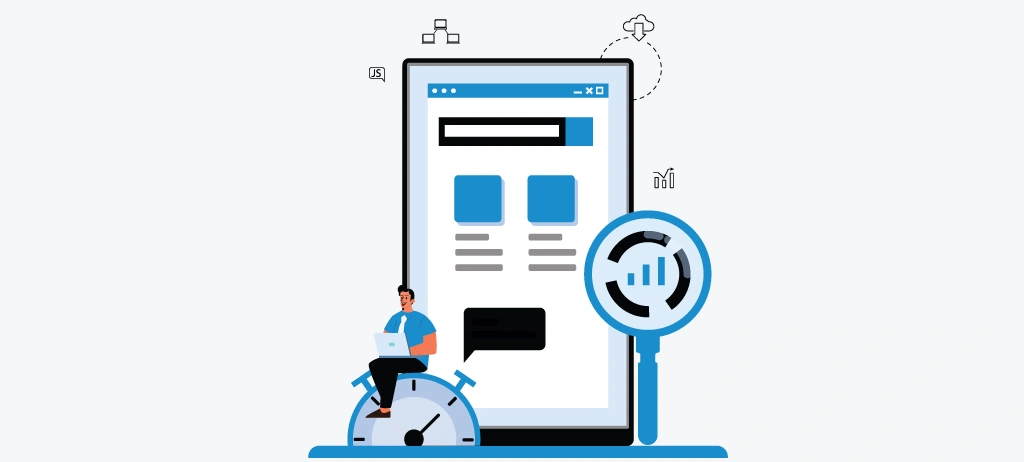
Google measures page experience using Core Web Vitals, a set of metrics that evaluate how quickly your page loads, how responsive it is to user interactions, and whether elements remain visually stable while the page is loading. Poor performance can increase bounce rates, reduce engagement, and limit the effectiveness of an otherwise well-optimized page.
Before publishing, review these three Core Web Vitals:
- Largest Contentful Paint (LCP) – Measures how quickly the main content becomes visible.
- Interaction to Next Paint (INP) – Measures how responsive your page is after a user interacts with it.
- Cumulative Layout Shift (CLS) – Measures unexpected layout movement while the page loads.
For example, imagine a visitor clicks your "Start Free SEO Audit" button, but the page suddenly shifts because an image loads late. Instead of clicking the button, they accidentally tap another element. Experiences like this create frustration and can reduce conversions.
Page speed issues often come from multiple sources working together rather than one single problem. Large images, unused JavaScript, render-blocking CSS, excessive third-party scripts, and oversized pages can all slow down loading times. That's why performance should always be reviewed as part of your web page SEO analysis, not only after the page has already been published.
Before going live, run your page through a Core Web Vitals Checker to evaluate real performance metrics, then use a Page Size Checker to identify oversized resources that may affect loading speed. These checks help you resolve performance bottlenecks before they impact users or search engine crawlers.
Don't wait for Google Search Console to report performance problems. Test every important page before publishing so visitors experience a fast, stable website from their very first visit.
13. Review Mobile Friendliness

Most users will read your content on a mobile device before they ever see it on a desktop. That's why every basic on-page SEO checklist should include a final mobile usability review before publishing. A page that looks great on a large screen can still frustrate visitors if it's difficult to navigate on a smartphone.
Start by checking how your page appears on different screen sizes. Headings should remain readable, paragraphs should not stretch across the screen, and buttons or links should be easy to tap without accidentally selecting nearby elements. A clean mobile layout helps visitors find information faster and encourages them to stay engaged.
Pay close attention to the user experience. Long tables, oversized images, intrusive pop-ups, or forms that are difficult to complete on a phone can quickly drive users away. Instead, use responsive layouts that automatically adjust content to different devices while maintaining readability and usability.
For example, imagine someone searching for an on-page SEO checklist for new websites on their phone. If they have to zoom in to read the text or struggle to tap navigation buttons, they're likely to leave and choose another result. Providing a seamless mobile experience increases user satisfaction and supports better engagement signals.
Before publishing, test your page on both Android and iPhone devices—or use a Mobile-Friendly Test to identify responsive design issues. A complete web page SEO analysis should also include checking for viewport problems, clickable element spacing, and mobile layout consistency to ensure every visitor has the same experience regardless of device.
Don't just preview your page on a desktop browser. Open it on your phone and complete the same actions your visitors will take. If something feels difficult to use, it's worth fixing before you publish.
14. Run a Complete On-Page SEO Audit
You've optimized your keywords, content, images, internal links, schema, page speed, and mobile experience. Before you hit Publish, take one final step: run a complete on-page SEO audit to verify that everything works together.
It's easy to overlook small issues during content creation. A missing meta description, duplicate H1 tag, broken internal link, oversized image, or incorrect schema can reduce your page's performance even if the rest of your optimization is strong. A final audit helps you identify these issues before search engines discover them.
A comprehensive on-page SEO checker reviews the page as a whole instead of focusing on individual elements. Rather than checking your title tag, headings, or images one at a time, it evaluates whether every on-page SEO factor is working together to create a search-friendly page.
Before publishing, review important elements such as:
- Keyword optimization
- Title tag and meta description
- Heading hierarchy
- Internal and external links
- Image optimization and alt text
- URL structure
- Schema markup
- Mobile usability
- Core Web Vitals and page performance
Running this final review helps ensure your page meets both user expectations and search engine requirements. It also reduces the chances of publishing technical mistakes that can affect indexing, rankings, or user experience.
Instead of manually reviewing every element, you can use an On-Page SEO Checker to evaluate your optimization in one place. A Website SEO Audit or Site Audit can also uncover hidden issues such as broken links, missing metadata, duplicate content, or technical warnings that are often missed during manual reviews.
Treat your SEO audit as the final quality check before publishing. Finding and fixing one overlooked issue now is far easier than troubleshooting ranking problems after your page is already live.
15. Complete Your Final Pre-Publish SEO Checklist

Before you publish your page, take a few minutes to review everything one last time. Even a well-written article can miss small details that affect rankings, user experience, or search visibility. A final review helps you catch these issues before your content reaches both visitors and search engines.
Instead of checking each SEO element separately, review the page as a complete experience. Ask yourself:
- Does the content fully answer the user's search intent?
- Are the title, URL, and headings clear and relevant?
- Do images, internal links, and external references add value?
- Is the page easy to navigate on desktop and mobile?
- Have technical checks like schema, page speed, and indexing been completed?
If the answer to each question is yes, your page is ready for publishing.
For websites that publish content regularly, managing every optimization manually can become difficult. Using a centralized SEO Dashboard allows you to review page health, monitor optimization progress, assign SEO tasks, track keyword performance, and identify technical issues from one place before and after publication. This makes it easier to maintain consistent SEO quality across your entire website instead of reviewing pages individually.
Remember, publishing isn't the end of your SEO work—it's the beginning. Continue monitoring rankings, user engagement, and page performance, then refine your content as search trends and user behavior evolve.
Great SEO isn't about checking boxes; it's about publishing content that genuinely helps users while making it easy for search engines to understand, crawl, and trust your page.
Common On-Page SEO Mistakes to Avoid Before Publishing
Completing an on-page SEO checklist is only half the job. The real challenge is making sure every optimization works together to create a page that satisfies users and search engines. Many pages fail to rank not because they ignore SEO best practices, but because small implementation mistakes reduce their overall quality.
Whether you're using a free on-page SEO checker or reviewing your content manually, avoiding the following mistakes can significantly improve your chances of achieving higher rankings and delivering a better user experience.
1. Optimizing for Search Engines Instead of Users
One of the biggest mistakes in modern SEO is writing content that focuses on keywords rather than solving a real problem. Google's Helpful Content system rewards pages that demonstrate expertise and provide useful, trustworthy information.
Instead of asking:
"How many times should I use my keyword?"
Ask:
"Does this section completely answer the user's question?"
A well-written on-page SEO checklist for businesses should educate readers, provide actionable advice, and naturally include relevant keywords without disrupting readability.
2. Stuffing Keywords Instead of Building Topical Authority
Many websites still believe repeating the same keyword improves rankings. In reality, keyword stuffing often makes content difficult to read and weakens user experience.
For example, repeatedly using on-page SEO checker or SEO on-page checklist in every paragraph provides little value. Instead, expand the topic by naturally including related concepts such as search intent, heading hierarchy, metadata, internal linking, structured data, page speed, and Core Web Vitals. This helps search engines understand the complete context of your page while keeping the content engaging for readers.
3. Publishing Without Running a Complete Web Page SEO Analysis
Even experienced marketers overlook small issues before publishing. Missing alt text, duplicate H1 tags, broken internal links, incorrect schema, or oversized images may seem minor individually, but together they can affect crawlability, indexing, and overall page quality.
Before publishing, perform a complete web page SEO analysis using an on-page SEO checker tool. Reviewing the page as a whole helps identify hidden issues that manual reviews often miss, ensuring every optimization works together.
4. Ignoring Content Relationships Across Your Website
A common mistake is treating every page as an isolated piece of content. Search engines evaluate how pages connect within your website, not just how well a single page is optimized.
Publishing new content without linking it to relevant guides, category pages, or supporting resources creates orphan pages that are harder for users and search engines to discover. A logical internal linking strategy strengthens topical authority and improves the flow of link equity throughout your website.
5. Assuming SEO Ends After You Click Publish
Publishing isn't the finish line; it's the beginning of your page's SEO journey.
Search intent changes, competitors update their content, and Google's algorithms continue to evolve. Pages that consistently perform well are reviewed, refreshed, and improved over time.
Monitor keyword rankings, engagement metrics, click-through rates, and technical health regularly. Updating content with fresh insights, improved examples, and new optimization opportunities helps maintain long-term organic visibility and keeps your basic on-page SEO checklist relevant long after publication.
The highest-ranking pages aren't usually the ones with the most keywords—they're the ones that consistently provide the best experience for users. Treat your on-page SEO optimization checklist as an ongoing quality process rather than a one-time publishing task.
Which Free Tools Make On-Page SEO Optimization Easier
Completing an on-page SEO checklist doesn't require dozens of different SEO tools. In most cases, what you need depends on the task you're working on. For example, keyword research helps you plan content, metadata tools improve search visibility, internal link analysis strengthens your site structure, and technical audits help identify issues that are difficult to spot manually.
The key is choosing tools that solve a specific problem instead of trying to use one tool for every SEO task.
If you're creating content regularly, it also helps to keep your entire optimization workflow in one place. Rather than switching between multiple platforms, many SEO professionals prefer using a workspace that lets them research keywords, review on-page elements, check technical issues, monitor rankings, and manage optimization tasks together.
For example, while working through this on-page SEO checklist, you may want to:
- Research keywords before writing.
- Review your title tag and meta description before publishing.
- Check heading structure and internal linking.
- Validate schema markup and technical SEO elements.
- Measure Core Web Vitals and page performance.
- Run a final on-page SEO audit before the page goes live.
- Track rankings and monitor improvements after publishing.
Having access to these tools within a single workflow makes the publishing process more efficient and helps reduce the chance of overlooking important SEO issues.
Platforms like WRanker bring these optimization tasks together, allowing you to move from keyword research to publishing and ongoing performance monitoring without constantly switching between different tools. Whether you're looking for a free on-page SEO checker, performing a web page SEO analysis, or managing SEO for multiple websites, using an integrated workflow can save time while improving consistency.
The best SEO tool isn't necessarily the one with the most features. It's the one that fits naturally into your publishing workflow and helps you complete every step of your on-page SEO optimization checklist accurately and consistently.
Conclusion
Publishing a page without reviewing its SEO is like launching a website without testing it. By following this Complete On-Page SEO Checklist, you'll ensure every important element- from keyword placement and content quality to technical SEO and user experience- is optimized before your page goes live.
Remember, effective SEO isn't about checking boxes; it's about creating content that genuinely helps users while making it easy for search engines to understand, crawl, and rank. Make this checklist part of your publishing workflow, monitor your results, and continue improving your pages over time. Consistent optimization is what turns well-written content into long-term organic traffic.
Frequently Asked Questions
What is an on-page SEO checklist?
Why should I use an on-page SEO checklist before publishing?
What is the difference between on-page SEO and technical SEO?
What is the best free on-page SEO checker?
How often should I perform an on-page SEO audit?
What are the most common on-page SEO mistakes?
Can I rank without using every item in an on-page SEO checklist?
Which on-page SEO factors have the biggest impact on rankings?
Is on-page SEO enough to rank on Google?
How can WRanker help with on-page SEO?
More Related Blogs: