
Purpose
What this is
Top Keywords helps you understand which search queries drive organic visibility for your website. Review performance over time, segment by device and country, and identify optimization opportunities.
When to use it
- Identify your best-performing organic keywords.
- Find keywords with high impressions but low CTR.
- Compare keyword performance across devices.
- Add important keywords to Rank Tracker.
- Export keyword performance for reporting.
Where to find it
- Open SEO Dashboard.
- Select Organic Visibility.
- Click Top Keywords.
- Confirm your Project and Date Range.
Step-by-step
Open Top Keywords
Open SEO Dashboard → Organic Visibility → Top Keywords.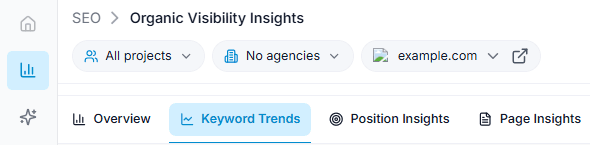
Capture: the Overview chart and the metric cards
Select Project
Choose the website project you want to analyze.
Capture: the Overview chart and the metric cards
Choose Date Range
Select the reporting period for your analysis.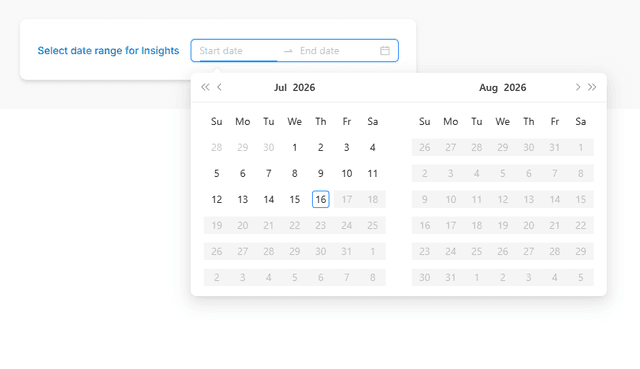
Capture: the Overview chart and the metric cards
Review Keywords
Review the keyword table and sort by Clicks, Impressions, CTR, or Average Position.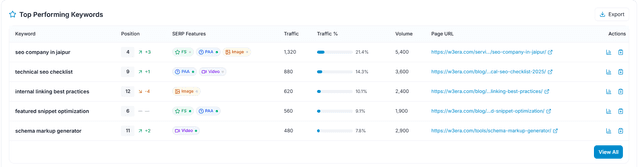
Capture: the Overview chart and the metric cards
Apply Filters
Use Device, Country, Search, or SERP Feature filters to narrow the results.
Capture: the Overview chart and the metric cards
Key Features
Keyword Table
View Clicks, Impressions, CTR, and Average Position for every keyword.
Filters
Filter results by Device, Country, Date Range, and SERP Features.
Search
Quickly find specific keywords.
Keyword Details
Open the details drawer for deeper keyword insights.
Bulk Actions
Add keywords to Rank Tracker, Create Tasks, or Export.
Export
Download the current keyword list for reporting.
Tip
Sort by Impressions first, then review CTR to discover keywords that have visibility but need better titles or meta descriptions.
What You'll See
Keyword Table
Displays every keyword with performance metrics.
Search Box
Find keywords instantly.
Filters
Device, Country, Date Range and SERP Features.
Bulk Actions
Rank Tracker, Create Task and Export.
Keyword Drawer
Shows detailed keyword insights.
Summary Cards
Overall keyword performance totals.