
Who this is for
This guide is intended for SEO professionals, marketers, website owners, and anyone responsible for monitoring page-level organic search performance.
Prerequisites
- A Wranker project must already be created.
- Google Search Console must be connected.
- Organic Visibility data should be available for the selected project.
Data availability
Top Performing Pages uses Google Search Console data. Recently created projects may require some time before page-level metrics become available.
Where to find it
- Open SEO from the left navigation.
- Select Organic Visibility.
- Open Top Performing Pages.
What you'll see
Performance Table
Displays Clicks, Impressions, CTR and Average Position for every page.
Search & Filters
Filter results by Project, Date Range, Device and Country.
Sorting
Sort pages by any performance metric.
Page Details
Open a page to review the associated search queries.
Available metrics
- Clicks
- Impressions
- CTR
- Average Position
How to use
Open Top Performing Pages
Navigate to Organic Visibility and open Top Performing Pages.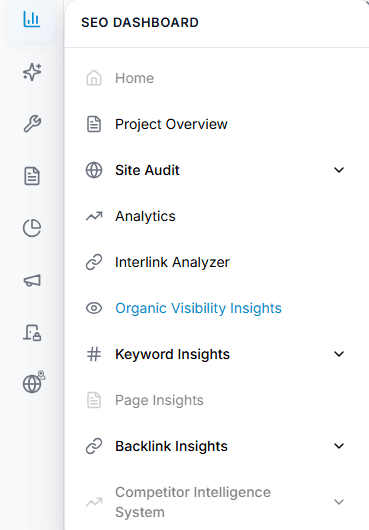
Capture: the Overview chart and the metric cards
Select a project
Choose the website project you want to review.
Capture: the Overview chart and the metric cards
Choose a date range
Select the required reporting period.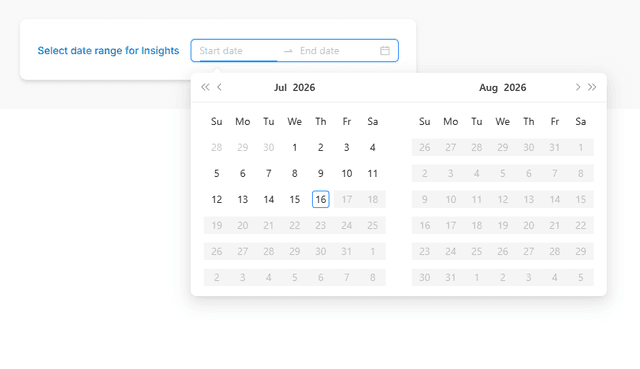
Capture: the Overview chart and the metric cards
Analyze page performance
Review Clicks, Impressions, CTR and Average Position for each page.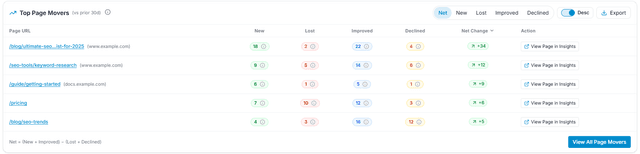
Capture: Analyze page performance
Filter and sort results
Use filters and sorting to identify your highest and lowest performing pages.Review page details
Open a page to analyze the search queries driving its organic traffic.
Expected result
You'll understand which pages generate the most organic traffic, identify optimization opportunities, and monitor page performance over time.
Tips & Best Practices
- Compare longer date ranges before drawing conclusions.
- Focus on pages with high impressions but low CTR.
- Monitor performance after publishing SEO improvements.
- Use filters to compare performance by device and country.